
1. Important Safety Information
Please read all instructions carefully before operating this appliance. Keep this manual for future reference.
- Ensure the unit is placed on a flat, stable surface to prevent tipping.
- Do not operate the unit with a damaged cord or plug.
- Do not block air inlets or outlets. Maintain at least 20cm clearance around the unit.
- Always unplug the unit before cleaning or servicing.
- Do not use the unit in wet environments such as bathrooms or laundry rooms.
- Keep children and pets away from the unit during operation.
2. Product Overview
The Takywep 14000BTU Portable Air Conditioner is a versatile 3-in-1 unit designed for cooling, dehumidification, and fan-only operation. It features auto swing, sleep mode, and is suitable for rooms up to 700 sq.ft.

Image: The Takywep portable air conditioner unit shown with its remote control, illustrating the main product and its primary interface.
2.1 Key Features
- Powerful Cooling: 14000 BTU cooling capacity for areas up to 700 sq.ft.
- 3-in-1 Functionality: Offers Cooling, Dehumidifier, and Fan modes.
- Auto Swing: Ensures even air distribution.
- Sleep Mode: Adjusts temperature for comfortable sleep and reduces noise.
- Low Noise Operation: Designed for quiet performance.
- Portability: Equipped with wheels for easy movement between rooms.

Image: The portable air conditioner positioned in a living room, highlighting its multi-functional capabilities including 3-speed regulation, 3 functions, sleep mode, and automatic swing.
2.2 Package Contents
Verify that all components are present:
- Portable Air Conditioner Unit
- Remote Control
- Exhaust Hose
- Window Sealing Kit (Adjustable window slider, adapter)
- Drain Hose
- User Manual
3. Setup and Installation
This portable air conditioner requires no permanent installation. Follow these steps for quick setup.
3.1 Choosing a Location
- Place the unit on a firm, level surface.
- Ensure there is at least 20cm (8 inches) of space around the unit for proper airflow.
- Position the unit near a window for exhaust hose installation.
3.2 Exhaust Hose Installation
- Attach the exhaust hose to the unit's exhaust outlet.
- Connect the other end of the exhaust hose to the window adapter.
- Insert the window adapter into the adjustable window sealing kit.
- Place the window sealing kit in the open window and extend it to fit snugly. Close the window to secure the kit.
- Ensure the exhaust hose is as straight and short as possible to maximize efficiency. Avoid sharp bends.
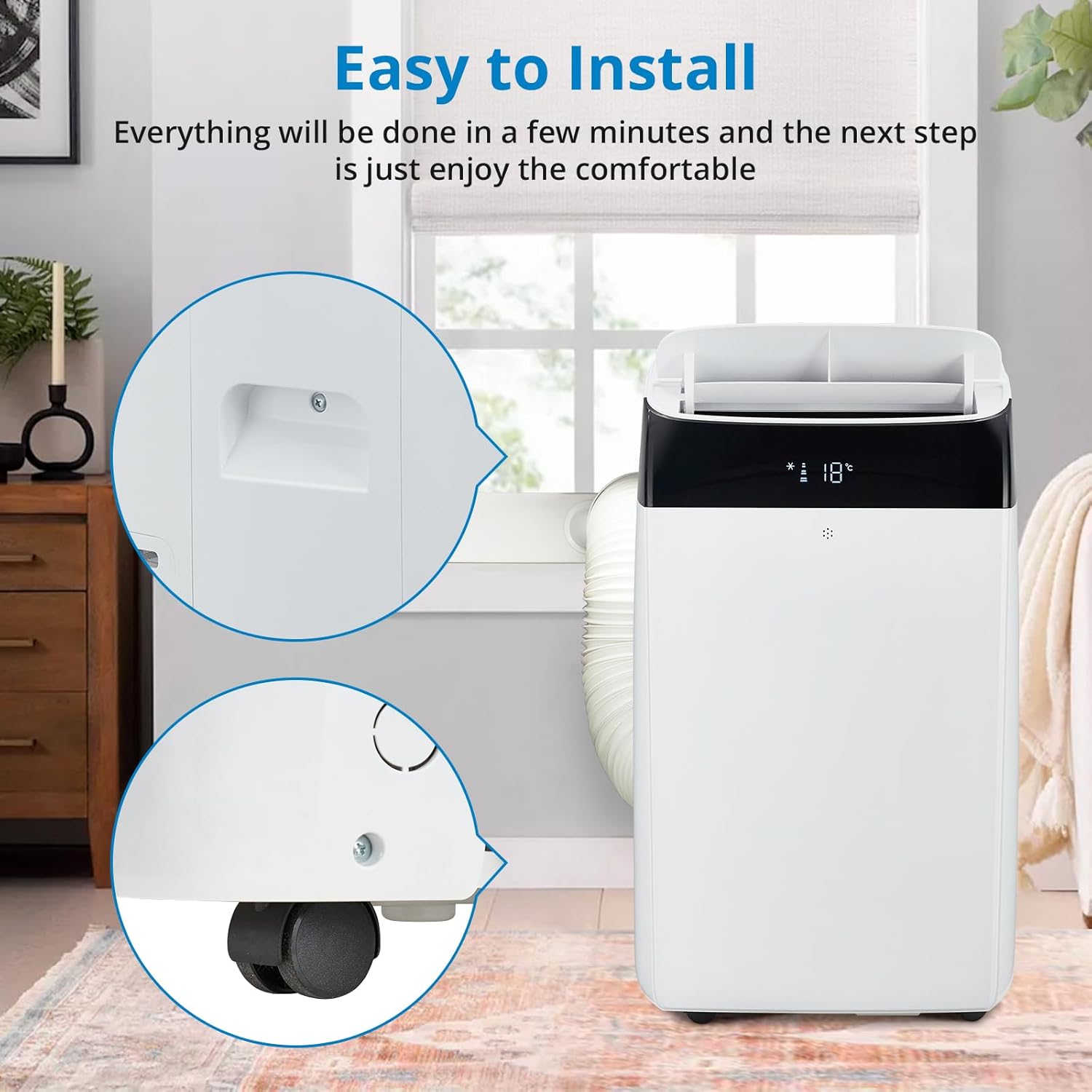
Image: Detailed view of the portable air conditioner's integrated handles and smooth-rolling wheels, demonstrating its easy maneuverability and simple setup process.
3.3 Power Connection
- Plug the power cord into a grounded 115V electrical outlet.
- Do not use extension cords or power strips.
4. Operating Instructions
The unit can be operated using the control panel on the top of the unit or the included remote control.
4.1 Control Panel and Remote Control Functions
- Power Button: Turns the unit ON or OFF.
- Mode Button: Cycles through Cooling, Dehumidifier, and Fan modes.
- Fan Speed Button: Adjusts fan speed (Low, Medium, High).
- Temperature Up/Down Buttons: Adjusts desired temperature in Cooling mode.
- Timer Button: Sets the auto-on or auto-off timer.
- Sleep Mode Button: Activates or deactivates Sleep Mode.
- Auto Swing Button: Controls the automatic oscillation of the air vents.

Image: The portable air conditioner and its remote control in a room, illustrating the "Smart Mode" feature which includes an intelligent temperature control system for enhanced comfort.
4.2 Operating Modes
- Cool Mode: Provides powerful cooling. Set your desired temperature and fan speed. The unit will cool the room to the set temperature.
- Dehumidifier Mode: Removes excess moisture from the air. The fan speed is typically fixed in this mode.
- Fan Mode: Circulates air without cooling. Choose your preferred fan speed.

Image: A visual representation of the unit's three primary functions: Refrigeration (cooling), Dehumidification, and Fan operation, depicted side-by-side.
4.3 Special Features
- Sleep Mode: When activated, the unit will gradually increase the set temperature by 1°F (or 1°C) after 30 minutes, and again after another 30 minutes, then maintain this temperature for 7 hours before returning to the original setting. This mode also operates at a lower fan speed for quieter operation.
- Low Noise Operation: The unit is designed to operate quietly, especially in Sleep Mode, to minimize disturbance.

Image: The portable air conditioner operating in a bedroom while a person sleeps, illustrating its low noise operation feature for peaceful rest.
5. Maintenance
Regular maintenance ensures optimal performance and extends the lifespan of your air conditioner.
5.1 Cleaning the Air Filter
- Turn off and unplug the unit before cleaning.
- Locate and remove the air filter (usually on the back or side).
- Clean the filter with a vacuum cleaner or wash it with warm, soapy water.
- Rinse thoroughly and allow it to air dry completely before reinstalling.
- Clean the air filter every two weeks or more frequently if used in dusty environments.
5.2 Draining Water
The unit has a self-evaporative system, but in high humidity conditions, water may accumulate. If the "Full Water" indicator lights up, the unit needs to be drained.
- Turn off and unplug the unit.
- Place a shallow pan or tray under the drain port at the bottom rear of the unit.
- Remove the drain plug to allow water to flow out.
- Once drained, replace the drain plug securely.
5.3 Storage
- Before storing, drain all accumulated water.
- Clean the air filter.
- Unplug the power cord and wrap it neatly.
- Store the unit in a cool, dry place, away from direct sunlight.
6. Troubleshooting
Before contacting customer support, refer to the following troubleshooting guide for common issues.
| Problem | Possible Cause | Solution |
|---|---|---|
| Unit does not turn on. | No power supply; Power cord not plugged in; Circuit breaker tripped. | Ensure unit is plugged into a live outlet; Check circuit breaker; Try a different outlet. |
| Unit does not cool effectively. | Air filter dirty; Exhaust hose blocked or improperly installed; Room too large; Doors/windows open. | Clean air filter; Check exhaust hose for kinks or blockages and ensure proper sealing; Close all doors and windows; Ensure room size is within unit's capacity. |
| "Full Water" indicator light is on. | Water tank is full. | Drain the water from the unit as described in the Maintenance section. |
| Unit is noisy. | Unit not on a level surface; Air filter dirty; Obstruction in fan. | Place unit on a flat, stable surface; Clean air filter; Check for and remove any obstructions. |
7. Specifications
Technical details for the Takywep Portable Air Conditioner Model CKJ-OPL-0318-PRT.
| Feature | Detail |
|---|---|
| Model Number | CKJ-OPL-0318-PRT |
| Cooling Power | 14000 BTU |
| Floor Area Coverage | Up to 700 Square Feet |
| Product Dimensions (D x W x H) | 17.72" x 15.55" x 33.86" |
| Item Weight | 66 pounds |
| Voltage | 115V |
| Noise Level | 52 Decibels |
| Form Factor | Portable |
| Special Feature | 4 Way Swing |
| BEE Star Rating | 5 Star |
| Seasonal Energy Efficiency Ratio (SEER) | 14 |
| Color | White |
8. Warranty and Customer Support
Warranty information for this product was not provided in the available product data. For specific warranty details, technical assistance, or any questions regarding your Takywep Portable Air Conditioner, please contact the manufacturer directly or refer to the product packaging.
Manufacturer: Takywep