
Introduction
The Fluval AC110 Power Filter is an external hang-on-back filtration system designed to provide superior 4-stage filtration for aquariums ranging from 60 to 110 US gallons (227-416 liters). This filter ensures crystal-clear and healthy water conditions through mechanical, chemical, and biological filtration processes. This manual provides detailed instructions for the proper setup, operation, and maintenance of your Fluval AC110 Power Filter.
Safety Instructions
- Always disconnect all electrical appliances from the mains power supply before placing hands in the aquarium, performing maintenance, or handling the filter.
- Ensure the filter is securely mounted to the aquarium rim and filled with water before connecting to power.
- Do not operate the filter if any part is damaged or if the power cord is frayed.
- This appliance is intended for indoor use only.
- Keep out of reach of children.
Package Contents
Carefully unpack all components and ensure the following items are present:
- Fluval AC110 Power Filter Unit
- Pre-filter Sponge
- BioFoam Insert
- BioMax Insert (biological media)
- Carbon Insert (chemical media)
- Intake Tube Assembly
- Output Spout
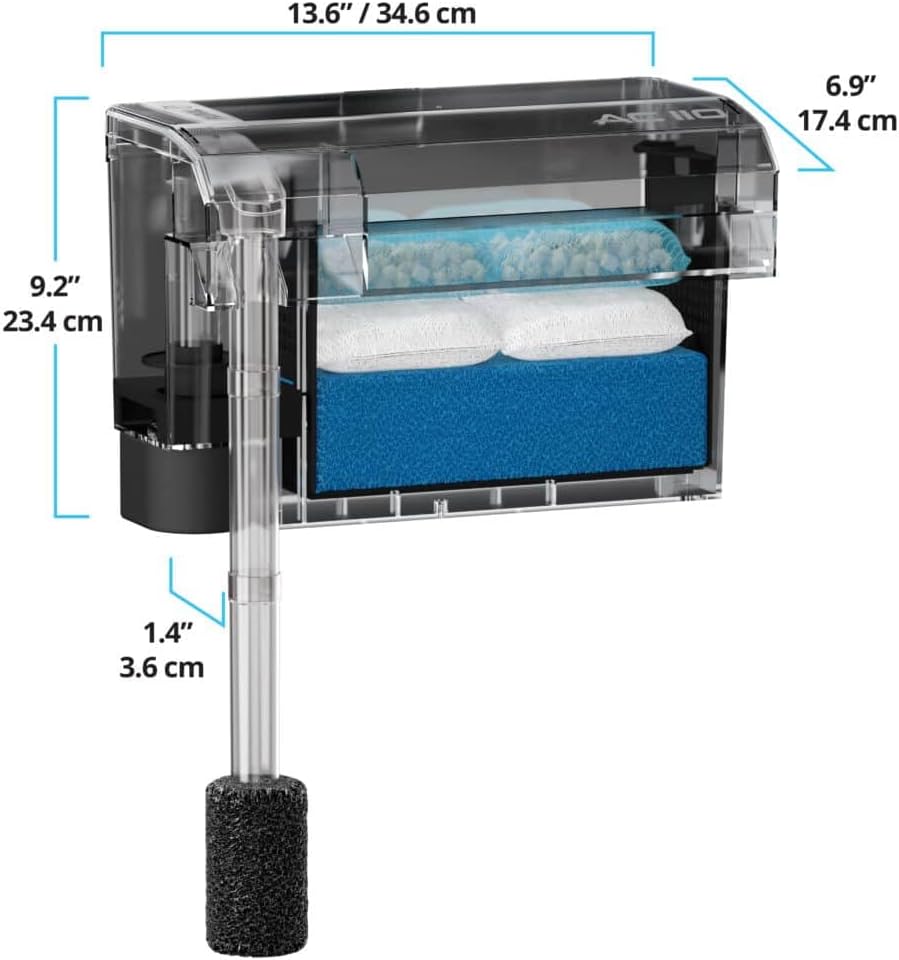
Image: Exploded view of the Fluval AC110 Power Filter showing all included parts for assembly.
Setup Instructions
- Unpack and Inspect: Remove all packaging materials and inspect the filter and its components for any damage.
- Assemble Intake Tube: Connect the intake tube sections and attach the pre-filter sponge to the bottom of the intake tube.
- Install Filter Media: Place the filter media into the filter basket in the following order from bottom to top: BioFoam, Carbon Insert, BioMax Insert. Ensure they are seated correctly.
- Mount Filter: Hang the filter unit securely on the back rim of your aquarium. Ensure it is level and stable.
- Position Intake Tube: Insert the assembled intake tube into the filter unit and adjust its length so the pre-filter sponge is submerged in the aquarium water, ideally near the bottom.
- Fill with Water: Manually fill the filter reservoir with aquarium water until it is full. This primes the pump and prevents dry running.
- Connect Power: Once the filter is filled with water and securely mounted, plug the power cord into a grounded electrical outlet. The filter should start operating immediately.
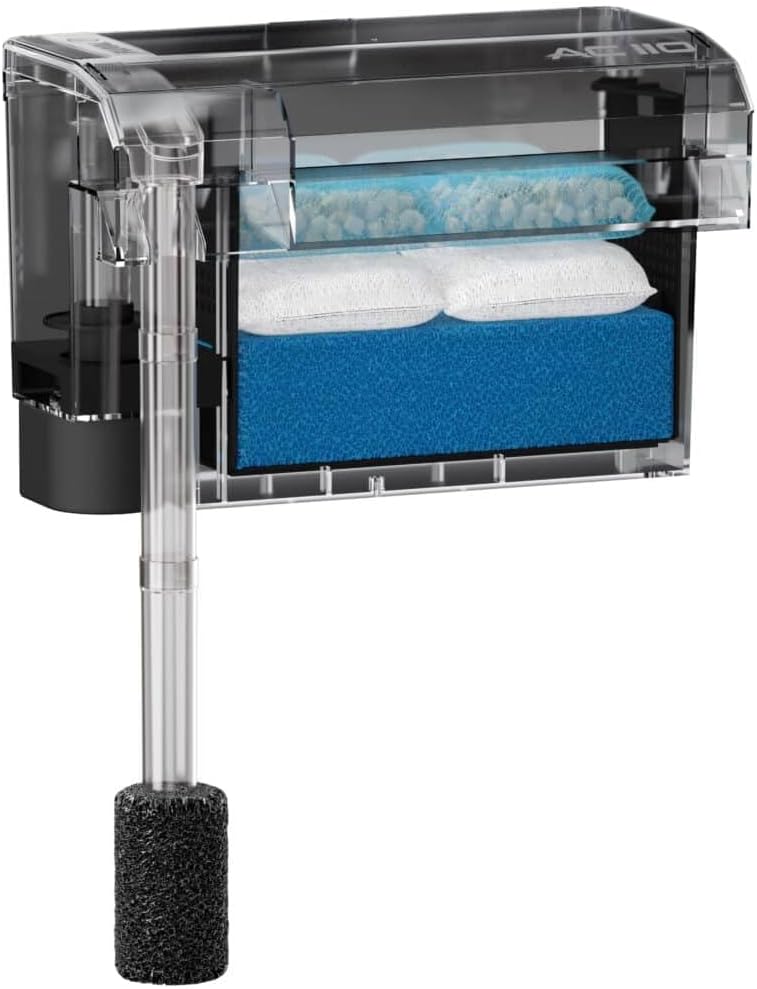
Image: The Fluval AC110 Power Filter fully assembled, showing the intake tube and media basket.
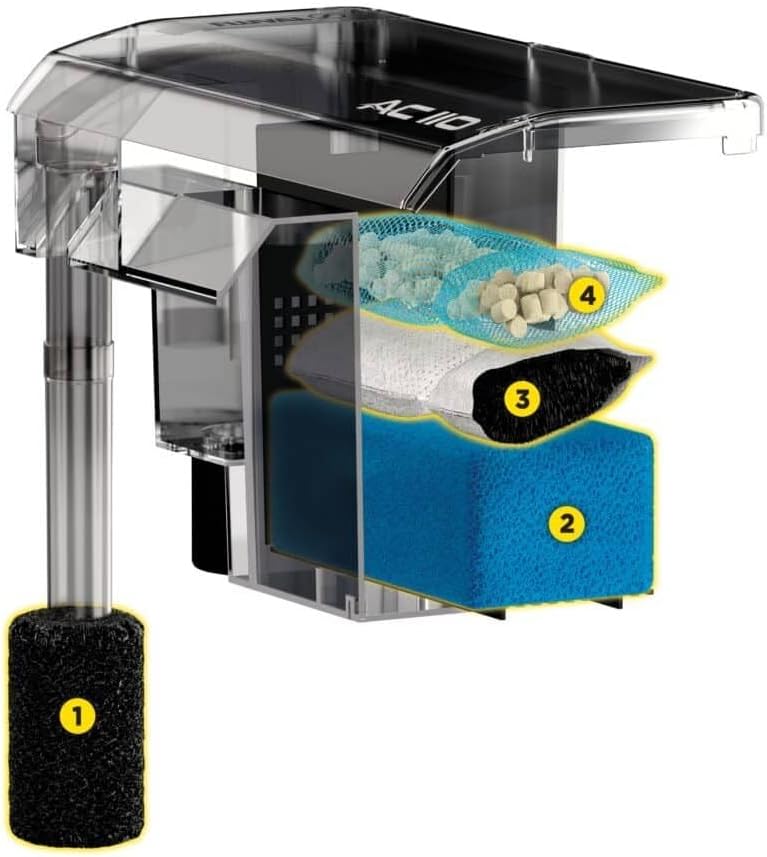
Image: A cutaway view of the Fluval AC110 filter, illustrating the four stages of filtration media: (1) pre-filter sponge, (2) BioFoam, (3) carbon insert, and (4) BioMax biological media.
Operating Instructions
Once properly set up and plugged in, the Fluval AC110 Power Filter will begin circulating and filtering your aquarium water. The filter is designed for continuous operation to maintain water quality.
Flow Control
The Fluval AC110 features an adjustable flow control knob, typically located on the top of the filter unit. This allows you to regulate the water flow rate to suit the needs of your aquarium inhabitants. Turn the knob clockwise to decrease flow and counter-clockwise to increase flow.
Re-priming After Power Outage
In the event of a power outage, the filter may lose its prime. Once power is restored, if the filter does not restart automatically or if the water flow is weak, unplug the unit, manually fill the filter reservoir with aquarium water, and then plug it back in. This will re-prime the pump.
Maintenance
Regular maintenance is crucial for the optimal performance and longevity of your Fluval AC110 Power Filter and the health of your aquarium.
Weekly Maintenance
- Check Flow Rate: Ensure the water flow is consistent and strong. A reduced flow rate may indicate clogged media.
- Clean Pre-filter Sponge: Gently rinse the pre-filter sponge in old aquarium water (removed during a water change) to remove trapped debris. Do not use tap water as chlorine can harm beneficial bacteria.
Monthly Maintenance
- Rinse BioFoam: Lightly rinse the BioFoam insert in old aquarium water. Avoid excessive cleaning to preserve beneficial bacteria.
- Replace Carbon Insert: The carbon insert should be replaced every 2-4 weeks, or as needed, to maintain chemical filtration effectiveness.
- Clean Impeller: Unplug the filter and carefully remove the motor unit and impeller. Clean the impeller and its housing with a small brush to remove any debris or mineral buildup.
Every 2-3 Months
- Rinse BioMax: Gently rinse the BioMax biological media in old aquarium water. Only clean if visibly clogged, as it houses essential beneficial bacteria.
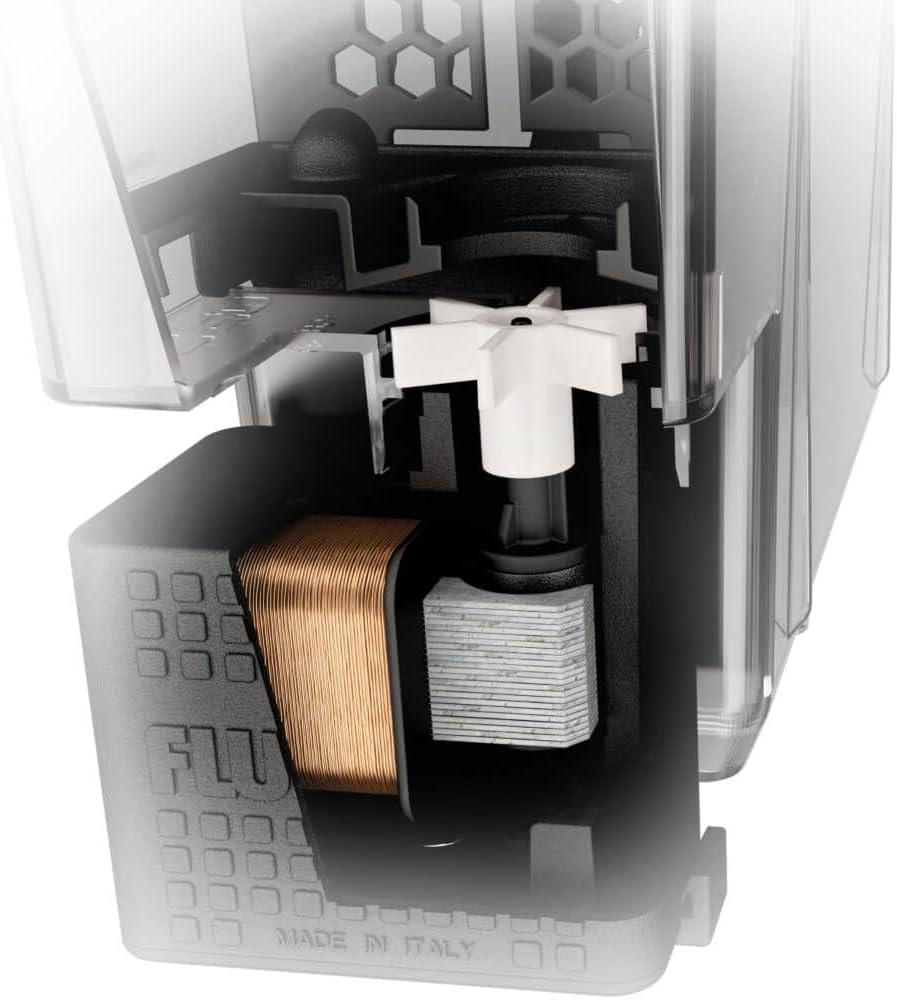
Image: A detailed internal view of the Fluval AC110 Power Filter, highlighting the motor and impeller assembly, which should be cleaned regularly.
Troubleshooting
| Problem | Possible Cause | Solution |
|---|---|---|
| Filter not starting or weak flow | Not primed, clogged intake, clogged media, impeller issue | Ensure filter is filled with water. Clean intake tube and pre-filter sponge. Check and clean impeller. Replace clogged media. |
| Excessive noise/rattling | Impeller not seated correctly, air in filter, debris in impeller housing, filter not level | Unplug and re-seat impeller. Ensure filter is fully primed and free of air. Clean impeller and housing. Verify filter is level on the aquarium rim. |
| Water overflowing from filter | Clogged filter media | Clean or replace filter media, especially the BioFoam and pre-filter sponge. |
| Cloudy water | Insufficient filtration, new tank syndrome, overfeeding, dirty media | Perform partial water change. Ensure all filter media are clean and functioning. Do not overfeed. Check for proper biological filtration establishment. |
Specifications
- Model: Fluval AC110 (Model Number: 19620)
- Aquarium Capacity: 60-110 US Gallons / 227-416 Liters
- Pump Output: 500 US GPH (Gallons Per Hour)
- Filtration Stages: 4-stage (Mechanical, Chemical, Biological)
- Item Weight: 2.2 pounds (1 Kilogram)
- Product Dimensions (LxWxH): 6.85 x 13.62 x 9.21 inches (17.4 x 34.6 x 23.4 cm)
- Manufacturer: Rolf C. Hagen (USA) Corp.
- Included Components: Power Filter, pre-filter sponge, biofoam insert, biomax insert, carbon insert
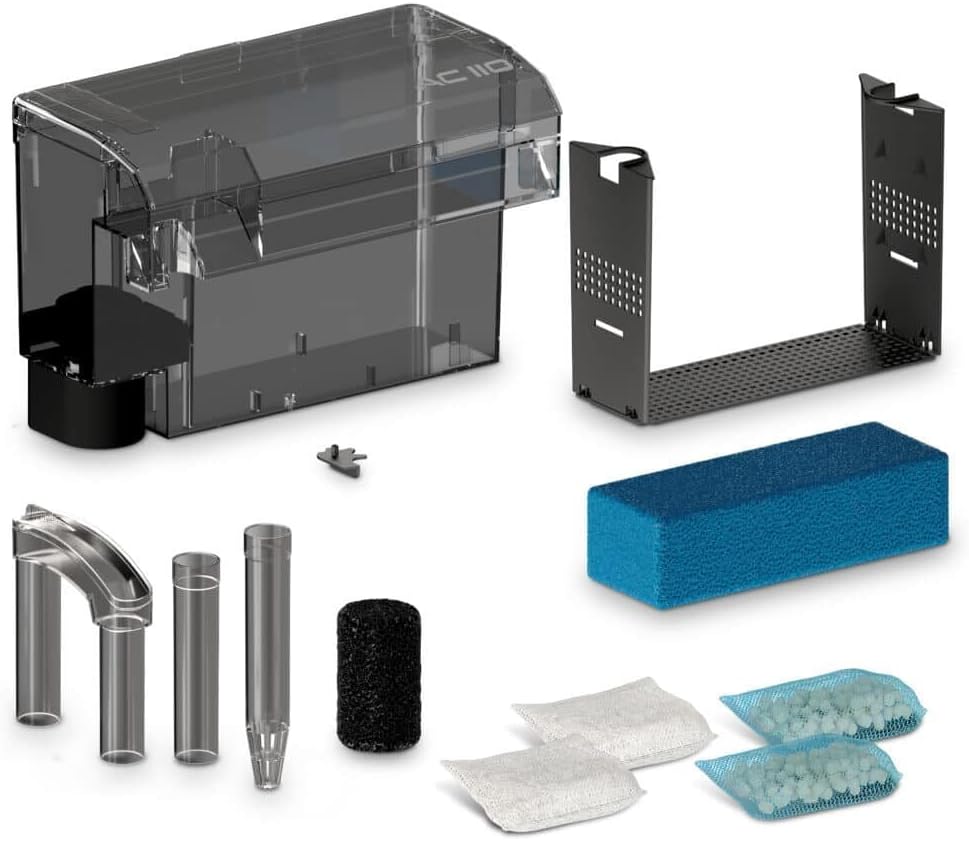
Image: Diagram showing the key dimensions of the Fluval AC110 Power Filter for proper placement and fit.
Warranty and Support
For warranty information or technical support, please refer to the documentation included with your product packaging or visit the official Fluval website. Keep your proof of purchase for warranty claims.
Manufacturer: Rolf C. Hagen (USA) Corp.


