
1. Product Overview
Key Features
- Solar Powered & 100% Wire-Free: Equipped with a rechargeable battery and 3W solar panel for continuous power supply. Supports 2.4GHz WiFi only.
- 2K 4MP High-resolution Video: Delivers clear 2560 x 1440 pixel resolution for detailed footage.
- Color Night Vision: Features built-in spotlights and IR LEDs for excellent night vision up to 33ft, including color night vision.
- PIR Human Detection: Distinguishes human movement from other objects, sending accurate alerts.
- 2-Way Audio & Remote PT Control: Built-in microphone and speaker for two-way communication. Supports 355° horizontal and 90° vertical rotation for a wide view.
- IP65 Weatherproof: Designed to withstand various harsh weather conditions.
- Local & Cloud Storage: Supports up to 256GB Micro SD card and Foscam cloud storage service.
Package Contents
- FOSCAM B4 Camera
Product Diagram
The FOSCAM B4 camera system includes the main camera unit with its integrated solar panel for power. The camera features dual antennas for stable Wi-Fi connectivity, a lens with multiple IR and spotlight LEDs for night vision, and a motion sensor. The solar panel is designed for outdoor mounting to capture sunlight efficiently.

Image: FOSCAM B4 Solar Security Camera with its accompanying solar panel and a smartphone displaying a live feed.
2. Setup Guide
Installation
The FOSCAM B4 is designed for wall mounting. Choose a location that provides a clear view of the area you wish to monitor and ensures the solar panel receives adequate direct sunlight throughout the day for optimal charging. Ensure the camera is within range of your 2.4GHz Wi-Fi network.

Image: FOSCAM B4 camera mounted on a building, illustrating its outdoor placement and wide surveillance capability.
App Download and Account Creation
Download the official Foscam app from your device's app store (iOS App Store or Google Play Store). Follow the on-screen instructions to create a new Foscam account or log in if you already have one. This app is essential for camera setup, live viewing, and accessing all features.
Wi-Fi Connection
The FOSCAM B4 camera supports 2.4GHz Wi-Fi networks only. It does not support 5GHz Wi-Fi. During setup, ensure your smartphone is connected to a 2.4GHz Wi-Fi network for successful pairing with the camera. The camera's effective Wi-Fi range is approximately 70-80 meters in open, unobstructed areas, but actual performance may vary based on environmental factors and router strength.

Image: Visual representation highlighting that the FOSCAM B4 camera supports 2.4GHz Wi-Fi only.
3. Operating Instructions
Live View and Remote Control
Access the live video feed through the Foscam app. The camera supports Pan (355° horizontal) and Tilt (90° vertical) functions, allowing you to remotely adjust the viewing angle to cover a wide area without blind spots. Note that continuous live viewing is limited to 5 minutes to conserve battery life, as the camera is designed for motion-triggered events and on-demand viewing.

Image: The FOSCAM B4 camera demonstrating its 355° pan and 90° tilt capabilities, controlled remotely via a smartphone app.
Two-Way Audio
Utilize the built-in microphone and speaker for two-way audio communication. This feature allows you to speak to visitors or deter intruders directly through the camera from your smartphone.
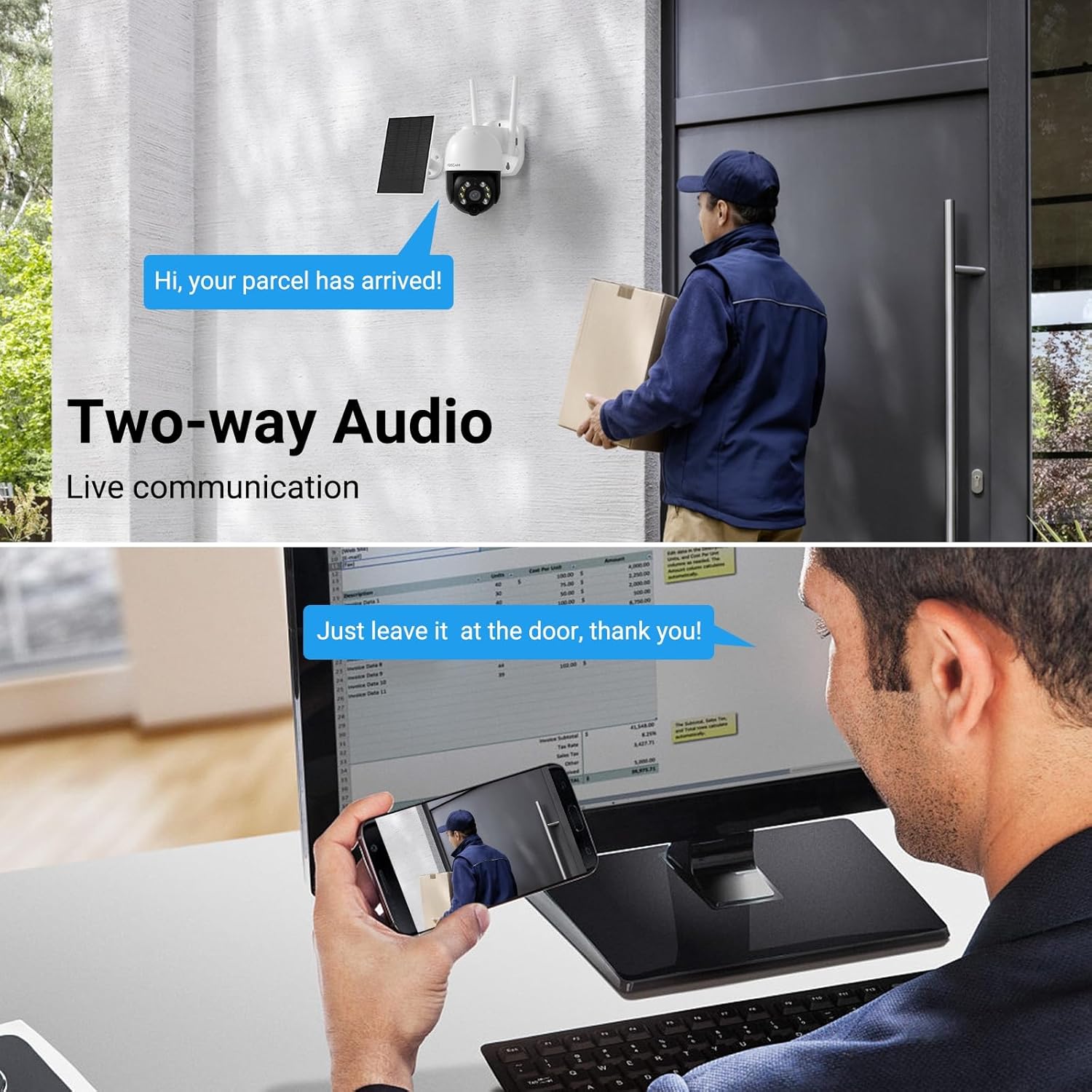
Image: Illustration of the two-way audio feature, showing communication between a person at the door and someone viewing through the camera app.
PIR Human Detection
The camera's Passive Infrared (PIR) sensor is designed to detect human motion, reducing false alarms from non-human objects. When human motion is detected, the camera will trigger recording and send alerts to your Foscam app.

Image: A smartphone screen showing a Foscam alert for human detection, indicating the camera's ability to identify human presence.
Night Vision
The FOSCAM B4 provides clear night vision up to 33 feet. With built-in spotlights and IR LEDs, it offers both infrared black-and-white night vision and full-color night vision, ensuring visibility even in complete darkness.

Image: A side-by-side comparison demonstrating the superior clarity and detail of color night vision provided by the FOSCAM B4 versus traditional black and white night vision.
4. Maintenance
Battery Management
The integrated solar panel is designed to keep the 5000mAh battery charged. For optimal performance, ensure the solar panel is positioned to receive maximum direct sunlight. Regularly check the battery level via the Foscam app. A DC 5V/1A USB power adapter is not included for direct charging, but can be used if needed.
Cleaning and Care
Periodically clean the camera lens and solar panel with a soft, damp cloth to remove dust and debris. Avoid using harsh chemicals or abrasive materials that could damage the surfaces. Ensure the camera's mounting is secure.
Weather Resistance
The FOSCAM B4 camera is IP65 rated, meaning it is protected against dust ingress and low-pressure water jets from any direction. This makes it suitable for outdoor use in various weather conditions, including rain and snow.

Image: The FOSCAM B4 camera depicted in various weather conditions, emphasizing its IP65 weatherproof and extreme weather resistance.
5. Troubleshooting
Common Issues and Solutions
- Camera not connecting to Wi-Fi: Ensure your Wi-Fi network is 2.4GHz. The camera does not support 5GHz Wi-Fi. Verify the camera is within the effective Wi-Fi range (70-80 meters in open areas).
- Limited continuous live viewing: The camera is designed for motion-triggered recording and remote live viewing only when needed. Continuous live viewing is limited to 5 minutes to preserve battery life. It is not intended for 24/7 streaming.
- Compatibility with third-party software/NVRs: The FOSCAM B4 does not support third-party software such as RTSP or ONVIF, nor does it work with web browsers, Foscam NVRs, NAS, or Blue Iris software. Foscam VMS supports adding the B4 to a cloud account only, not local accounts.
- Storage limitations: The camera does not have FTP storage access. It supports a maximum of 256GB Micro SD card or Foscam cloud storage.
- Power issues (red light blinking): This indicates low or no power. Ensure the solar panel is clean and receiving sufficient sunlight. If necessary, charge the camera directly using a compatible 5V/1A USB power adapter (not included).
6. Technical Specifications
| Feature | Specification |
|---|---|
| Model Name | B4 |
| Indoor/Outdoor Usage | Outdoor |
| Power Source | Solar Powered (5000mAh Battery) |
| Connectivity Protocol | Wi-Fi (2.4GHz only) |
| Video Capture Resolution | 1440p (4MP Effective Still Resolution) |
| Viewing Angle | 360 Degrees (Pan/Tilt: 355° H, 90° V) |
| Night Vision Range | 33 Feet (Color Night Vision available) |
| Frame Rate | 25 frames per second |
| Water Resistance Level | IP65 Weatherproof |
| Flash Memory Type | Micro SD (Max 256GB) |
| Item Weight | 1.69 Pounds |
| Product Dimensions | 7.5 x 5.5 x 8.3 inches |
| Control Method | App, Remote |
| Compatible Devices | Desktop, Laptop, Smartphone, Television (via Google Home/Alexa with Chromecast) |
7. Warranty and Support
FOSCAM is committed to providing high-quality products and excellent customer service. If you encounter any problems with your FOSCAM B4 Solar Security Camera, please reach out to FOSCAM customer support. They offer:
- 24/7 Fast Reply & Lifetime Technical Support
- 180-Day Quality Guarantee
- 30-Day Free Returns
- Free Replacement & Fast Delivery
For further assistance, please visit the official FOSCAM website or contact their support team directly. Your satisfaction is their priority.


