1. Introduction
Thank you for choosing the Generic Portable Solar Speaker. This device is designed for outdoor enthusiasts, offering high-fidelity audio, multiple playback options, and robust durability. Its solar charging capability ensures your music never stops, making it perfect for hiking, camping, cycling, and beach activities. This manual provides essential information for safe and effective use of your speaker.
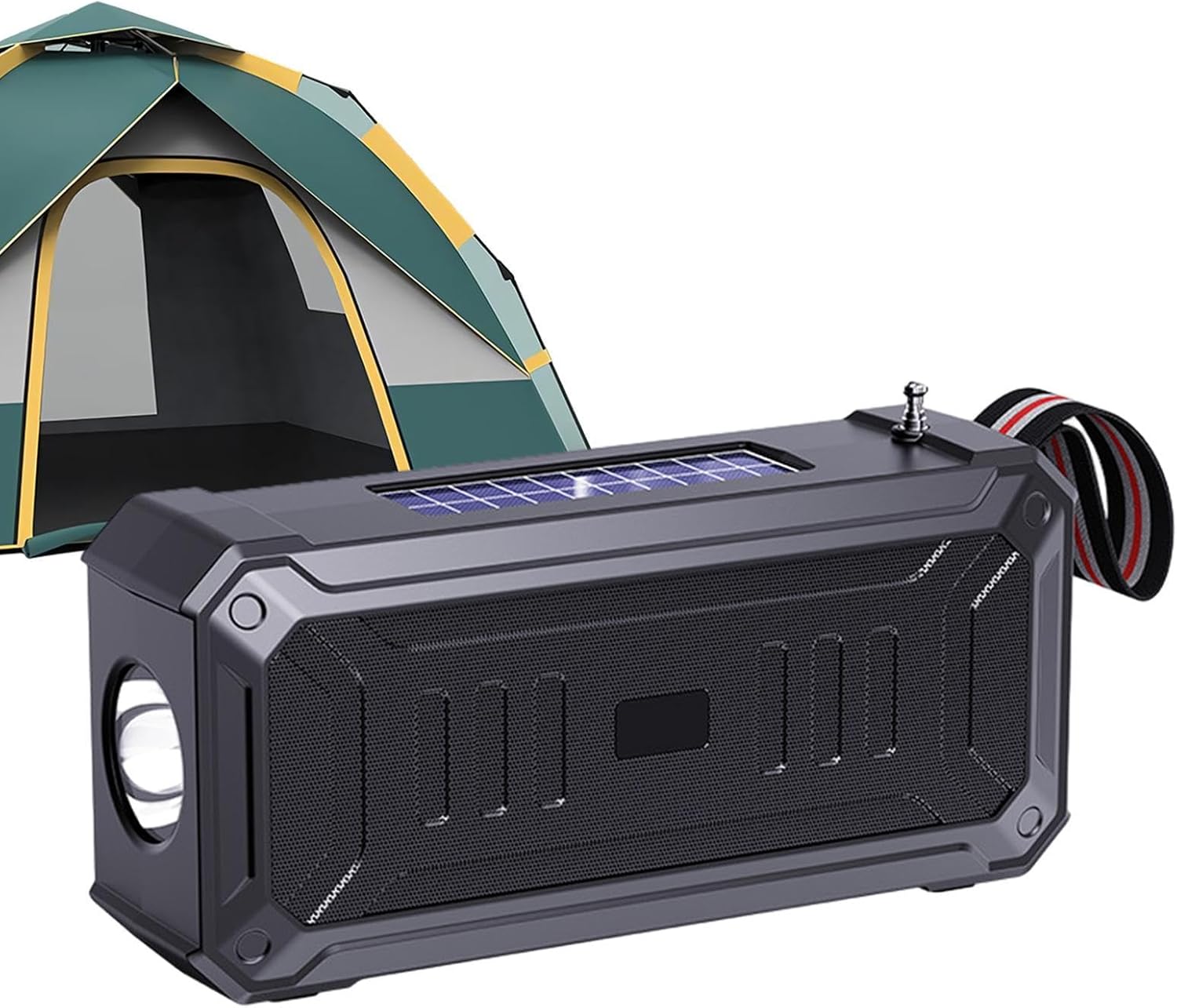
Image 1.1: The Generic Portable Solar Speaker, showcasing its rugged design and suitability for outdoor environments, with a camping tent in the background.
2. Package Contents
Please check the box for the following items:
- 1 x Generic Portable Solar Speaker
- 1 x USB Charging Cable
3. Product Features
- High-Fidelity Audio: Equipped with a 52mm 5W speaker for clear and powerful sound.
- Wireless Connectivity: Bluetooth 5.3 for stable and efficient connection to your devices.
- Multiple Playback Modes: Supports FM radio, TF card, and USB drive playback.
- Solar Charging: Integrated solar panel for convenient outdoor charging.
- Durable Design: IPX6 waterproof, shockproof, and dustproof for various harsh environments.
- Emergency Flashlight: Built-in LED flashlight for illumination.
- Portable: Compact size and lightweight design with a strap for easy carrying.

Image 3.1: The speaker being used in diverse settings, including a picnic, a living room, and during hiking, highlighting its versatility.
4. Setup
4.1 Initial Charging
Before first use, it is recommended to fully charge the speaker using the provided USB cable. Connect the USB cable to the speaker's charging port and a standard 5V USB power adapter (not included).
The speaker also features a solar charging panel. Place the speaker in direct sunlight to utilize solar charging. This is ideal for maintaining charge during outdoor use.

Image 4.1: A detailed view of the speaker's top-mounted solar panel, illustrating its dual charging capability.
4.2 Powering On/Off
- To power on: Press and hold the power button for approximately 3 seconds.
- To power off: Press and hold the power button for approximately 3 seconds.
4.3 Bluetooth Pairing
- Ensure the speaker is powered on and in Bluetooth mode (indicated by a flashing LED).
- On your mobile device, enable Bluetooth and search for available devices.
- Select "Generic Speaker" (or similar name) from the list.
- Once paired, the speaker will emit a confirmation sound, and the LED indicator will stop flashing.

Image 4.2: The speaker conveniently clipped to a backpack, demonstrating its portability and readiness for outdoor adventures.
5. Operating Instructions
5.1 Basic Controls
- Play/Pause: Press the Play/Pause button once.
- Volume Up: Press the Volume + button. Hold to increase volume continuously.
- Volume Down: Press the Volume - button. Hold to decrease volume continuously.
- Next Track: Press and hold the Volume + button (in Bluetooth/TF/USB mode).
- Previous Track: Press and hold the Volume - button (in Bluetooth/TF/USB mode).
5.2 Mode Switching
Press the 'M' (Mode) button to cycle through available modes: Bluetooth, FM Radio, TF Card, and USB Drive. The speaker will announce the current mode.
5.3 FM Radio Operation
- Switch to FM Radio mode.
- Press the Play/Pause button once to auto-scan and save available stations.
- Use the Volume +/- buttons (short press) to navigate between saved stations.
5.4 TF Card / USB Drive Playback
Insert a TF card or USB drive into the respective slot. The speaker will automatically switch to the corresponding mode and begin playing audio files.
5.5 Using the Flashlight
Press the dedicated flashlight button (if available, or refer to specific button on your model) to turn the LED flashlight on or off. Some models may have multiple light modes (e.g., steady, SOS).

Image 5.1: The speaker's LED flashlight providing illumination in a dark environment, demonstrating its emergency lighting function.
6. Maintenance
6.1 Cleaning
Wipe the speaker with a soft, damp cloth. Do not use harsh chemicals or abrasive cleaners. Ensure all ports are dry before charging or connecting devices.
6.2 Water Resistance (IPX6)
The speaker is rated IPX6, meaning it is protected against powerful water jets. It is resistant to rain and splashes but should not be submerged in water. Ensure all port covers are securely closed before exposing the speaker to water.
6.3 Storage
Store the speaker in a cool, dry place away from direct sunlight and extreme temperatures when not in use for extended periods. Charge the battery periodically to maintain its lifespan.
7. Troubleshooting
- No Power: Ensure the speaker is charged. Connect to a USB power source or place in direct sunlight for solar charging.
- Cannot Pair Bluetooth:
- Ensure the speaker is in Bluetooth pairing mode.
- Turn off Bluetooth on your device and turn it back on.
- Move the speaker closer to your device.
- Clear previous Bluetooth connections on your device.
- No Sound:
- Check the speaker's volume and your device's volume.
- Ensure the correct playback mode is selected (Bluetooth, TF, USB, FM).
- If using TF card/USB, ensure audio files are in a compatible format.
- FM Radio Reception Poor:
- Extend the antenna fully (if applicable).
- Move to an open area away from obstructions or interference.
- Perform an auto-scan again.
8. Specifications
| Feature | Specification |
|---|---|
| Product Name | Portable Solar Speaker |
| Model Number | MLOL66MNZHNT9LDGIQ |
| Bluetooth Version | 5.3 |
| Speaker Specification | 52mm 5W |
| Battery Capacity | 800 mAh |
| Charging Voltage | 5V 0.3A |
| Product Dimensions | 17.4 x 5.0 x 8.4 cm (6.85 x 1.96 x 3.3 inches) |
| Connectivity Technology | USB, Bluetooth |
| Audio Output Mode | Stereo |
| Special Features | Display, USB Port, FM Radio, TF Card Slot, Solar Charging, Flashlight |
| Water Resistance Rating | IPX6 |
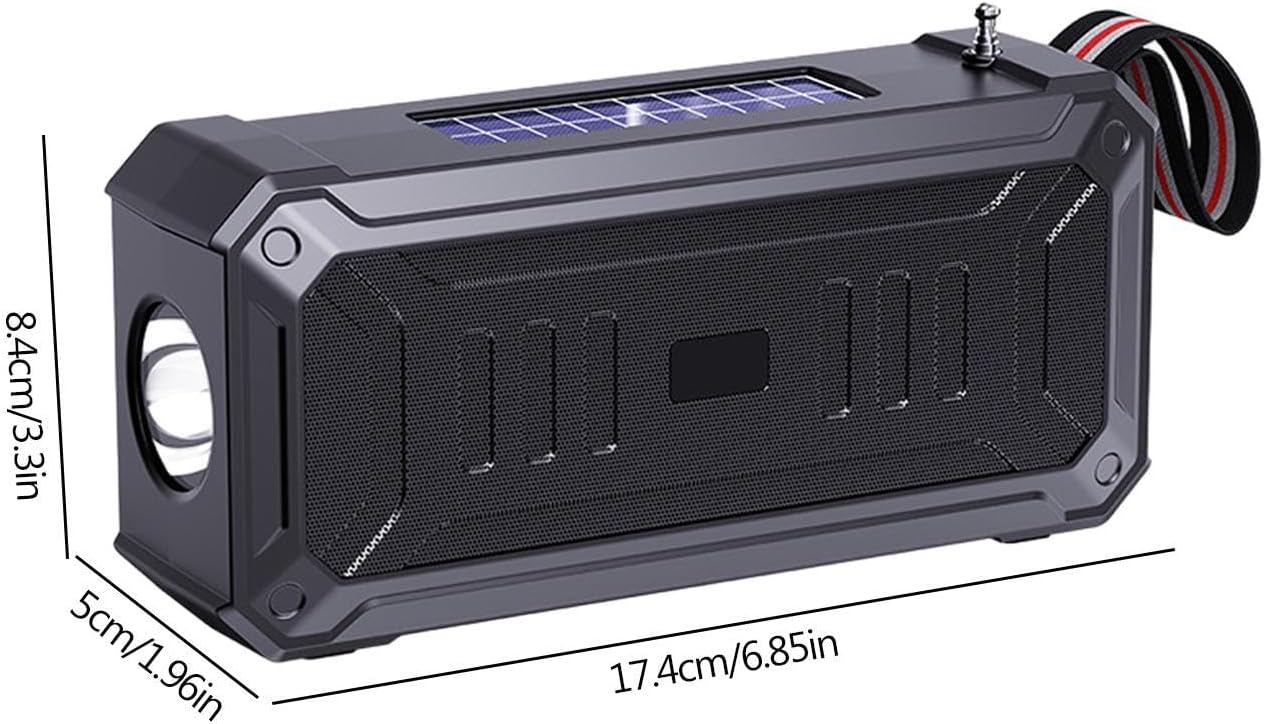
Image 8.1: A visual representation of the speaker's dimensions, indicating its compact and portable size.
9. Warranty Information
This product is covered by a standard manufacturer's warranty. For specific warranty terms and conditions, please refer to the documentation provided at the time of purchase or contact the seller directly. Keep your proof of purchase for warranty claims.
10. Support
If you encounter any issues or have questions regarding your Generic Portable Solar Speaker, please contact the seller through the platform where you purchased the product. Provide your model number (MLOL66MNZHNT9LDGIQ) and a detailed description of the issue for faster assistance.
For general inquiries, you may also visit the manufacturer's website (if available) or refer to online resources for troubleshooting tips.