
1. Introduction
Thank you for choosing the Generic Wireless Earbuds. These in-ear headphones feature Bluetooth 5.3 technology, offering stable connectivity and high-fidelity stereo sound. With up to 40 hours of playback time (with charging case), an intuitive LED display, and noise-cancelling capabilities, they are designed for an immersive audio experience during sports, workouts, or daily use. This manual provides detailed instructions for setup, operation, and maintenance to ensure optimal performance.
2. Package Contents
Please check the package for the following items:
- Wireless Earbuds (Left and Right)
- Charging Case with LED Display
- Ear Cushions (various sizes)
- USB Charging Cable
- User Manual
3. Product Overview

Figure 3.1: Earbuds in their charging case, displaying the battery level on the LED screen.

Figure 3.2: The earbuds and case, emphasizing features like comfort, noise reduction, and the digital battery display.
The charging case features an LED display that shows the remaining battery percentage of the case and the individual charging status of each earbud (Left and Right). The earbuds are designed for a secure and comfortable fit, suitable for extended wear.
4. Getting Started
4.1 Initial Charging
Before first use, fully charge the earbuds and the charging case. Connect the USB charging cable to the charging port on the case and a compatible USB power source. The LED display will show the charging progress. The earbuds will charge automatically when placed inside the case.
4.2 Powering On/Off
- Power On: Open the charging case, and the earbuds will automatically power on. Alternatively, press and hold the touch control area on both earbuds for 3 seconds.
- Power Off: Place the earbuds back into the charging case and close the lid. They will automatically power off and begin charging. Alternatively, press and hold the touch control area on both earbuds for 5 seconds.
4.3 Bluetooth Pairing
- Ensure the earbuds are fully charged.
- Open the charging case. The earbuds will enter pairing mode automatically, indicated by a flashing LED light on the earbuds.
- On your device (smartphone, tablet, etc.), enable Bluetooth.
- Search for available Bluetooth devices and select "YYK750-4" (or similar model name) from the list.
- Once connected, the earbud LED lights will turn off, and you will hear a confirmation tone.
- If pairing fails, turn off Bluetooth on your device, reset the earbuds (refer to Troubleshooting), and repeat the steps.
5. Operating Instructions
The earbuds feature touch-sensitive controls for various functions:
| Function | Action |
|---|---|
| Play/Pause Music | Single tap on either earbud |
| Next Track | Double tap on the Right earbud |
| Previous Track | Double tap on the Left earbud |
| Volume Up | Triple tap on the Right earbud |
| Volume Down | Triple tap on the Left earbud |
| Answer/End Call | Single tap on either earbud |
| Reject Call | Press and hold on either earbud for 2 seconds |
| Activate Voice Assistant | Press and hold on either earbud for 3 seconds |
6. Comfort and Fit

Figure 6.1: Illustration of an earbud comfortably seated in the ear, designed for a non-inductive feel.
These earbuds are designed for a non-inductive, comfortable fit that stays secure during various activities. Experiment with the included ear cushion sizes to find the best fit for your ears. A proper fit ensures optimal sound quality and noise isolation.
7. Sound Features

Figure 7.1: The earbuds are engineered to deliver high-quality stereo sound with immersive audio.
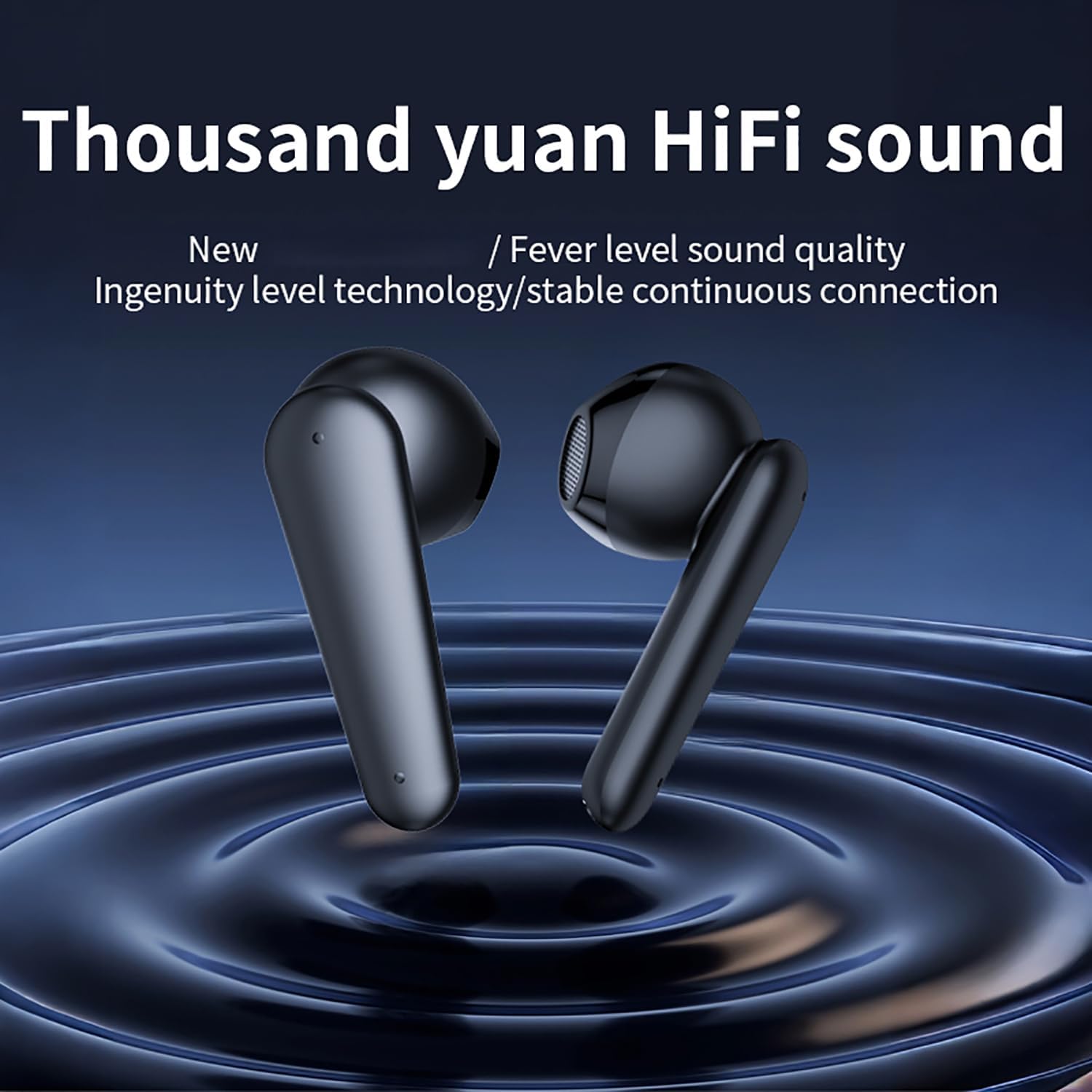
Figure 7.2: The earbuds are designed to provide Hi-Fi sound quality with stable and continuous connection.
Experience rich, Hi-Fi stereo sound with these earbuds. They are engineered to provide immersive audio with adaptive noise reduction and surging bass, enhancing your listening experience across various genres.
8. Maintenance and Care
- Clean the earbuds and charging case regularly with a soft, dry cloth.
- Do not use abrasive cleaners or solvents.
- Keep the charging contacts on the earbuds and case clean to ensure proper charging.
- Store the earbuds in their charging case when not in use to protect them and conserve battery life.
- Avoid extreme temperatures and humidity.
- The earbuds are IP7 waterproof, meaning they are protected against temporary immersion in water. However, the charging case is not waterproof. Do not submerge the case in water.
9. Troubleshooting
9.1 Earbuds Not Pairing
- Ensure both earbuds are charged and powered on.
- Turn off Bluetooth on your device and turn it back on.
- Delete "YYK750-4" from your device's Bluetooth list and try pairing again.
- Reset the earbuds: Place both earbuds in the charging case, close the lid, wait 5 seconds, then open the lid. Some models may have a reset button inside the case; refer to specific product details if available.
9.2 No Sound from One Earbud
- Ensure both earbuds are charged.
- Place both earbuds back into the charging case, close the lid, and then take them out again. This often re-syncs them.
- Clean the charging contacts on both earbuds and inside the case.
- Try resetting the earbuds as described above.
9.3 Charging Issues
- Ensure the charging cable is securely connected to both the case and the power source.
- Try a different USB cable and power adapter.
- Clean the charging port on the case and the charging contacts on the earbuds.
- Ensure the earbuds are correctly seated in the charging case.
10. Specifications
| Feature | Detail |
|---|---|
| Model Name | YYK-750-4 |
| Connectivity Technology | Wireless (Bluetooth 5.3) |
| Ear Placement | In Ear |
| Form Factor | In Ear |
| Playback Time | Up to 40 hours (with charging case) |
| Material | Plastic |
| Waterproof Rating | IP7 (earbuds only) |
| Included Components | Ear Cushions |
11. Safety Information
- Do not disassemble, repair, or modify the product.
- Keep the product away from extreme temperatures, direct sunlight, and fire.
- Do not expose the charging case to water or moisture.
- Avoid dropping or subjecting the product to strong impacts.
- Do not use the product at excessively high volumes for prolonged periods to prevent hearing damage.
- Dispose of the product responsibly according to local regulations.
12. Warranty and Support
This product comes with a standard manufacturer's warranty. For detailed warranty terms and conditions, please refer to the warranty card included in your package or contact the retailer where you purchased the product. For technical support or inquiries, please reach out to the customer service provided by your seller.
Please retain your proof of purchase for warranty claims.