
KWW KWWMC01
KWW 40x28 Inch LED Bathroom Medicine Cabinet User Manual
Model: KWWMC01
Introduction
Thank you for choosing the KWW 40x28 Inch LED Bathroom Medicine Cabinet. This manual provides essential information for the safe installation, operation, and maintenance of your new cabinet. Please read these instructions thoroughly before installation and keep them for future reference.

Image: The KWW 40x28 Inch LED Bathroom Medicine Cabinet seamlessly integrated into a contemporary bathroom setting.
Safety Information
- Always unplug the cabinet before installation or cleaning.
- Use appropriate safety gear when handling electrical components.
- Ensure the cabinet is securely mounted to the wall to prevent tipping.
- Do not overload the cabinet, as it may cause it to tip or damage the electrical components. The maximum weight capacity is 35 pounds.
- Keep the cabinet away from heat sources and flammable materials.
- If you are unsure about any aspect of installation, use, or maintenance, consult a professional.
- If you receive a broken mirror cabinet, please contact the seller immediately for assistance.
Setup and Installation
Package Contents
Before beginning installation, please verify that all components are present:
- 1 x LED Bathroom Mirror Cabinet
- 4 x Glass Partitions (for adjustable shelves)
- 1 x Installation Iron Sheet
- 1 x Package of Installation Accessories (screws, anchors, etc.)
- 1 x Installation Manual
- 1 x Installation Paper Card (template for positioning)
Mounting the Cabinet
The cabinet is designed for wall-mounted installation. It comes pre-assembled, requiring no complex assembly of the cabinet body itself. Use the provided installation paper card as a template to mark drilling locations accurately on your wall.

Image: Illustration demonstrating the use of the installation cardboard template for precise wall mounting. The image highlights the reserved wire groove for electrical connections.
Ensure the mounting surface is structurally sound to support the cabinet's weight (approximately 23 kg / 50.7 lbs) plus its contents (maximum 35 lbs). The cabinet can be hardwired or plugged in. Consult a qualified electrician for hardwiring to ensure compliance with local electrical codes.
Installing Glass Shelves
The cabinet includes two adjustable tempered glass shelves. Insert the glass clamps into the pre-drilled holes inside the cabinet at your desired height. Carefully place the glass shelves onto the clamps.

Image: Detailed view of the cabinet's interior, illustrating the placement of glass shelves and overall dimensions.

Image: The cabinet interior with various items, highlighting the 105-degree wide-open soft-close hinges and adjustable shelves.
Installation Video Guide
For a visual guide on the installation process, please refer to the video below. This video demonstrates fitting the glass clamps and shelves.
Video: A step-by-step guide demonstrating the installation of glass clamps and shelves within the KWW medicine cabinet.
Operating Instructions
Lighting Adjustment
The integrated LED lighting offers three color temperatures (3000K Warm Light, 4000K Natural Light, 6500K White Light) and stepless dimming (10%-100% brightness). Double-click the touch button on the mirror to cycle through color temperatures. Long-press the button to adjust brightness.

Image: Visual representation of the three available color temperatures for the LED lighting: Warm (3000K), Natural (4000K), and White (6500K).

Image: The KWW LED medicine cabinet displaying its dimming and color temperature adjustment capabilities.
The cabinet also features an additional light source at the bottom, providing ambient lighting for your countertop. This light source is tied to the in-mirror lighting settings.

Image: Detail of the energy-efficient LED strip providing additional light from the bottom of the cabinet.
Defogger Function
The integrated defogger prevents mirror fogging, especially after hot showers. It works in conjunction with the lighting. You can activate or deactivate the defogging function by clicking the dedicated touch button on the mirror.

Image: The cabinet demonstrating its IP44 waterproof and anti-fog capabilities, ensuring a clear reflection even in a steamy bathroom.
Memory Function
The cabinet's memory function will recall your last used lighting color temperature and brightness settings, so you don't need to readjust them each time you turn on the light.
Internal Sockets and USB Ports
For added convenience, the cabinet includes two internal sockets and two USB ports. These allow you to charge electronic devices such as electric toothbrushes or shavers directly inside the cabinet while the mirror cabinet is powered on.

Image: The interior of the cabinet showcasing the integrated USB and power sockets for charging devices.
Multi-Angle Mirror View
The cabinet features mirrors on both the exterior and interior of the doors, allowing you to view your appearance from multiple angles when the doors are open.
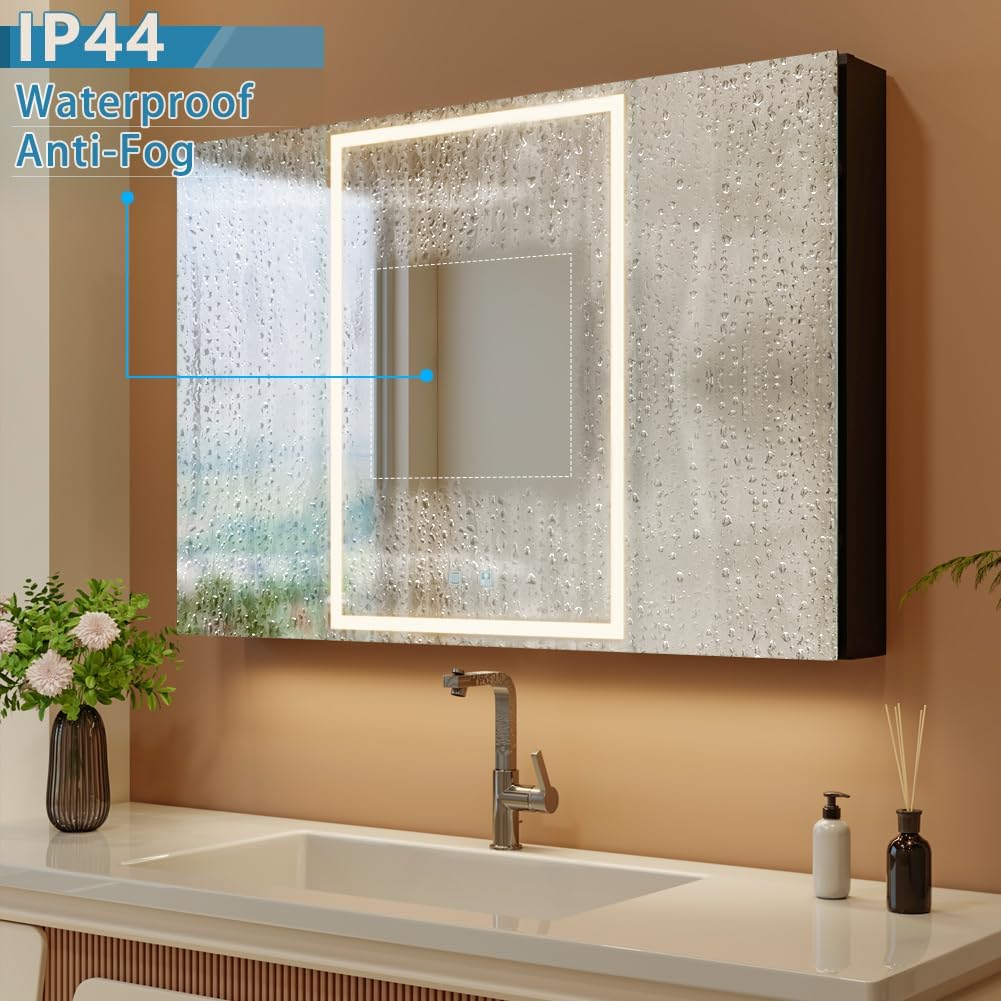
Image: A user utilizing the internal mirror for applying makeup while accessing items within the cabinet.
Maintenance
Cleaning
To clean the mirror surfaces and cabinet exterior, use a soft, damp cloth with a mild, non-abrasive cleaner. Avoid harsh chemicals or abrasive materials that could damage the finish or mirror coating. Ensure the cabinet is unplugged before cleaning.
Adjusting Cabinet Doors
If the cabinet doors appear misaligned, this can often be corrected by adjusting the hinges. The cabinet features soft-close hinges that can be adjusted to ensure proper alignment and smooth operation. Refer to the diagram below for guidance on hinge adjustment.

Image: Instructions for adjusting cabinet door hinges to correct misalignment, showing adjustments for both depth and lateral position.
The doors are designed with an auto-close feature, slowly closing automatically when they reach a 35-degree angle.

Image: The cabinet doors illustrating the soft-close mechanism, which automatically closes the doors from a 35-degree angle.
Troubleshooting
- Cabinet Doors Misaligned: If the cabinet doors are not aligned, this is typically caused by vibration during transportation. Adjust the hinges as described in the "Maintenance" section. This is not a malfunction.
- Broken Mirror Cabinet: If you receive a broken mirror cabinet, do not attempt to install or repair it. Please contact the seller immediately for assistance.
- Lighting Not Working: Ensure the cabinet is properly connected to a power source. Check the electrical connection and any wall switches. If hardwired, ensure the connection is secure.
- Defogger Not Activating: Ensure the lighting is on, as the defogger works in conjunction with the lighting. Press the defogging touch button on the mirror to activate it.
- Internal Sockets/USB Not Working: These ports only function when the cabinet is powered on. Ensure the main power to the cabinet is active.
Specifications
| Brand | KWW |
| Model Number | KWWMC01 |
| Dimensions (D x W x H) | 5.12" x 39.37" x 27.56" (5"D x 40"W x 28"H) |
| Material | Aluminum, Glass |
| Installation Type | Wall-mounted (Plug-in or Hardwired) |
| Number of Doors | 3 |
| Number of Shelves | 2 (Adjustable Tempered Glass) |
| Weight Capacity | 35 pounds |
| Lighting Features | 3 Color Temperatures (3000K, 4000K, 6500K), Stepless Dimming (10%-100%), Memory Function, Interior Sensor Light, Additional Bottom Light Source |
| Electrical Features | Anti-fog Function, 2 Sockets, 2 USB Ports, ETL Listed, UL Certified Electric Driver |
| Hinges | Soft Close Hinges, 105° Wide Open |
| UPC | 749838298370 |
For detailed energy information, please refer to the EU EPREL database via the link below:
Warranty and Support
KWW provides a 1-year warranty for this product, covering free replacement of parts for one year from the date of purchase.
Additionally, a 30-day free return policy is available for this product.
For any questions, concerns, or assistance with your KWW LED Bathroom Medicine Cabinet, please contact our customer support team. You can reach us via the Amazon platform.

Image: KWW customer support information, including 24/7 email assistance, a 1-year warranty, and a 30-day free return policy.
Ask a question about this manual
Ask about setup, troubleshooting, compatibility, parts, safety, or missing instructions. Manuals+ will review the question and use this page’s manual context to help answer it.