
chalvh I52-PK1
chalvh I52-PK1 Wireless Earphones User Manual
Model: I52-PK1 | Brand: chalvh
Introduction
Thank you for choosing the chalvh I52-PK1 Wireless Earphones. This manual provides detailed instructions on how to set up, operate, and maintain your earphones to ensure optimal performance and longevity. Please read this manual thoroughly before using the product.

Image: The chalvh I52-PK1 Wireless Earphones, showcasing their sleek design and the compact charging case.
Setup Instructions
1. Charging the Earphones and Case
Before first use, fully charge the earphones and the charging case. The charging case features a Type-C port for rapid charging and OVP (Over Voltage Protection) for safety. A full charge takes approximately 1 hour for both the case and earphones. A 10-minute charge can provide 1 hour of playback.
The front of the charging case has a clear dual LED display that shows the remaining battery level of the case and the charging status of each earphone, eliminating concerns about unexpected power loss.
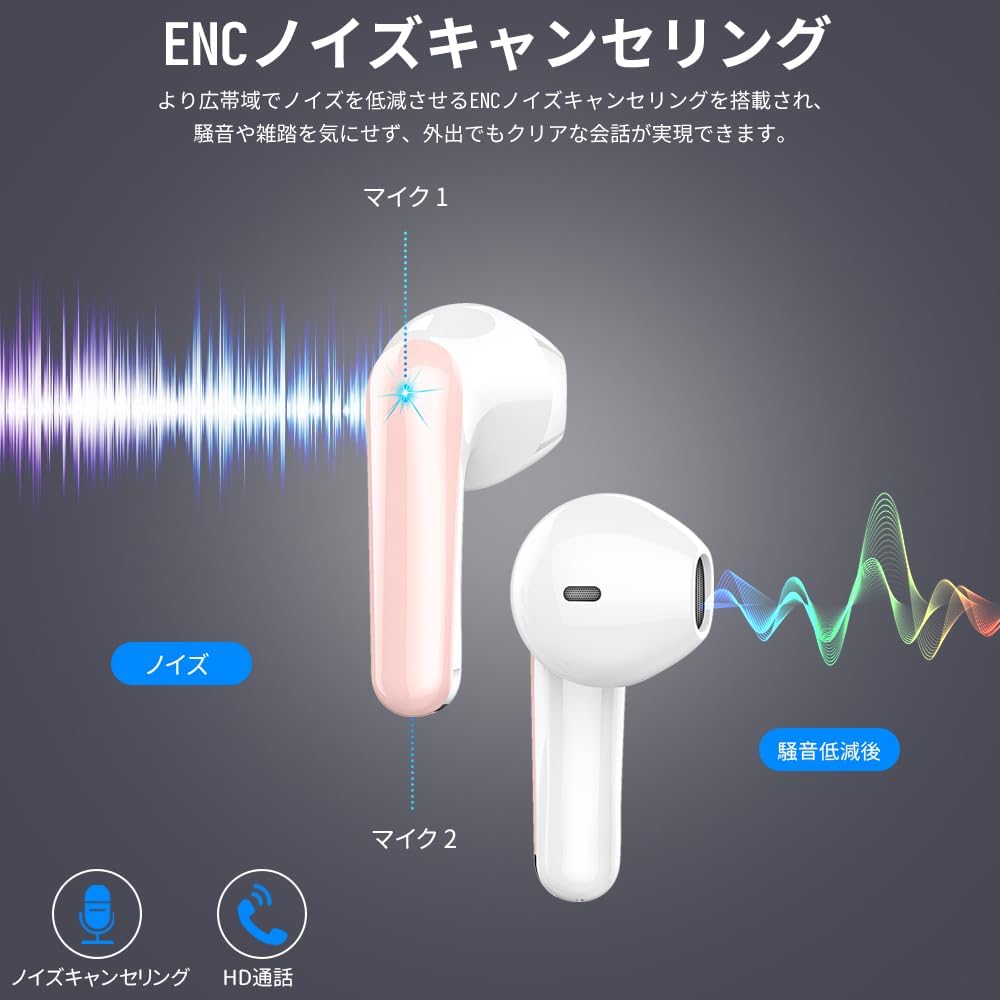
Image: Earphones inside the charging case, displaying battery levels on the LED screen. The image highlights the USB-C charging port, playback time, and maximum usage time.
2. Initial Pairing
The earphones utilize advanced Bluetooth 5.3 technology for stable and efficient connections. For the first connection, follow these steps:
- Ensure your device (smartphone, tablet, PC) has Bluetooth enabled.
- Open the lid of the charging case. The earphones will automatically power on and enter pairing mode.
- On your device, search for Bluetooth devices and select "I52-PK1" (or similar name) from the list.
- Once connected, you will hear a confirmation tone.
After the initial pairing, the earphones will automatically connect to the last paired device when you open the charging case lid and take them out.

Image: Illustration showing the earphones automatically connecting to a smartphone after being removed from the charging case. The image also highlights the Bluetooth 5.3 chip for enhanced connectivity.
Operating Instructions
Smart Touch Controls
The earphones feature highly sensitive touch controls for easy management of music playback, calls, and voice assistants. The touch-sensitive area is located on the outer surface of each earbud.
| Action | Function |
|---|---|
| Single Tap (Left/Right) | Play/Pause Music, Answer/End Call |
| Double Tap (Right) | Next Track |
| Double Tap (Left) | Previous Track |
| Triple Tap (Right) | Volume Up |
| Triple Tap (Left) | Volume Down |
| Long Press (2 seconds) | Reject Call, Activate Voice Assistant (Siri) |
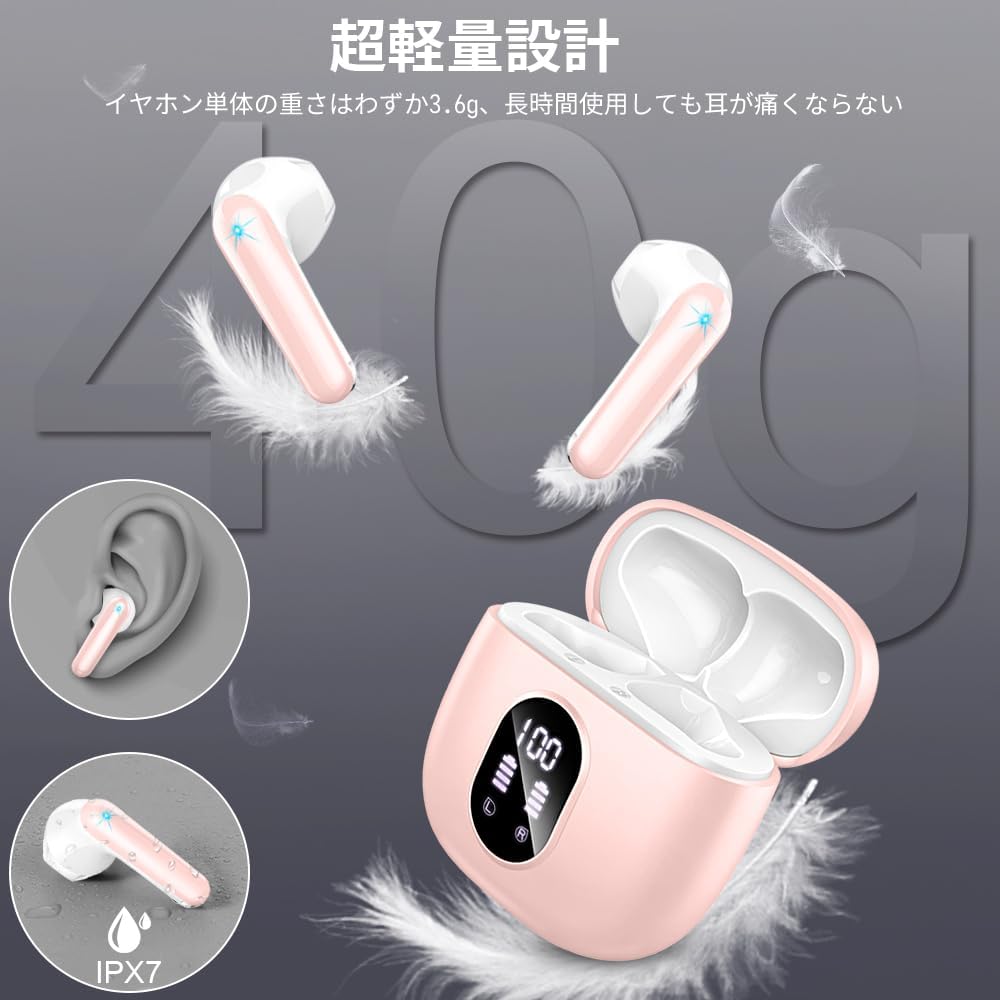
Image: Visual representation of the touch control functions on the earphones, including play/pause, volume adjustment, track skipping, call management, and voice assistant activation.
Power On/Off
- Power On: Open the charging case lid, and the earphones will automatically power on.
- Power Off: Place the earphones back into the charging case and close the lid. They will automatically power off and begin charging.
Low Latency Performance
The Bluetooth 5.3 chip with EDR technology ensures ultra-low latency, significantly reducing audio-video synchronization issues during calls, gaming, and video playback. This provides a smoother and more immersive experience.

Image: A person enjoying mobile gaming with the earphones, illustrating the low latency and stable connection for an enhanced gaming experience.
Audio Features
Hi-Fi Sound Quality
Equipped with 13mm graphene speakers and supporting AAC and SBC codecs, these earphones deliver powerful bass, crisp highs, and clear mid-range frequencies. The built-in high-quality audio chip captures intricate musical details, providing an unparalleled listening experience.

Image: An exploded view diagram of the earphone's internal components, highlighting the 13mm graphene driver and other elements contributing to Hi-Fi sound quality.
ENC Noise Cancelling
The wireless earphones feature a total of 4 high-performance microphones (two per earbud) and utilize ENC (Environmental Noise Cancelling) technology. This technology reduces ambient noise by up to 30dB during calls, ensuring that only your clear voice is transmitted to the other party. This allows for stable communication even in noisy environments like crowded streets, stations, or subways.

Image: A diagram illustrating how the four microphones on the earphones work together to detect and cancel environmental noise, ensuring clear call quality.
Design and Comfort
Ultra-Lightweight & Ergonomic Design
Each earbud weighs only 3.6g, making them incredibly lightweight. This ultra-light design minimizes fatigue during extended use. The earphones are ergonomically designed to fit the curves of the ear, providing a comfortable and secure fit.

Image: A diagram showing the ergonomic design of the earphone fitting comfortably into the ear canal, emphasizing its human-engineered shape.
The charging case is also lightweight at approximately 39g, making it easy to carry in your palm or pocket. The compact design ensures portability without sacrificing functionality.

Image: A hand holding the compact charging case, demonstrating its portability and ease of storage in a pocket.
Maintenance
IPX7 Water Resistance
The earphones are rated IPX7 waterproof, providing protection against sweat and rain. This makes them suitable for daily use, commuting, sports, jogging, yoga, gym workouts, and cycling. However, the charging case is not waterproof. Avoid submerging the earphones in water for extended periods or exposing them to high-pressure water jets.

Image: An earphone with a water droplet icon and "IPX7" indicating its waterproof capability, ensuring peace of mind during outdoor activities.
Cleaning and Storage
- Regularly clean the earphones and charging case with a soft, dry cloth.
- Avoid using abrasive materials or harsh chemicals.
- Store the earphones in their charging case when not in use to protect them and keep them charged.
- Keep the product away from extreme temperatures and direct sunlight.
Troubleshooting
If you encounter any issues with your chalvh I52-PK1 Wireless Earphones, please refer to the following common solutions:
No Sound or Intermittent Connection
- Ensure both earphones are charged. Check the LED display on the charging case.
- Make sure Bluetooth is enabled on your device and the earphones are within range (up to 15 meters).
- Try unpairing the earphones from your device and then re-pairing them.
- Restart your audio source device (smartphone, tablet, PC).
- If only one earbud has sound, try placing both earbuds back in the case, closing the lid, waiting a few seconds, and then taking them out again.
Poor Sound Quality or Noise
- Ensure the earphones are properly seated in your ears to create a good seal.
- Check if there is any physical obstruction or debris on the earphone speakers.
- Move closer to your connected device to avoid interference.
- The ENC noise cancelling feature reduces ambient noise during calls. Ensure the microphones are not obstructed.
Charging Issues
- Verify that the Type-C charging cable is securely connected to both the case and a power source.
- Check if the charging indicator on the case is active.
- Ensure the charging contacts on the earphones and inside the case are clean and free of debris.
- Try using a different Type-C cable and power adapter.
If these steps do not resolve the issue, please refer to the Warranty and Support section for further assistance.
Specifications
| Feature | Detail |
|---|---|
| Brand | chalvh |
| Model Name | I52-PK1 |
| Connectivity Technology | Wireless (Bluetooth 5.3) |
| Headphone Form Factor | In-Ear |
| Maximum Playback Time | Up to 50 hours (with charging case) |
| Earbud Playback Time | 6-8 hours (single charge) |
| Charging Time | Approx. 1 hour (earphones and case) |
| Speaker Size | 13mm Graphene Driver |
| Audio Codecs | AAC, SBC |
| Microphones | 4 (for ENC Noise Cancelling) |
| Noise Cancellation | ENC (Environmental Noise Cancellation) up to 30dB |
| Waterproof Rating | IPX7 (earphones only) |
| Earbud Weight | 3.6g (per earbud) |
| Charging Case Weight | Approx. 39g |
| Compatibility | iOS, Android, Tablets, PCs (Bluetooth-enabled devices) |
| Included Components | User Manual |
Warranty and Support
chalvh provides comprehensive customer support for its products. Your purchase includes a 1-year quality warranty from the date of purchase. During this period, we offer new product exchanges, repairs, or refunds for any manufacturing defects or performance issues.
How to Contact Support:
If you have any questions or require assistance with your product, please follow these steps:
- Go to "Account Service" on the platform where you purchased the product.
- Navigate to "Order History".
- Find your order for the chalvh I52-PK1 Wireless Earphones.
- Click on the "Seller" link.
- Select "Ask a Question" to contact our customer support team.
Our team will respond promptly to assist you.