
1. Introduction
This manual provides instructions for the Growalleter Ocean Wave Projector Light. This device projects wave-like light patterns, offering various color and mode options to enhance your environment. Please read this manual thoroughly before use and retain it for future reference.

Image 1.1: The Growalleter Ocean Wave Projector Light creating a red wave effect in a room.
2. Safety Information
- Do not expose the device to water or moisture.
- Avoid direct eye exposure to the light source.
- Keep out of reach of children and pets.
- Use only the provided power adapter or a compatible 5V DC power source.
- Do not attempt to disassemble or modify the device.
- Ensure proper ventilation around the device during operation.
3. What's in the Box
Verify that all items are present in the package:
- Ocean Wave Projector Light Unit
- Remote Control
- USB Power Cable
- Adapter
- User Manual (this document)

Image 3.1: Key components of the projector light, including the solid base, USB port, dynamic ripple light dome, and remote control.
4. Setup
- Unpack: Carefully remove all components from the packaging.
- Placement: Place the projector light on a stable, flat surface. For optimal projection, position it where the light can reach a wall or ceiling without obstruction.
- Power Connection: Connect the USB power cable to the projector unit and then to the provided adapter. Plug the adapter into a standard electrical outlet. The unit will power on automatically or enter standby mode.
- Remote Control: Ensure the remote control has a working battery. Remove any plastic tab if present.
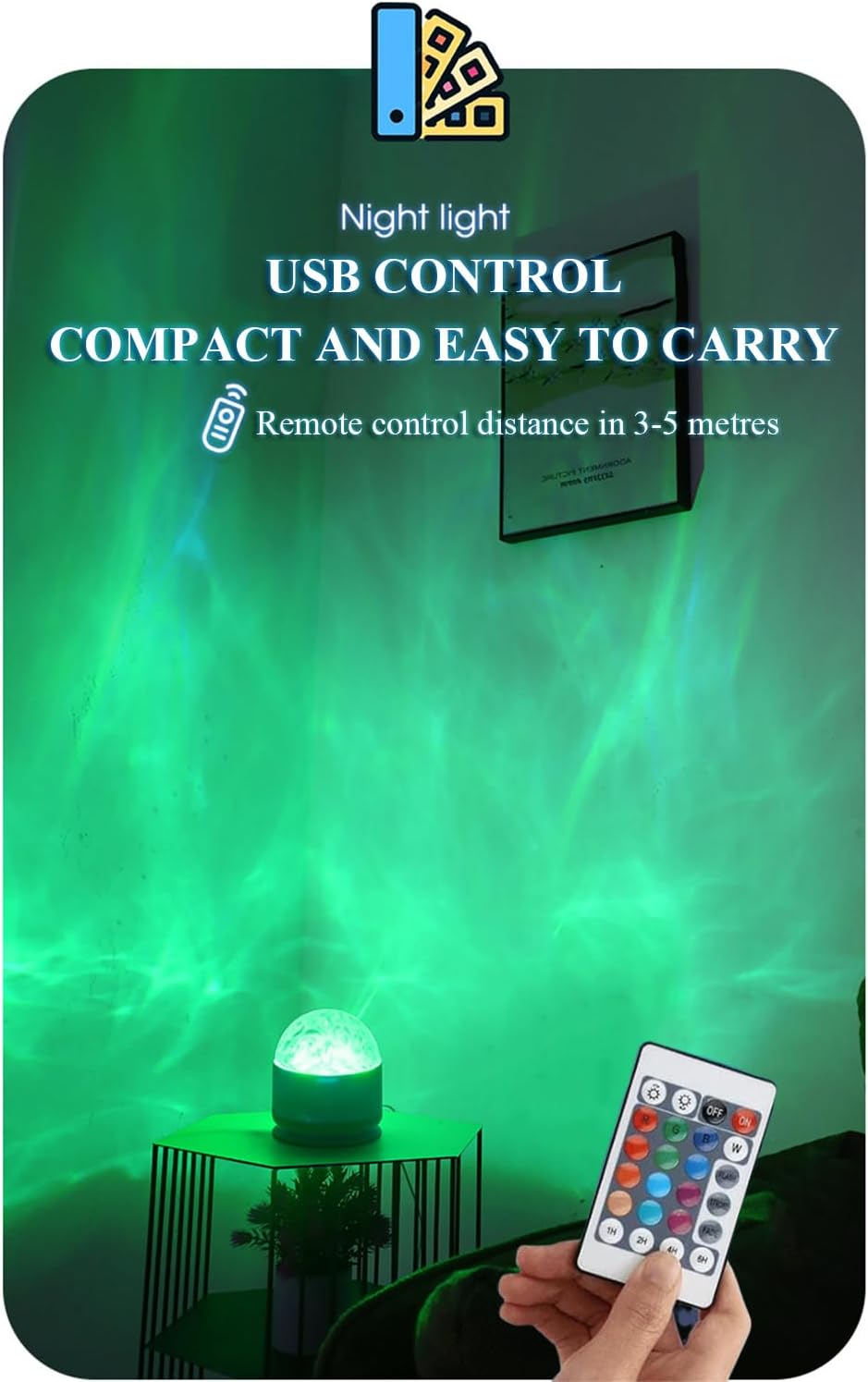
Image 4.1: The projector light connected via USB, highlighting its compact design and the remote control for operation within 3-5 meters.
5. Operating Instructions
The projector light is operated using the included remote control. The remote allows for power control, color selection, mode changes, and brightness adjustments.
Remote Control Functions:
- ON/OFF: Press the ON button to turn the light on, and OFF to turn it off.
- Color Selection: Use the color buttons (e.g., R, G, B, W, and various color squares) to select from 16 available colors.
- Brightness Adjustment: Use the Brightness Up and Brightness Down buttons to adjust the light intensity (6 levels).
- Mode Selection: Choose from 4 lighting modes: FLASH (rapid color changes), STROBE (intermittent flashes), FADE (gradual color transitions), and SMOOTH (slow, continuous color changes).

Image 5.1: The remote control displaying buttons for power, color selection, brightness, and four distinct lighting modes.
Video 5.2: Demonstration of the Halosphere Lamp's relaxation effects, showcasing various color transitions and wave patterns.

Image 5.3: The projector light casting dynamic blue and orange wave patterns across a bedroom ceiling and walls.
6. Maintenance
- Cleaning: Disconnect the power before cleaning. Use a soft, dry cloth to wipe the surface of the projector. Do not use abrasive cleaners or solvents.
- Storage: When not in use for extended periods, store the device in a cool, dry place away from direct sunlight.
7. Troubleshooting
| Problem | Possible Cause | Solution |
|---|---|---|
| Projector does not turn on. | No power or loose connection. | Check if the power adapter is securely plugged into the outlet and the USB cable is firmly connected to the projector. Ensure the outlet is functional. |
| Remote control is not working. | Battery issue or obstruction. | Replace the remote control battery. Ensure there are no obstructions between the remote and the projector. |
| Light projection is dim or unclear. | Ambient light or dirty lens. | Operate in a darker environment. Gently clean the projector lens with a soft, dry cloth. |
| Settings (color/mode) do not save after unplugging. | Device design. | This device may not retain settings after being unplugged. Re-apply desired settings upon powering on. |
8. Specifications
- Model Name: Ocean Wave Projector Light
- Brand: Growalleter
- Product Dimensions: 3.07"D x 3.07"W x 3.42"H (7.8cm D x 7.8cm W x 8.7cm H)
- Item Weight: 4.8 ounces (0.3 Pounds)
- Material: Acrylic
- Light Source Type: LED
- Number of Light Sources: 16 (colors)
- Control Method: Remote Control
- Power Source: Battery Powered (rechargeable via USB) / 5 Volts (DC)
- Special Features: Color Changing, Remote Control
- Indoor/Outdoor Usage: Indoor
- Mounting Type: Tabletop

Image 8.1: Diagram illustrating the dimensions of the projector light, with a height of 8.7 cm (3.42 inches) and a diameter of 7.8 cm (3.1 inches).
9. Warranty & Support
For warranty information or technical support, please refer to the contact details provided with your purchase or visit the official Growalleter brand store: