
1. Introduction
The Gocheer Dehumidifier is designed to efficiently remove excess moisture from the air in small spaces, improving air quality and comfort. This compact and portable unit is suitable for use in bedrooms, bathrooms, RVs, garages, and campers. It features thermoelectric Peltier technology for quiet operation and includes an auto-shutoff function for convenience and safety.

Figure 1: Gocheer Dehumidifier, front view.
2. Product Features
- High Efficient Dehumidification: Utilizes thermoelectric Peltier technology to absorb up to 450ml (34oz) of moisture per day (at 86°F, 80%RH), maintaining humidity below 45%.
- Two Working Modes: Features a Strong mode for rapid dehumidification and a Sleep mode for quiet operation (less than 30dB).
- Auto-Shutoff Function: Automatically powers off when the 1000ml water tank is full, preventing overflow. An indicator light flashes red to signal a full tank.
- 7-Color LED Lights: Equipped with soothing rainbow LED lights that can be rotated or fixed to a specific color, serving as both a dehumidifier and a decorative light.
- Compact and Portable: Designed with a handle, small size (15x13x25cm), and light weight (2.86 pounds) for easy relocation. Ideal for rooms up to 350 square feet (2500 cubic feet).

Figure 2: Illustration of the dehumidifier's air circulation, showing dry air output and dust blocking.

Figure 3: The dehumidifier's 7-color LED light options, including turn on, locking color, and turn off states.
3. Package Contents
Please check the package for the following items:
- Gocheer Dehumidifier Unit
- Power Adapter
- User Manual (this document)
Video 1: Unboxing and initial overview of the EasyAcc Dehumidifier, showing the unit, power adapter, and user manual.
4. Setup
- Unpack: Carefully remove the dehumidifier and all accessories from the packaging.
- Placement: Place the dehumidifier on a flat, stable surface in the desired location. Ensure there is adequate space (at least 10 cm or 4 inches) around the air inlet and outlet for proper airflow. Avoid placing it near heat sources or in direct sunlight.
- Power Connection: Connect the power adapter to the DC input port on the back of the dehumidifier. Plug the other end of the power adapter into a suitable electrical outlet.
- Water Tank: Ensure the water tank is correctly inserted into the unit. It should slide in smoothly and securely.

Figure 4: The dehumidifier highlighting its ease of use and assembly, with visible power button, light control, and a pull-out water tank.
Video 2: Demonstrates the unboxing, filter access, and power connection of the dehumidifier.
5. Operating Instructions
- Power On/Off: Press the power button (usually located on the top panel) to turn the dehumidifier on or off. The unit will start operating in its default mode.
- Mode Selection: The dehumidifier supports two working modes:
- Strong Mode: The fan operates at a high level for faster humidity reduction.
- Sleep Mode: Ensures quiet operation (below 30dB), suitable for use during sleep or reading.
- LED Light Control: The unit features 7-color LED lights. You can cycle through the colors, fix it to a specific color, or turn the lights off using the dedicated light button on the control panel.
- Auto-Shutoff: The dehumidifier will automatically turn off when the water tank reaches its maximum capacity (approximately 1000ml). The indicator light will flash red to alert you that the tank needs to be emptied.
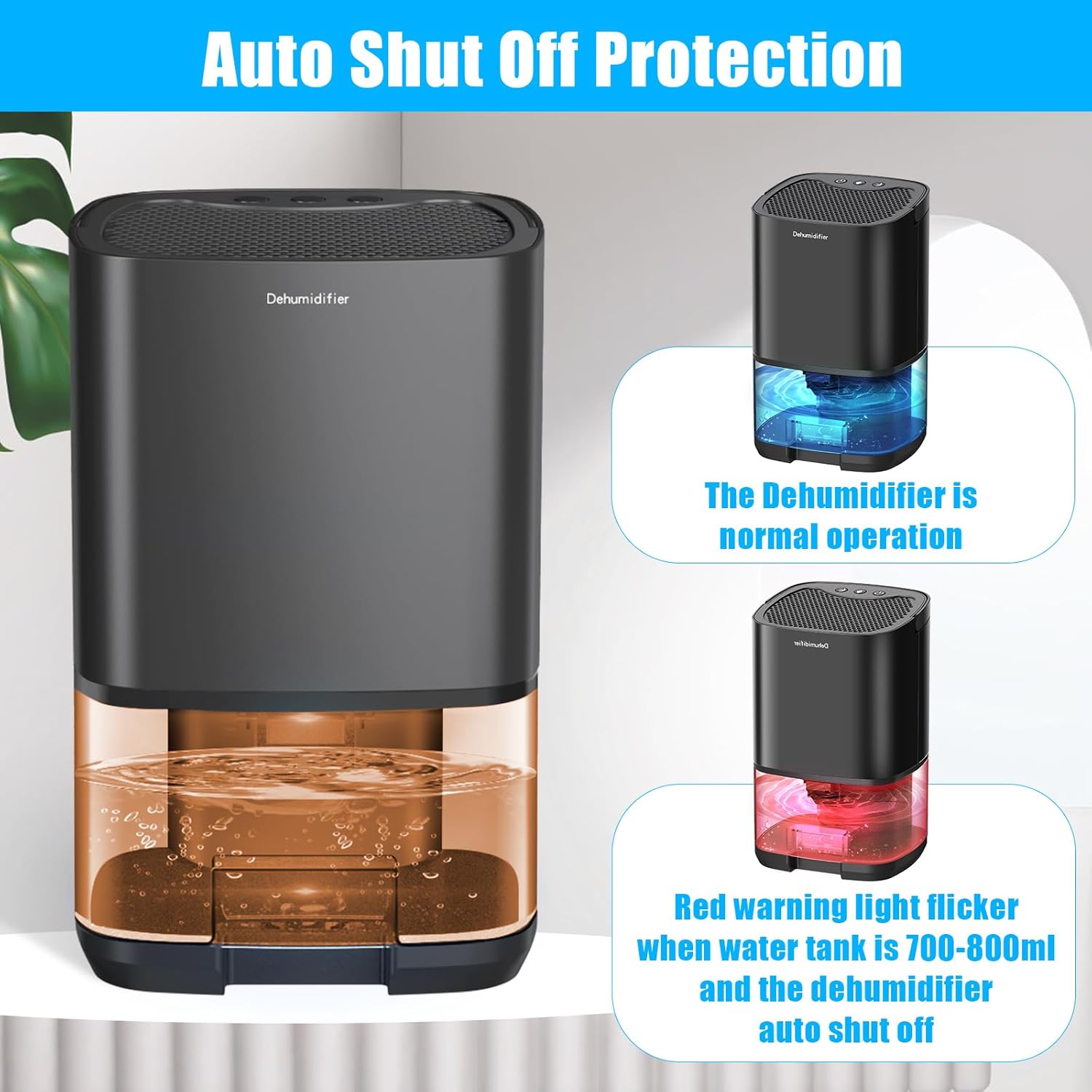
Figure 5: The dehumidifier demonstrating its auto-shutoff feature, with a red flashing light indicating a full water tank.
Video 3: Shows the dehumidifier in operation, including the removal and emptying of the water tank.
6. Maintenance
Regular maintenance ensures optimal performance and longevity of your dehumidifier.
- Emptying the Water Tank: When the auto-shutoff activates and the indicator light flashes red, the water tank is full. Carefully pull out the water tank from the unit, remove its lid, and pour out the collected water. Replace the lid and slide the tank back into the dehumidifier until it clicks into place.
- Cleaning the Air Filter: The dehumidifier has an air filter on the back panel. Periodically remove the filter and clean it to prevent dust buildup, which can affect efficiency. Use a soft brush or vacuum cleaner to remove dust. If heavily soiled, wash with mild soap and water, rinse thoroughly, and ensure it is completely dry before reinserting.
- General Cleaning: Wipe the exterior of the unit with a soft, damp cloth. Do not use abrasive cleaners or solvents. Ensure the unit is unplugged before cleaning.
Video 4: Demonstrates how to remove, empty, and reinsert the water tank, and how to access and clean the air filter.
7. Troubleshooting
| Problem | Possible Cause | Solution |
|---|---|---|
| Dehumidifier does not turn on. | No power supply. | Ensure the power adapter is securely plugged into both the unit and the wall outlet. Check if the outlet is functional. |
| Dehumidifier is running but not collecting water. | Humidity level is already low. | The unit is most effective in environments with relative humidity above 45%. If humidity is already low, less water will be collected. |
| Air filter is clogged. | Clean the air filter as described in the Maintenance section. | |
| Indicator light flashes red. | Water tank is full. | Empty the water tank and reinsert it properly. |
| Unit is noisy. | Operating in Strong Mode. | Switch to Sleep Mode for quieter operation. Ensure the unit is on a stable, flat surface to minimize vibrations. |
8. Specifications
| Attribute | Value |
|---|---|
| Brand | Gocheer |
| Model | B0DC9SBL9R |
| Color | Orange |
| Product Dimensions | 15 x 13 x 25 cm |
| Item Weight | 1.33 kg |
| Water Tank Capacity | 1000ml (approx. 34 oz) |
| Dehumidification Capacity | Up to 450ml/day (at 86°F, 80%RH) |
| Material | Plastic |
| Special Features | Automatic Shutoff, 7-Color LED Lights, Two Working Modes (Strong/Sleep) |
| Recommended Uses | Residential (Bedroom, Bathroom, RV, Garage, Camper) |
9. Warranty and Support
Gocheer dehumidifiers come with free 30-day returns. For any product issues or inquiries, please contact Gocheer customer service directly. We offer lifetime customer service and technical support, available 24 hours a day to assist you.
For support, please refer to the contact information provided in your product packaging or on the official Gocheer website.

