Introduction
This manual provides essential information for the safe and efficient operation of your INIU Power Bank. Designed for portability and fast charging, this device ensures your electronic gadgets remain powered throughout your day.

What's in the Box
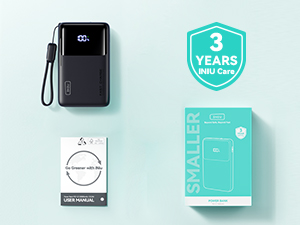
- Portable Charger (1 unit)
- USB-C Cable (1 unit)
- User Manual (1 unit)

Product Features
45W PD Fast Charging
The power bank supports up to 45W Power Delivery (PD) output, enabling rapid charging for compatible devices. For example, it can charge an iPhone 16 to 63% and a Samsung S24 Ultra to 73% in approximately 25 minutes.

Ultra Slim & Compact Design
With a 10000mAh capacity, this power bank is designed to be 27% smaller and 24% lighter than similar products, making it highly portable and easy to carry in a pocket or bag.

Integrated Lanyard USB-C Cable
The power bank features an exclusive nylon braided USB-C to C lanyard cable, providing convenience and durability. This integrated cable allows for both charging and recharging without the need for additional wires.

Built-in Phone Holder
A discreet, pull-out phone holder is integrated into the power bank, allowing you to prop up your smartphone for hands-free viewing while charging.

Multiple Output Ports
The power bank is equipped with two bidirectional USB-C ports and one USB-A port, enabling simultaneous charging of up to three devices.

Emergency Flashlight
A built-in flashlight provides illumination when needed, activated by a double-click of the power button.
Setup
Initial Charge
Before first use, fully charge your INIU Power Bank. Connect the provided USB-C cable to one of the power bank's bidirectional USB-C ports and the other end to a compatible USB wall charger (not included). The digital display will show the charging progress.
Checking Battery Level
Press the power button once to view the current battery percentage on the digital display.
Operating Instructions
Charging Your Devices
Connect your device to one of the power bank's output ports (USB-C or USB-A) using a compatible charging cable. The power bank will automatically begin charging your device. For optimal fast charging, use the USB-C ports with PD-compatible devices.

Using the Phone Holder
Gently push the small tab on the side of the power bank to extend the integrated phone holder. Place your smartphone into the holder for convenient viewing.
Activating the Flashlight
Double-click the power button to turn the built-in flashlight on or off.
Maintenance
- Keep the power bank away from extreme temperatures, direct sunlight, and liquids.
- Avoid dropping or subjecting the device to strong impacts.
- Clean the surface with a soft, dry cloth. Do not use harsh chemicals or abrasive materials.
- Store in a cool, dry place when not in use for extended periods.
Troubleshooting
Device Not Charging
- Ensure the power bank has sufficient charge.
- Verify that the charging cable is securely connected to both the power bank and your device.
- Try a different charging cable or port on the power bank.
- Confirm your device is compatible with the power bank's output specifications.
Power Bank Not Recharging
- Check if the charging cable is properly connected to a power source and the power bank's input port.
- Ensure the wall adapter or power source is functioning correctly.
- Try a different USB-C cable or wall adapter.
Specifications
| Feature | Detail |
|---|---|
| Model Number | P55 |
| Battery Capacity | 10000 Milliamp Hours |
| Product Dimensions | 4.4 x 0.7 x 2.7 inches |
| Item Weight | 8.1 ounces |
| Connector Type | USB Type C * 2 (bidirectional), USB Type A * 1 (output) |
| Special Features | 45W PD Fast Charging, Phone Holder, Ultra Slim, Emergency Flashlight |
Warranty and Support
INIU offers an industry-leading 3-year INIU Care warranty for this product, ensuring peace of mind and reliable performance. For any inquiries or support, please refer to the contact information provided in the included User Manual or visit the official INIU website.