
Yoever LW92
Yoever Smart Watch User Manual
Model: LW92
Introduction
The Yoever Smart Watch is a versatile wearable device designed to enhance your daily life with advanced health monitoring, communication features, and fitness tracking. This manual provides comprehensive instructions to help you set up, operate, and maintain your new smartwatch.
What's in the Box
- Smart Watch x 1
- Magnetic Charger x 1
- User Manual x 1

Image: The Yoever Smart Watch in pink, alongside its magnetic charger and user manual, laid out on a wooden surface.
Setup
Initial Charging
Before first use, fully charge your smartwatch to activate it. Connect the magnetic charger to the charging points on the back of the watch. The watch display will show the charging progress.

Image: A pink Yoever Smart Watch connected to its magnetic charging cable, displaying a 100% battery charge indicator.
App Download and Pairing
To unlock the full potential of your smartwatch, download the "OnWear Pro" app. Scan the QR code displayed on the watch screen or in the user manual to find the app on your smartphone's app store (compatible with Android 6.0+/iOS 9.0+).

Image: A step-by-step guide showing how to download the "OnWear Pro" app and successfully bind the smartwatch via Bluetooth.
Once installed, open the app and follow the on-screen instructions to search for and bind your device (model LW92). Ensure Bluetooth is enabled on your phone.
Bluetooth Connection for Calls
For call functionality, ensure your smartwatch is successfully bound in the "OnWear Pro" app. Then, go to your phone's Bluetooth settings and connect to the smartwatch's Bluetooth audio device (e.g., "LW92-XXXX"). This enables answering and making calls directly from your watch.
Video: Demonstrates the process of connecting the smartwatch to a phone via Bluetooth for call functionality, showing the watch interface and phone settings.
Operating Instructions
Navigation
The smartwatch features a responsive HD LCD touchscreen. Swipe left/right or up/down to navigate through different menus and functions. Use the side button to return to the main watch face or access the main menu.
Customizable Dial / Watch Faces
Personalize your watch with over 200 watch faces available in the app, or create your own custom dial to match your style.

Image: The smartwatch screen showcasing a variety of vibrant and customizable watch faces, including a photo dial option.
Bluetooth Calls & Notifications
Once connected via Bluetooth, you can answer/make calls directly from your wrist. The watch also displays real-time text messages and app notifications (e.g., from Facebook, WhatsApp, Instagram) to keep you updated without needing to check your phone.
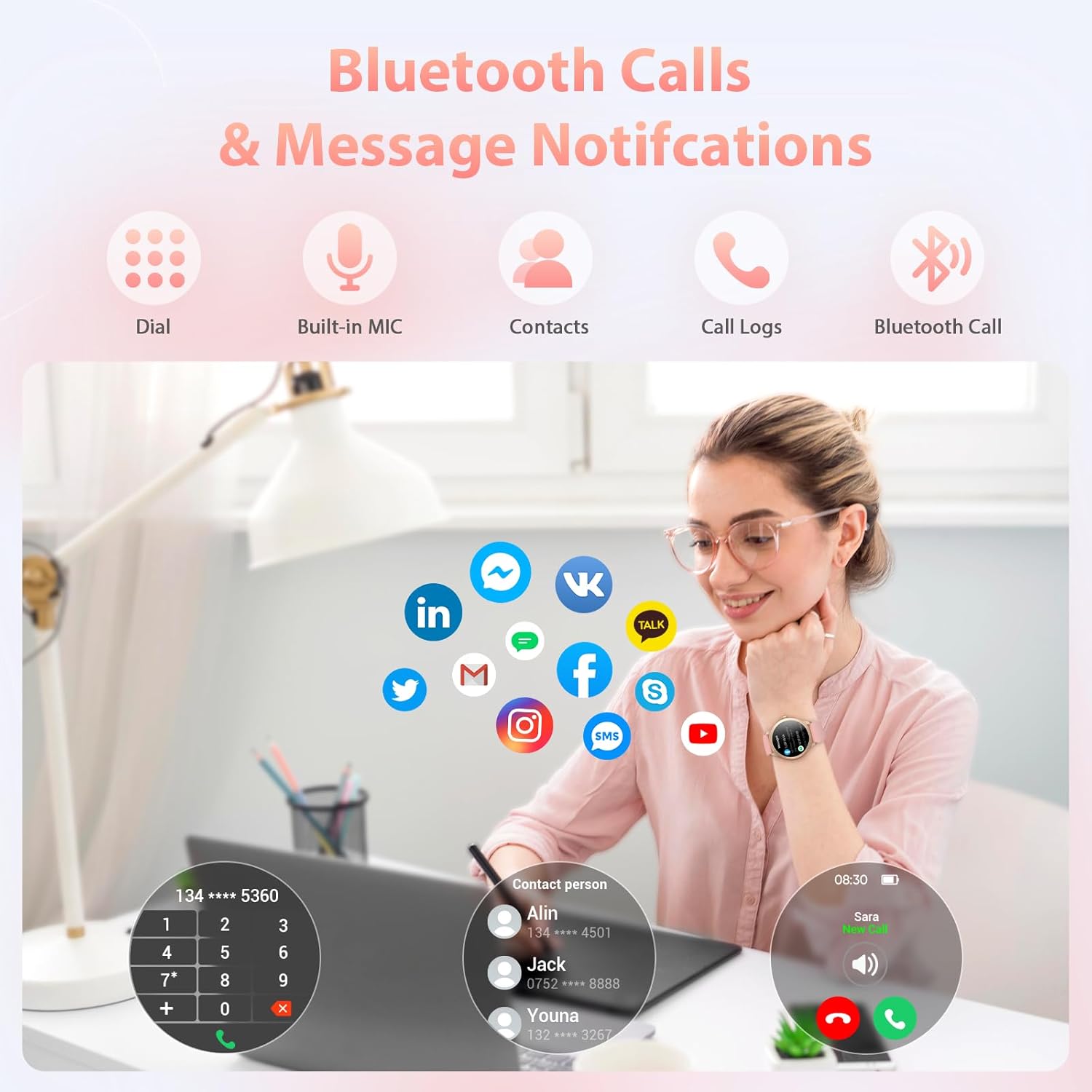
Image: The smartwatch displaying options for dialing, built-in microphone, contacts, call logs, and Bluetooth call functionality, alongside various app notification icons.
Video: A comprehensive review and unboxing of the smartwatch, demonstrating its daily use features including call handling and notifications.
Health Monitoring (24/7)
Equipped with high-precision sensors, the watch continuously tracks vital health metrics:
- Heart Rate: Monitors your heart rate throughout the day.
- Blood Oxygen (SpO2): Measures blood oxygen levels to ensure physical well-being.
- Sleep Quality: Analyzes sleep stages and provides professional advice via the app.
- Activity Tracking: Records steps, distance, and calorie burn.
- Women's Health: Tracks menstrual cycles and provides timely reminders.
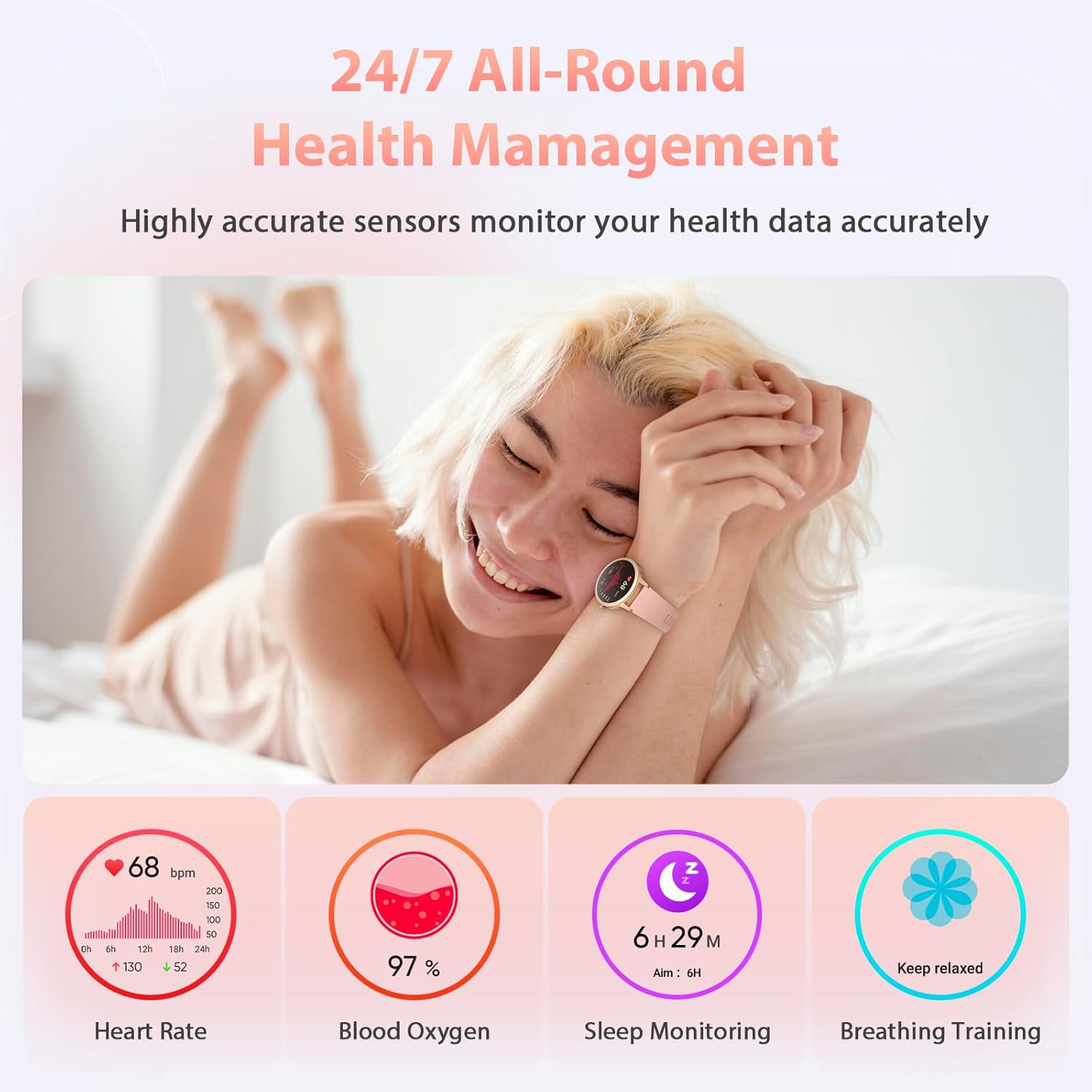
Image: A woman relaxing while the smartwatch displays health metrics like heart rate, blood oxygen, sleep monitoring, and breathing training.
Sports Modes
The smartwatch supports over 110 indoor and outdoor sports modes, including running, cycling, swimming, fitness, yoga, basketball, and tennis. It provides accurate data to help you achieve your fitness goals.
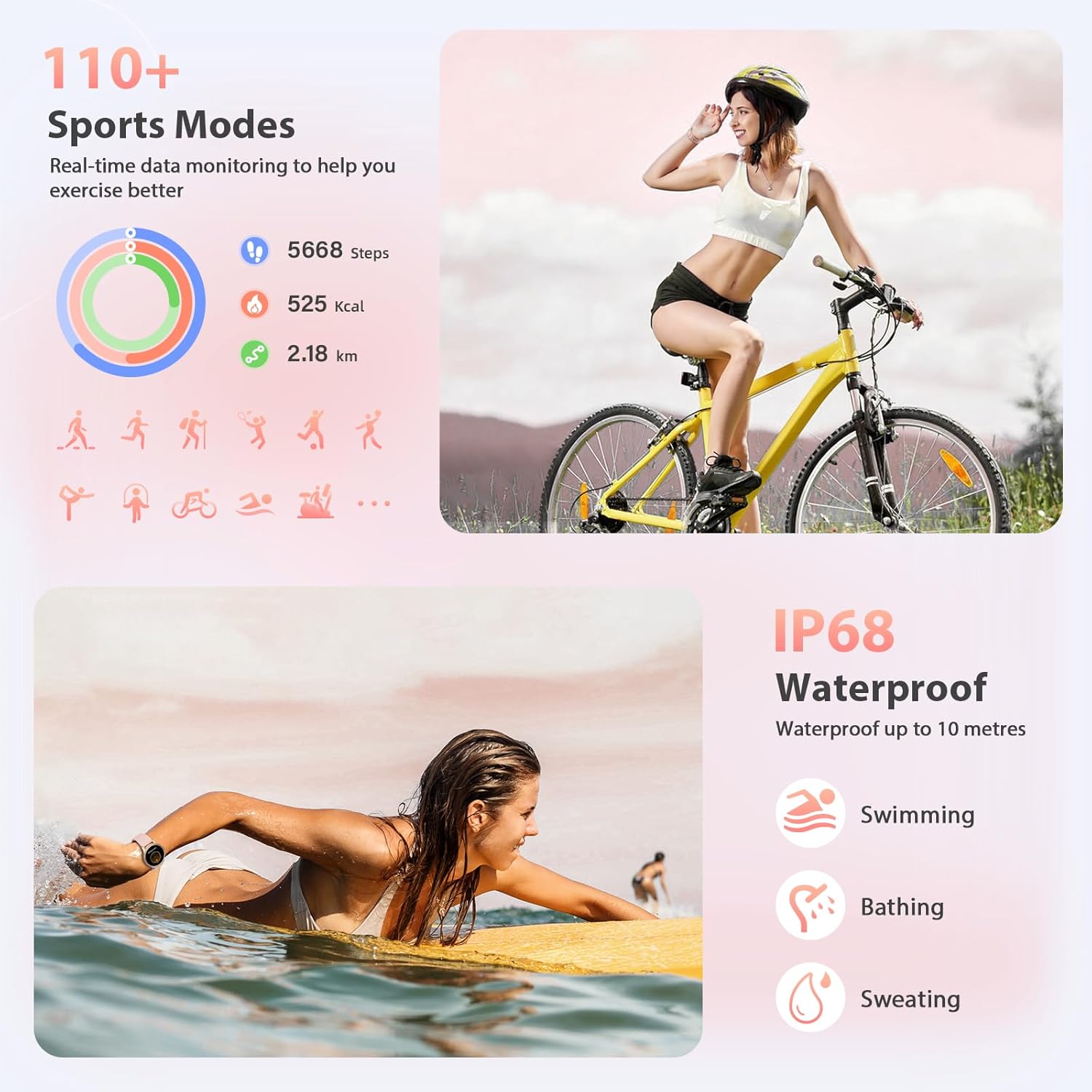
Image: The smartwatch interface showing various sports modes and an illustration of its IP68 waterproof capability during swimming.
Other Functions
The watch includes a variety of useful functions:
- Stopwatch: For timing activities.
- Flashlight: Illuminates the screen for a temporary light source.
- Music Control: Control music playback on your connected phone.
- Find My Phone: Helps locate your misplaced phone by making it ring.
- Alarm Clock: Set alarms directly from your wrist.
- Timer: Customizable countdown timer.
- Meditation: Guided breathing exercises for relaxation.
- Weather Forecast: Get real-time weather updates.
- Camera Remote: Use the watch as a remote shutter for your phone's camera.

Image: The smartwatch screen showing icons for various functions including alarm clock, weather, camera, music, stopwatch, find phone, chronograph, calculator, calendar, and flashlight.
Water Resistance
The Yoever Smart Watch features an IP68 water resistance rating, making it suitable for daily activities such as hand washing, showering, and swimming. It is not recommended for diving or high-pressure water activities.
Battery Life
Equipped with a 350mAh high-capacity, low-power battery, the watch charges in approximately 2.5 hours. It provides over 8 days of typical use and up to 40 days of standby time.

Image: Details on the smartwatch's battery life, including 2.5 hours charging time, up to 7-8 days working time, and 40 days standby time.
Compatibility
The smartwatch is compatible with Android 6.0/iOS 9.0 and later versions.
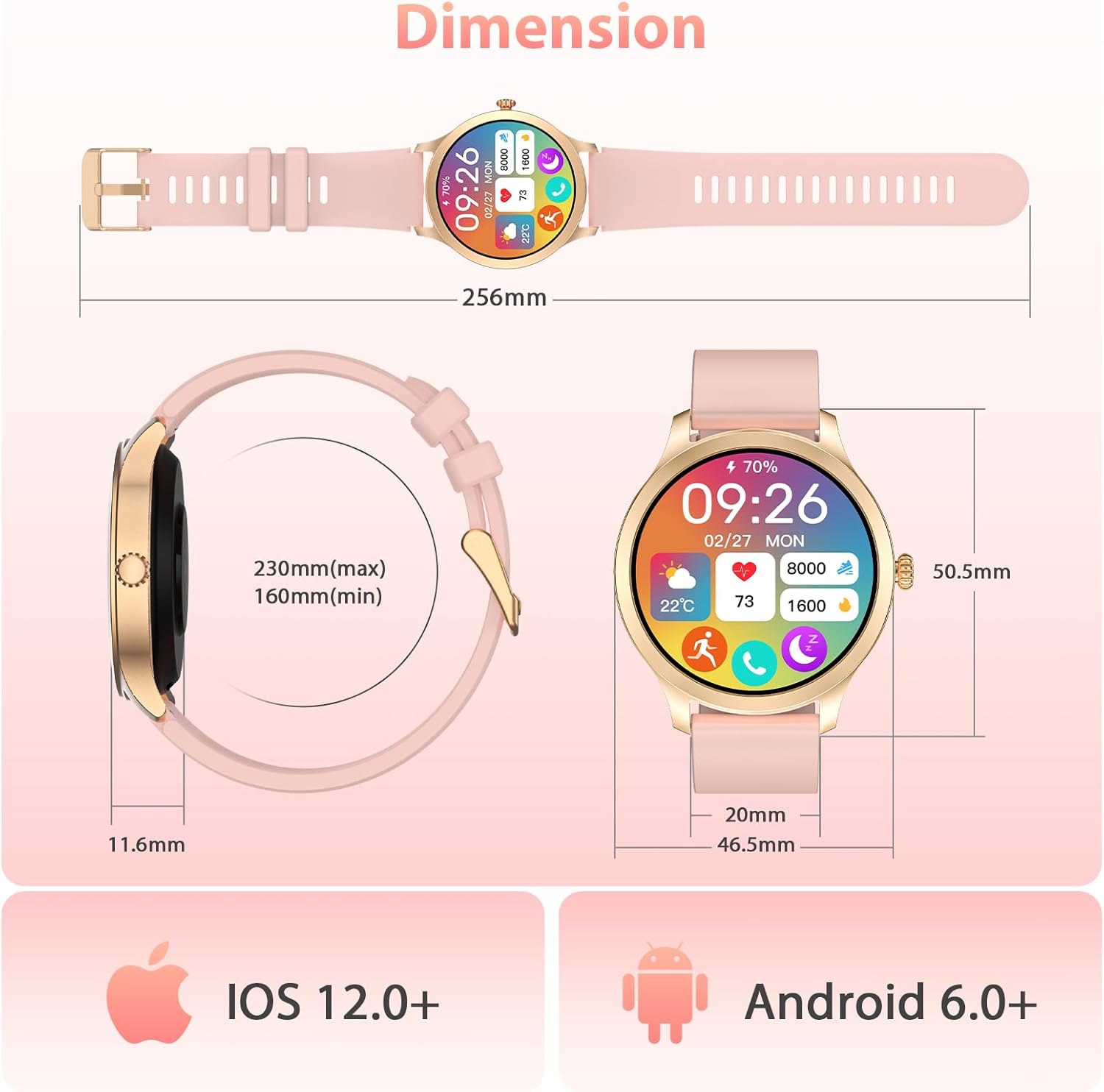
Image: The smartwatch shown with indicators for iOS 12.0+ and Android 6.0+ compatibility, along with its physical dimensions.
Maintenance
To ensure the longevity and optimal performance of your smartwatch, follow these maintenance guidelines:
- Clean the watch regularly with a soft, dry cloth.
- Avoid exposing the watch to extreme temperatures or direct sunlight for prolonged periods.
- Do not attempt to disassemble or repair the watch yourself.
- Keep the charging contacts clean and dry.
Troubleshooting
If you encounter any issues with your smartwatch, try the following common troubleshooting steps:
- Watch not turning on: Ensure it is fully charged.
- Cannot pair with phone: Check if Bluetooth is enabled on your phone and the watch is in pairing mode. Restart both devices.
- Inaccurate health data: Ensure the watch is worn snugly on your wrist, not too tight or too loose.
- Notifications not received: Check app permissions on your phone and ensure notifications are enabled in the "OnWear Pro" app settings.
For further assistance, refer to the support information provided in the Warranty & Support section.
Specifications
| Feature | Detail |
|---|---|
| Model Number | LW92 |
| Screen Size | 1.32 Inches |
| Display Resolution | 360*360 HD |
| Battery Capacity | 350 mAh Lithium Polymer |
| Charging Time | Approx. 2.5 hours |
| Battery Life (Typical Use) | 8+ days |
| Standby Time | Up to 40 days |
| Water Resistance | IP68 |
| Compatibility | Android 6.0+ / iOS 9.0+ |
| Item Weight | 1.7 Ounces |
| Manufacturer | Yoever |
Warranty & Support
Yoever offers a 5-year guarantee and lifetime technical support for your smartwatch. If you encounter any issues or have suggestions, please do not hesitate to reach out to the seller, Yoever, for assistance.
For customer support, you can typically find contact information on the seller's page on Amazon or through the "OnWear Pro" app.