1. Introduction and Overview
Thank you for choosing the SCS Sentinel SimplyOpen 2 Articulated Arm Drive for your swing gate. This 24V system is designed for gates up to 5 meters in length and 400 kg in weight, offering a reliable and convenient solution for automating your gate. It is compatible with various gate materials including wood, aluminum, iron, and reinforced PVC.
The SimplyOpen 2 system features a quiet and powerful motor, ensuring fast and smooth gate operation. It includes advanced safety and comfort functions such as obstacle detection, end-position delay, and a manual release mechanism. The included 2-channel remote controls provide flexible opening options, allowing for full or partial gate opening up to a 110° angle, with a range of up to 40 meters in open field.
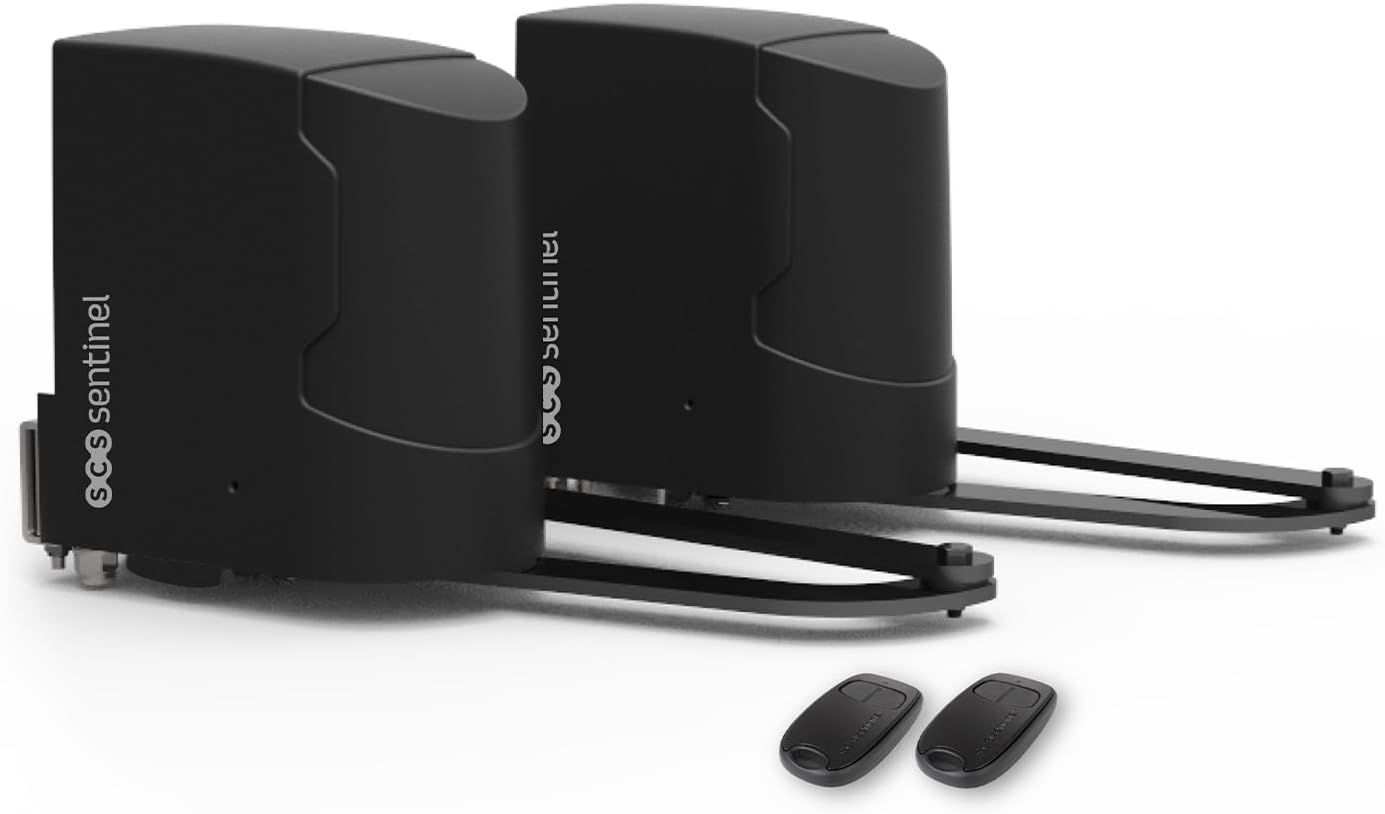
Image 1.1: The SCS Sentinel SimplyOpen 2 articulated arm gate openers with two remote controls.

Image 1.2: The product packaging for the SCS Sentinel SimplyOpen 2 system.
2. Safety Information
Please read all safety warnings and instructions carefully before installation and operation. Failure to follow these instructions may result in serious injury or property damage.
- Electrical Safety: Ensure the power supply is disconnected before performing any installation, maintenance, or repair work. All electrical connections must be made by a qualified electrician and comply with local electrical codes.
- Moving Parts: Keep hands, feet, and clothing clear of the gate and its moving parts during operation. Never attempt to stop a moving gate.
- Children and Pets: Keep children and pets away from the gate area, especially during operation. Remote controls should be kept out of reach of children.
- Obstacle Detection: While the system has obstacle detection, always visually confirm the gate path is clear before and during operation.
- Emergency Release: Familiarize yourself with the manual release mechanism for emergency situations or power outages.
3. Package Contents
Carefully unpack the box and verify that all components are present and undamaged. If any items are missing or damaged, please contact your retailer or SCS Sentinel customer support immediately.
- 2 x Articulated Arm Gate Drives
- 2 x 2-Channel Remote Controls
- Mounting Brackets and Hardware
- Control Unit (integrated or separate, refer to specific diagram)
- Instruction Manual

Image 3.1: All components included in the SimplyOpen 2 kit.
4. Setup and Installation
Installation of the SCS Sentinel SimplyOpen 2 system requires careful attention to detail and adherence to safety guidelines. It is recommended that installation be performed by a qualified professional.
4.1 Site Preparation
- Ensure the gate operates smoothly manually and is properly balanced.
- Verify that the gate posts are sturdy enough to support the weight and forces of the gate opener.
- Clear any obstacles from the gate's swing path.
4.2 Mounting the Gate Openers
Mount the articulated arm drives to the gate posts and gate leaves according to the provided dimensions and diagrams. Precise positioning is crucial for optimal performance and longevity of the system.

Image 4.1: An SCS Sentinel gate opener installed on a wooden swing gate.

Image 4.2: Important fitting dimensions for proper installation. Ensure minimum 50mm and maximum 150mm for dimension B, and minimum 500mm for safety distance.
4.3 Electrical Connections
Connect the gate openers to the control unit and power supply as per the wiring diagram in the detailed manual. Ensure all connections are secure and waterproof.
4.4 Programming and Adjustment
Follow the instructions in the comprehensive manual for initial programming, setting gate travel limits, and adjusting parameters such as obstacle sensitivity and opening/closing speeds. The manual release mechanism can be accessed for initial setup or manual operation.

Image 4.3: Manual adjustment point on the gate opener motor.
5. Operating Instructions
The SCS Sentinel SimplyOpen 2 system is designed for easy and convenient operation using the provided remote controls.
5.1 Using the Remote Control
- Full Opening: Press the designated button on your remote control once to fully open or close the gate.
- Partial Opening (Pedestrian Mode): If configured, press the secondary button for partial opening, allowing pedestrian access without fully opening the gate.
- Stopping Operation: Press any button during gate movement to stop the gate. Pressing again will reverse the direction.
The remote control has an effective range of up to 40 meters in an open field. Factors such as walls, vehicles, and other electronic devices may reduce this range.

Image 5.1: Operating the gate opener with the remote control from inside a vehicle.

Image 5.2: Detailed view of the 2-channel remote control.
5.2 Manual Release
In case of a power outage or system malfunction, the gate can be operated manually using the emergency release mechanism located on the motor unit. Refer to the detailed manual for specific instructions on how to engage and disengage the manual release.
6. Maintenance
Regular maintenance ensures the longevity and reliable operation of your SCS Sentinel SimplyOpen 2 gate opener. Perform the following checks periodically:
- Monthly: Inspect the gate and hinges for proper alignment and smooth movement. Lubricate hinges if necessary. Check all mounting bolts and screws for tightness.
- Quarterly: Clean the gate opener units to remove dirt, dust, and debris. Check electrical wiring for any signs of wear or damage. Test the obstacle detection feature to ensure it functions correctly.
- Annually: Have a qualified technician perform a thorough inspection of the entire system, including motor performance, electrical connections, and safety features.
Do not attempt to repair the motor or control unit yourself. Refer all complex repairs to authorized service personnel.
7. Troubleshooting
This section provides solutions to common issues you might encounter with your SCS Sentinel SimplyOpen 2 gate opener. For more complex problems, please consult the detailed manual or contact technical support.
| Problem | Possible Cause | Solution |
|---|---|---|
| Gate does not open/close | No power; Remote battery low; Obstacle in path; Manual release engaged. | Check power supply; Replace remote battery; Clear path; Disengage manual release. |
| Gate stops unexpectedly | Obstacle detected; Loose wiring; Motor overheating. | Clear path; Check wiring connections; Allow motor to cool down. |
| Remote control not working | Battery dead; Out of range; Remote not programmed. | Replace battery; Move closer to gate; Re-program remote (refer to manual). |
| Unusual noises from motor | Lack of lubrication; Worn parts; Misalignment. | Lubricate moving parts; Inspect for worn components; Check gate alignment. |
8. Specifications
Key technical specifications for the SCS Sentinel SimplyOpen 2 (MBA0116) gate opener:
| Feature | Specification |
|---|---|
| Model Number | MBA0116 |
| Brand | SCS Sentinel |
| Power Supply | 24V |
| Max Gate Length | 5 meters (per leaf) |
| Max Gate Weight | 400 kg (per leaf) |
| Max Opening Angle | 110° |
| Remote Control Range | Up to 40 meters (open field) |
| Compatible Materials | Wood, Aluminum, Iron, Reinforced PVC |
| Item Weight | 1 Kilogram (per unit) |
| Product Dimensions | 1 x 1 x 1 cm (approximate, per unit) |
| Color | Black |
9. Warranty and Support
SCS Sentinel guarantees the reliability of its innovative technical products, which are designed for ease of installation and use, combining comfort and safety.
9.1 Warranty Information
This product comes with a manufacturer's warranty. Please refer to the warranty card included in your package or visit the official SCS Sentinel website for detailed terms and conditions regarding warranty coverage and duration.
9.2 Technical Support
Our technical support team, based in France, is available to assist you with the installation and operation of your product. Our technicians are committed to providing sound and personalized advice to ensure your satisfaction.
For technical assistance, please contact SCS Sentinel support through the contact information provided on our official website or in your product documentation. When contacting support, please have your model number (MBA0116) and purchase details ready.


