
RICIAL RT004
RICIAL RT004 Handheld Red & Infrared LED Light Therapy Device User Manual
Model: RT004
1. Setup
1.1 Unboxing and Components
Carefully unpack all components from the box. Ensure the following items are present:
- Handheld Red & Infrared LED Light Therapy Device
- Adjustable Stand
- Protective Eyewear
- USB Charging Cable
- User Manual
Video: Unboxing the RICIAL RT004 Red Light Therapy Device, showing its components including the device, stand, and accessories.
1.2 Assembling the Stand
The adjustable stand allows for hands-free operation. Follow these steps to assemble:
- Install the clip to the top of the base and tighten it.
- Adjust the base knob, open the three legs to the balance position, and tighten the knob to fix it.
- Turn the knob to adjust the telescopic rod to the appropriate height.
- Clamp the red light device and rotate to adjust the angle to the appropriate position.

Image: Step-by-step guide for assembling the device stand.
1.3 Charging the Device
The device features a built-in 2500mAh rechargeable battery. Use the provided USB charging cable to charge the device before first use and as needed.
- Connect the USB charging cable to the device's charging port.
- Connect the other end of the cable to a compatible USB power source.
- The indicator light will show charging status (refer to device for specific light indications).
Video: Demonstrates how to charge and use the device, highlighting its ease of use.
2. Operation
2.1 Power On/Off and Mode Selection
All functions are controlled with a single button on the device.
- Short Press: To power on the device or switch between the three lighting modes.
- Long Press: To activate or deactivate the pulse function for the current mode.
- The device has a built-in 5-minute automatic shut-off feature for convenience and safety.
Available Lighting Modes:
- P1 – Blue Light (410nm): Provides gentle surface-level illumination, suitable for skin conditions like acne or improving skin clarity.
- P2 – Red Light (660nm) & Near-Infrared Light (850nm): Offers deeper warming effects for soothing comfort and relaxation, targeting muscles and joints.
- P3 – Combination Mode (410nm + 660nm + 850nm): Combines all three wavelengths for comprehensive wellness benefits, addressing both surface and deeper tissues.

Image: Visual representation of the three distinct light modes and their respective wavelengths.
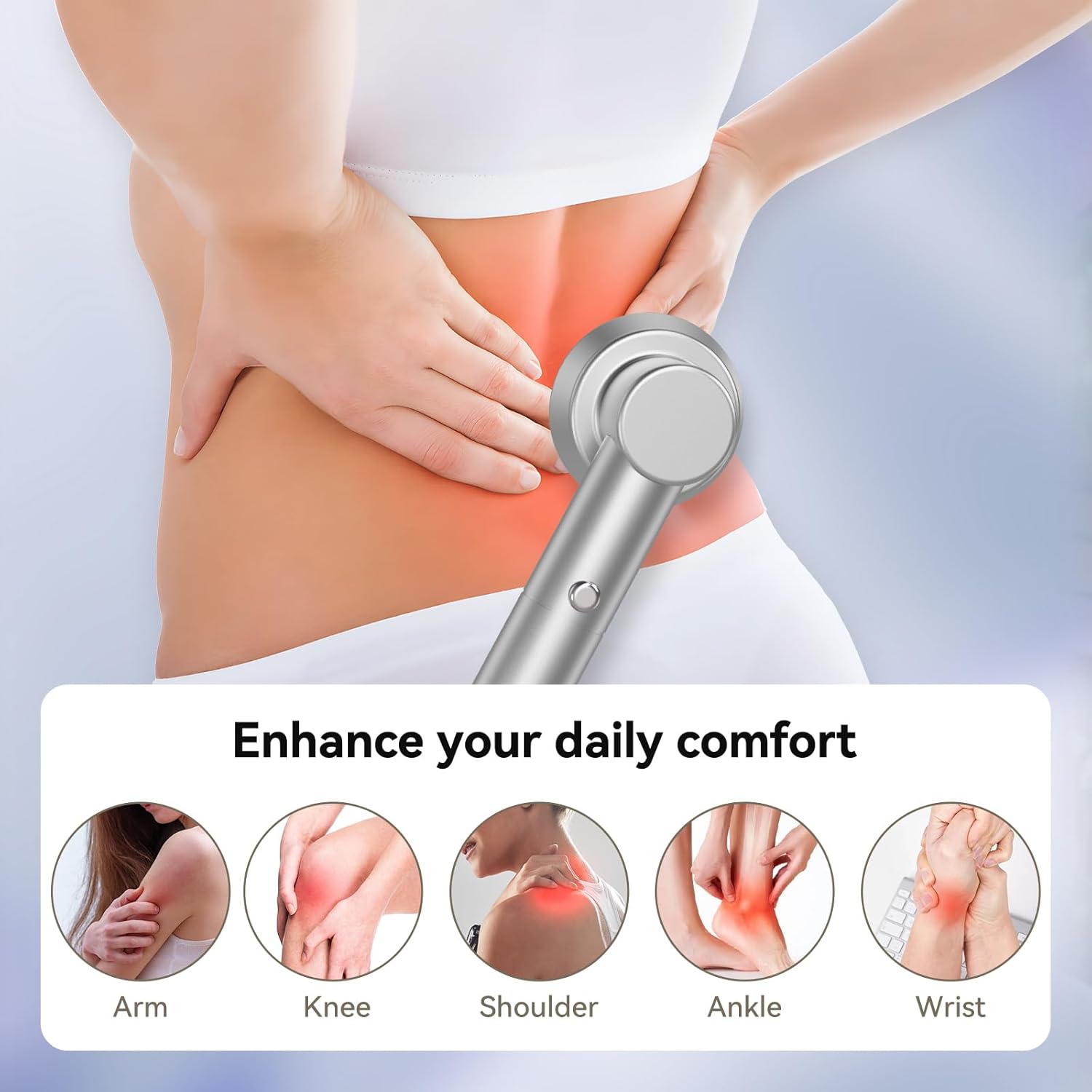
Image: Detailed view of the LED configuration and their specific wavelengths.
Video: Demonstrates switching between the three light modes and activating the pulse function.
2.2 Pulse Function
Each light mode offers an optional pulse setting. A long press of the control button activates this feature, creating a rhythmic light sensation. This helps deliver a more pleasant and comfortable light experience while keeping the surface temperature gentle and safe for daily use.

Image: The pulse function in use, showing rhythmic light output for enhanced comfort.
2.3 Recommended Usage Areas
The device is designed for use on various body parts, including the body, knee, feet, back, muscles, and joints. It is also suitable for gentle use with pets.

Image: Examples of various body areas where the device can be applied for comfort.

Image: Demonstrates the versatility of the device for different applications, including use on pets.

Image: Highlights the comfortable skin surface experience and potential benefits for facial care.

Image: Shows the device being used on a pet, indicating its safe and gentle application for animals.
2.4 Automatic Shut-off
The device is equipped with a 5-minute automatic shut-off timer. This ensures optimal session duration and prevents overuse. It is recommended to use the device 1-2 times a day and continue for 2-3 weeks for best results.

Image: Visual guide to the automatic timer and suggested treatment frequency.
2.5 Safety Precautions
Always wear the provided protective eyewear when operating the device, especially when using it near the face or eyes, to prevent potential eye strain or discomfort from the bright LED lights.
Video: Review of the handheld red light therapy device, demonstrating its features and emphasizing safety.
3. Maintenance
3.1 Cleaning
To maintain optimal performance and hygiene, clean the device regularly.
- Ensure the device is powered off and unplugged before cleaning.
- Wipe the device's surface with a soft, damp cloth.
- Do not use abrasive cleaners or immerse the device in water.
3.2 Storage
Store the device in a cool, dry place away from direct sunlight and extreme temperatures. Keep it out of reach of children and pets.
4. Troubleshooting
4.1 Device Not Turning On
- Ensure the device is fully charged. Connect it to the charger and wait for the charging indicator to confirm.
- Press and hold the power button for a few seconds to ensure it's not just a short press.
4.2 Lights Not Functioning Correctly
- Cycle through the modes with a short press of the button to ensure proper selection.
- If the pulse function is active, try deactivating it with a long press to see if the lights stabilize.
4.3 Charging Issues
- Verify that the USB cable is securely connected to both the device and the power source.
- Try using a different USB charging cable or power adapter to rule out a faulty accessory.
- Ensure the power source is active and providing sufficient power.
5. Specifications
| Feature | Detail |
|---|---|
| Model Number | RT004 |
| Wavelengths | 410nm (Blue), 660nm (Red), 850nm (Near-Infrared) |
| LED Count | 9 high-power LED lamp beads (3x 410nm, 3x 660nm, 3x 850nm) |
| Lighting Modes | 3 (Blue Light, Red & Near-Infrared Light, Combination Mode) |
| Special Features | Pulse Function, 5-minute Automatic Shut-off |
| Battery | 2500mAh Rechargeable Lithium Polymer (included) |
| Dimensions | 10.59 x 8.23 x 2.52 inches |
| Weight | 1.72 Pounds |
| Manufacturer | RICIAL |

Image: Illustrates how different light wavelengths penetrate various layers of the skin.
6. Warranty & Support
6.1 Return Policy
This product is eligible for a refund or replacement within 30 days of purchase, subject to the retailer's return policy.
6.2 Manufacturer Support
For any difficulties setting up, using, cleaning, or maintaining your device, please contact RICIAL support.
- Manufacturer: RICIAL
- Support Email: support@ricial.net
Ask a question about this manual
Ask about setup, troubleshooting, compatibility, parts, safety, or missing instructions. Manuals+ will review the question and use this page’s manual context to help answer it.