
OJNNAVD SHP-DP609 Push
User Manual: SHP-DP609 Smart Home WiFi Digital Door Lock
Model: SHP-DP609 Push | Brand: OJNNAVD
1. Introduction and Overview

Image: The OJNNAVD SHP-DP609 Smart Home WiFi Digital Door Lock, showcasing its modern design and key components.
The OJNNAVD SHP-DP609 Smart Home WiFi Digital Door Lock is an advanced security solution designed for modern homes and offices. This biometric lock offers multiple convenient ways to access your property, ensuring both security and ease of use.
Key unlocking methods include:
- Fingerprint: Quick and secure biometric access.
- Card: Use compatible access cards for entry.
- Password: Enter a numerical code on the keypad.
- Mechanical Keys: Traditional key access for emergency or backup.
The lock is constructed from durable zinc alloy and is compatible with Samsung Smart Home platforms, allowing for integrated smart home management.
2. Product Features
The SHP-DP609 Digital Door Lock comes equipped with a range of features designed for enhanced security and user convenience:
- Smart Home Compatibility: Fully compatible with Samsung Smart Home platforms for integrated control.
- Multiple Access Methods: Supports fingerprint, card, password, and mechanical key unlocking.
- Push-Pull Design: Offers an easy and fast one-action mechanism to open or close the door.
- Random Security Code: Enhances password security by prompting users to tap random digits before entering their actual password, preventing smudge-based guessing.
- Fingerprint Authentication: Fast and accurate fingerprint sensor for reliable access.
- Anti-theft Setup: Includes features to deter unauthorized access.
- Status Notification LED: Provides visual cues for lock status.
- Silent Mode: Option to operate the lock quietly.
- Low Battery Indicator: Alerts users when batteries need replacement.
- Emergency Power: Allows for temporary power supply in case of complete battery drain.

Image: Comprehensive overview of the SHP-DP609's various features and unlocking methods.

Image: Illustration of the easy and fast push-pull design for door operation.

Image: Demonstration of the Random Security Code feature, requiring users to tap random digits before their actual password.
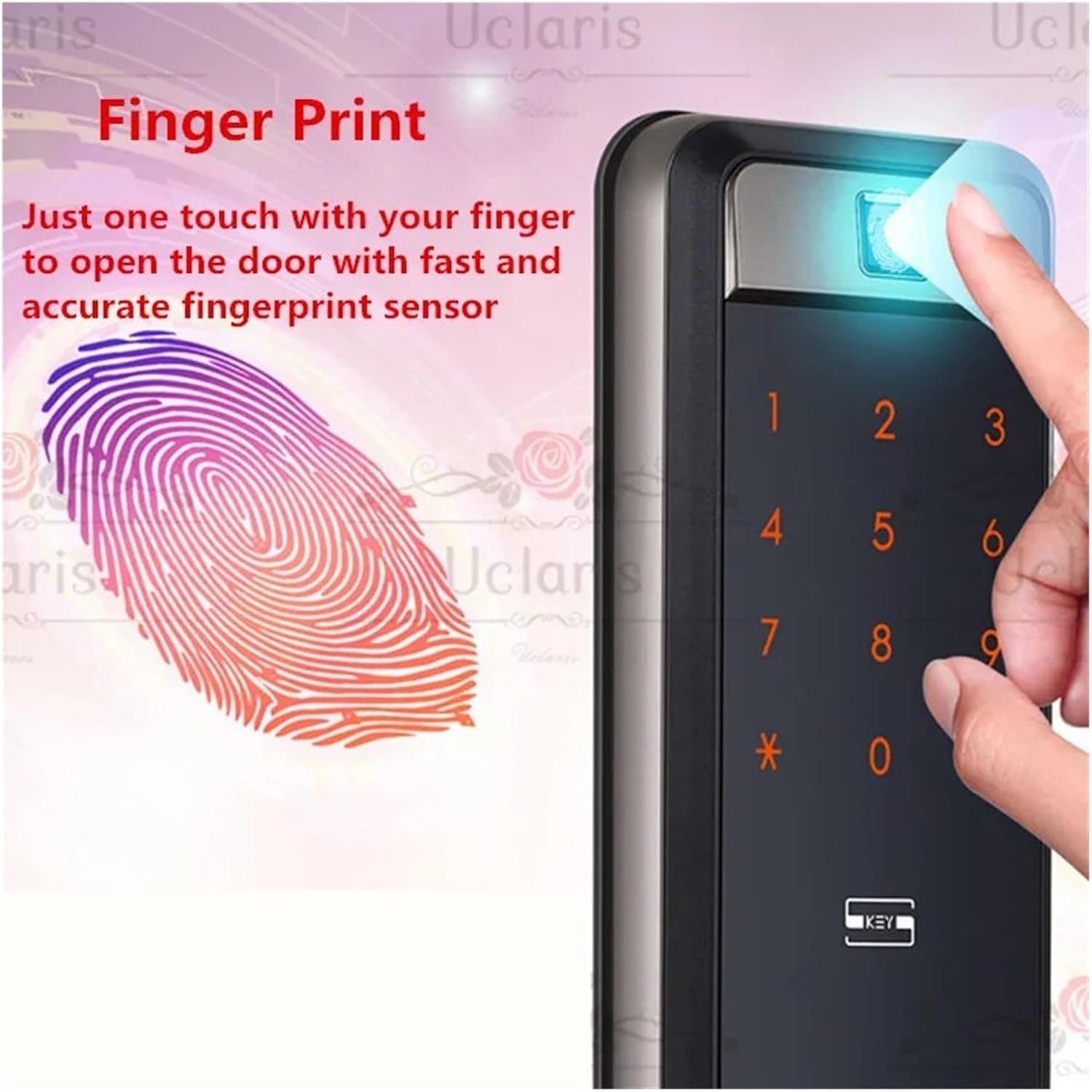
Image: Close-up of the fingerprint sensor, highlighting its ease of use for quick access.
3. Setup and Installation
Before beginning installation, it is crucial to verify your door's specifications to ensure compatibility and proper fit. The SHP-DP609 lock is designed for doors with a thickness between 38mm and 80mm.
3.1 Pre-Installation Checks
- Determine Door Opening Direction: Identify if your door is an in-opening (left push, right push) or out-opening (left pull, right pull) door. This affects the correct orientation of the lock components.
- Measure Door Thickness: Accurately measure the thickness of your door.
- Measure Guide Sheet Dimensions: Measure the length and width of the guide sheet area on your door.

Image: Visual guide for determining door opening direction and essential door measurements for installation.
3.2 General Installation Steps (Summary)
While detailed installation instructions are typically provided in a separate guide or template, the general process involves:
- Preparing the door by drilling necessary holes according to the provided template.
- Installing the mortise lock into the door edge.
- Mounting the outer body of the lock.
- Connecting the internal wiring and mounting the inner body.
- Installing batteries and testing all functions.
It is highly recommended to consult the full installation manual that comes with your product for precise, step-by-step instructions and safety guidelines.
4. Operating Instructions
The SHP-DP609 offers various methods for unlocking your door:
4.1 Fingerprint Unlocking
- Place your registered finger flat on the fingerprint sensor.
- The lock will verify your fingerprint and unlock.
- Push or pull the handle to open the door.
4.2 Password Unlocking
- Touch the keypad to activate it.
- If the Random Security Code feature is active, tap the two randomly highlighted digits.
- Enter your registered password followed by the '*' or '#' key (refer to specific model instructions for exact key).
- The lock will verify the password and unlock.
- Push or pull the handle to open the door.
4.3 Card Unlocking
- Place your registered access card against the card reader area on the lock.
- The lock will read the card and unlock.
- Push or pull the handle to open the door.
4.4 Mechanical Key Unlocking
- Insert the mechanical key into the emergency keyhole (usually located discreetly on the bottom or front of the outer unit).
- Turn the key to unlock the door.
- Push or pull the handle to open the door.
4.5 SmartThings Integration
For SmartThings compatibility, follow the instructions provided by Samsung Smart Home to add and manage your SHP-DP609 lock within the SmartThings ecosystem. This allows for remote control, status monitoring, and integration with other smart devices.
5. Maintenance
To ensure the longevity and optimal performance of your SHP-DP609 Digital Door Lock, regular maintenance is recommended:
- Battery Replacement: Replace batteries promptly when the low battery indicator appears. Use high-quality alkaline batteries for best performance.
- Cleaning: Wipe the lock's surface with a soft, dry cloth. Avoid using abrasive cleaners or solvents that could damage the finish or electronic components.
- Sensor Care: Keep the fingerprint sensor and keypad clean and free of dust or smudges to ensure accurate readings.
- Mechanical Parts: Do not lubricate the internal mechanisms unless specifically instructed by the manufacturer.
6. Troubleshooting
This section addresses common issues you might encounter with your SHP-DP609 Digital Door Lock:
6.1 Lock Not Responding / No Power
- Check Batteries: Ensure batteries are correctly inserted and have sufficient charge. Replace all batteries if the low battery indicator was active or if the lock is unresponsive.
- Emergency Power: If batteries are completely drained, use a 9V battery (or specified emergency power source) on the external emergency power terminals to temporarily power the lock and gain access.
6.2 Fingerprint Not Recognized
- Clean Sensor: Ensure the fingerprint sensor and your finger are clean and dry.
- Proper Placement: Make sure your finger covers the entire sensor area.
- Re-register Fingerprint: If issues persist, try deleting and re-registering your fingerprint.
6.3 Password Not Working
- Correct Password: Double-check that you are entering the correct registered password.
- Random Security Code: Ensure you are correctly tapping the random digits before your actual password if the feature is enabled.
- Keypad Cleanliness: Ensure the keypad is clean and free of smudges.
For more complex issues or problems not listed here, please refer to the full product manual or contact customer support.
7. Specifications
| Feature | Detail |
|---|---|
| Brand | OJNNAVD |
| Model Number | SHP-DP609 |
| Product Type | Smart Home WiFi Digital Door Lock |
| Special Features | Fingerprint, Keyless, Random Security Code, Push-Pull Design |
| Lock Type | Biometric |
| Unlocking Methods | Fingerprint, Card, Password, Mechanical Keys |
| Material | Zinc Alloy |
| Out-body Dimension (W x H x D) | 86.2mm x 391mm x 68.5mm |
| In-body Dimension (W x H x D) | 88mm x 392.1mm x 63.8mm |
| Applicable Door Thickness | 38mm - 80mm |
| Connectivity Protocol | Wi-Fi |
| Controller Type | Hand Control, SmartThings |
| Control Method | Touch |
| Recommended Uses | Home, Office |
| Included Components | Mechanical Keys |
| Item Weight | 50 Grams (approx. 1.76 ounces) |
| Color | One Color (as depicted in product images) |
8. Warranty and Support
Specific warranty details for the OJNNAVD SHP-DP609 Smart Home WiFi Digital Door Lock are not provided in this manual. Please refer to the product packaging, the manufacturer's official website, or your point of purchase for comprehensive warranty information.
For technical support, troubleshooting assistance beyond this guide, or inquiries regarding parts and service, please contact the manufacturer or seller directly. Keep your purchase receipt and product model number handy when contacting support.
Manufacturer: fuhog68bnhuj
Model Name: fuhog68bnhuj (as per product specifications, may refer to internal identifier)
ASIN: B0DC5CTNLS
Ask a question about this manual
Ask about setup, troubleshooting, compatibility, parts, safety, or missing instructions. Manuals+ will review the question and use this page’s manual context to help answer it.