
1. Introduction
This manual provides comprehensive instructions for the setup, operation, and maintenance of your Osoeri Smart Bird Feeder with Camera. Designed for bird enthusiasts, this device allows you to observe and identify various bird species in your backyard with advanced camera technology and smart features.

Figure 1: Osoeri Smart Bird Feeder with Camera, illustrating its main components and functionality.
2. Product Overview
2.1. Components Included
- Osoeri Smart Bird Feeder with integrated 2K HD Camera
- 5W External Solar Panel
- Mounting Kit (includes straps, screws, and brackets for various mounting options)
- USB Charging Cable
- User Manual (this document)
- Accessory Add-ons: 2x Fruit Forks, 2x Hummingbird Feeders, 1x Jelly Box
2.2. Key Features
- AI Bird Identification: Identifies over 11,000 bird species (30-day free trial, subscription required for continued use).
- 2K HD Live Video: Provides clear, high-resolution live streaming and recording.
- Real-Time Alerts: Sends instant notifications to your smartphone upon bird detection.
- Dual Power Source: Equipped with a built-in 5200mAh battery and a 5W solar panel for continuous power.
- Weatherproof Design: IP65 rating ensures durability in various weather conditions.
- Customizable Feeding Options: Includes accessories for different types of bird food (seeds, fruit, nectar, jelly).
- 2.4GHz WiFi Connectivity: Connects to your home network for remote access via the VicoHome App.
- Easy Sharing: Share device access and bird sightings with family and friends via the app.
- Squirrel Deterrence: Features an alarm, built-in speaker, and flashlight to deter unwanted visitors.
3. Setup Guide
3.1. Initial Charging
Before first use, fully charge the bird feeder's internal 5200mAh battery using the provided USB cable. This ensures optimal performance and extends battery life, especially when relying on solar power.

Figure 2: Solar panel and internal battery for continuous power.
3.2. Mounting the Feeder
The Osoeri Smart Bird Feeder offers multiple mounting options:
- Tree/Pole Mount: Use the provided strap and bracket to secure the feeder to a tree trunk or pole. Ensure it is stable and at a height accessible for refilling but safe from predators.
- Wall Mount: Use the screws and wall anchors to attach the bracket to a wall or fence post.
- Flat Surface Mount: The feeder can also be placed on a flat surface like a table or deck railing, ensuring it is stable and won't tip over.
Position the solar panel in a location that receives direct sunlight for most of the day to maximize charging efficiency. Connect the solar panel cable to the charging port on the back of the feeder.

Figure 3: Feeder mounted on a tree, showcasing its weatherproof design.
3.3. App Installation and Wi-Fi Connection
- Download the VicoHome App from the App Store (iOS) or Google Play Store (Android). Scan the QR code provided in the Quick Start Guide or search for "VicoHome".
- Create an account and follow the in-app instructions to add your Osoeri Smart Bird Feeder.
- Ensure your Wi-Fi network is 2.4GHz. The feeder is not compatible with 5GHz networks.
- During the connection process, you will be prompted to press the power button on the device until you hear a sound, indicating it's ready for pairing.
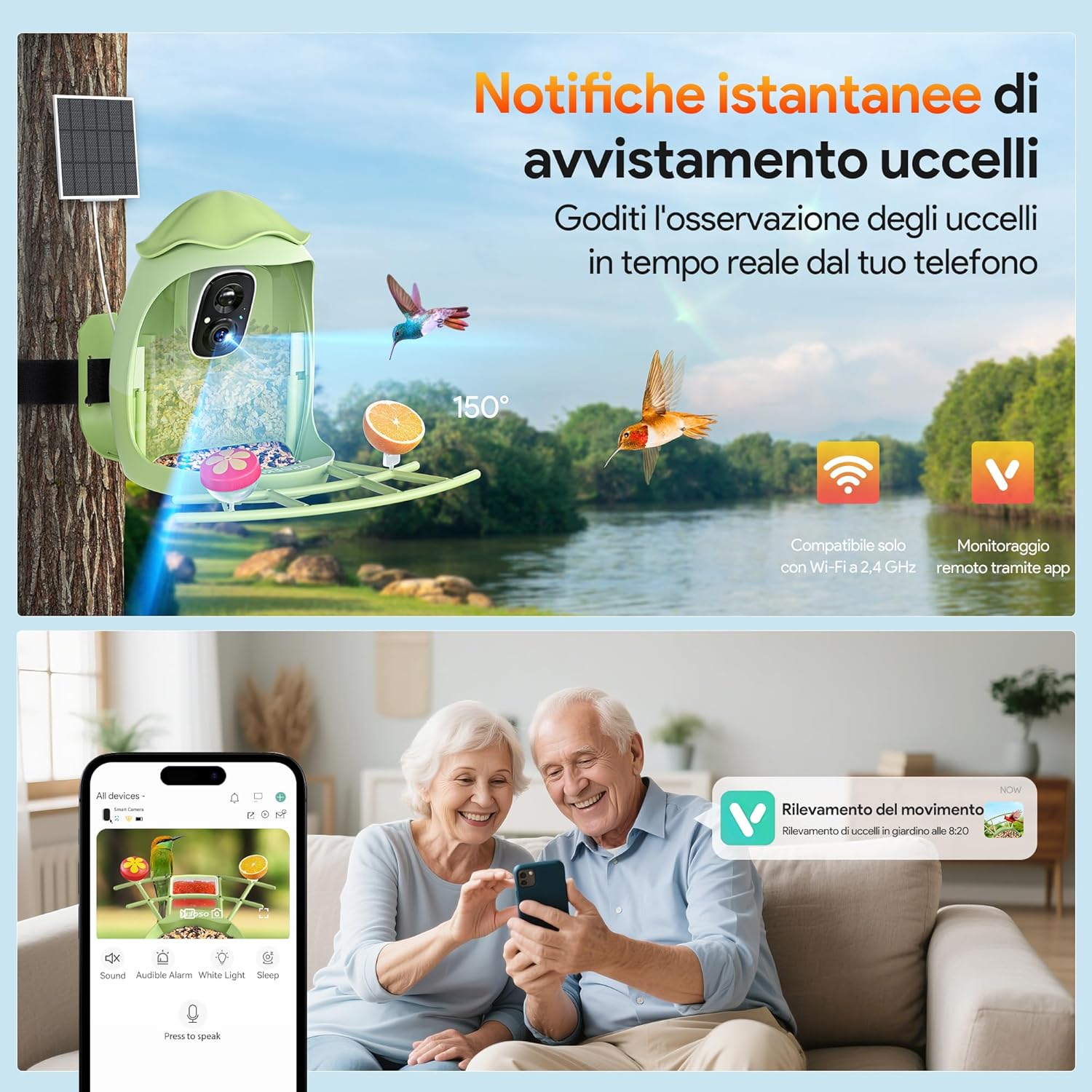
Figure 4: Real-time notifications and app interface for bird watching.
3.4. Filling the Feeder and Attaching Add-ons
Open the top lid of the feeder to access the seed compartment. Fill with your preferred bird seed mix. Attach the fruit forks, hummingbird feeders, or jelly box to the designated slots on the perch tray to attract a wider variety of birds.
4. Operating Instructions
4.1. Live View and Notifications
Once connected, open the VicoHome App to access the live 2K HD video feed from your bird feeder. The app will send real-time notifications to your phone whenever motion is detected, allowing you to view visitors instantly.

Figure 5: Day and night vision capabilities of the 2K HD camera.
4.2. AI Bird Identification
The feeder's AI technology can identify over 11,000 bird species. After the initial 30-day free trial, a subscription is required to continue using this feature within the VicoHome App. This feature provides valuable information about the birds visiting your feeder.

Figure 6: AI identification feature in action, showing a bird and its species information.
4.3. Customizing Your Feeder
Utilize the included fruit forks for oranges or other fruit, the hummingbird feeders for nectar, and the jelly box for grape jelly to attract a diverse range of birds. Experiment with different offerings to discover which species frequent your backyard.
4.4. Power Management
The combination of the built-in rechargeable battery and the external solar panel ensures continuous operation. The solar panel charges the battery during daylight hours, reducing the need for manual recharging.
4.5. Sharing Access
The VicoHome App allows you to share access to your bird feeder's live feed and recordings with multiple users, enabling family and friends to enjoy the bird-watching experience.
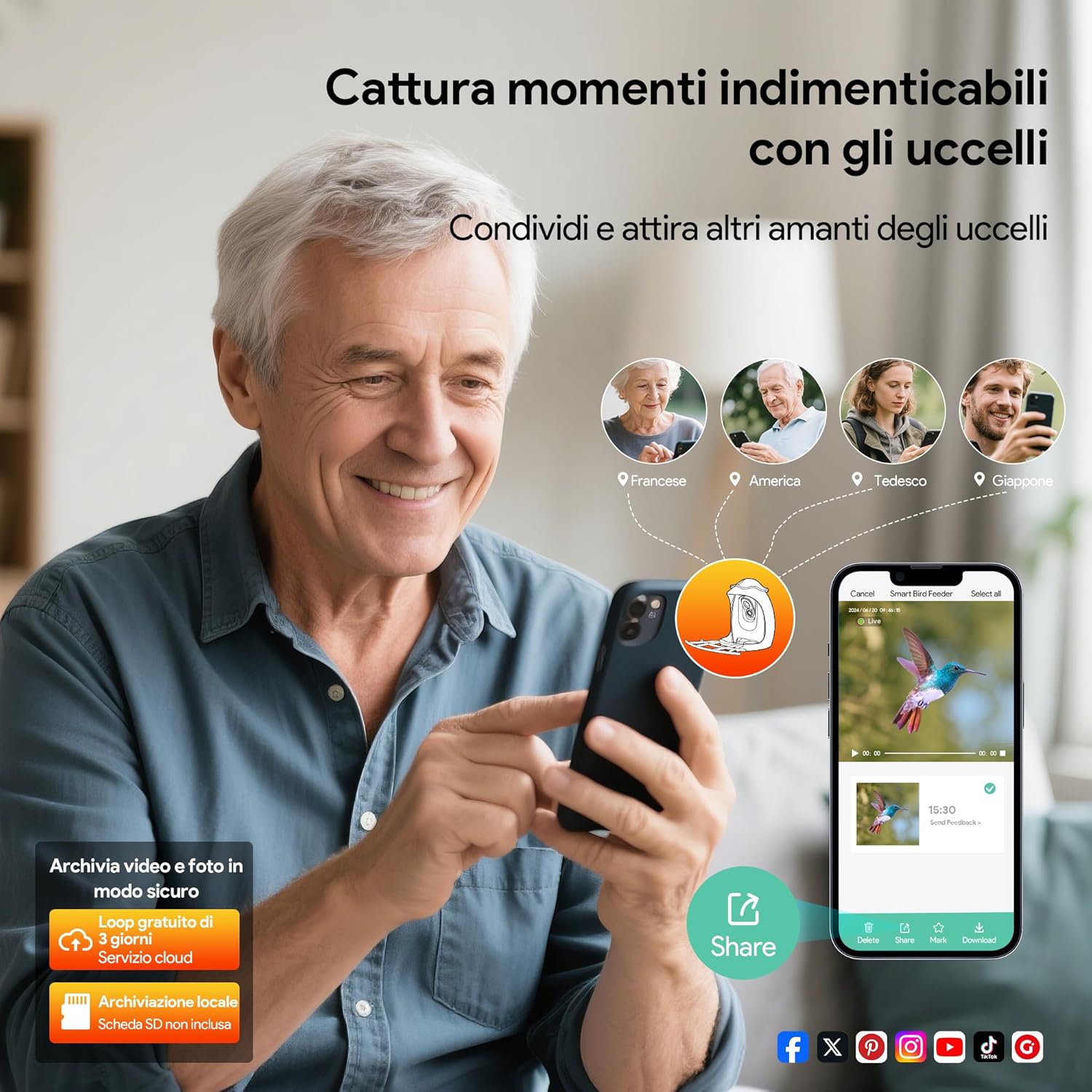
Figure 7: Sharing bird-watching moments with family.
4.6. Squirrel Deterrence
The feeder is equipped with features such as an alarm, built-in speaker, and flashlight that can be activated via the app to deter squirrels and other unwanted visitors from accessing the bird food.

Figure 8: Squirrel deterrence features in action.
5. Maintenance
5.1. Cleaning the Feeder
Regular cleaning is essential to prevent the spread of diseases among birds. Disassemble the feeder components and wash them with warm, soapy water. Rinse thoroughly and allow to dry completely before refilling. Avoid using harsh chemicals that could harm birds.
5.2. Battery Care
Ensure the solar panel is clean and free of obstructions to maintain optimal charging. If the feeder is in a shaded area or during prolonged cloudy periods, occasional manual charging via the USB cable may be necessary.
6. Troubleshooting
- No Power: Ensure the battery is fully charged. Check the solar panel connection and its exposure to sunlight.
- Wi-Fi Connectivity Issues: Verify your Wi-Fi is 2.4GHz. Ensure the feeder is within range of your router. Restart the feeder and your router if necessary.
- No Notifications: Check app settings to ensure notifications are enabled. Verify motion detection settings within the app.
- Poor Video Quality: Ensure the camera lens is clean. Check your Wi-Fi signal strength.
7. Specifications
| Feature | Detail |
|---|---|
| Brand | Osoeri |
| Model Number | OS-BC04 |
| Target Species | Birds |
| Material | Metal, Plastic |
| Special Features | Built-In Camera, Easy-Refill Top, Long Lasting, Squirrel Proof, Weatherproof |
| Mounting Type | Pole mount, Tree mount, Wall mount, Tripod mount, Flat surface mount |
| Product Dimensions | 8.07"L x 7.68"W x 10.43"H |
| Power Source | Battery Powered, Solar Powered |
| Included Components | Manual, Mounting Kit, Stand, Fruit Forks, Hummingbird Feeders, Jelly Box |
| Capacity | 1.25 Liters |
| Color | Green |
| Item Weight | 3.5 Pounds |
| Batteries | 1 Lithium Ion battery required (built-in 5200mAh) |
| Wi-Fi Compatibility | 2.4GHz only |
| Waterproof Rating | IP65 |
8. Important Safety Information
- Always follow local regulations and guidelines for feeding wildlife.
- Keep the feeder clean to prevent the spread of diseases.
- Do not use food that may harm or be toxic to birds.
- Always supervise children when handling the feeder.
- Ensure the feeder is securely mounted to prevent access by larger animals.
- Dispose of the feeder and its components responsibly to minimize environmental impact.
9. Warranty and Support
For warranty information, technical support, or any questions regarding your Osoeri Smart Bird Feeder, please refer to the contact information provided on the product packaging or visit the official Osoeri website. Keep your purchase receipt for warranty claims.