
Introduction
This manual provides detailed instructions for the setup, operation, maintenance, and troubleshooting of your e-vibra RL16 Vibrating Alarm Reminder Watch. Please read this manual thoroughly before using the device to ensure proper function and longevity.
The e-vibra RL16 is designed to provide silent, vibrating reminders for various daily needs, including wake-up alarms, medication reminders, potty training, and maintaining a schedule.
Package Contents
Verify that all items are present in your package:
- e-vibra RL16 Vibrating Alarm Reminder Watch
- USB Charging Cable
- User Manual (this document)
Product Overview
The e-vibra RL16 watch features a digital display and a comfortable silicone band. It is equipped with a built-in rechargeable battery and a vibration motor for silent alerts.

Image 1: Front view of the e-vibra RL16 Vibrating Alarm Reminder Watch displaying the time 6:35 AM. The watch has a black band and a round digital display.

Image 2: Diagram illustrating the dimensions of the e-vibra RL16 watch. The watch face diameter is 1.58 inches (40mm). The wrist girth range is 4.7 inches to 7.3 inches (120mm to 185mm).
Setup
1. Initial Charging
Before first use, fully charge the watch. The watch module can be removed from the band for charging.
- Gently remove the watch module from the silicone band.
- Connect the included USB charging cable to the watch module's charging port.
- Plug the other end of the USB cable into a standard USB power adapter (not included) or a computer's USB port.
- The watch display will indicate charging status. A full charge typically takes 1-2 hours.
- Once fully charged, disconnect the cable and reinsert the watch module into the band.
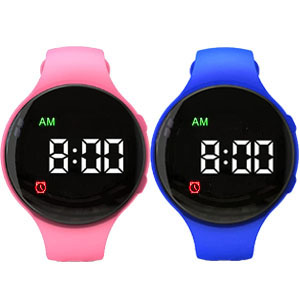
Image 3: The e-vibra RL16 watch module being charged via its USB cable, connected to a laptop's USB port. The image highlights the charging process.
Note: A full charge can last between 8 to 40 days depending on usage frequency of alarms and vibrations.
2. Setting Time and Date
Refer to the watch's on-screen interface for specific button presses to enter time setting mode. Typically, this involves pressing and holding a specific button (often labeled 'M' or 'Set') until the time display flashes. Use the adjustment buttons to set hours, minutes, and date, then confirm each setting.
Operating Instructions
1. Setting Alarms
The e-vibra RL16 supports up to 15 individual vibrating alarms. To set an alarm:
- Enter alarm setting mode (consult the watch's interface or quick start guide for button sequence).
- Select an alarm slot (e.g., AL1, AL2).
- Set the desired hour and minute for the alarm.
- Enable or disable the alarm.
- Repeat for additional alarms as needed.
Tip: For wake-up alarms, consider setting multiple alarms a few minutes apart for increased effectiveness.
2. Timer Function (Interval Reminders)
The watch also features a fixed interval timer for repeating reminders:
- Access the timer setting mode.
- Choose from preset intervals: 1min, 5min, 10min, 15min, 20min, 30min, 45min, 60min, 90min, 120min, or 180min (3 hours).
- Activate the timer. The watch will vibrate at the selected interval until manually stopped.
This feature is useful for regular reminders such as potty training or hydration.
3. Lock Function
To prevent accidental changes to time and alarm settings, the watch includes a lock function:
- To activate the lock, press and hold the designated lock button (refer to your watch's specific button layout).
- A lock icon will typically appear on the display.
- To unlock, repeat the same button press and hold sequence.
The lock function is particularly useful for children or individuals who might inadvertently alter settings.
Maintenance
1. Cleaning
- Wipe the watch and band with a soft, damp cloth.
- Avoid using harsh chemicals or abrasive cleaners.
- Ensure the charging port is dry before charging.
2. Battery Care
- Charge the watch regularly to maintain battery health.
- Avoid fully depleting the battery frequently.
- If storing the watch for an extended period, charge it to about 50% and store in a cool, dry place.
3. Water Resistance
The e-vibra RL16 is designed for daily use and is resistant to splashes and sweat. However, it is not waterproof. Do not submerge the watch in water, wear it while swimming, or expose it to heavy rain or showers. Water ingress can damage the internal components.
Troubleshooting
| Problem | Possible Cause | Solution |
|---|---|---|
| Watch not turning on/display blank | Low battery; device malfunction | Charge the watch for at least 30 minutes. If still unresponsive, contact support. |
| Vibration alarm is weak or not working | Alarm not enabled; watch too loose; device malfunction | Ensure the alarm is set and enabled. Wear the watch snugly on your wrist. If the issue persists, contact support. |
| Cannot change settings (time/alarms) | Lock function is active | Deactivate the lock function by pressing and holding the designated lock button. |
| Battery life is shorter than expected | Frequent alarms/vibrations; aging battery | Reduce the number of active alarms or vibration duration if possible. Battery life naturally decreases over time. |
Specifications
- Model: RL16
- Brand: e-vibra
- Display Type: Digital
- Battery: 1 Lithium Ion battery (included)
- Battery Life: 8-40 days (depending on usage)
- Item Weight: 1.58 ounces
- Wrist Girth: 4.7 - 7.3 inches (120 - 185mm)
- Special Features: Vibrating alarm, Multi-alarm settings (up to 15), Interval timer, Lock function
Warranty and Support
For warranty information or technical support, please refer to the contact details provided with your purchase or visit the official e-vibra website. Keep your purchase receipt as proof of purchase.
For common questions and further assistance, you may also refer to the e-vibra brand page on Amazon.


