
Bosch GMS120-27
BOSCH GMS120-27 Wall Scanner and Stud Finder Instruction Manual
Model: GMS120-27
Introduction
The Bosch GMS120-27 Wall Scanner is designed for quick, easy, and accurate detection of various materials behind walls, including wood and steel studs, metals, and live wires. This manual provides essential information for the safe and effective use of your device, ensuring optimal performance and longevity.
What's in the Box
- BOSCH GMS120-27 Wall Scanner
- 2 AA Batteries
- Soft Carrying Pouch

Image: The Bosch GMS120-27 Wall Scanner, showing the device, two AA batteries, and a soft carrying pouch.
Setup
Battery Installation
- Locate the battery compartment on the back of the device.
- Open the battery compartment cover.
- Insert the two AA batteries, ensuring correct polarity (+/-).
- Close the battery compartment cover securely.
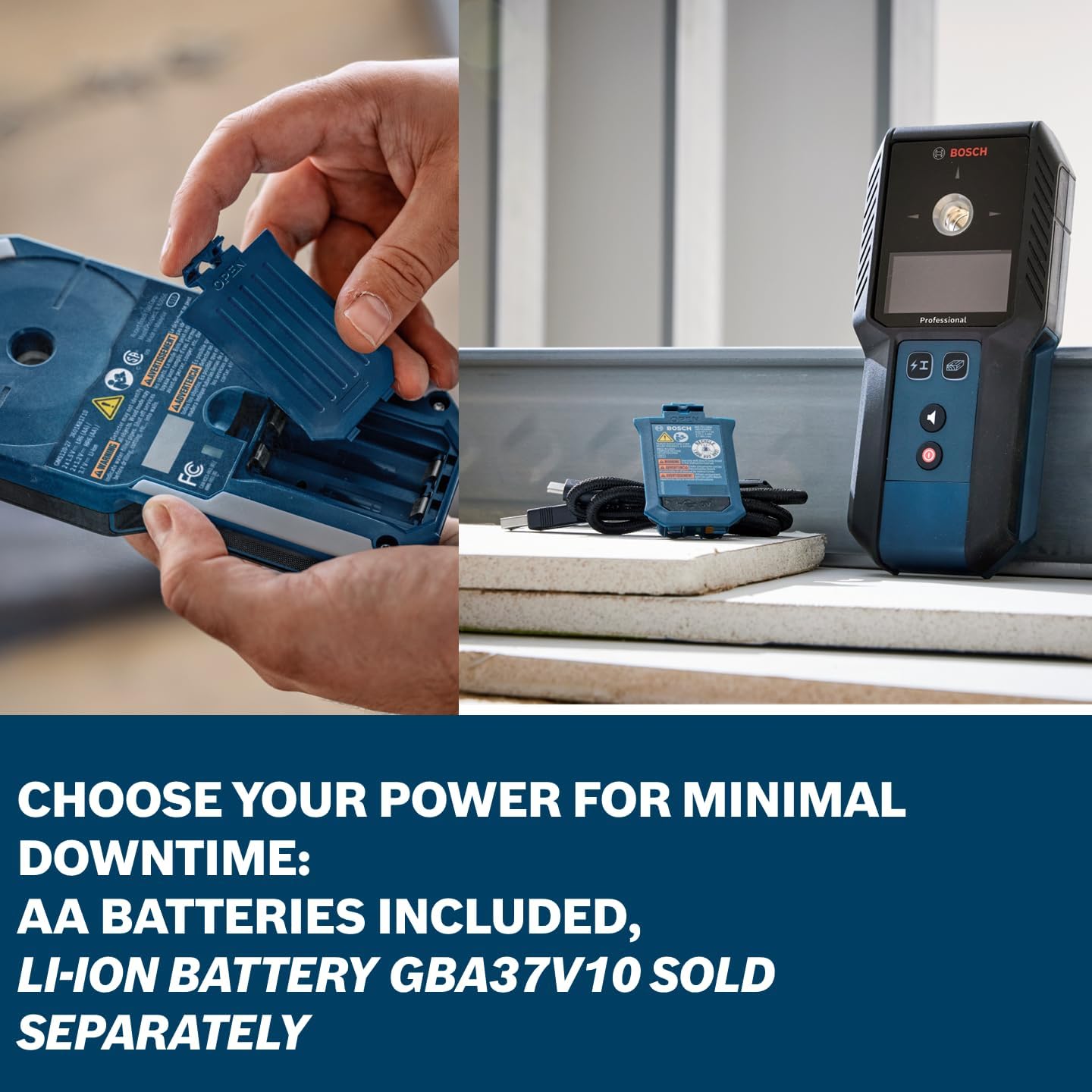
Image: A user installing AA batteries into the battery compartment of the Bosch GMS120-27 Wall Scanner, demonstrating power flexibility.
Initial Power On and Calibration
Upon first power-on or after battery replacement, the device may perform an automatic calibration. Ensure the device is held flat against the wall surface during this process for accurate readings.
Operating Instructions
General Operation
The Bosch GMS120-27 is designed for ease of use. Simply turn it on, select the desired detection mode, and glide it smoothly across the wall surface. The intuitive user interface and color-coded illuminated marking ring provide clear feedback.

Image: A detailed diagram illustrating the key features of the Bosch GMS120-27 Wall Scanner, such as its color-coded marking hole, user-friendly interface, ergonomic design, robust construction, and versatile power options.
Detection Modes
The device offers multiple detection modes to identify different materials:
- Wood Mode: Detects wood studs.
- Metal Mode: Detects ferrous and non-ferrous metals (e.g., steel studs, pipes, rebar).
- Live Wire Mode: Detects live electrical wires.
The large, bright LED screen displays object center, wall depth, and material identification. An audible detection signal can be toggled on or off for convenience.
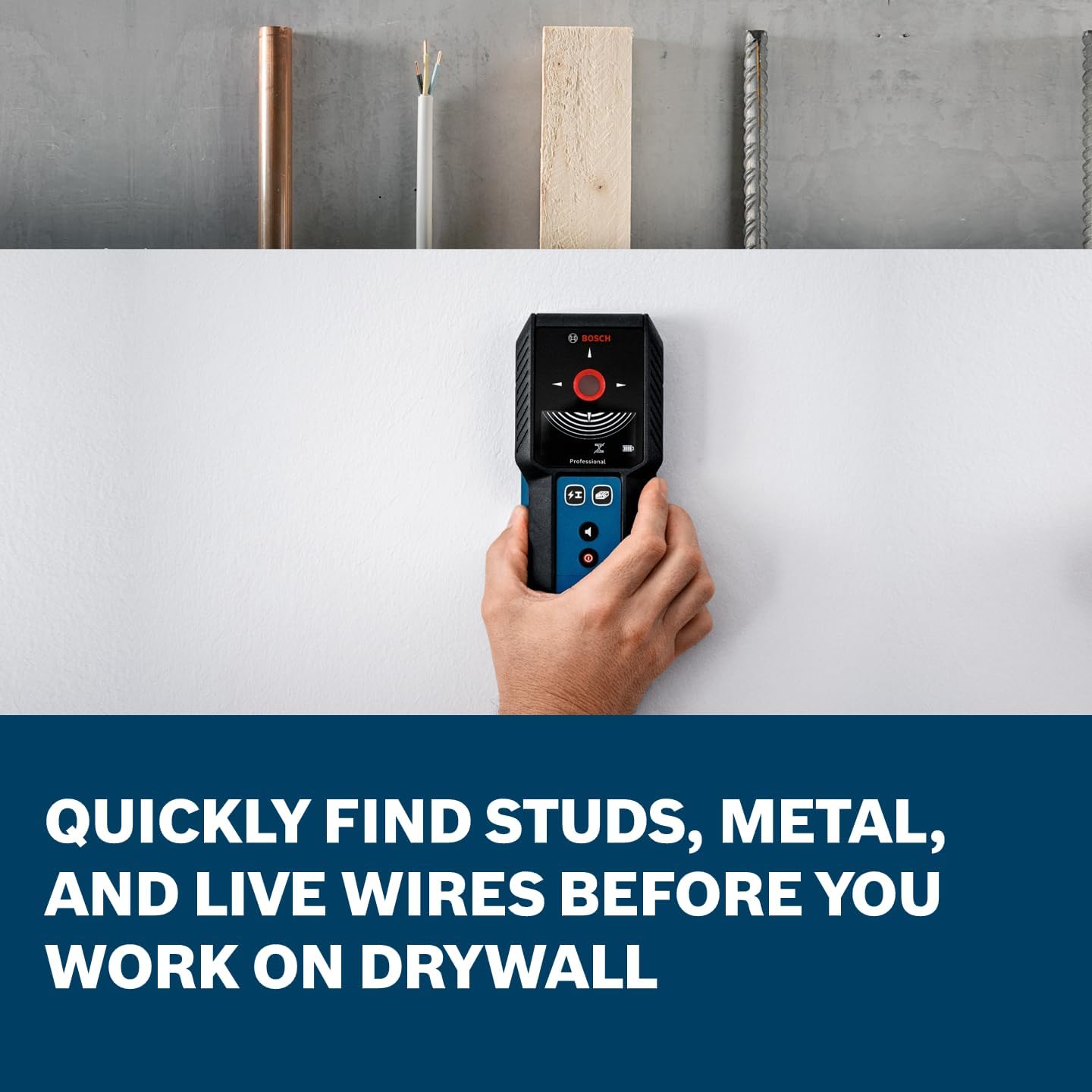
Image: The Bosch GMS120-27 Wall Scanner in use, demonstrating its ability to quickly find studs, metal, and live wires behind drywall, with examples of these objects shown above the wall.
Marking Detected Objects
The color-coded illuminated marking ring provides visual cues for detection. Green indicates a clear area, yellow suggests caution, and red signifies a detected object. The integrated marking hole allows for precise transfer of detection results directly onto the wall.

Image: A close-up view of the Bosch GMS120-27 Wall Scanner's color-coded marking ring, which illuminates to provide fast and accurate transfer of detection results to the wall.

Image: A user precisely marking the center of a detected object on a wall using a pencil through the color-coded marking hole of the Bosch GMS120-27 Wall Scanner.
Maintenance
Cleaning
To maintain the accuracy and longevity of your Bosch GMS120-27, regularly clean its exterior with a soft, damp cloth. Do not use abrasive cleaners or solvents. Ensure the device is dry before storage.
Storage
Store the device in its soft carrying pouch in a dry, dust-free environment when not in use. Remove batteries if storing for extended periods to prevent leakage.
Durability Features
The Bosch GMS120-27 features an IP54 rating for dust and water protection and a shock-absorbing rubber casing, providing enhanced durability for tough jobsite conditions.

Image: The Bosch GMS120-27 Wall Scanner being used in a wet environment, emphasizing its jobsite tough construction with IP54 rating and shock-absorbing rubber casing for durability.
Troubleshooting
| Problem | Possible Cause | Solution |
|---|---|---|
| Inaccurate or inconsistent readings | Improper calibration; presence of dense materials; wall texture. | Ensure proper calibration by holding the device flat against a clear wall section before scanning. Scan slowly and consistently. Consider wall material thickness and composition. |
| Device not powering on | Dead or incorrectly installed batteries. | Check battery polarity. Replace batteries with fresh ones. |
| Difficulty detecting electrical wires | Wires may be deeper than the detection range (up to 2 inches); interference from other objects. | Ensure the circuit is live. Scan slowly and try different angles. Note that detection depth for wires is limited. |
Specifications
| Feature | Detail |
|---|---|
| Brand | Bosch |
| Model Number | GMS120-27 |
| Power Source | Battery Powered (2 AA Batteries included, 3.7V Li-Ion battery sold separately) |
| Item Weight | 10.2 ounces (0.64 Pounds) |
| Product Dimensions | 7.32 x 3.4 x 1.3 inches |
| IP Rating | IP54 (Dust and Water Protection) |
| Detection Depth (Steel) | Up to 4.75 inches (from customer review) |
| Detection Depth (Wood) | Up to 1.5 inches (from customer review) |
| Detection Depth (Live Wires) | Up to 2 inches (from customer review) |
Warranty
Bosch offers a 1 Year Tool Warranty. You can extend this to +1 Year* (total of two years coverage) by registering your tool within eight (8) weeks of purchase.
*For full terms and conditions, please visit rb-pt.io/PowerToolWarranty or call 1-877-BOSCH99.

Image: Bosch Limited Warranty details, indicating a 1-year tool warranty extendable by an additional year upon product registration.
Support
For further assistance, technical support, or to explore other Bosch measuring tools, please visit the official Bosch website or contact their customer service.
You can also visit the Bosch Store on Amazon.