
Introduction
This instruction manual provides detailed information on the installation, maintenance, and replacement of the accessory kit for your Xiaomi Mi Robot Vacuum Mop 2 Pro+ (STYTJ02ZHM) robotic vacuum cleaner. Regular replacement and proper maintenance of these parts are crucial for ensuring the optimal performance and longevity of your vacuum cleaner.
The kit includes essential components such as the main brush, side brushes, HEPA filters, and mop cloths, designed to maintain high cleaning efficiency.
Product Overview
The 22-piece accessory kit contains the following components:
- Main Brush (2 pieces): Essential for deep cleaning and efficient dust removal.
- Mop Cloths (6 pieces): Designed with ultra-dense fiber for uniform seepage and effective floor cleaning.
- Side Brushes (6 pieces): Prevents dust accumulation in corners and along walls, with an anti-wrapping design.
- HEPA Filters (6 pieces): High-efficiency particulate air filters that can be washed and reused, providing strong filtration.
- Cleaning Brush (2 pieces): Small tools for maintaining the cleanliness of the accessories.
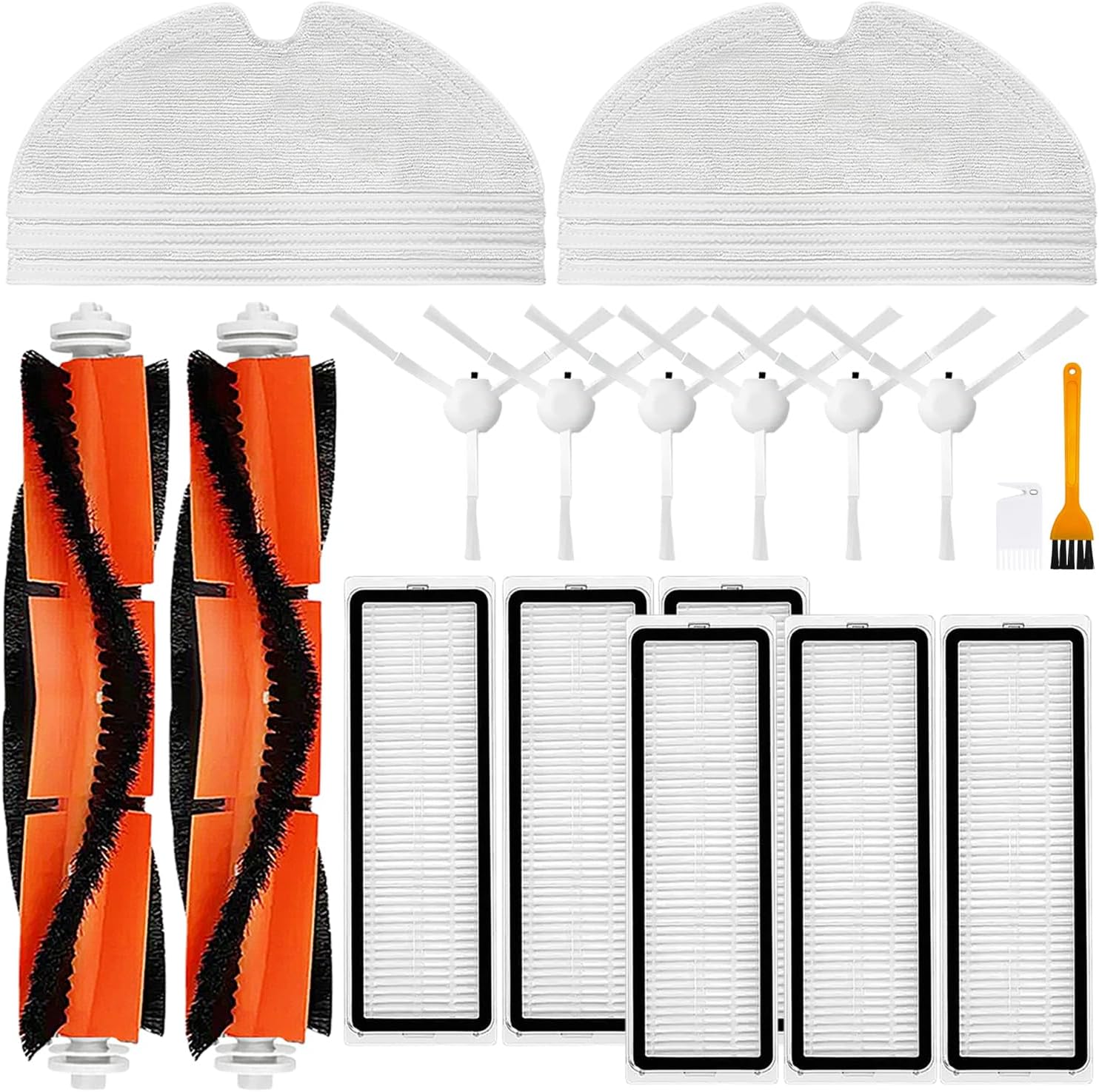
Image: Overview of all components included in the 22-piece accessory kit.
Installation and Replacement
1. Main Brush Replacement
The main brush is crucial for effective debris collection. It is recommended to inspect and clean the main brush regularly and replace it every 6-12 months, or as needed based on usage.
- Turn off the robot vacuum and place it upside down on a flat surface.
- Locate the main brush cover, usually secured by latches or screws. Open or remove the cover.
- Lift out the old main brush. Remove any tangled hair or debris from the brush and its bearings.
- Insert the new main brush, ensuring the ends align with the slots in the vacuum cleaner.
- Close or reattach the main brush cover securely.
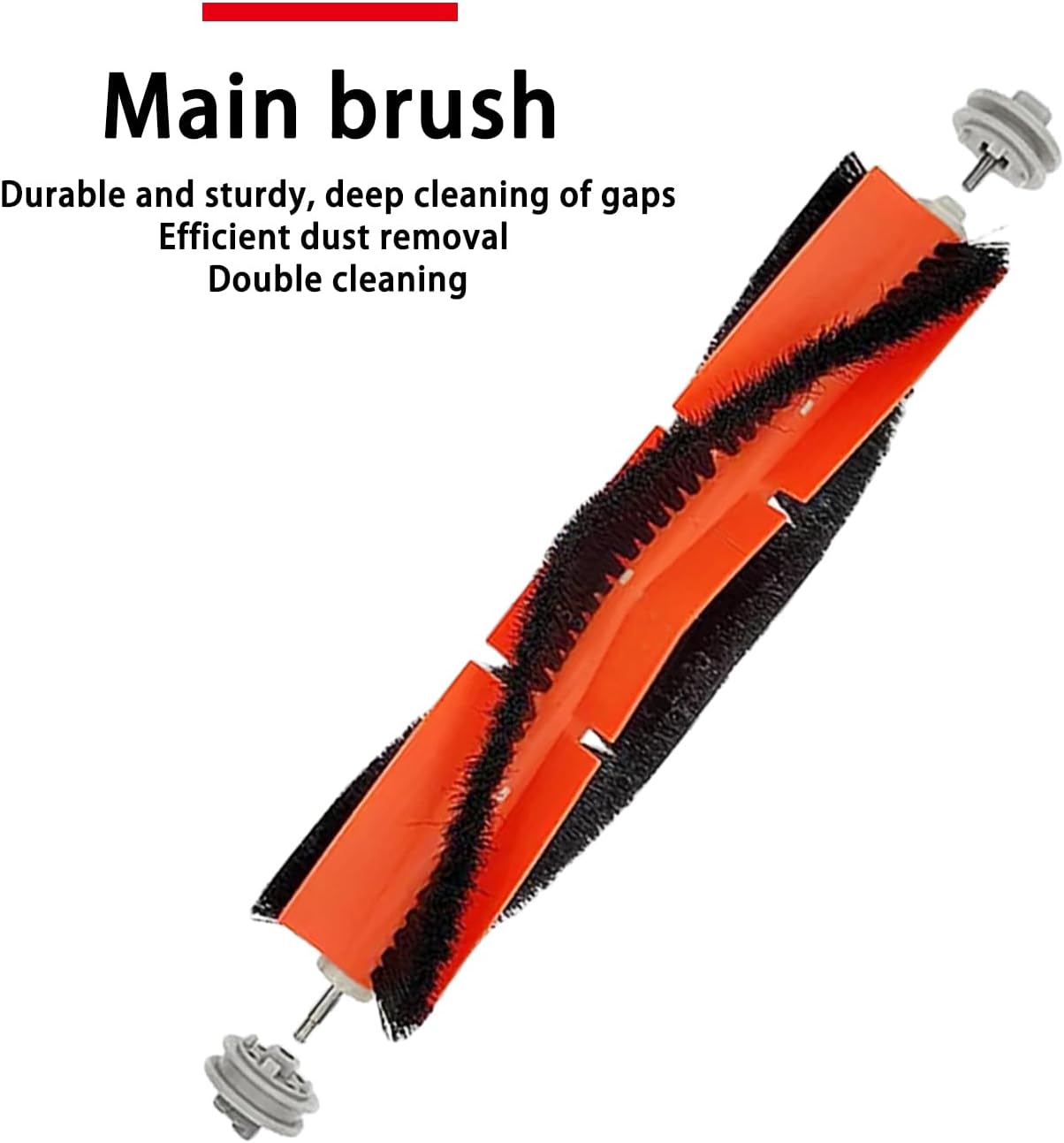
Image: Close-up of the main brush, highlighting its durable and sturdy design for deep cleaning.
2. Side Brush Replacement
Side brushes sweep debris from edges and corners into the vacuum's path. Replace them if they become worn or bent, typically every 3-6 months.
- Turn off the robot vacuum and place it upside down.
- Locate the side brushes. They are usually held in place by a single screw.
- Use a screwdriver to remove the screw and detach the old side brush.
- Align the new side brush with the post and secure it with the screw.

Image: Side brushes with anti-wrapping design, preventing hair entanglement and protecting floors.
3. HEPA Filter Replacement
HEPA filters capture fine dust and allergens. For optimal air quality and vacuum performance, replace filters every 3-6 months, or more frequently if you have pets or allergies.
- Open the dustbin compartment of your robot vacuum.
- Remove the dustbin.
- Locate the filter within the dustbin and remove the old filter.
- Insert the new HEPA filter into the designated slot in the dustbin, ensuring it fits snugly.
- Reinstall the dustbin into the robot vacuum.

Image: HEPA filters, highlighting their strong filtration capabilities and reusability after washing.
4. Mop Cloth Attachment/Replacement
Mop cloths are used for wet cleaning. Replace them when they become dirty or worn.
- Remove the mop module or water tank from the robot vacuum.
- Detach the used mop cloth from the module, typically via Velcro or a sliding mechanism.
- Attach a clean mop cloth, ensuring it is securely fastened and covers the entire mopping area.
- Reinstall the mop module or water tank onto the robot vacuum.

Image: Mop cloths featuring an ultra-dense fiber design for effective and uniform water distribution during cleaning.
Operating Considerations
While these are replacement parts, their proper function is integral to the robot vacuum's operation:
- Ensure all brushes and filters are correctly installed before operating the vacuum to prevent damage or reduced cleaning performance.
- For mopping functions, ensure the mop cloth is clean and properly saturated (if applicable to your vacuum model) before starting a cleaning cycle.
- Regularly check the brushes for tangled hair or debris, as this can impede their rotation and cleaning effectiveness.
- Monitor the vacuum's performance after replacing parts. A decrease in suction or cleaning quality may indicate an issue with installation or the need for further maintenance.
Maintenance
Consistent maintenance of your accessories will extend their lifespan and ensure your robot vacuum operates at peak efficiency.
- Main Brush: Remove the main brush after each few cleaning cycles. Use the provided cleaning brush or a pair of scissors to cut and remove tangled hair and debris from the brush bristles and bearings.
- Side Brushes: Periodically check side brushes for wear or bending. Clean off any accumulated dust or hair. If bristles are severely bent, they can sometimes be reshaped by soaking them in warm water for a few minutes.
- HEPA Filters: Tap the filter gently over a trash can to remove loose dust. For deeper cleaning, the HEPA filters in this kit are washable. Rinse them under running water (do not use detergent), ensuring all dust is removed. Allow the filter to air dry completely for at least 24 hours before reinstalling it. Do not use a dryer or direct sunlight.
- Mop Cloths: After each mopping session, remove the mop cloth and wash it thoroughly with water. It can be hand-washed or machine-washed. Allow it to air dry completely before reuse.
Troubleshooting
If you encounter issues after replacing accessories, consider the following:
- Reduced Cleaning Performance:
- Check Main Brush: Ensure it's free of tangles and installed correctly.
- Check Side Brushes: Verify they are not bent or worn out.
- Check HEPA Filter: A clogged filter can reduce suction. Clean or replace if necessary.
- Unusual Noises:
- Inspect Brushes: Debris caught in the main or side brushes can cause noise. Clean thoroughly.
- Verify Installation: Ensure all parts are securely installed and not loose.
- Mop Not Wetting Floor:
- Check Mop Cloth: Ensure it's properly attached and saturated.
- Check Water Tank: Ensure the water tank is filled and correctly installed (refer to your vacuum's main manual).
For persistent issues, refer to your Xiaomi Mi Robot Vacuum Mop 2 Pro+ user manual or contact the product manufacturer for further assistance.
Specifications
Key specifications for the accessory kit components:
| Component | Quantity (in 22-Kit) | Material | Reusability |
|---|---|---|---|
| Main Brush | 2 | Plastic, Bristles | Reusable (with cleaning) |
| Mop Cloth | 6 | Fiber | Reusable (washable) |
| Side Brush | 6 | Plastic, Bristles | Reusable (with cleaning) |
| HEPA Filter | 6 | HEPA Material, Plastic | Reusable (washable) |
| Cleaning Brush | 2 | Plastic | Reusable |

Image: Dimensional measurements for the HEPA filter, mop cloth, side brush, and main brush.
Warranty and Support
This accessory kit is manufactured by Generic. For specific warranty information regarding this product, please refer to the packaging or contact the seller directly. As these are replacement parts, their warranty may differ from the original robot vacuum cleaner.
For technical support related to the installation or performance of these accessories, it is recommended to first consult the comprehensive user manual for your Xiaomi Mi Robot Vacuum Mop 2 Pro+ (STYTJ02ZHM) or contact the manufacturer of the accessory kit for assistance.


