
OQIMAX CP210
OQIMAX CP210 Bluetooth 5.0 2-in-1 Aux Adapter User Manual
Model: CP210 | Brand: OQIMAX
Introduction
Thank you for choosing the OQIMAX CP210 Bluetooth 5.0 2-in-1 Aux Adapter. This device is designed to add Bluetooth functionality to your non-Bluetooth audio equipment, allowing for wireless audio transmission and reception. It is suitable for use with car stereos, home speakers, headphones, and other audio systems. Please read this manual carefully before use to ensure proper operation and to maximize your experience with the product.
Product Overview
Key Features
- Bluetooth 5.0 Technology: Ensures stable connection and long-range transmission up to 33 feet (10 meters).
- 2-in-1 Functionality: Operates as both a Bluetooth transmitter (TX) and receiver (RX).
- Wide Compatibility: Connects to cars, home stereos, speakers, headphones, PCs, and TVs.
- Built-in HD Microphone: Supports hands-free calling for safe communication while driving.
- Easy Operation: Features a simple ON/OFF switch and multifunction button for control.
- Portable Design: Compact and lightweight for easy transport.
- Long Battery Life: Provides 4-6 hours of continuous music or call time on a single charge.
Device Components

Figure 1: OQIMAX CP210 Bluetooth Adapter Component Diagram. This image highlights the various parts of the adapter, including the microphone, multifunction button (power/play/pause), indicator light, TX/RX mode switch, 3.5mm Aux in/out port, and the 5V/1A USB charging port.
- Multifunction Button (M): Power ON/OFF, Play/Pause, Answer/End Call.
- Indicator Light: Displays device status (pairing, connected, charging).
- TX/RX Switch: Toggles between Transmitter and Receiver modes.
- Aux In/Out Port: 3.5mm audio jack for connecting to audio devices.
- 5V/1A Charging Port: Micro USB port for charging the device.
- Microphone: For hands-free calling.
Setup
1. Charging the Device
Before first use, fully charge the OQIMAX CP210 adapter. Connect the provided USB charging cable to the 5V/1A charging port on the device and to a USB power source (e.g., car charger, wall adapter, computer USB port). The indicator light will show charging status and turn off or change color when fully charged. A full charge typically takes approximately 2 hours.
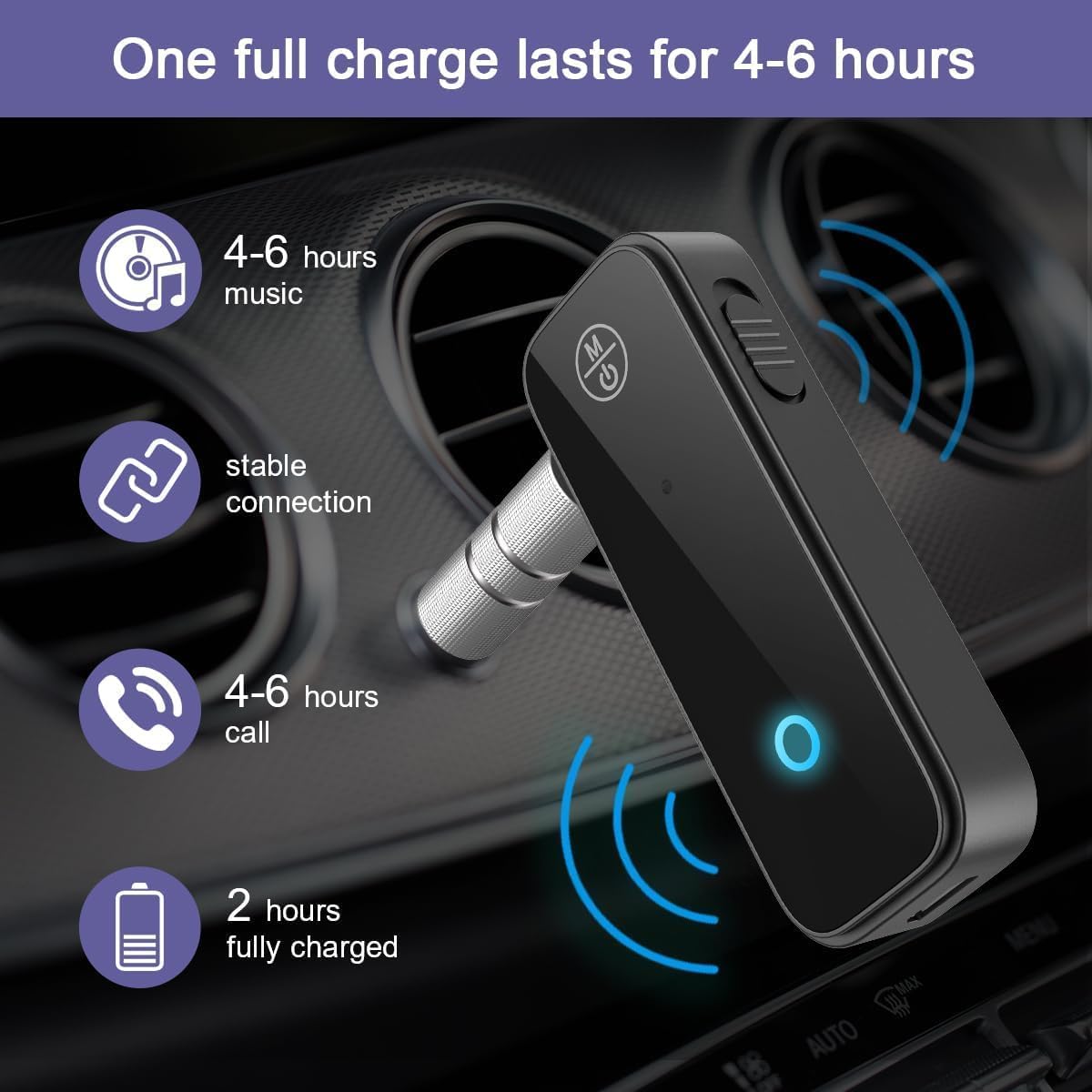
Figure 2: Battery Life and Charging Information. The adapter provides 4-6 hours of music playback or call time, and takes about 2 hours to fully charge.
2. Powering On/Off
- To Power On: Press and hold the Multifunction Button (M) for approximately 3 seconds until the indicator light flashes.
- To Power Off: Press and hold the Multifunction Button (M) for approximately 3 seconds until the indicator light turns off.
3. Selecting Operating Mode (TX/RX)
The OQIMAX CP210 features a switch to select between Transmitter (TX) and Receiver (RX) modes. Ensure the device is powered off before changing modes.

Figure 3: Transmitter (TX) and Receiver (RX) Mode Diagram. This diagram visually explains how to use the adapter in both TX mode (to transmit audio from non-Bluetooth devices to Bluetooth headphones/speakers) and RX mode (to receive audio from Bluetooth devices to non-Bluetooth audio systems).
- Receiver (RX) Mode: Use this mode to receive Bluetooth audio from your smartphone, tablet, or PC and output it to non-Bluetooth devices like car stereos, wired headphones, or wired speakers. Slide the switch to 'RX'.
- Transmitter (TX) Mode: Use this mode to transmit audio from non-Bluetooth devices like TVs, computers, or wired home stereos to Bluetooth headphones or Bluetooth speakers. Slide the switch to 'TX'.
Operating Instructions
1. Using in Receiver (RX) Mode
RX mode allows your non-Bluetooth audio device to receive audio wirelessly from a Bluetooth-enabled source (e.g., smartphone).
- Ensure the adapter is in RX mode (switch set to 'RX').
- Power on the adapter. The indicator light will flash, indicating it's in pairing mode.
- Connect the adapter's 3.5mm Aux port to the AUX input of your car stereo, wired speaker, or wired headphones using the provided 3.5mm audio cable.
- On your smartphone or other Bluetooth audio source, enable Bluetooth and search for "CP210" (or similar device name).
- Select "CP210" to pair. Once connected, the indicator light will turn solid blue.
- Play audio on your Bluetooth source, and it will stream wirelessly to your connected audio device.

Figure 4: Wide Compatibility in Receiver Mode. This image demonstrates the adapter's ability to connect various Bluetooth source devices (phones, tablets, laptops) to non-Bluetooth output devices (headphones, speakers, car stereos) via its 3.5mm AUX connection.

Figure 5: Adapter in use with headphones. The OQIMAX CP210 adapter is shown connected to a pair of wired headphones, receiving audio wirelessly from a smartphone.
2. Using in Transmitter (TX) Mode
TX mode allows your non-Bluetooth audio source (e.g., TV) to transmit audio wirelessly to a Bluetooth-enabled receiving device (e.g., Bluetooth headphones).
- Ensure the adapter is in TX mode (switch set to 'TX').
- Power on the adapter. The indicator light will flash, indicating it's in pairing mode.
- Connect the adapter's 3.5mm Aux port to the audio output (e.g., headphone jack) of your non-Bluetooth device (TV, PC, wired stereo) using the provided 3.5mm audio cable.
- Put your Bluetooth headphones or speaker into pairing mode.
- The adapter will automatically search for and connect to nearby Bluetooth receiving devices. Once connected, the indicator light will turn solid blue.
- Play audio on your non-Bluetooth source, and it will transmit wirelessly to your Bluetooth headphones or speaker.
3. Hands-Free Calling (RX Mode Only)
When the adapter is in RX mode and connected to your smartphone, you can use its built-in microphone for hands-free calls.

Figure 6: Hands-free Calling Feature. This image illustrates the convenience of hands-free calling in a car environment using the adapter's built-in microphone and multifunction button.
- Answer Call: Short press the Multifunction Button (M) when an incoming call rings.
- End Call: Short press the Multifunction Button (M) during a call.
- Reject Call: Press and hold the Multifunction Button (M) for 2 seconds when an incoming call rings.
- Redial Last Number: Double-press the Multifunction Button (M) when not on a call.
- Play/Pause Music: Short press the Multifunction Button (M) when playing music.
Troubleshooting
If you encounter issues with your OQIMAX CP210 adapter, please refer to the following common problems and solutions:
| Problem | Solution |
|---|---|
| Device does not power on. | Ensure the device is fully charged. Connect it to a power source using the USB cable and allow it to charge for at least 30 minutes before attempting to power on again. |
| Cannot connect via Bluetooth. |
|
| No sound or low volume/noise. |
|
| Car stereo is not compatible. | The car stereo must have an AUX input port for the adapter to function in RX mode. If your car lacks an AUX port, this adapter is not compatible. |
| Poor call quality (microphone issues). | Ensure the adapter's microphone is not obstructed. For optimal call quality, try to keep the adapter in a position where the microphone is facing you and is not too far away. |
Specifications
| Model Name | CP210 |
| Brand | OQIMAX |
| Connectivity Technology | Bluetooth |
| Bluetooth Standard | Bluetooth 5.3 (backward compatible with 5.0) |
| Operating Modes | Transmitter (TX) / Receiver (RX) |
| Power Source | Battery Powered (Rechargeable) |
| Battery Capacity | 140 mAh Lithium Battery |
| Charging Voltage | 5V DC |
| Charging Time | Approx. 2 hours |
| Usage Time | 4-6 hours (music/call) |
| Audio Input/Output | 3.5mm AUX |
| Audio Output Mode | Stereo (2 Channels) |
| Compatible Media Types | MP3, WAV |
| Control Method | Tactile (Multifunction Button) |
| Color | Black |
| Compatible Devices | Cars, PCs, TVs, Stereo Systems, Headphones, Speakers, Smartphones, Tablets |
Safety Information
Please observe the following safety precautions:
- Radio Frequencies: This device emits radio frequencies. Do not use it in close proximity to other medical devices that may be susceptible to RF interference.
- Charging: Do not use the device while it is charging, as this may damage the battery and shorten its lifespan.
- Battery Handling: Follow all local regulations and instructions for the safe handling and disposal of the internal rechargeable battery.
- Obstacles: When establishing a Bluetooth connection, ensure there are no significant obstacles (like walls) between the adapter and the connected device, as this can lead to unstable connections or signal loss.
- Water Exposure: Keep the device away from water or excessive moisture.
- Temperature: Avoid exposing the device to extreme temperatures.
Maintenance
To ensure the longevity and optimal performance of your OQIMAX CP210 adapter, follow these maintenance guidelines:
- Cleaning: Use a soft, dry cloth to clean the device. Do not use liquid cleaners or aerosols.
- Storage: Store the device in a cool, dry place when not in use.
- Cable Care: Handle the charging and audio cables gently to prevent damage.
Warranty and Support
Specific warranty information for the OQIMAX CP210 is typically provided at the point of purchase or within the product packaging. For technical support, troubleshooting assistance beyond this manual, or warranty claims, please contact OQIMAX customer service through the retailer where the product was purchased or visit the official OQIMAX website for contact details.
Ask a question about this manual
Ask about setup, troubleshooting, compatibility, parts, safety, or missing instructions. Manuals+ will review the question and use this page’s manual context to help answer it.