
T10 ULTRA 2
T10 ULTRA 2 Smart Watch User Manual
Model: T10 ULTRA 2 | Brand: Generic
Introduction
Welcome to the user manual for your new T10 ULTRA 2 Smart Watch. This device features a 2.19-inch HD infinite large screen, wireless charging capabilities, and a 49MM display, designed to enhance your daily life with smart connectivity and health monitoring. This manual provides detailed instructions on how to set up, operate, maintain, and troubleshoot your smartwatch to ensure optimal performance and longevity.
Package Contents
Upon opening your T10 ULTRA 2 Smart Watch package, please verify that all the following items are included:
- T10 ULTRA 2 Smart Watch (Black)
- Wireless Charging Cable
- User Manual
- Watch Strap (Black)

Image: The T10 ULTRA 2 Smart Watch, its retail packaging, wireless charging cable, and user manual.
Setup Guide
1. Charging the Smart Watch
Before first use, fully charge your T10 ULTRA 2 Smart Watch.
- Connect the wireless charging cable to a USB power adapter (not included) or a computer's USB port.
- Place the back of the T10 ULTRA 2 Smart Watch onto the wireless charging pad. Ensure the watch is properly aligned for charging to begin.
- The watch screen will indicate charging status. A full charge typically takes approximately 2 hours.
2. Powering On/Off
- Power On: Press and hold the side button (usually the crown or a dedicated power button) for a few seconds until the screen lights up.
- Power Off: Press and hold the side button, then select the "Power Off" option on the screen.
3. Initial Pairing with Your Smartphone
To unlock the full functionality of your T10 ULTRA 2 Smart Watch, you need to pair it with your smartphone via Bluetooth.
- Download the companion application for your T10 ULTRA 2 Smart Watch from your smartphone's app store (e.g., Google Play Store or Apple App Store). Refer to the watch screen or included manual for the specific app name (e.g., "Zepp" as indicated in specifications).
- Enable Bluetooth on your smartphone.
- Open the companion app and follow the on-screen instructions to create an account or log in.
- In the app, select "Add Device" or "Pair New Device" and choose your T10 ULTRA 2 Smart Watch from the list of available devices.
- Confirm the pairing request on both your smartphone and the smartwatch.
- Once paired, the watch will synchronize data and settings with your phone.
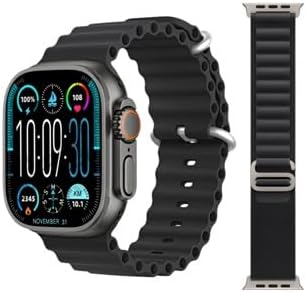
Image: The T10 ULTRA 2 Smart Watch showing its main display with time, date, and various health indicators.
Operating Instructions
Basic Navigation
- Touchscreen: Swipe left, right, up, or down to navigate through menus, notifications, and widgets. Tap to select an item.
- Side Button/Crown: Press to return to the home screen or wake the device. Rotate the crown (if applicable) to scroll through lists or zoom.
- Action Button: Some models may have a customizable action button for quick access to specific functions.
Making and Receiving Calls
The T10 ULTRA 2 Smart Watch supports Bluetooth calling, allowing you to make and receive calls directly from your wrist when connected to your smartphone.
- To Make a Call: Access the dialer or contacts list on your watch, select a contact, or dial a number.
- To Receive a Call: When a call comes in, the watch will display the caller ID. Tap the green icon to answer or the red icon to decline.

Image: The T10 ULTRA 2 Smart Watch screen showing an incoming call interface with a phone number displayed.
Notifications and Messages
Receive real-time notifications for calls, messages, and app alerts directly on your watch.
- Swipe down from the top of the watch face to view recent notifications.
- Configure which app notifications you wish to receive through the companion app on your smartphone.
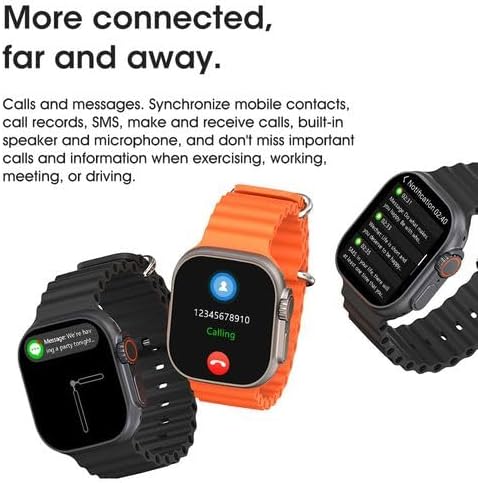
Image: The T10 ULTRA 2 Smart Watch screen showing a message notification from a contact.
Health and Fitness Tracking
Your T10 ULTRA 2 Smart Watch is equipped with sensors to monitor various health and fitness metrics.
- Heart Rate Monitoring: Access the heart rate app on the watch to measure your current heart rate.
- Activity Tracking: Tracks steps taken, distance covered, and calories burned throughout the day.
- Sleep Monitoring: Monitors your sleep patterns when worn overnight.
- Exercise Modes: Select from various sports modes to track specific workouts.
Other Features
The T10 ULTRA 2 Smart Watch offers a range of additional features for convenience and utility:
- Remote Shutter: Control your phone's camera remotely.
- Music Control: Play, pause, skip tracks, and adjust volume for music playing on your phone.
- PIN Lock: Secure your watch with a PIN.
- AI Arm: (Functionality may vary, typically related to gesture control or voice assistant activation).
- Calculator: Basic arithmetic functions.
- Stopwatch & Timer: For timing activities.
- Weather Forecast: Get real-time weather updates.
- Find Phone: Locate your misplaced smartphone by making it ring.
- Female Menstrual Cycle Reminder: Track and predict menstrual cycles.
- Flashlight: Use the screen as a light source.
- GPS Movement Track: Record your movement routes during outdoor activities.
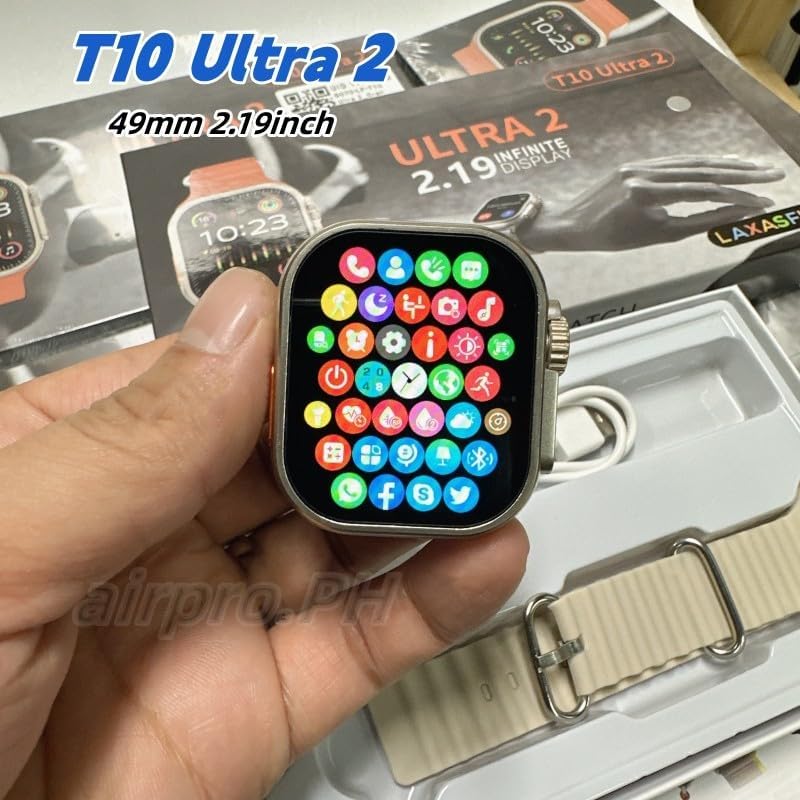
Image: The T10 ULTRA 2 Smart Watch screen showing a grid of colorful application icons, representing various functions.
Maintenance
Proper maintenance ensures the longevity and optimal performance of your T10 ULTRA 2 Smart Watch.
- Cleaning: Wipe the watch screen and body with a soft, lint-free cloth. For stubborn smudges, slightly dampen the cloth with water. Avoid harsh chemicals or abrasive materials.
- Strap Care: Clean the watch strap regularly, especially if it's silicone or rubber, to prevent skin irritation.
- Water Resistance: While the watch may have some water resistance, avoid prolonged submersion or exposure to hot water, steam, or high-pressure water jets. Do not operate buttons underwater.
- Battery Care: Avoid fully discharging the battery frequently. Charge the watch regularly, ideally before it drops below 20%. Store in a cool, dry place if not used for extended periods.
- Avoid Extreme Temperatures: Do not expose the watch to extreme hot or cold temperatures, as this can damage the battery and internal components.

Image: The underside of the T10 ULTRA 2 Smart Watch, highlighting the optical sensors used for health monitoring.
Troubleshooting
If you encounter issues with your T10 ULTRA 2 Smart Watch, try the following solutions before seeking professional assistance.
- Watch Not Turning On:
- Ensure the watch is fully charged. Connect it to the charger for at least 30 minutes.
- Press and hold the side button for 10-15 seconds to perform a forced restart.
- Cannot Pair with Smartphone:
- Ensure Bluetooth is enabled on your phone and the watch is discoverable.
- Make sure the companion app is installed and updated.
- Restart both your watch and smartphone.
- Forget the device in your phone's Bluetooth settings and try pairing again.
- Inaccurate Health Data:
- Ensure the watch is worn snugly on your wrist, not too loose or too tight.
- Clean the sensors on the back of the watch.
- Update the watch firmware via the companion app.
- Short Battery Life:
- Reduce screen brightness.
- Disable unnecessary notifications or features (e.g., always-on display).
- Limit continuous heart rate monitoring if not needed.
- Ensure the watch is fully charged each time.
- Touchscreen Unresponsive:
- Restart the watch.
- Ensure the screen is clean and dry.
Specifications
| Feature | Detail |
|---|---|
| Model Number | T10 ULTRA 2 |
| Brand | Generic |
| Screen Size | 49 Millimeters (2.19 Inch HD Infinite Large Screen) |
| Connectivity Technology | Bluetooth |
| Operating System | Zepp OS (as indicated by specification data) |
| Memory Storage Capacity | 8 GB |
| Battery Capacity | 1500 Milliamp Hours |
| Battery Cell Composition | Lithium Ion |
| Batteries Required | 1 P76 battery (included) |
| Special Features | Phone Calls, Wireless Charging, Remote Shutter, Music Control, PIN Lock, AI Arm, Calculator, Stopwatch, Weather Forecast, Find Phone, Female Menstrual Cycle Reminder, Flashlight, GPS Movement Track |
| Color | Black |
| Compatible Devices | Smartphones |
| Package Dimensions | 21.3 x 11 x 2.7 cm; 0.65 g |
Warranty and Support
For information regarding warranty coverage, technical support, or service inquiries for your T10 ULTRA 2 Smart Watch, please refer to the warranty card included in your product packaging or visit the official website of the manufacturer. Keep your proof of purchase for warranty claims.
No official seller videos were found for this product in the provided data.
Related Documents - T10 ULTRA 2
 |
Dongguan Langchen T10 Smart Watch User Manual & FCC Statement Comprehensive user manual and FCC compliance information for the Dongguan Langchen T10 Smart Watch. Learn about features, setup, troubleshooting, and regulatory compliance. |
 |
Smart Watch T10 User Manual - Features, Setup, and Support Comprehensive user manual for the Smart Watch T10, covering setup, charging, app pairing, button functions, Bluetooth calling, firmware updates, and important safety information. |
 |
CHIICSMART Metal Alloy Watch Case Protector - Installation and Performance Guide Detailed installation steps, product performance features, and important precautions for the CHIICSMART Metal Alloy Case, designed for Apple Watch Ultra models. |
 |
Eaton IQ Products Catalog: Power Management and Electrical Protection Solutions Comprehensive catalog detailing Eaton's IQ Products line, featuring power meters, protective relays, and accessories for electrical distribution systems. Includes product specifications, selection guides, and replacement information. |
 |
Insignia Mesh Magnetic Stainless Steel Band Quick Setup Guide for Apple Watch Step-by-step instructions for setting up your Insignia Mesh Magnetic Stainless Steel Band with your Apple Watch. Includes package contents, attachment guide, and warranty information. |
 |
How to Adjust Your Watch Band Length: A Step-by-Step Guide Learn how to easily adjust the length of your metal watch band for a perfect fit. This guide provides clear instructions for both removing and installing watch band links using a standard adjustment tool, compatible with various Apple Watch band sizes. |