
CHiQ CW106581AX
CHiQ CW106581AX Washing Machine User Manual
Model: CW106581AX
1. Important Safety Information
Please read this manual carefully before using your CHiQ washing machine. Keep it for future reference. Always follow basic safety precautions to reduce the risk of fire, electric shock, and injury to persons.
- Ensure the washing machine is properly grounded.
- Do not operate the machine if it is damaged or malfunctioning.
- Keep children and pets away from the machine during operation.
- Do not wash items that are soiled with flammable substances.
- Unplug the machine before cleaning or performing any maintenance.
2. Product Overview
The CHiQ CW106581AX is a high-capacity front-load washing machine designed for efficient and thorough cleaning. It features a 10 kg capacity, a 13.5-inch LED touchscreen, and multiple wash programs including steam wash and quick wash.
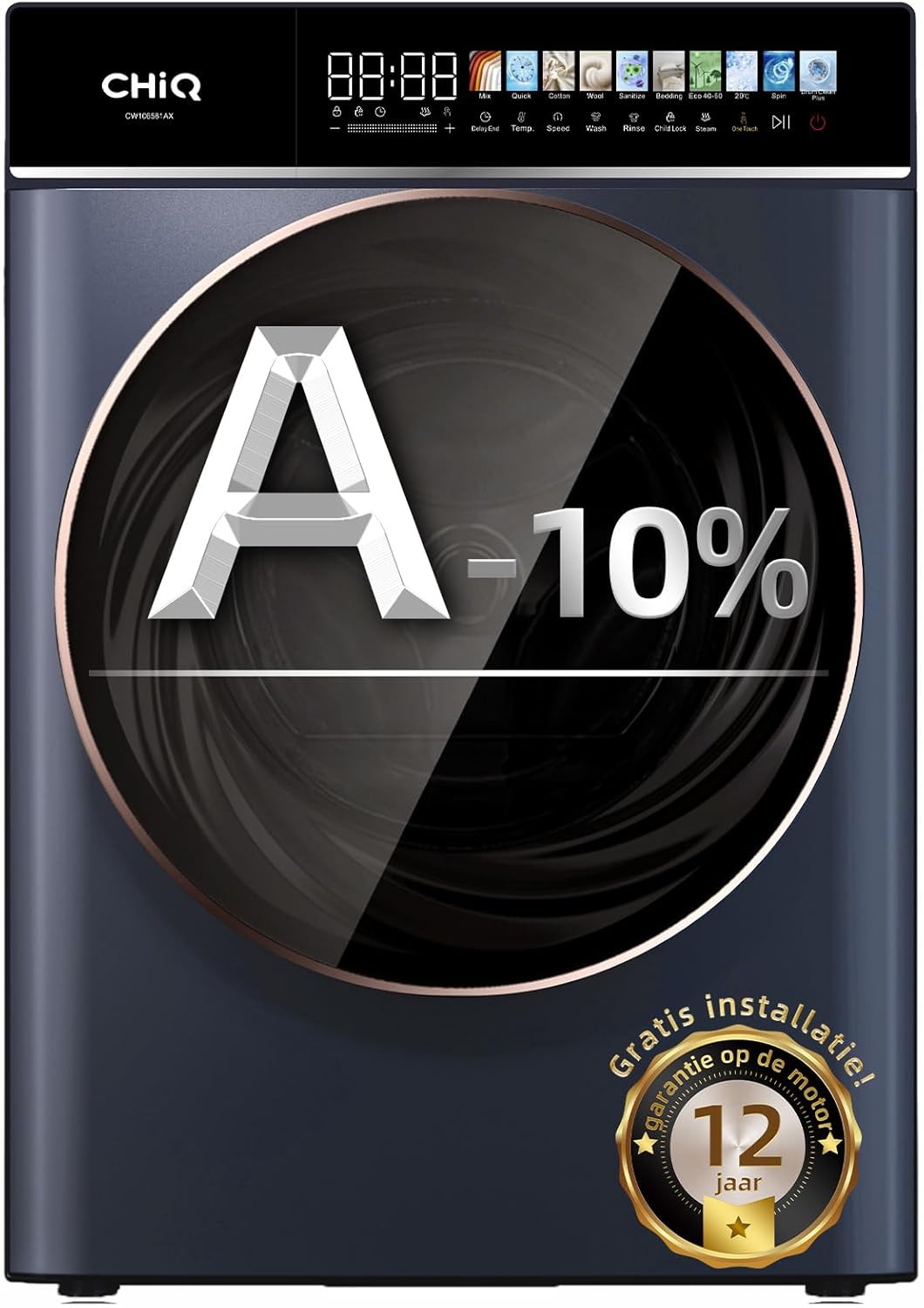
Figure 2.1: Front view of the CHiQ CW106581AX washing machine, highlighting its A-10% energy efficiency rating.

Figure 2.2: Close-up of the 13.5-inch LED touchscreen, showing various wash program icons.
Key Features:
- 10 kg Capacity: Ideal for families, accommodating large loads including bedding and towels.
- Energy Efficiency A-10%: Offers high performance with reduced energy consumption.
- 13.5-inch LED Touchscreen: Intuitive interface for easy program selection.
- 12 Wash Programs: Includes specialized programs like Steam Wash and 15-minute Quick Wash.
- BLDC Motor: Advanced motor for high efficiency and low noise operation.
- 1400 RPM Spin Speed: Ensures effective water extraction.
3. Setup and Installation
The CHiQ CW106581AX washing machine comes with full-service delivery and installation. This section provides general guidelines for placement and initial checks.
3.1 Unpacking
Carefully remove all packaging materials. Ensure no parts are left inside the drum. Keep packaging for potential future transport or recycling.
3.2 Location and Leveling
Place the washing machine on a firm, level surface. Adjust the leveling feet to ensure the machine is stable and does not wobble. Proper leveling minimizes vibration and noise during operation.

Figure 3.1: Professional installation of the washing machine, ensuring proper setup and connection.
3.3 Water and Drain Connections
Connect the water inlet hoses to the hot and cold water taps. Ensure connections are tight to prevent leaks. Securely attach the drain hose to a suitable drain pipe or sink.
3.4 Electrical Connection
Plug the power cord into a grounded electrical outlet. Do not use extension cords or adapters. Ensure the voltage matches the machine's requirements.
4. Operating Instructions
This section guides you through the daily operation of your CHiQ washing machine.
4.1 Loading Laundry
Open the door and load laundry into the drum. Do not overload the machine; ensure there is enough space for clothes to tumble freely. Close the door firmly.
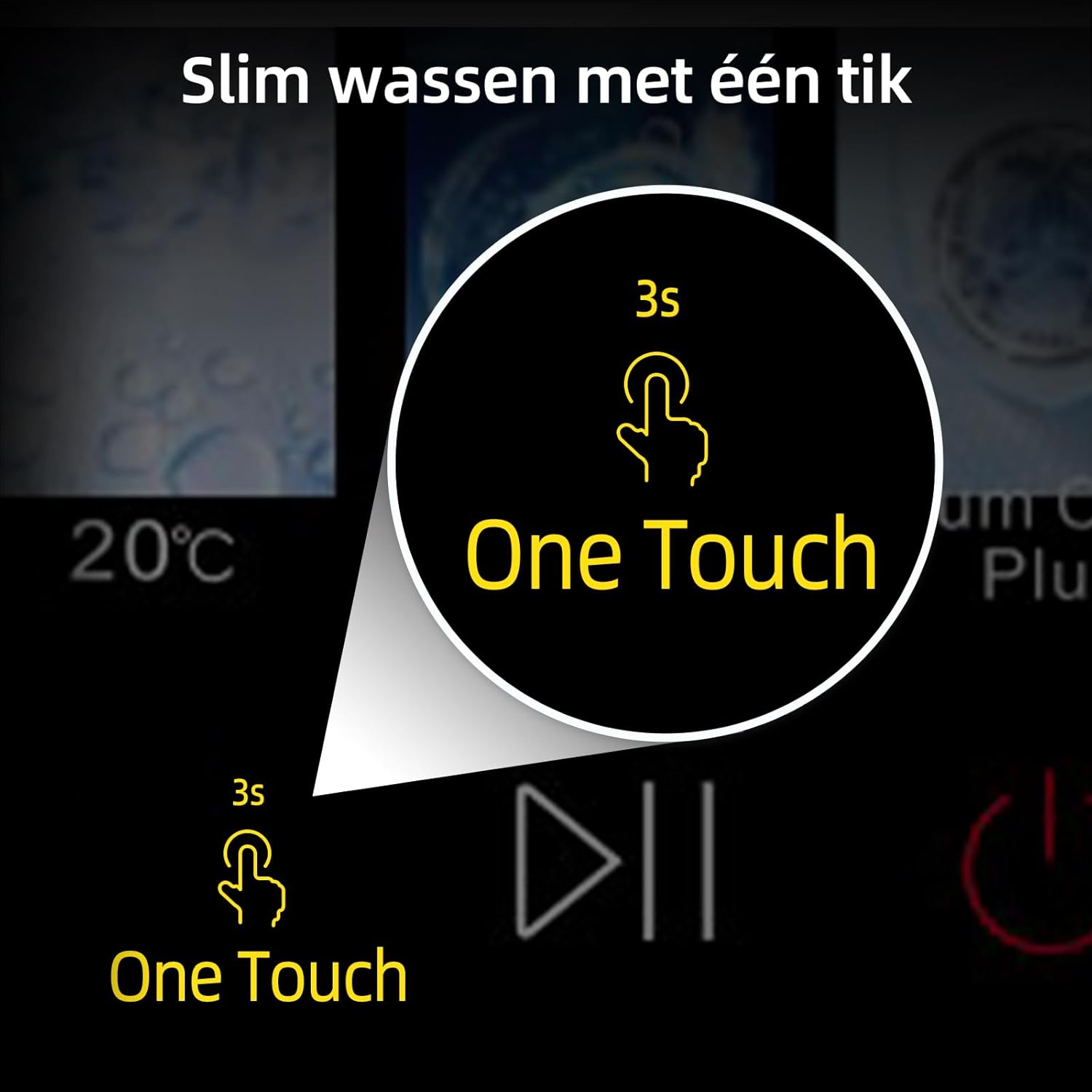
Figure 4.1: Interior view of the washing machine drum, ready for laundry loading.
4.2 Adding Detergent and Softener
Pull out the detergent dispenser drawer. Add appropriate amounts of detergent to the main wash compartment and fabric softener to its designated compartment. Refer to detergent packaging for recommended dosages.
4.3 Selecting a Wash Program
Turn on the machine. Use the 13.5-inch LED touchscreen to select your desired wash program. The machine offers 12 programs, including:
- Mix: For mixed fabrics.
- Quick: 15-minute cycle for lightly soiled items.
- Cotton: For cotton garments.
- Wool: Gentle cycle for woolens.
- Sanitize: High-temperature wash for hygiene.
- Bedding: For larger items like duvets and sheets.
- Steam: For deep cleaning and disinfection.
- One Touch: Smart washing with automatic weight detection.

Figure 4.2: The control panel displaying the 12 available wash programs for various fabric types and cleaning needs.
4.4 Adjusting Settings
Depending on the selected program, you can adjust settings such as temperature, spin speed, and delay end time using the touchscreen. The "One Touch" function automatically adjusts water level and temperature based on load weight for optimal efficiency.
4.5 Starting and Pausing a Cycle
Press the Start/Pause button to begin the wash cycle. To pause a cycle, press the button again. Press it once more to resume.
4.6 Child Lock Function
To activate the child lock, press and hold the designated child lock button (usually indicated by a lock icon) for 3 seconds. This prevents accidental changes to settings during operation. Repeat the process to deactivate.
5. Maintenance and Care
Regular maintenance ensures the longevity and optimal performance of your washing machine.
5.1 Cleaning the Detergent Dispenser
Periodically remove and clean the detergent dispenser drawer to prevent detergent buildup and mold. Rinse it under running water and dry thoroughly before reinserting.
5.2 Cleaning the Drum and Door Seal
Run a drum clean cycle regularly (if available) or use a washing machine cleaner. Wipe the door seal (gasket) after each wash to remove moisture and lint, preventing mold growth.
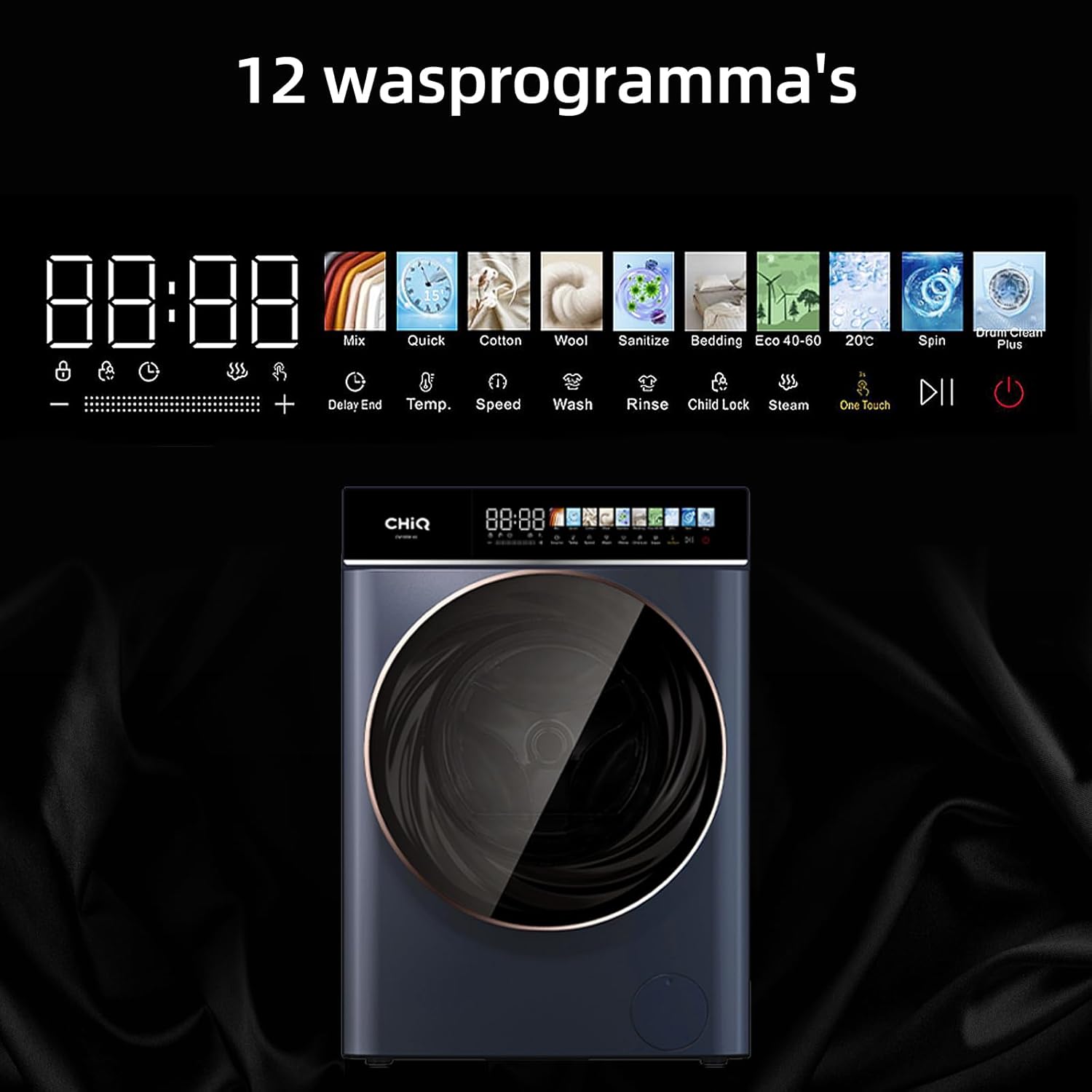
Figure 5.1: The clean interior of the washing machine drum, highlighting the importance of regular cleaning for hygiene and performance.
5.3 Cleaning the Drain Filter
Locate the drain filter, usually at the bottom front of the machine. Place a shallow container underneath to catch any water. Unscrew the filter, remove any lint or debris, rinse it, and screw it back in securely.
5.4 Exterior Cleaning
Wipe the exterior of the machine with a soft, damp cloth. Avoid abrasive cleaners or solvents that could damage the finish.
6. Troubleshooting Guide
This section provides solutions to common issues you might encounter with your washing machine.
| Problem | Possible Cause | Solution |
|---|---|---|
| Machine does not start | Power cord unplugged, door not closed properly, child lock active. | Check power connection, ensure door is latched, deactivate child lock. |
| Excessive vibration/noise | Machine not level, transport bolts not removed, uneven load. | Adjust leveling feet, ensure transport bolts are removed (if applicable), redistribute laundry. |
| Water leakage | Loose hose connections, clogged drain filter, damaged door seal. | Tighten hose connections, clean drain filter, inspect and replace door seal if damaged. |
| Detergent residue on clothes | Too much detergent, low water pressure, clogged dispenser. | Reduce detergent amount, check water supply, clean detergent dispenser. |
If the problem persists after attempting these solutions, please contact customer support.
7. Specifications
| Feature | Detail |
|---|---|
| Model Number | CW106581AX |
| Brand | CHiQ |
| Capacity | 10 kg |
| Dimensions (WxDxH) | 60 x 57.7 x 84.7 cm |
| Weight | 65 kg |
| Energy Efficiency Class | A-10% |
| Max Spin Speed | 1400 RPM |
| Display Type | 13.5-inch LED Touchscreen |
| Motor Type | BLDC Inverter Motor |
| Color | Grey |
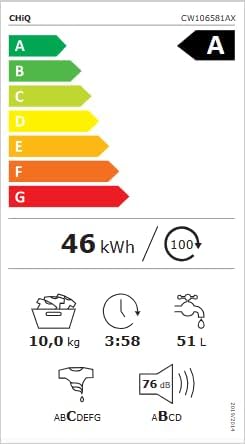
Figure 7.1: Official energy label for the CHiQ CW106581AX, showing its A-class efficiency and consumption details.
8. Warranty and Support
CHiQ provides comprehensive warranty and support for your washing machine.
8.1 Warranty Information
The CHiQ CW106581AX washing machine comes with a 2-year factory warranty on the product and a 12-year warranty on the motor. Please retain your proof of purchase for warranty claims.

Figure 8.1: CHiQ brand logo, representing the manufacturer.
8.2 Customer Support
For technical assistance, service requests, or warranty claims, please contact CHiQ customer support. Online support is available during weekdays.
You can also visit the official CHiQ store on Amazon for more information and support resources: CHiQ Amazon Store
9. Environmental Protection
CHiQ is committed to sustainable development and environmental protection. This product is designed with eco-friendly principles.
- RoHS Compliant: Conforms to Directive RoHS of the EU.
- Recyclable Packaging: Uses recyclable packaging materials.
- Energy Efficiency: Designed for high energy efficiency to reduce environmental impact.
Ask a question about this manual
Ask about setup, troubleshooting, compatibility, parts, safety, or missing instructions. Manuals+ will review the question and use this page’s manual context to help answer it.