
1. Introduction
Thank you for purchasing the Bone Conduction Headphones. These open-ear wireless headphones are designed to provide a comfortable listening experience while keeping you aware of your surroundings. Featuring Bluetooth 5.3 connectivity, a built-in 32GB MP3 player, and an IPX8 waterproof rating, they are suitable for various activities including running, gym workouts, and cycling.
This manual provides detailed instructions on how to set up, operate, and maintain your headphones to ensure optimal performance and longevity.
2. Product Overview
The Bone Conduction Headphones are engineered for comfort and durability. They feature an ergonomic design that rests gently on your cheekbones, transmitting sound directly to your inner ear without blocking your ear canals. The lightweight and flexible frame ensures a secure fit during physical activity.

Image 2.1: Overview of the Bone Conduction Headphones, showing the main unit with control buttons, magnetic charging contacts, and a 32GB memory card icon indicating built-in storage. Small water droplets are visible on the surface, highlighting its water-resistant design.
2.1 Key Features
- Open-Ear Design: Ensures situational awareness and comfort.
- Bluetooth 5.3: For stable and fast wireless connectivity.
- Built-in 32GB MP3 Player: Stores up to 8000 songs for offline listening.
- IPX8 Waterproof Rating: Suitable for various outdoor activities (not for swimming).
- Long Battery Life: Up to 10 hours of playback on a single charge.
- Lightweight: Weighs approximately 33g for enhanced comfort.
- Integrated Microphone: For hands-free calls and voice assistant.
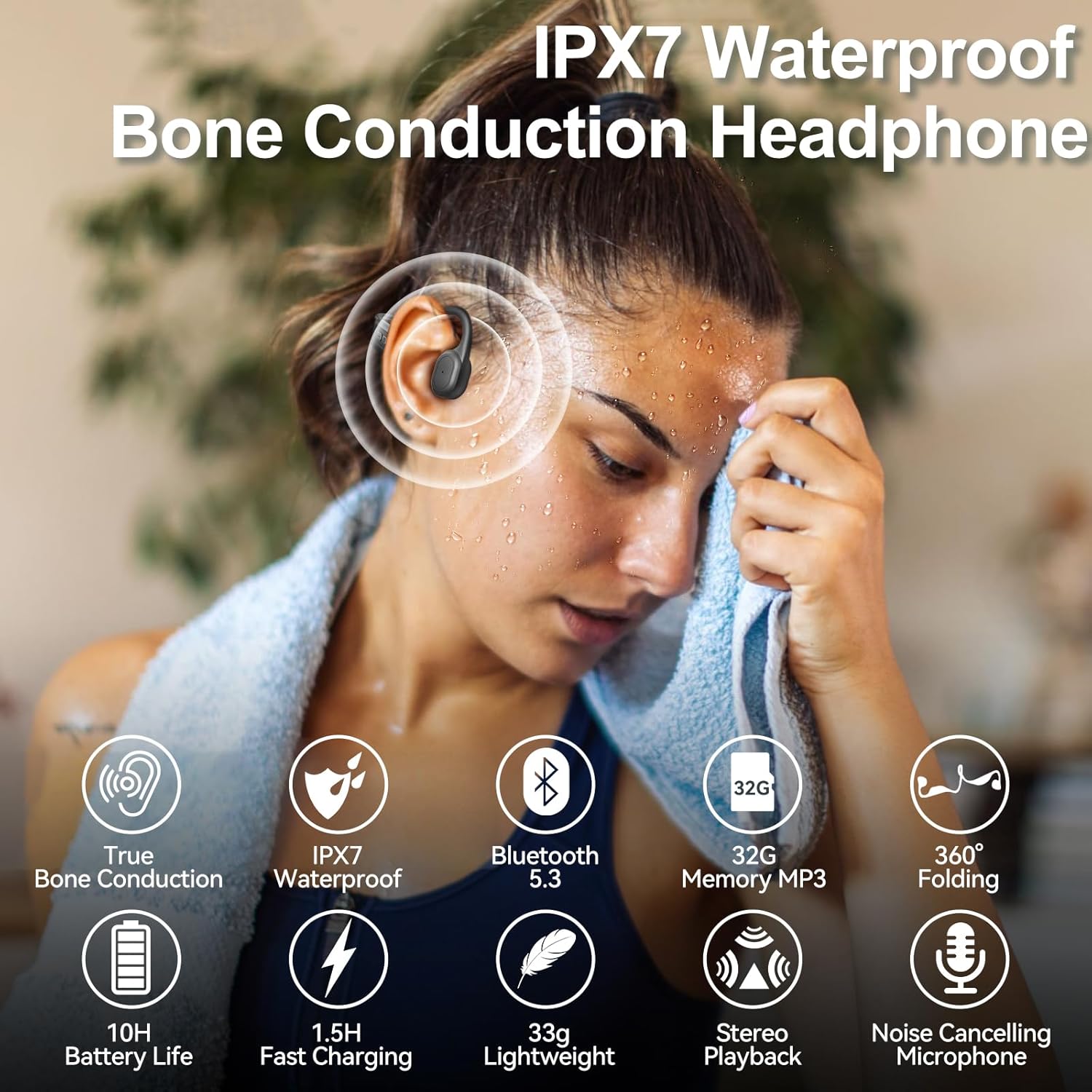
Image 2.2: A person wearing the bone conduction headphones during a workout, with overlaid icons highlighting key features such as True Bone Conduction, IPX7 Waterproof (note: product description states IPX8), Bluetooth 5.3, 32G Memory MP3, 360° Folding, 10H Battery Life, 1.5H Fast Charging, 33g Lightweight, Stereo Playback, and Noise Cancelling Microphone.
2.2 Controls and Ports
The headphones feature intuitive controls for easy management of audio playback, calls, and modes.

Image 2.3: A detailed diagram illustrating the control buttons on the headphone unit. It shows the Power ON/OFF button, which also functions for Voice Control and Bluetooth/MP3 mode switching. The volume buttons (+) and (-) also control Play/Pause, Previous/Next song, and Answer/Hang up calls.
- Power Button (Multi-function Button): Power ON/OFF, Play/Pause, Answer/End Call, Voice Assistant, Mode Switch.
- Volume Up (+) Button: Increase volume, Next Track (long press).
- Volume Down (-) Button: Decrease volume, Previous Track (long press).
- Magnetic Charging Port: For charging the device.
3. Setup
3.1 Initial Charging
Before first use, fully charge your headphones. Connect the magnetic charging cable to the charging port on the headphones and the other end to a USB power adapter (not included) or a computer's USB port. The LED indicator will show charging status.
- Charging Time: Approximately 1.5-2 hours.
- Battery Life: Up to 10 hours of playback, 15 days standby.

Image 3.1: The bone conduction headphones displayed with a large "10H" graphic, indicating 10 hours of battery life. Icons for built-in microphone, 10 hours playtime, 240 hours standby, and magnetic charging are also shown.
3.2 Powering On/Off
- Power On: Press and hold the Power button for 3 seconds until the LED indicator flashes and you hear a power-on prompt.
- Power Off: Press and hold the Power button for 5 seconds until the LED indicator turns off and you hear a power-off prompt.
4. Operating Instructions
4.1 Bluetooth Mode
To connect your headphones to a Bluetooth-enabled device:
- Ensure the headphones are powered off.
- Press and hold the Power button for approximately 5-7 seconds until the LED indicator flashes red and blue alternately, indicating pairing mode.
- On your device (smartphone, tablet, computer), enable Bluetooth and search for available devices.
- Select "s800" (or similar product name) from the list of devices.
- Once connected, the LED indicator will flash blue slowly, and you will hear a connection confirmation.
The Bluetooth 5.3 technology provides a stable connection up to 33 feet (10 meters).

Image 4.1: A graphic highlighting Bluetooth 5.3 technology, showing the headphones connected wirelessly to a laptop, tablet, and smartphone. It emphasizes faster speed, stable signal, and a 33ft/10m range.
4.2 MP3 Player Mode (Built-in 32GB Memory)
Your headphones come with a built-in 32GB memory, allowing you to store music directly and listen without a connected device. This is ideal for activities where carrying a phone is inconvenient.
- Switching to MP3 Mode: Double-click the Power button to switch between Bluetooth mode and MP3 player mode. You will hear an audible prompt indicating the current mode.
- Transferring Music: Connect the headphones to a computer using the provided data cable. The headphones will appear as a removable disk. Drag and drop your MP3, FLAC, WMA, AAC, WAV, APE, and M4A audio files into the storage.
- Playback: In MP3 mode, use the Volume Up/Down buttons for track navigation and the Power button for play/pause.
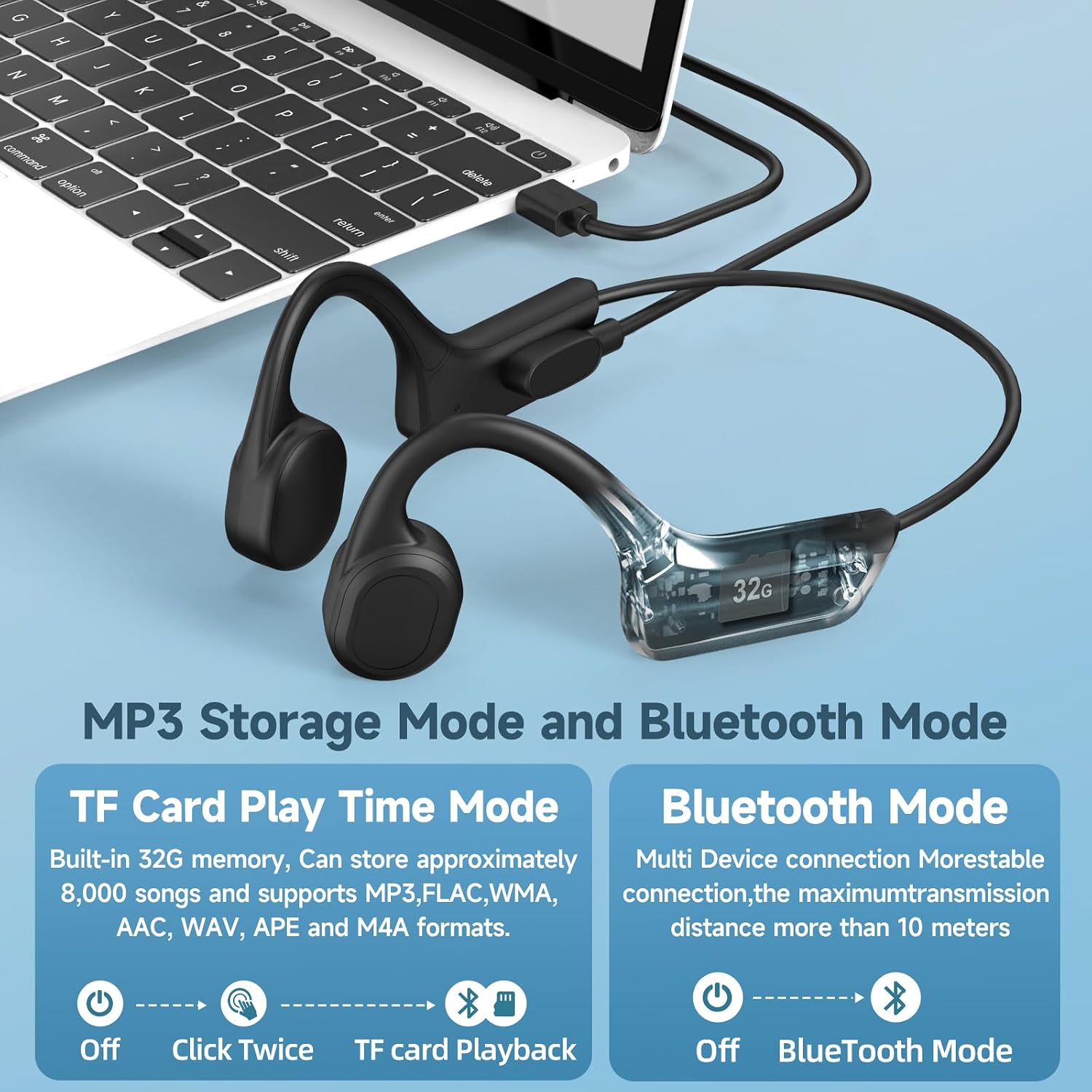
Image 4.2: A visual comparison of MP3 Storage Mode and Bluetooth Mode. The headphones are shown connected to a laptop via a data cable for music transfer to the built-in 32GB memory. Instructions for switching modes are also displayed.

Image 4.3: A person running outdoors in the rain while wearing the bone conduction headphones, emphasizing the convenience of the built-in 32GB memory for music playback without a phone, even in wet conditions.
4.3 Music Playback and Calls
- Play/Pause: Short press the Power button.
- Volume Up: Short press the (+) button.
- Volume Down: Short press the (-) button.
- Next Track: Long press the (+) button.
- Previous Track: Long press the (-) button.
- Answer/End Call: Short press the Power button during an incoming call.
- Reject Call: Long press the Power button during an incoming call.
- Activate Voice Assistant (Siri): Triple-click the Power button (in Bluetooth mode).
5. Maintenance
5.1 Cleaning
Wipe the headphones with a soft, damp cloth. Do not use abrasive cleaners or immerse the headphones in water (despite being waterproof, prolonged immersion is not recommended for cleaning purposes).
5.2 Storage
Store the headphones in a cool, dry place away from direct sunlight and extreme temperatures. Avoid placing heavy objects on them. The headphones are 360° foldable for compact storage.

Image 5.1: The bone conduction headphones displayed, highlighting their super lightweight design (33g) and 360° foldable capability for easy portability and storage.
5.3 Water Resistance
The headphones are IPX8 waterproof, meaning they are protected against continuous immersion in water under certain conditions. They are suitable for use in rain, sweat, and during various sports. Note: Swimming is not supported.
6. Troubleshooting
| Problem | Possible Cause | Solution |
|---|---|---|
| Headphones do not power on. | Low battery. | Charge the headphones fully. |
| Cannot pair via Bluetooth. | Headphones not in pairing mode; device Bluetooth off; too far from device. | Ensure headphones are in pairing mode (red/blue flashing LED). Turn on Bluetooth on your device. Move closer to the device (within 10m). |
| No sound from headphones. | Volume too low; wrong mode selected; not connected. | Increase volume. Ensure correct mode (Bluetooth or MP3). Verify successful Bluetooth connection. |
| Music files not recognized in MP3 mode. | Unsupported file format; files not transferred correctly. | Ensure files are in supported formats (MP3, FLAC, WMA, AAC, WAV, APE, M4A). Reconnect to computer and re-transfer files. |
| Sound leakage. | Volume too high. | Reduce the volume. Bone conduction technology inherently minimizes sound leakage, but very high volumes can still cause some. |
7. Specifications
| Feature | Detail |
|---|---|
| Model Name | s800 |
| Connectivity Technology | Wireless (Bluetooth) |
| Wireless Communication Technology | Bluetooth 5.3 |
| Bluetooth Range | 33 Feet (10 meters) |
| Audio Driver Type | Bone Conduction Driver |
| Ear Placement | Open Ear |
| Form Factor | Bone Conduction |
| Built-in Memory | 32GB (stores approx. 8000 songs) |
| Supported Audio Formats | MP3, FLAC, WMA, AAC, WAV, APE, M4A |
| Water Resistance Level | IPX8 (Sweatproof & Rainwater Proof, not for swimming) |
| Battery Life | Up to 10 Hours (playback) |
| Standby Time | Up to 15 Days |
| Charging Time | 1.5 - 2 Hours |
| Charging Port | Magnetic Charging Cable |
| Item Weight | 9.6 ounces (approx. 272 grams) |
| Control Type | Call Control, Voice Control (Siri) |
| Included Components | Cable (Magnetic Charging Cable) |
8. Warranty and Support
For any product-related inquiries, technical support, or warranty claims, please contact the seller or manufacturer directly through the platform where the purchase was made. Please refer to your purchase documentation for specific warranty terms and contact information.
Keep your proof of purchase for warranty validation.