
1. Introduction
Thank you for choosing the XCOOL 100W USB-C Charger. This compact and powerful GaN charger is designed to provide efficient and safe charging for a wide range of devices, including laptops, tablets, and smartphones. With its multi-port design and included travel adapters, it's an ideal solution for both daily use and international travel. Please read this manual thoroughly before using the product to ensure optimal performance and safety.
2. What's in the Box
- 100W GaN Wall Charger × 1
- UK plug × 1
- EU plug × 1
- User manual × 1
3. Product Overview
The XCOOL 100W USB-C Charger features a compact design with multiple charging ports and interchangeable plugs for global compatibility.

Image: The XCOOL 100W USB-C Charger in yellow, showcasing its compact size and the included US, UK, and EU interchangeable plugs. The charger features two USB-C ports and one USB-A port.
Key Features:
- 100W Max USB-C Fast Charge: Delivers up to 100W to a single USB-C device, supporting 5A current for rapid charging.
- Power 3 Devices at Once: Equipped with dual USB-C ports and a USB-A port for simultaneous fast charging of up to three devices.
- GaN Technology: Utilizes Gallium Nitride (GaN) technology for a smaller, lighter, and more efficient charger with 90.5% energy conversion efficiency.
- Compact & Foldable: 38% smaller and 44% lighter than traditional 96W chargers, with a foldable US plug for easy portability.
- Travel-Ready: Includes switchable EU and UK plugs, supporting universal voltage (100V-240V) for worldwide use.
- Reliable and Safe: Features a flame-resistant PC shell (UL 94 V-0 Classification) and trickle charge mode to protect devices.
4. Setup
The XCOOL 100W USB-C Charger comes with a built-in US plug and includes interchangeable UK and EU plugs for international travel. Follow these steps to attach or remove the plugs:

Image: A visual guide demonstrating how to attach and remove the switchable plugs. To attach, fold in the built-in plug and slide the new plug until it clicks. To remove, press the red button and slide out the plug.
Attaching a New Plug:
- Fold the built-in US plug into the charger body.
- Align the desired UK or EU plug with the slot on the charger and slide it in until it clicks securely into place.
Removing a Plug:
- Locate the red release button on the side of the attached plug.
- Press the red button and slide the plug out from the charger body.
5. Operating Instructions
The XCOOL 100W USB-C Charger offers versatile charging options for various devices. It features Dynamic Power Allocation, which automatically adjusts power output based on the connected devices to ensure efficient charging.
Charging Modes:
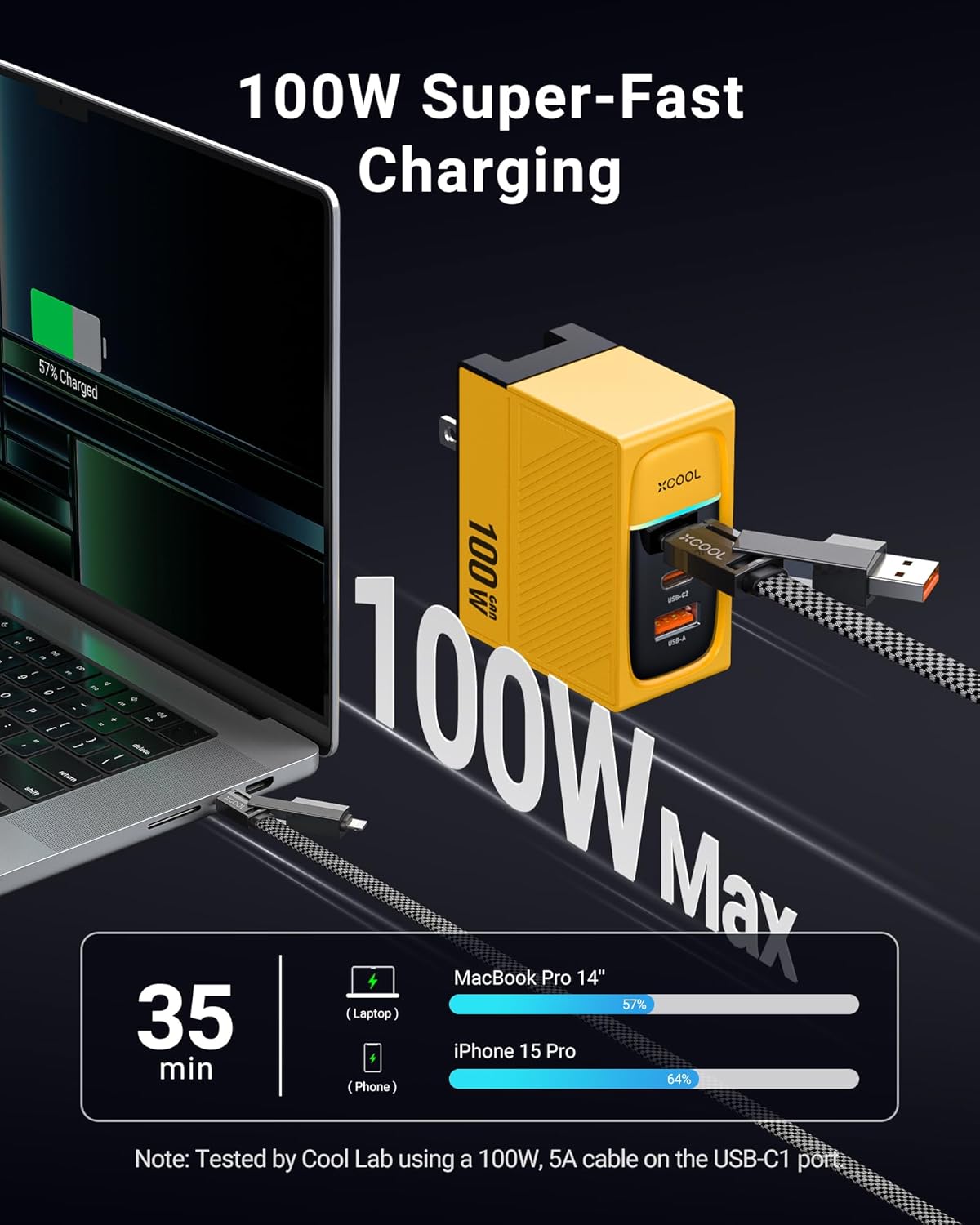
Image: An illustration showing the XCOOL 100W charger connected to a MacBook Pro 14'' and an iPhone 15 Pro, demonstrating fast charging capabilities. A MacBook Pro 14'' can charge to 57% in 35 minutes, and an iPhone 15 Pro to 60% in 35 minutes when dual charging.
- Single-Port Charging:
When only one device is connected, either USB-C1 or USB-C2 can deliver up to 100W Max. The USB-A port can deliver up to 60W Max.

Image: Diagram illustrating power distribution for single-port charging. USB-C1 and USB-C2 can each output up to 100W Max, while USB-A can output up to 60W Max.
- Two-Port Charging:
When two devices are connected, the power is dynamically allocated:
- USB-C1 + USB-C2: Up to 67W + 30W Max
- USB-C1 + USB-A: Up to 67W + 18W Max
- USB-C2 + USB-A: Up to 67W + 18W Max

Image: Diagram illustrating power distribution for two-port charging scenarios, showing various power splits between USB-C1, USB-C2, and USB-A ports.
- Three-Port Charging:
When all three ports are in use, the maximum power allocation is 45W (USB-C1) + 30W (USB-C2) + 18W (USB-A).

Image: An illustration showing the XCOOL 100W charger simultaneously charging a phone (30W), a laptop (45W), and another phone (18W). Note: Use USB-C1 for your high-power device when charging 3 devices.

Image: Diagram illustrating power distribution for three-port charging, showing a maximum of 45W for USB-C1, 30W for USB-C2, and 18W for USB-A.
The charger supports multiple fast charging protocols including PD3.0 (PPS, QC5D, PC), Apple 2.4A, AFC, QC3.0, and BC1.2.
6. Compatibility
The XCOOL 100W USB-C Charger is highly compatible with a wide range of electronic devices:

Image: A chart detailing the universal compatibility of the XCOOL 100W charger with various devices, including laptops, tablets, phones, and other accessories.
- Laptops & Tablets: MacBook Pro/Air, ThinkPad, iPad Pro/Air, Dell XPS, iPad Pro/Air/Mini.
- Phones: iPhone 16/16 Plus/16 Pro/16 Pro Max/iPhone 15/14/13/12, Galaxy S24/S23, Samsung Note 20/10/9, Google Pixel.
- Other Devices: Apple Watches S3~S9/SE, AirPods, Samsung Galaxy Buds, and other low current mode devices.
7. Safety Information
Your safety is paramount. The XCOOL 100W USB-C Charger is designed with multiple safety features to ensure reliable and secure charging.

Image: An illustration depicting safe charging, highlighting the flame-resistant PC shell, UL 94 V-0 Classification, and a graph showing the trickle charge mode protecting the battery after reaching full charge.
- Flame-Resistant PC Shell: The charger's casing complies with the UL 94 V-0 Classification, designed to withstand high temperatures.
- Trickle Charge Mode: Automatically adjusts power outputs to safeguard your devices, preventing overcharging and extending battery life.
- Avoid exposing the charger to extreme temperatures, direct sunlight, or humid environments.
- Do not disassemble, modify, or attempt to repair the charger yourself.
- Keep out of reach of children.
- Unplug the charger from the power outlet when not in use.
8. Maintenance
To ensure the longevity and optimal performance of your XCOOL 100W USB-C Charger, follow these simple maintenance guidelines:
- Clean the charger with a soft, dry cloth. Do not use liquid cleaners or aerosols.
- Store the charger in a cool, dry place when not in use.
- Avoid dropping or subjecting the charger to strong impacts.
- Ensure the foldable plug is fully retracted when storing or traveling to prevent damage.
9. Troubleshooting
If you encounter any issues with your XCOOL 100W USB-C Charger, please refer to the following common troubleshooting tips:
- Charger not powering on: Ensure the charger is securely plugged into a working wall outlet. Try a different outlet.
- Device not charging: Check that the charging cable is properly connected to both the charger and your device. Try a different cable or port. Ensure your device is compatible with the charger's output.
- Slow charging: Verify that your cable supports fast charging and that your device is capable of receiving higher wattage. When charging multiple devices, the power output per port is dynamically allocated, which may result in slower charging for individual devices compared to single-port charging.
- Overheating: While the charger is designed to manage heat, excessive heat can occur under heavy load or in poor ventilation. Ensure the charger is in a well-ventilated area. If overheating persists, discontinue use and contact customer support.
For issues not covered here, please contact XCOOL customer support.
10. Specifications
| Specification | Detail |
|---|---|
| Product Dimensions | 2.52 x 2.09 x 1.22 inches |
| Item Weight | 6.2 ounces (0.39 Pounds) |
| Model Number | WP-U155 |
| Brand | XCOOL |
| Color | Yellow |
| Hardware Interface | USB |
| Total USB Ports | 3 (2x USB-C, 1x USB-A) |
| Wattage | 100W |
| Input Voltage | 100V-240V |
| Manufacturer | Shenzhen WK Technology Co., Ltd |
| Date First Available | September 9, 2024 |
11. Warranty & Support
XCOOL stands behind the quality of its products. While specific warranty details are not provided in this manual, please refer to the product packaging or the official XCOOL brand store for the most up-to-date warranty information and customer support options.
For further assistance, visit the XCOOL Store on Amazon or contact their customer service directly.