
Heayzoki Heayzokigm6hc5xe42
Heayzoki Dash Cam 3K Ultra HD User Manual
Model: Heayzokigm6hc5xe42
Brand: Heayzoki
1. Introduction
Thank you for choosing the Heayzoki Dash Cam. This 3K Ultra HD car camera is designed to provide clear and reliable recording of your journeys, offering features like a 140-degree wide angle lens, automatic loop recording, and convenient APP control. This manual will guide you through the setup, operation, and maintenance of your new dash cam.

A front-side view of the Heayzoki Dash Cam, highlighting its compact design and circular display screen.
2. Package Contents
Please check the package contents carefully. If any items are missing or damaged, please contact your retailer.
- 1 x Car Dash Cam
- 1 x Car Charger with Cable
- 1 x Instruction Manual (this document)
3. Key Features
- 3K High Definition: Equipped with a professional image sensor, 6-piece full HD glass lens, and F1.6 large aperture, this dash cam provides clear and delicate image quality, even with automatic night fill light.
- 140° Wide Angle: The 140-degree wide angle lens is suitable for domestic road conditions, capturing more details and covering multiple lanes of traffic to help avoid disputes.
- Automatic Loop Recording: When the storage card is full, the dash cam automatically deletes earlier unlocked images, saving memory and ensuring continuous recording. Supports up to a 128GB memory card (not included).
- Connection with Phone & Smart Control with APP: Connect the dash cam to the Viidure APP via Wi-Fi for easy setup, preview, and recording of image files. Download videos to your phone for real-time playback, accident evidence collection, and sharing beautiful scenery.

This image focuses on the dash cam's advanced imaging capabilities, featuring a professional image sensor and 6-piece full HD glass lens for clear 3K high-definition video.

A side profile of the dash cam, illustrating its wide-angle lens that captures a 140-degree field of view, essential for comprehensive road coverage.

A visual representation of the automatic loop recording function, where older, unlocked footage is automatically overwritten to save memory.
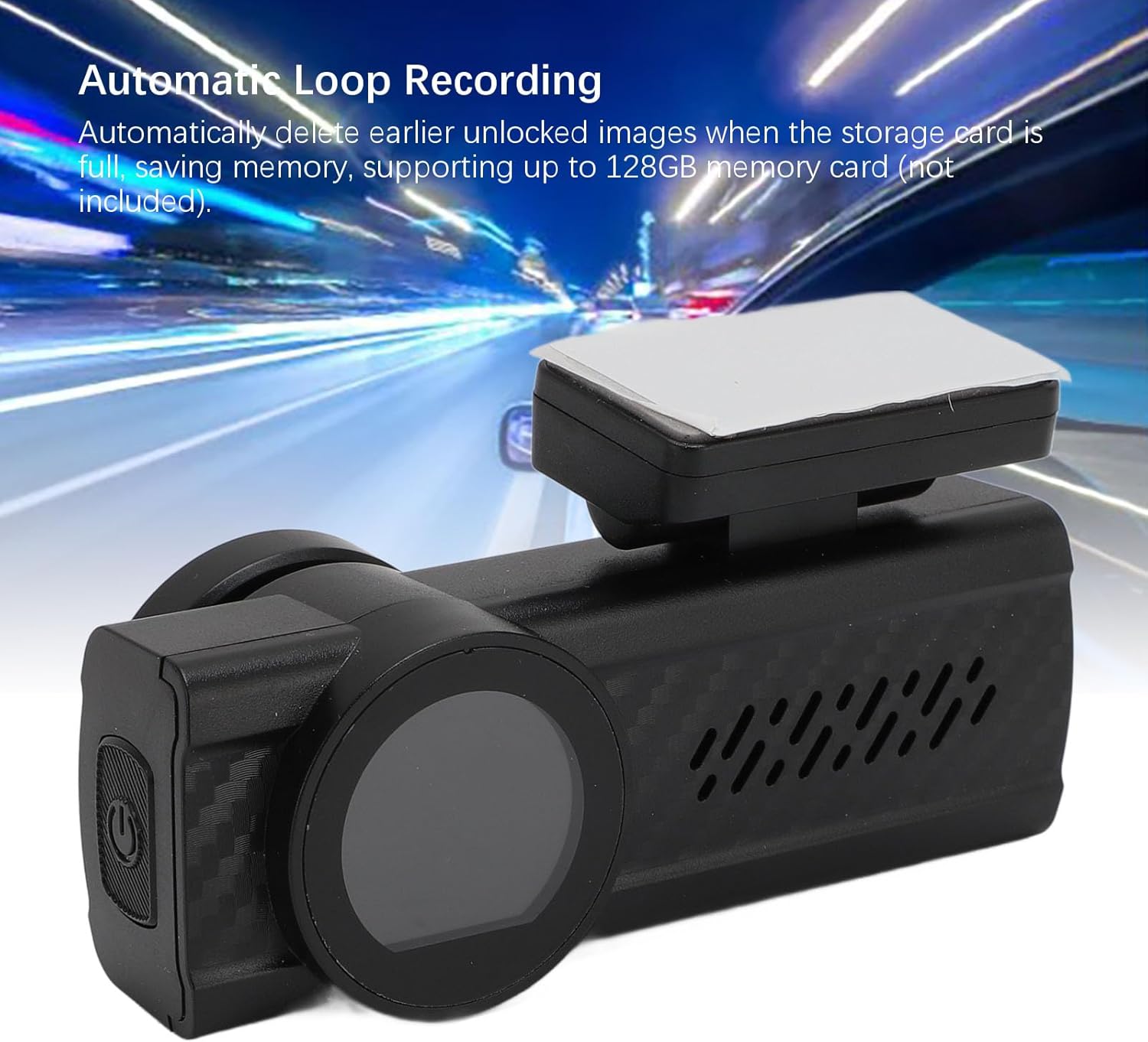
Shows the dash cam in a car setting, emphasizing its automatic loop recording capability which ensures continuous recording by managing storage space efficiently.

This image illustrates the real-time forensics and intelligent APP control feature, showing how the dash cam footage can be viewed and managed directly on a smartphone.

Highlights the dash cam's Wi-Fi connectivity, enabling easy pairing with the Viidure App for remote control and viewing.
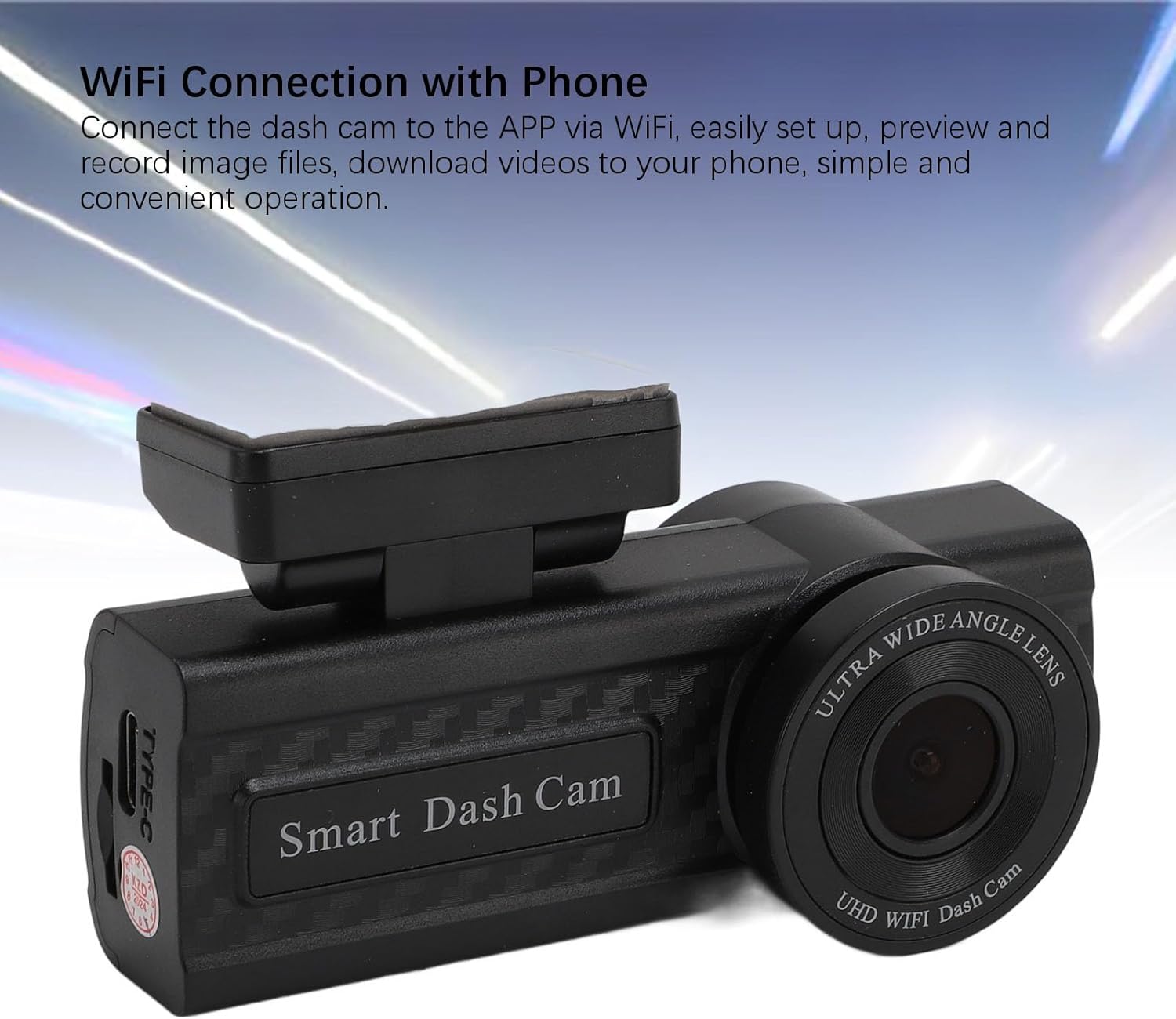
A detailed view of the dash cam, illustrating its Type-C port and lens, alongside text explaining the convenience of connecting the device to a smartphone via Wi-Fi for easy setup and file management.
4. Setup and Installation
Follow these steps to install your Heayzoki Dash Cam in your vehicle:
- Prepare the Memory Card: Insert a compatible memory card (up to 128GB, not included) into the dash cam's memory card slot. Ensure it is inserted correctly.
- Choose Mounting Location: Select a location on your windshield that does not obstruct your view, typically near the rearview mirror. The dash cam is designed for discreet installation to maintain the original appearance of your car.
- Mount the Dash Cam: Securely attach the dash cam to the chosen location using the provided adhesive mount. Ensure it is firmly in place.
- Connect Power: Connect the provided car charger cable to the dash cam's power input (Type-C port) and plug the other end into your car's cigarette lighter socket. The device will power on automatically when the car starts.

Demonstrates the discreet and integrated installation of the dash cam, designed to blend seamlessly with the car's interior without obstructing the driver's view.
5. Operating Instructions
5.1 Power On/Off
- Power On: The dash cam will automatically power on and begin recording when connected to power and your vehicle's ignition is turned on.
- Power Off: The dash cam will automatically power off when the power supply is disconnected (e.g., when the car is turned off).
5.2 Recording
- The dash cam starts recording automatically upon power-on.
- Recordings are saved in segments (1, 3, or 5 minutes, configurable via APP) to the memory card.
- The automatic loop recording feature ensures continuous recording by overwriting the oldest unlocked files when the memory card is full.
6. APP Control (Viidure App)
The Heayzoki Dash Cam features built-in Wi-Fi for seamless connection to your smartphone via the Viidure App.
- Download the App: Search for "Viidure" in your smartphone's app store (iOS or Android) and download it.
- Connect to Dash Cam Wi-Fi:
- Turn on the dash cam.
- On your smartphone, go to Wi-Fi settings and connect to the dash cam's Wi-Fi network (usually named something like "Smart Dash Cam" followed by numbers/letters). The default password is often "12345678" or similar, refer to the dash cam's screen or initial setup instructions if different.
- Open Viidure App: Launch the Viidure App. It should automatically detect and connect to your dash cam.
- App Functions: Once connected, you can:
- View live footage from the dash cam.
- Access recorded videos and photos.
- Download files directly to your phone.
- Adjust dash cam settings (e.g., video resolution, loop recording duration, G-sensor sensitivity).
- Share footage easily.
7. Maintenance
- Cleaning: Use a soft, dry cloth to clean the dash cam lens and body. Do not use abrasive cleaners or solvents.
- Memory Card: Regularly format your memory card (at least once a month) via the APP or dash cam settings to ensure optimal performance and prevent data corruption. Back up important files before formatting.
- Temperature: Avoid exposing the dash cam to extreme temperatures (very hot or very cold) for extended periods, as this can affect battery life and performance.
8. Troubleshooting
If you encounter any issues with your dash cam, please refer to the following common problems and solutions:
- Dash Cam Not Powering On:
- Ensure the car charger is properly connected to both the dash cam and the car's power outlet.
- Check if the car's cigarette lighter socket is working.
- Recording Stops or Freezes:
- Ensure you are using a high-speed memory card (Class 10 or higher recommended).
- Format the memory card regularly.
- The memory card might be full; loop recording should manage this, but manual formatting can resolve issues.
- Wi-Fi Connection Issues:
- Ensure Wi-Fi is enabled on both the dash cam and your smartphone.
- Try restarting both the dash cam and your smartphone.
- Confirm you are connecting to the correct Wi-Fi network name and using the correct password.
- Poor Image Quality:
- Clean the dash cam lens.
- Ensure the protective film has been removed from the lens.
- Check settings in the Viidure App to ensure video resolution is set to 3K.
9. Specifications
| Feature | Specification |
|---|---|
| Model Name | Heayzokigm6hc5xe42 |
| Screen Size | 1.29 Inches |
| Resolution | 3K |
| Shooting Angle | 140° Wide Angle |
| Video Clip Length | 1/3/5 Minutes (Configurable) |
| Storage Support | Up to 128GB Memory Card (not Included) |
| APP Name | for Viidure |
| Battery | 1x 5mAh ML621 Cell Battery (Built-in) |
| Product Dimensions | 5.91 x 4.33 x 2.76 inches |
| Item Weight | 8.1 ounces |
| Connectivity Technology | Ethernet (Note: Wi-Fi for APP control) |
| Special Feature | Adjustable |
| Video Capture Resolution | 720p (Note: Product description states 3K, this may be a discrepancy in provided data) |
10. Warranty and Support
For warranty information and technical support, please refer to the documentation provided with your purchase or visit the official Heayzoki website. Keep your purchase receipt as proof of purchase for any warranty claims.
Ask a question about this manual
Ask about setup, troubleshooting, compatibility, parts, safety, or missing instructions. Manuals+ will review the question and use this page’s manual context to help answer it.