
BatteryMon BRJ90200500
BatteryMon 100W USB-C Battery Charger Instruction Manual
Model: BRJ90200500 | Brand: BatteryMon
1. Introduction
Thank you for choosing the BatteryMon 100W USB-C Battery Charger. This high-performance power adapter is designed to provide efficient and safe charging for a wide range of DJI drones and accessories, as well as other USB-C compatible devices. Please read this manual thoroughly before use to ensure proper operation and to maximize the lifespan of your charger and devices.

Image 1.1: BatteryMon 100W USB-C Battery Charger and included power cable.
2. Product Features
- 100W USB-C Output: Provides powerful and fast charging for compatible devices.
- Wide Compatibility: Specifically designed for DJI Type-C drones and controllers, including Air 3, Air 3S, Avata 2, Mavic 3 series, Mini 4 Pro, Mini 3 series, and various DJI accessories like Goggles 2 Battery and RC controllers.
- Universal Power Delivery (PD) Support: Compatible with all standard PD protocols, allowing versatile usage with other USB-C devices such as phones and laptops (fits 30W, 45W, 65W USB-C chargers).
- Advanced Safety Protections: Built-in circuit protection against overheating, short-circuiting, overloading, and overvoltage, ensuring safety and stability during charging.
- Durable Design: Features a reinforced power junction and high copper nickel plating for the plum-shaped interface to protect and extend service life.
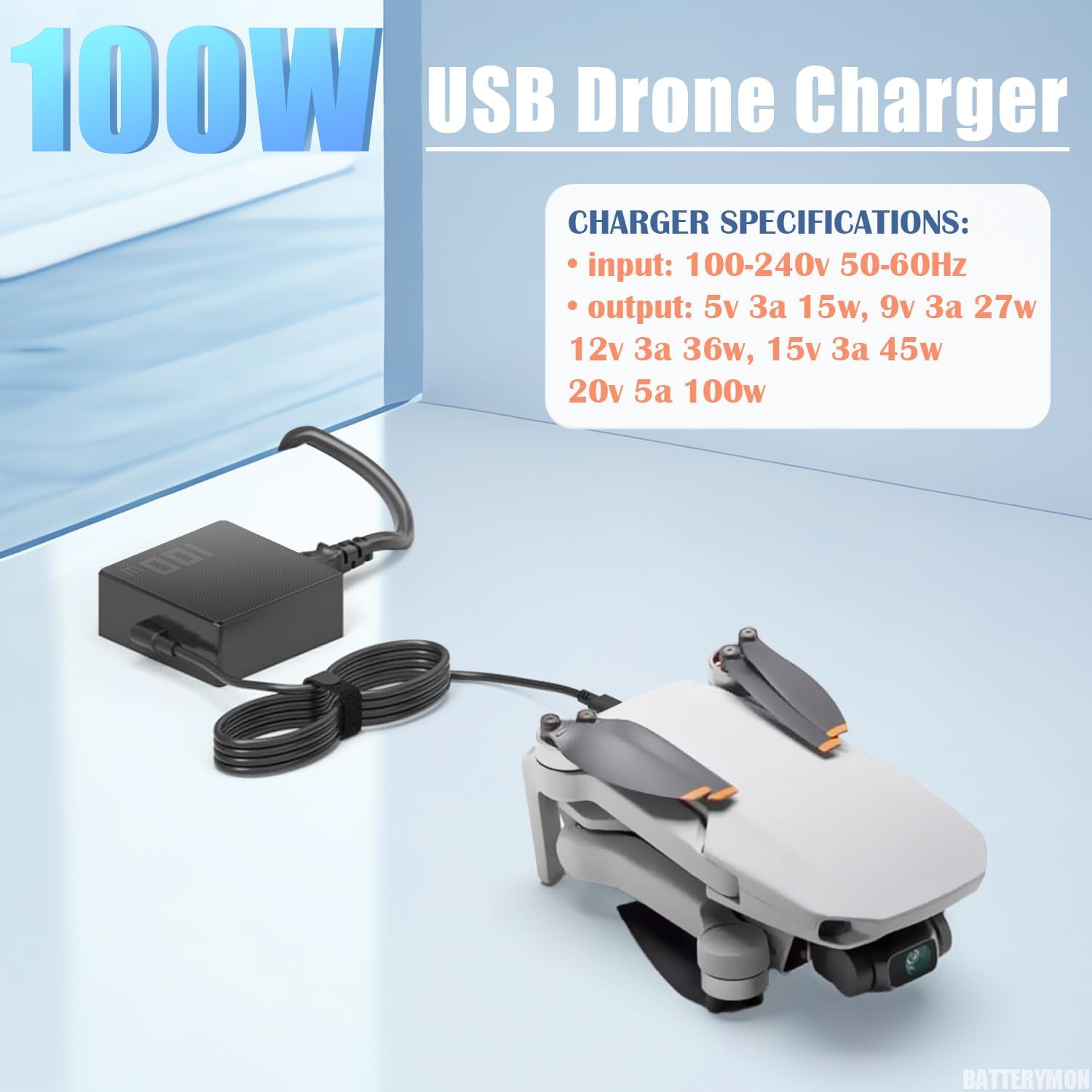
Image 2.1: Charger specifications and connection to a drone.
3. Package Contents
Please verify that all items are present in your package:
- 1 x BatteryMon 100W USB-C Battery Charger
- 2 x USB Cable
4. Setup and Connection
Follow these steps to set up and connect your BatteryMon 100W USB-C Battery Charger:
- Connect the included power cable to the charger's AC input port.
- Plug the other end of the power cable into a standard wall outlet (100-240V, 50-60Hz).
- Connect one of the provided USB-C cables to the USB-C output port on the charger.
- Connect the other end of the USB-C cable to your DJI drone, remote controller, battery hub, or other compatible USB-C device.
- Ensure all connections are secure before initiating charging.

Image 4.1: Detail of the USB-C connector, highlighting its 100W max capability.

Image 4.2: The charger can be used for DJI USB-C drones and various USB-C accessories like laptops and phones.
5. Operating Instructions
Once connected, the BatteryMon 100W USB-C Battery Charger will automatically begin charging your device. The charging status is typically indicated by the device itself (e.g., LED indicators on drone batteries or remote controllers).
- Fast Charging: The charger supports Power Delivery (PD) protocols, enabling rapid charging for compatible devices that can utilize 100W power input.
- Multiple Device Charging: While the charger has one USB-C output, it can be used to charge various devices sequentially or with a compatible multi-port hub (not included).
- Optimal Performance: For best charging performance, use the provided USB-C cables or high-quality, certified USB-C to USB-C cables that support 100W Power Delivery.
Video 5.1: Demonstration of the 100W USB-C Battery Charger in use with DJI drones and accessories.
6. Compatibility
The BatteryMon 100W USB-C Battery Charger is broadly compatible with DJI devices and other USB-C powered electronics. Refer to the list below for specific DJI models:
For DJI Mini Drone Series:
- Mini SE
- Mini 4K
- Mini 2
- Mini 2 SE
- Mini 3
- Mini 3 Pro
- Mini 4 Pro
- Mavic Mini
For DJI Air Series:
- Air 3
- Air 3S
For DJI Mavic 3 Series:
- Mavic 3
- Mavic 3 Pro
- Mavic 3 Cine
- Mavic 3 Classic
- Mavic 3 Enterprise
For DJI Avata Series:
- Avata
- Avata 2
For DJI Other Accessories:
- DJI Remote Controller (RC, RC-N1, RC-N2, RC-N3, RC2, RC Pro/RC Pro Plus)
- DJI Goggles 2 Battery
- DJI USB-C Battery Charging Hub (100W max)
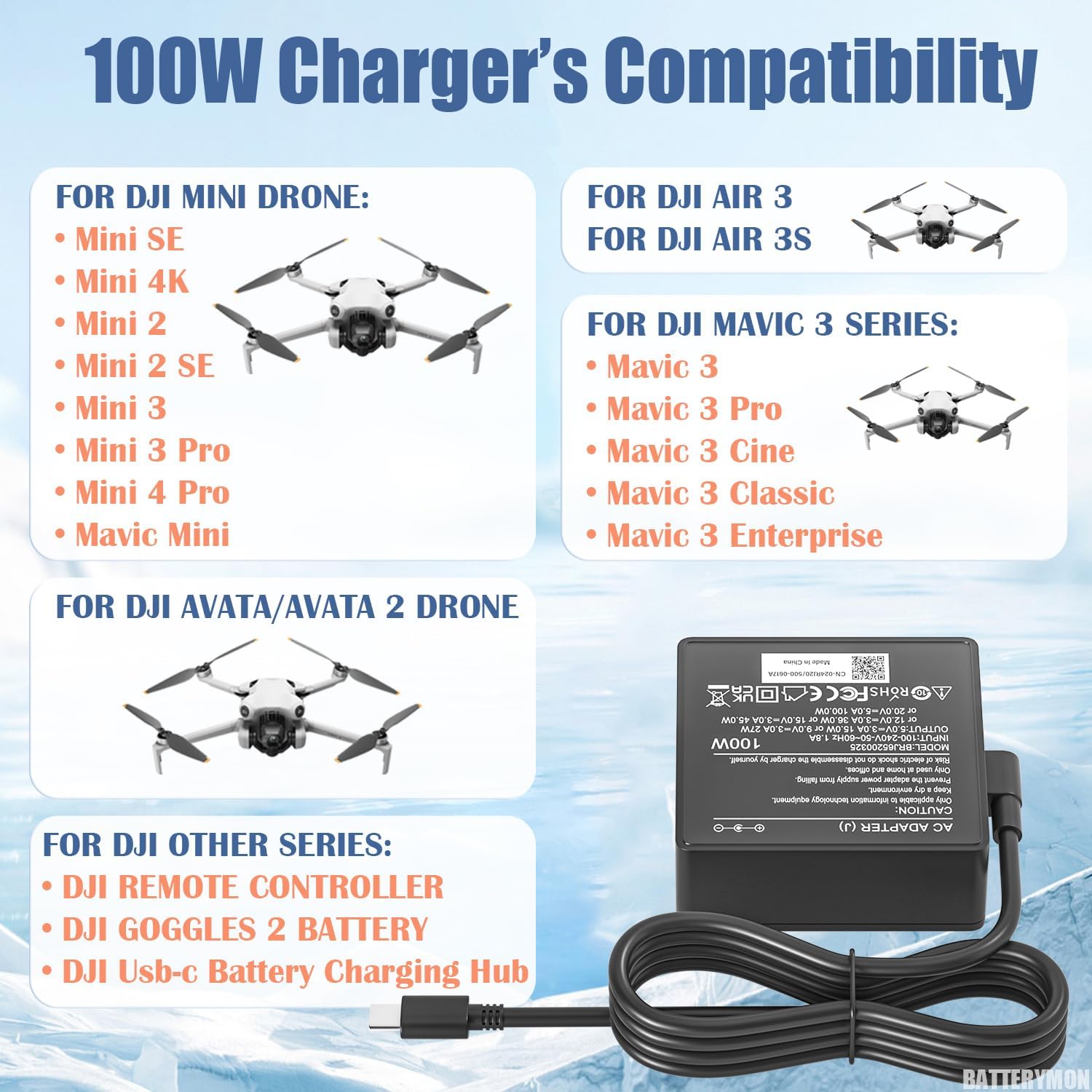
Image 6.1: Visual compatibility chart for DJI drones and accessories.
7. Safety Information
Your safety is paramount. Please observe the following precautions when using the BatteryMon 100W USB-C Battery Charger:
- Do not expose the charger to water, moisture, or extreme temperatures.
- Avoid dropping, disassembling, or attempting to repair the charger yourself.
- Ensure proper ventilation around the charger during use to prevent overheating.
- Use only the provided cables or certified equivalents that support the charger's power output.
- Keep out of reach of children and pets.
- Unplug the charger from the power outlet when not in use or during electrical storms.
- The charger features built-in protections against over-current, over-voltage, short-circuit, and over-temperature.

Image 7.1: Overview of the charger's multiple safety protection features.
8. Specifications
| Feature | Detail |
|---|---|
| Model Number | BRJ90200500 |
| Input Voltage | 100-240V, 50-60Hz |
| Output Power | 100W Max |
| Output Amperage | 3.25 Amps (at 20V) |
| Connector Type | USB Type C |
| Special Feature | Fast Charging (Power Delivery) |
| Item Weight | 12.6 ounces |
| Package Dimensions | 7.44 x 5 x 1.85 inches |

Image 8.1: Details of the charger's robust design elements.
9. Maintenance
To ensure the longevity and optimal performance of your charger, follow these simple maintenance guidelines:
- Cleaning: Disconnect the charger from power and devices. Use a soft, dry cloth to wipe the surface. Do not use liquid cleaners or abrasive materials.
- Storage: Store the charger in a cool, dry place away from direct sunlight and extreme temperatures when not in use.
- Cable Care: Avoid bending or crimping the USB-C cables excessively, as this can damage the internal wires.
10. Troubleshooting
If you encounter issues with your BatteryMon 100W USB-C Battery Charger, please refer to the following common problems and solutions:
| Problem | Possible Solution |
|---|---|
| Charger not powering on/charging device. |
|
| Slow charging. |
|
| Charger feels hot during use. |
|
11. Warranty and Support
BatteryMon stands behind the quality of its products. This 100W USB-C Battery Charger comes with a 6-month replacement exchange warranty.
- If the item is found to be defective within 6 months of purchase, you are eligible for a replacement.
- For any questions, concerns, or to claim your warranty, please visit the official BatteryMon store on Amazon and click "ask a question" to get in touch with us.
- You can visit the BatteryMon store here: BatteryMon Amazon Store

Image 11.1: BatteryMon's commitment to customer service and warranty.
Ask a question about this manual
Ask about setup, troubleshooting, compatibility, parts, safety, or missing instructions. Manuals+ will review the question and use this page’s manual context to help answer it.