
BPMIO M30V
BPMIO Self-Empty Station User Manual
Model: M30V
Important Safety Instructions
Please read all safety instructions carefully before using the BPMIO Self-Empty Station. Retain this manual for future reference.
- This appliance is not intended for use by persons (including children) with reduced physical, sensory, or mental capabilities, or lack of experience and knowledge, unless they have been given supervision or instruction concerning use of the appliance by a person responsible for their safety.
- Children should be supervised to ensure that they do not play with the appliance.
- Use only with the specified BPMIO B15 Robot Vacuum Cleaner.
- Do not use the station if the power cord or plug is damaged. If the station is not working as it should, has been dropped, damaged, left outdoors, or dropped into water, return it to a service center.
- Do not handle the plug or appliance with wet hands.
- Do not pull or carry by cord, use cord as a handle, close a door on cord, or pull cord around sharp edges or corners. Do not run appliance over cord. Keep cord away from heated surfaces.
- Unplug from outlet when not in use and before servicing.
- Do not use to pick up flammable or combustible liquids, such as gasoline, or use in areas where they may be present.
- Do not pick up anything that is burning or smoking, such as cigarettes, matches, or hot ashes.
- Do not use without dust bag and/or filters in place.
Product Overview
Package Contents
- BPMIO Self-Empty Station (M30V)
- Power Cord
- Spare Dust Bag (1 included, total 2)
- User Manual
Component Identification
Familiarize yourself with the components of your Self-Empty Station.
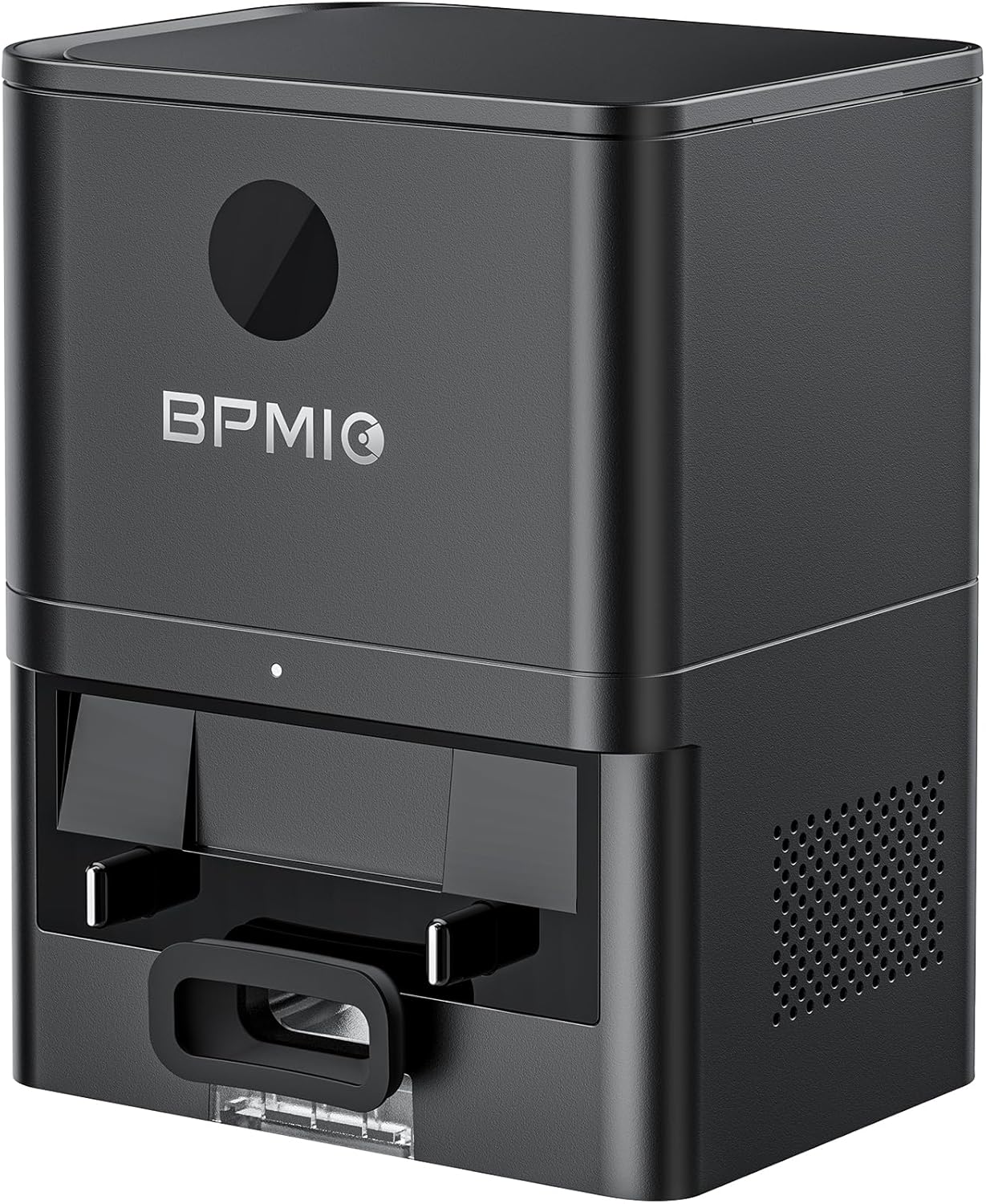
Image: Front view of the BPMIO Self-Empty Station M30V. This image displays the main unit of the self-empty station, featuring its sleek black design and the BPMIO logo prominently on the front panel. The dust collection port is visible at the bottom.

Image: The BPMIO Self-Empty Station M30V positioned with a BPMIO B15 Robot Vacuum Cleaner. This image illustrates the compatibility of the self-empty station with the B15 robot vacuum, showing them together in a home environment, ready for automatic dust collection.
Product Dimensions
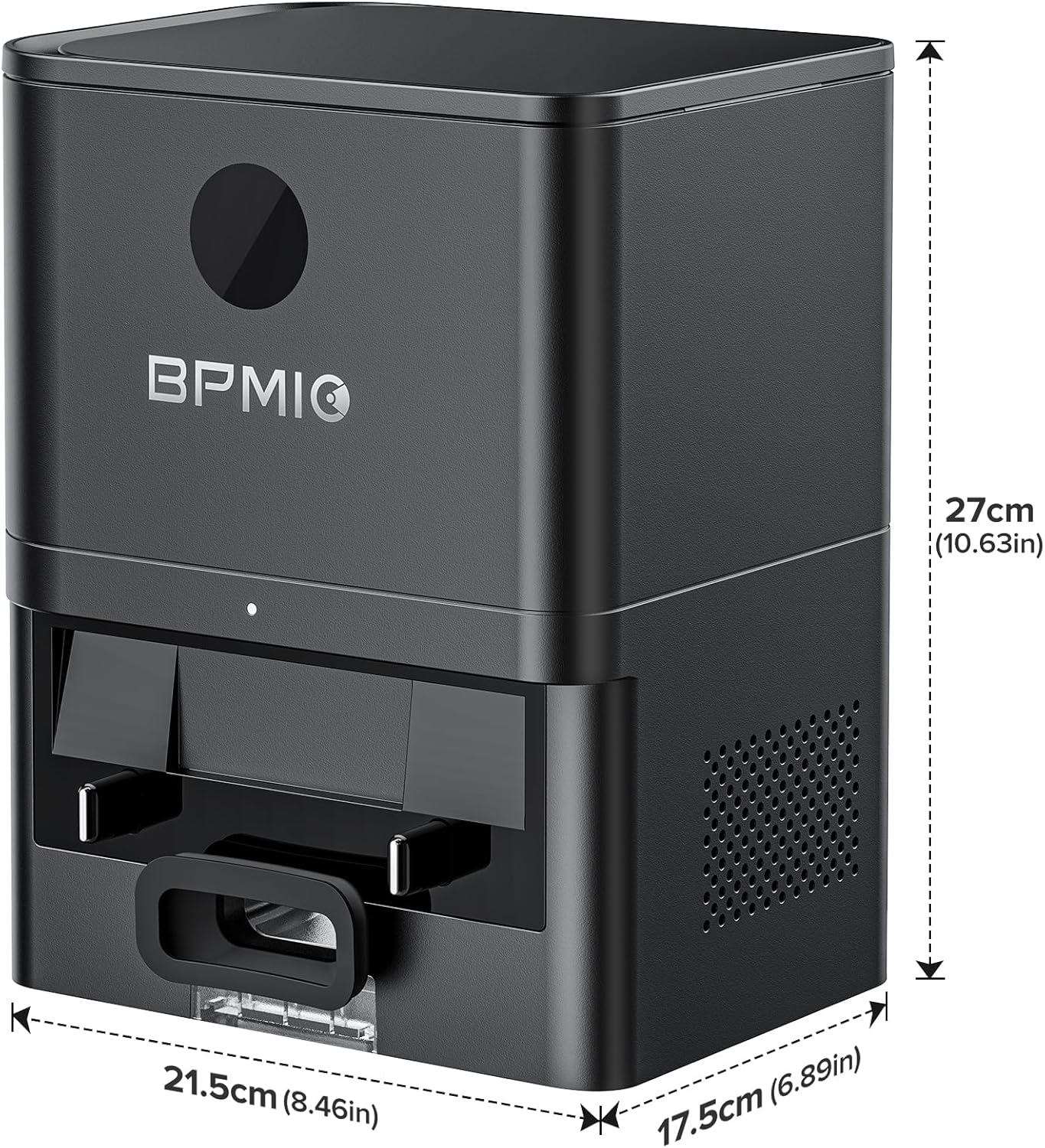
Image: Diagram showing the dimensions of the BPMIO Self-Empty Station M30V. The station measures 27cm (10.63in) in height, 21.5cm (8.46in) in width, and 17.5cm (6.89in) in depth. These measurements are indicated with arrows and numerical values.
Setup
1. Unpacking
Carefully remove all components from the packaging. Ensure all items listed in the 'Package Contents' section are present and undamaged.
2. Placement
Place the Self-Empty Station on a hard, level surface against a wall. Ensure there is at least 0.5 meters (1.6 feet) of clear space on either side and 1.5 meters (4.9 feet) in front of the station for the robot vacuum to easily dock and undock.
3. Power Connection
Connect the power cord to the back of the Self-Empty Station and plug the other end into a wall outlet. Ensure the station is receiving power; an indicator light may illuminate.
4. Wi-Fi Connection
The Self-Empty Station requires a Wi-Fi connection for app-controlled features. Please note that it only supports 2.4G network connections. Refer to your robot vacuum's app instructions for connecting the station to your home Wi-Fi network.
Operating Instructions
Automatic Dust Collection
The BPMIO Self-Empty Station automatically collects dust from your B15 Robot Vacuum Cleaner after each cleaning cycle. This feature provides up to 60 days of hands-free cleaning, depending on usage and household debris levels. The station utilizes 30000Pa suction power to efficiently transfer dust into its 2-liter dust bag within approximately 20 seconds.
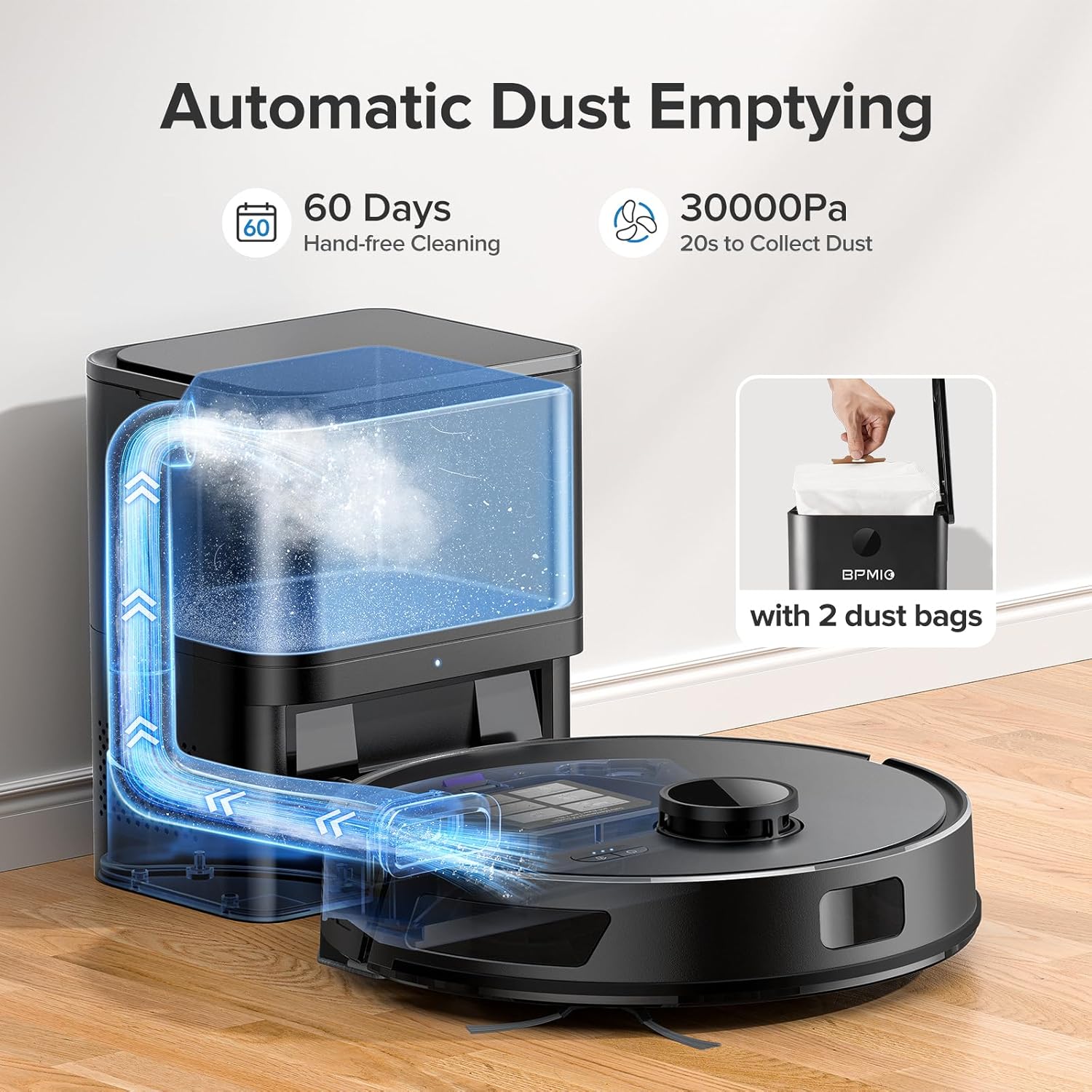
Image: A diagram illustrating the automatic dust emptying process. The image shows the robot vacuum docked with the self-empty station, and an animated blue arrow indicates the path of dust being suctioned from the robot's dustbin into the station's internal dust bag. Text highlights '60 Days Hand-free Cleaning' and '30000Pa 20s to Collect Dust', along with an image of two dust bags.
App-Controlled Emptying
You can control the auto-emptying function directly from the BPMIO robot vacuum's companion application. This allows you to manually initiate or disable the emptying process as needed.
Charging the Robot Vacuum
When the B15 Robot Vacuum Cleaner's battery is low, it will automatically return to the Self-Empty Station to recharge. The station serves as both a charging dock and a dust collection point.

Image: A robot vacuum cleaner is shown approaching the self-empty station, with red and green battery icons indicating its charging status. This visually represents the robot's ability to automatically return to the station for recharging.
Maintenance
Replacing the Dust Bag
The dust bag in the Self-Empty Station has a capacity of 2 liters, typically lasting up to 45 days. When the dust bag is full, replace it to maintain optimal performance.
- Open the top lid of the Self-Empty Station.
- Carefully pull out the full dust bag from its compartment. The bag is designed to seal automatically upon removal to prevent dust leakage.
- Dispose of the full dust bag.
- Insert a new dust bag into the compartment, ensuring it is fully seated.
- Close the top lid securely.

Image: Top-down view of the BPMIO Self-Empty Station with its lid open, showing a white dust bag correctly inserted into the internal compartment. This illustrates the appearance of the station with a dust bag ready for use.
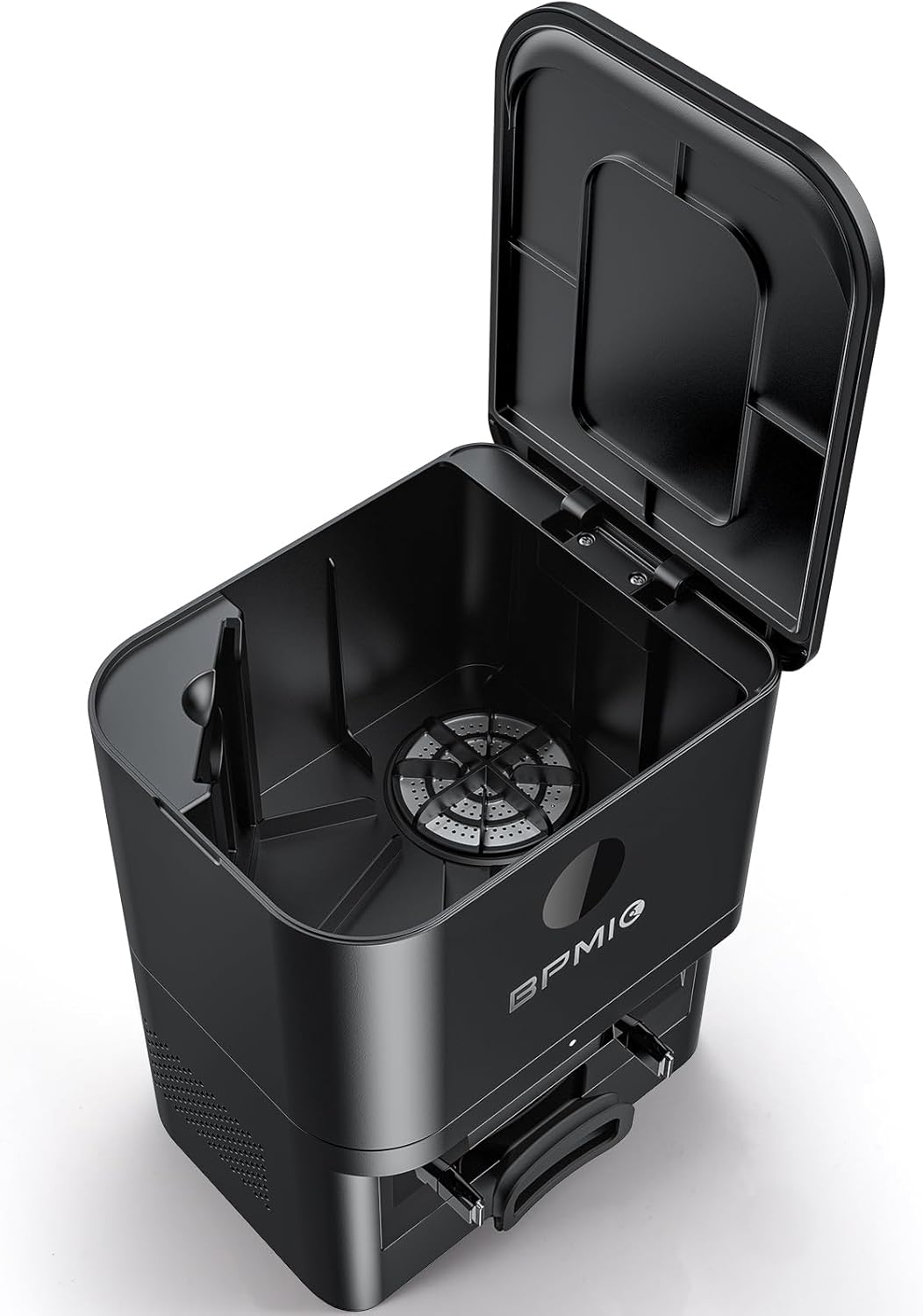
Image: Top-down view of the BPMIO Self-Empty Station with its lid open, showing the interior compartment without a dust bag. This view highlights the dust collection port and the empty space where the dust bag is to be inserted.

Image: Two white replacement dust bags are displayed side-by-side. Each bag features a brown cardboard collar with a circular opening, indicating they are ready for installation into the self-empty station.
Cleaning the Air Filter
The station features multi-layer air filtration. Periodically check and clean the air filter located within the station to ensure efficient operation and prevent dust from re-entering the air. Refer to the specific instructions in the robot vacuum's app or manual for filter cleaning procedures.
General Cleaning
Wipe the exterior of the Self-Empty Station with a clean, dry cloth. Do not use abrasive cleaners or spray liquids directly onto the station.
Troubleshooting
- Station not emptying dust: Ensure the dust bag is correctly installed and not full. Check for any obstructions in the dust collection port. Verify the robot vacuum is properly docked.
- Station not connecting to Wi-Fi: Confirm your Wi-Fi network is 2.4G. The station does not support 5G networks. Ensure the station is within range of your router.
- Robot vacuum not docking: Ensure the station is placed on a level surface with adequate clear space around it. Clean the charging contacts on both the robot and the station.
- Unusual noise during emptying: Check for any foreign objects or debris lodged in the dust collection pathway or fan.
For further assistance, refer to the BPMIO B15 Robot Vacuum Cleaner manual or contact customer support.
Specifications
| Product Dimensions | 10.63 x 8.46 x 6.89 inches (27 x 21.5 x 17.5 cm) |
| Item Weight | 5.94 pounds |
| Model Number | M30V |
| Filter Type | Cloth, Cartridge (Multi-Layer Air Filtration) |
| Power Source | Battery Powered (via robot vacuum charging) |
| Dust Bag Capacity | 2 Liters |
| Compatibility | BPMIO B15 Robot Vacuum Cleaner |
Warranty and Support
BPMIO is committed to providing high-quality products and customer satisfaction.

Image: An infographic detailing BPMIO's professional services and guarantees. It highlights a '90-Day Full Refund', '24-Month Warranty', and '7-24h Customer Service', each with a corresponding icon.
Warranty Information
- 90-Day Full Refund: If you are not satisfied with your purchase, you may be eligible for a full refund within 90 days.
- 24-Month Warranty: The BPMIO Self-Empty Station is covered by a 24-month warranty from the date of purchase, covering manufacturing defects.
Customer Support
For any questions, technical support, or warranty claims, please contact BPMIO customer service. Our support team is available 7 days a week, 24 hours a day.
Please refer to the contact information provided with your product packaging or visit the official BPMIO website for the most up-to-date support details.
Ask a question about this manual
Ask about setup, troubleshooting, compatibility, parts, safety, or missing instructions. Manuals+ will review the question and use this page’s manual context to help answer it.