
Introduction
This manual provides essential information for the safe and effective operation, setup, and maintenance of your 1/8 RC X-Rider Flamingos Electric Tricycle. Please read this manual thoroughly before operating the product to ensure proper usage and to prevent damage or injury.

Image: The 1/8 RC X-Rider Flamingos Electric Tricycle in yellow, alongside its 2.4G remote control and the product packaging box.
Product Features
- Durable Chassis: Features a 6061 aluminum alloy thick bottom plate for enhanced durability.
- Robust Protection: Equipped with a sturdy metal bumper and a high-toughness fiber roll cage.
- Realistic Design: Includes a cute shaking head driver, ABS high simulation car shell shape, and a high simulation water-cooled radiator with engine modeling.
- Performance Enhancements: Designed with a high-performance fixed wind tail.
- Versatile Tires: Utilizes all-terrain tires and retro truck shape wheel frames for various surfaces.
- Advanced Suspension: Features a multi-link rear rocker for improved handling.

Image: A front view of three X-Rider Flamingos tricycles, showcasing the available yellow, red, and green color variants.
What's in the Box
The RTR (Ready-To-Run) version package includes the following components:
- 1x 1/8 RC X-Rider Flamingos Electric Tricycle (Yellow)
- 1x 2-in-1 2.4G Remote Control
- 1x 32T Brush Motor (pre-installed)
- 1x 800 mA NiMH Battery
- 1x Digital Servo (pre-installed)
- 1x Simple Version Charger

Image: A red X-Rider Flamingos tricycle neatly packaged within its custom-fit product box, illustrating how the product is received.
Setup
- Charge the Battery: Connect the provided 800 mA NiMH battery to the simple version charger. Plug the charger into a suitable power outlet. Ensure the battery is fully charged before first use. Refer to the charger's indicator lights for charging status.
- Install Battery in Vehicle: Locate the battery compartment on the RC tricycle. Carefully insert the fully charged NiMH battery, ensuring correct polarity. Secure the battery compartment cover.
- Install Batteries in Remote Control: Open the battery compartment on the 2.4G remote control. Insert the required batteries (typically AA, not included) according to the polarity markings. Close the compartment.
- Power On: First, turn on the remote control. Then, turn on the power switch on the RC tricycle. The vehicle and remote should automatically bind. If not, refer to the troubleshooting section for binding instructions.
- Pre-Run Check: Before driving, ensure all wheels are securely attached, the steering operates correctly, and the throttle responds as expected.

Image: A detailed view of the internal electronic components, including the ESC and motor area, within the X-Rider Flamingos tricycle chassis.
Operating Instructions
The X-Rider Flamingos tricycle is designed for versatile driving, including street racing, rally off-road, drifting, and stunt actions. Always operate in a safe and open environment, away from people, pets, and obstacles.
- Throttle Control: Use the trigger on the remote control to accelerate (pull back) and brake/reverse (push forward). Apply gentle pressure for smooth control.
- Steering Control: Use the steering wheel on the remote control to turn the vehicle left or right.
- Drifting: The tricycle's design allows for controlled drifting. Practice in an open area to master the technique of combining steering and throttle input for slides.
- Stunts: The anti-rolling anti-collision frame supports various stunt actions. Experiment with controlled maneuvers at appropriate speeds.
- Environmental Adaptability: The widened rear wheel track and Offset 12mm combiner tires allow adaptation to different road conditions. Adjust your driving style based on the surface (e.g., asphalt, dirt).
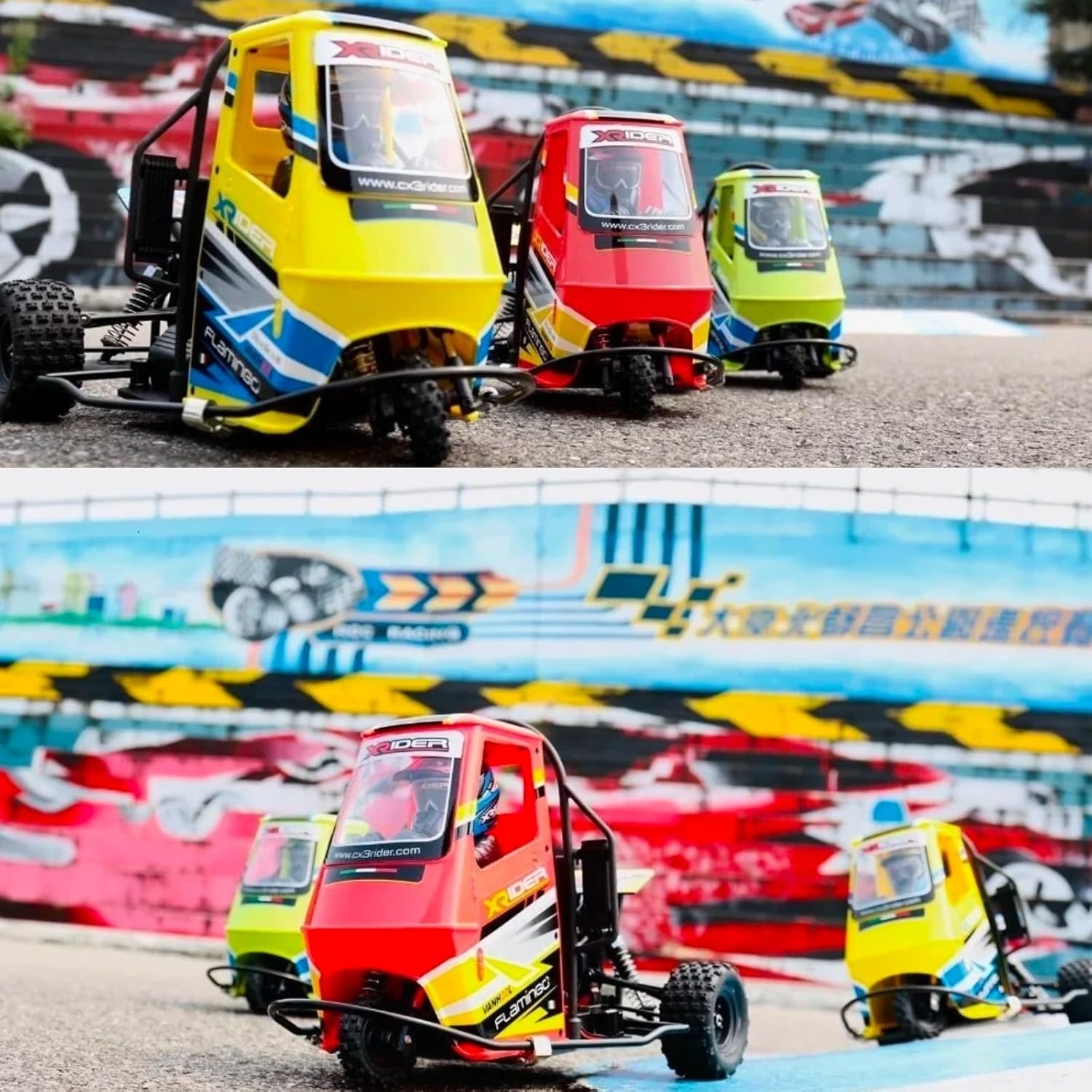
Image: Three X-Rider Flamingos tricycles (yellow, red, green) positioned on a paved outdoor track, ready for operation.

Image: A close-up shot of the yellow X-Rider Flamingos tricycle in action on a track, highlighting its detailed design and operational stance.
Maintenance
Regular maintenance will extend the lifespan and performance of your RC tricycle.
- Cleaning: After each use, especially in dusty or dirty conditions, clean the vehicle with a soft brush or compressed air to remove debris. Avoid using water directly on electronics.
- Battery Care: Always disconnect the battery from the vehicle when not in use. Store batteries in a cool, dry place. Do not overcharge or completely discharge NiMH batteries.
- Inspections: Periodically check for loose screws, damaged wires, or worn parts. Tighten screws as needed. Replace any damaged components promptly.
- Lubrication: Apply a small amount of RC-specific lubricant to moving parts like suspension joints and gears as recommended by the manufacturer (if applicable).
- Storage: Store the RC tricycle and remote control in a dry, safe place away from direct sunlight and extreme temperatures.

Image: An overhead view of the X-Rider Flamingos tricycle chassis, revealing the layout of its internal components, suspension, and roll cage structure.
Troubleshooting
| Problem | Possible Cause | Solution |
|---|---|---|
| Vehicle does not respond to remote control. | Low battery in vehicle or remote; Not bound; Power switches off. | Charge vehicle battery; Replace remote batteries; Ensure both power switches are ON; Re-bind remote and vehicle (refer to remote manual for specific steps). |
| Vehicle runs slowly or has reduced power. | Low vehicle battery; Motor/gear obstruction. | Fully charge vehicle battery; Check for debris in motor or gears and clean. |
| Steering is unresponsive or erratic. | Damaged servo; Loose steering linkage; Low remote battery. | Check steering servo connection and function; Inspect steering linkages for damage or looseness; Replace remote batteries. |
| Vehicle makes unusual noises. | Debris in gears; Worn gears; Motor issue. | Inspect and clean gears; Replace worn gears; Consult manufacturer support if motor noise persists. |
Specifications
| Feature | Detail |
|---|---|
| Scale | 1/8 |
| Drive System | 3WD |
| Motor | 32T Brush Motor |
| ESC | 2-in-1 (integrated with receiver) |
| Radio System | 2.4G Remote Control |
| Battery | 800 mA NiMH Battery |
| Product Dimensions | 6.7 x 7.5 x 6.8 inches |
| Item Weight | 9.9 ounces |
| Manufacturer Recommended Age | 27 years and up |
| Brand | HTLNUZD |
Safety Information
Operating remote-controlled vehicles requires caution. Please observe the following safety guidelines:
- Always operate the vehicle in open areas, away from people, pets, and obstacles.
- Do not operate near public roads, power lines, or bodies of water.
- Keep hands, hair, and loose clothing away from moving parts.
- Adult supervision is recommended for all users, especially those new to RC vehicles.
- Ensure batteries are charged and handled according to manufacturer instructions to prevent fire or explosion hazards.
- Do not modify the vehicle or its components, as this may compromise safety and performance.
- If the vehicle becomes damaged, discontinue use until repairs are made.
Warranty and Support
For information regarding product warranty, returns, or technical support, please contact the manufacturer, HTLNUZD, or your point of purchase. Protection plans may be available for extended coverage:
- 2-Year Protection Plan: Available for purchase.
- 3-Year Protection Plan: Available for purchase.
- Complete Protect: A monthly plan covering eligible past and future purchases.
Please retain your proof of purchase for any warranty claims.