Introduction
Thank you for choosing the S7P Cordless Vacuum Cleaner. This powerful and versatile vacuum is designed to provide an efficient cleaning experience for your home, tackling various surfaces from hardwood floors to carpets and pet hair. Please read this manual thoroughly before operation to ensure proper use, maintenance, and to maximize the lifespan of your vacuum cleaner.

Figure 1: S7P Cordless Vacuum Cleaner in action, demonstrating its key features.
Product Overview & Components
Familiarize yourself with the parts of your S7P Cordless Vacuum Cleaner:

Figure 2: Main components and versatile configurations of the S7P vacuum.
Included Components:
- LED Roller Brush: Main floor cleaning head with integrated LED lights.
- Cordless Vacuum Main Body: Contains the motor, dust cup, and controls.
- Crevice Tool: For narrow spaces and corners.
- Retractable Metal Tube: Adjustable extension wand for various cleaning heights.
- Dust Brush: For delicate surfaces and upholstery.
- Adapter: For charging the battery.
- Wall Mount: For convenient storage.
- HEPA Filter x 2: High-efficiency particulate air filters (one pre-installed, one extra).
- Cleaning Tool: For maintaining filters and brush roller.

Figure 3: Detailed view of all included accessories and main parts.
Setup
- Assembly:
- Attach the retractable metal tube to the main vacuum body.
- Connect the LED roller brush to the other end of the metal tube.
- For handheld use, attach the crevice tool or dusting brush directly to the main vacuum body.
- Initial Charging:
- Ensure the battery is fully charged before first use. The detachable battery can be charged while attached to the vacuum or separately.
- Connect the adapter to the charging port on the battery or main body, then plug into a power outlet.
- The LED display will indicate charging status. A full charge typically takes several hours.
- Wall Mount Installation (Optional):
- Choose a suitable location near a power outlet for convenient charging and storage.
- Securely mount the wall bracket using the provided screws and anchors.
Operating Instructions
Power On/Off and Suction Modes:
Press the power button once to turn on the vacuum. The S7P features three suction modes (Eco, Mid, Max) to suit different cleaning needs. Press the +/- button to cycle through the modes. The LED display will show the current suction level and battery status.

Figure 4: All-in-One LED Display for real-time status monitoring.
Versatile Cleaning:
- Stick Vacuum Mode: Ideal for floors and carpets. The LED roller brush illuminates dark areas and swivels 180° sideways and 90° up and down for easy maneuverability around furniture.
- Handheld Vacuum Mode: Detach the metal tube to use the main body with the crevice tool or dusting brush for cleaning tables, car interiors, upholstery, or tight spaces.
- Extended Reach: Use the retractable metal tube with the dusting brush or crevice tool to clean high ceilings, curtains, or hard-to-reach areas.

Figure 5: Demonstrating the lightweight and adjustable features for versatile cleaning.
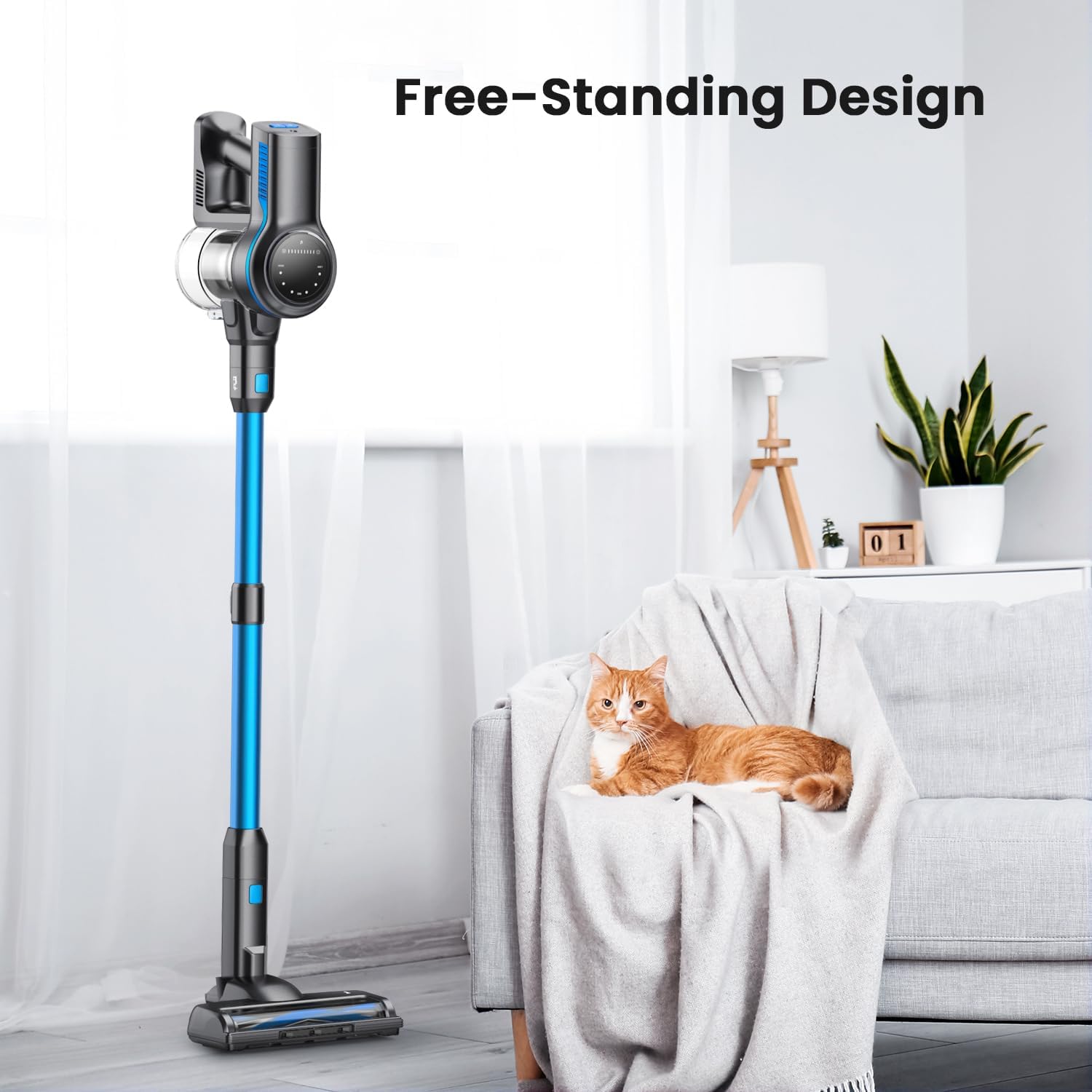
Figure 6: Free-standing design and flexible brush head for enhanced cleaning.
Official Product Video:
Video 1: Official demonstration of the S7P Cordless Vacuum Cleaner's features and powerful suction.
Maintenance
Emptying the Dust Cup:
To maintain optimal suction, empty the dust cup regularly, ideally after each use. Simply press the release button to open the bottom flap and dispose of debris without touching it.
Filter Cleaning:
The S7P features a high-efficiency filtration system with a HEPA filter. Clean the HEPA filter every 2-4 weeks, depending on usage. Rinse the filter with water and allow it to air dry completely before reinserting. An extra filter is provided for convenience.
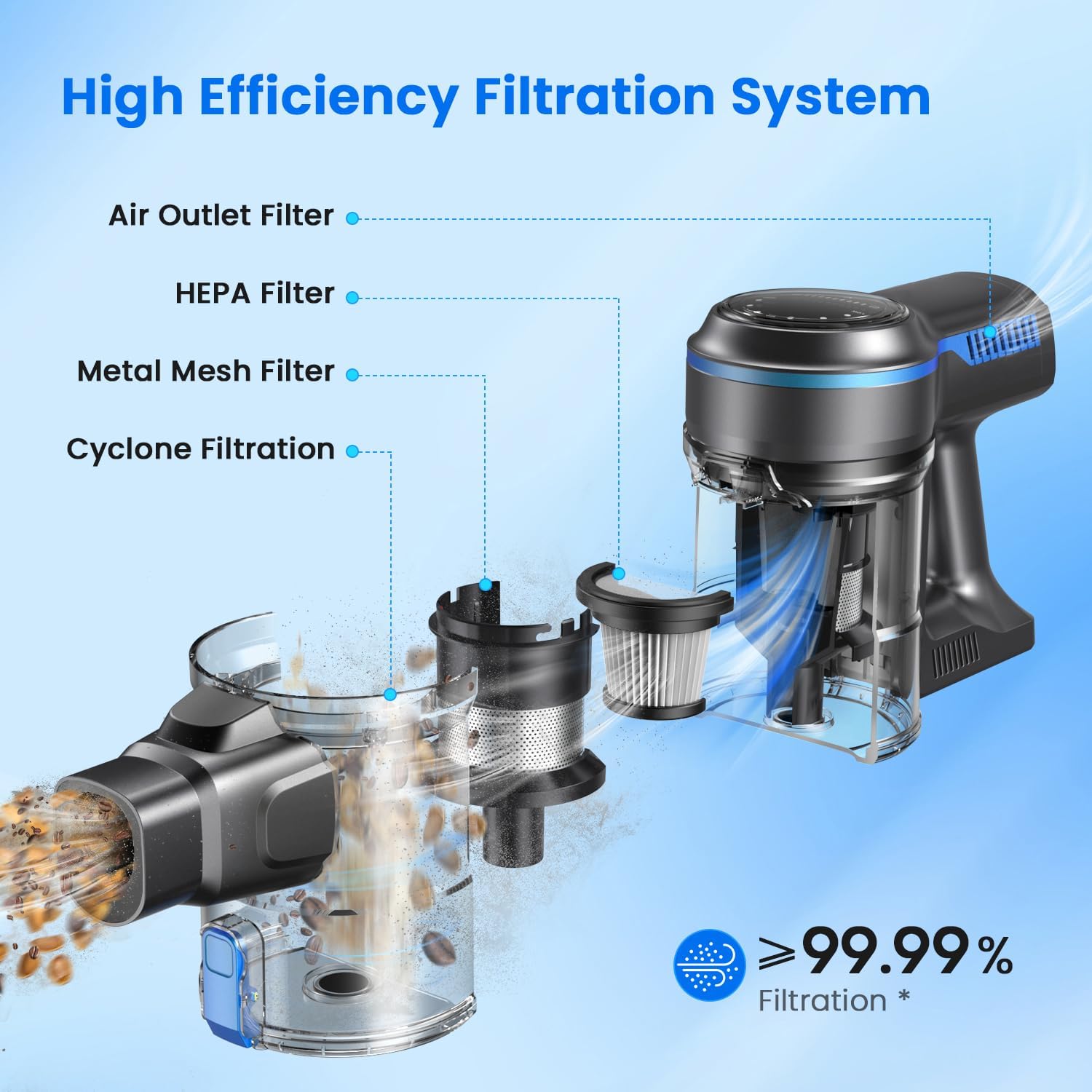
Figure 7: Understanding the multi-stage high-efficiency filtration system.
Brush Roller Maintenance:
Periodically check the V-shaped brush roller for tangled hair or debris. Use the provided cleaning tool to remove any obstructions and ensure smooth operation.

Figure 8: The V-shaped brush roller minimizes hair tangles for consistent performance.
Troubleshooting
| Problem | Possible Cause | Solution |
|---|---|---|
| Vacuum not turning on. | Battery is low or not charged. | Charge the battery fully. Ensure the adapter is properly connected. |
| Reduced suction power. | Dust cup is full; Filter is clogged; Brush roller is tangled. | Empty the dust cup. Clean or replace the HEPA filter. Remove tangled hair/debris from the brush roller. |
| Brush roller not spinning. | Obstruction in the brush roller; Brush head connection loose. | Clear any obstructions. Ensure the brush head is securely attached. |
| Short battery runtime. | Using Max suction mode frequently; Battery degradation. | Use lower suction modes for lighter cleaning. Ensure battery is fully charged. Contact support if battery life significantly degrades. |
Specifications
- Model Name: S7P Cordless Vacuum Cleaner
- Brand: Generic
- Special Feature: Bagless, Cordless
- Filter Type: HEPA Filter
- Capacity: 1 Liters
- Wattage: 265 watts
- Runtime: Up to 45 minutes (Eco Mode)
- Maximum Suction: 26Kpa (9.18 Inches)
- Battery Type: Lithium-Ion (2500mAh capacity)
- Noise Level: 65 dB
- Item Weight: 3 pounds
- Product Dimensions: 7"L x 23"W x 18"H
- Number of Speeds/Power Levels: 3
- Recommended Uses: Hardwood floor, short-pile carpet, upholstery, tile, laminate floor, pet hair.
Warranty and Support
For warranty information, technical support, or to purchase replacement parts, please refer to the contact information provided with your product packaging or visit the manufacturer's official website. Keep your purchase receipt as proof of purchase for warranty claims.


