
1. Introduction
This manual provides detailed instructions for the operation, maintenance, and troubleshooting of your new SKYANS Portable CD Player (Model: KC918). This versatile device supports CD, CD-R, CD-RW, MP3, and WMA formats, features built-in HiFi speakers, and offers Bluetooth 5.3 transmission for wireless audio. Please read this manual thoroughly before using the product to ensure proper functionality and longevity.

Image: The SKYANS Portable CD Player, white in color, with its transparent lid open, revealing a colorful CD. Various accessories such as wired headphones, a 3.5mm AUX cable, and a USB-C charging cable are displayed in front of the player.
2. Product Features
- Rechargeable Design: Equipped with a built-in 2000mAh rechargeable battery for portable use without constant power connection.
- Bluetooth 5.3 Transmitter: Connects wirelessly to Bluetooth speakers and headphones for enhanced audio experience. (Note: This CD player does not have Bluetooth receiver functionality and cannot connect to mobile phones or tablets.)
- Multi-format Playback: Widely compatible with CD, CD-R, CD-RW, MP3, and WMA audio formats.
- Versatile Playback Modes: Supports single song loop, whole disk loop, random playback, and A-B repeat functions.
- USB Flash Drive Playback: Allows direct playback of audio files from a USB flash drive.
- AUX Connectivity: Features a 3.5mm AUX output for connecting to external speakers or car audio systems (AUX connection does not support Bluetooth).
- Built-in HiFi Speakers: Integrated dual stereo speakers provide clear audio playback.
- Portable and Compact: Designed for easy carrying, ideal for home, car, travel, or outdoor use.
- User-Friendly Interface: Features an LCD screen and easy-to-press buttons for intuitive control.
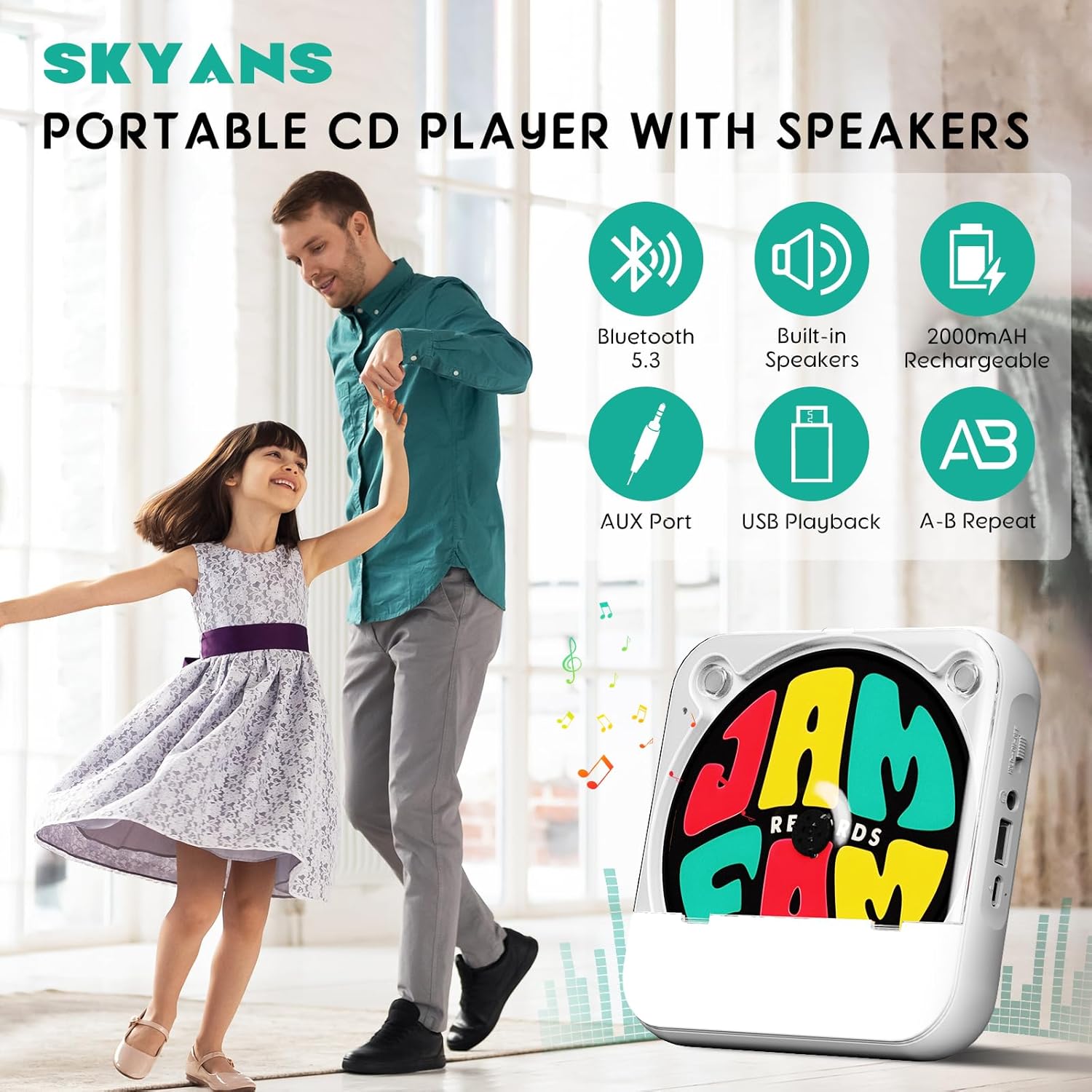
Image: A graphic illustrating the key features of the SKYANS Portable CD Player, including Bluetooth 5.3, built-in speakers, 2000mAh rechargeable battery, AUX port, USB playback, and A-B repeat function.
3. What's in the Box
- 1 x SKYANS Portable CD Player (Model: KC918)
- 1 x Type-C Charging Cable
- 1 x Wired Headphones
4. Setup Guide
4.1 Charging the Device
The CD player comes with a built-in 2000mAh rechargeable battery. Before first use, or when the battery is low, connect the provided Type-C cable to the charging port on the player and the other end to a compatible USB power source (e.g., wall charger, power bank, car charger, or computer USB port). The device will indicate charging status on its display.
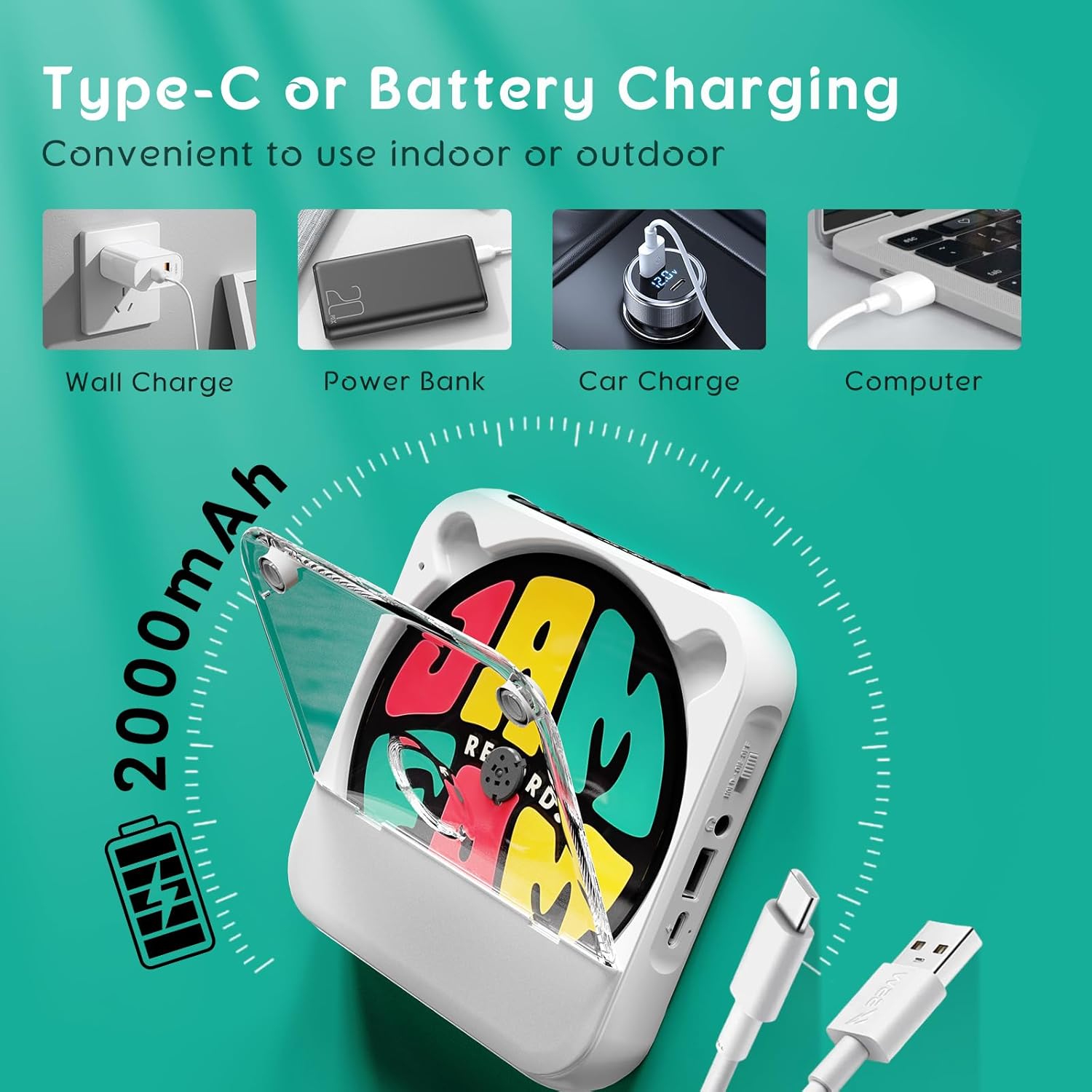
Image: Illustrations showing different methods to charge the SKYANS Portable CD Player using its Type-C port, including wall charging, power bank, car charging, and computer connection.
4.2 Inserting a CD
To insert a CD, gently lift the transparent dust cover. Place your desired CD onto the central spindle, ensuring it clicks securely into place. Close the dust cover firmly. The player will automatically begin reading the disc.
Video: A demonstration of inserting a CD into the SKYANS Portable CD Player and powering it on. The video also shows the LED display and volume control.
4.3 Connecting Headphones or USB Flash Drive
The player features a 3.5mm headphone jack and a USB port. To listen privately, plug your wired headphones into the 3.5mm jack. To play music from a USB flash drive, insert the drive into the USB port. The player will automatically switch to USB playback mode if a compatible drive is detected.

Image: A detailed diagram highlighting the various ports and control buttons on the SKYANS Portable CD Player, including the USB and AUX ports.
4.4 Bluetooth Connection (Transmitter Function)
To connect to Bluetooth headphones or speakers, long press the 'M' button for 3 seconds. The Bluetooth symbol will appear on the LCD display and begin flashing, indicating pairing mode. The player will automatically search for and connect to nearby Bluetooth audio devices. Once connected, the Bluetooth symbol will stop flashing. (Please note: This device transmits audio via Bluetooth; it does not receive audio from other Bluetooth devices like phones or tablets.)
Video: A demonstration of how to activate the Bluetooth transmitter function on the SKYANS Portable CD Player and pair it with Bluetooth earbuds. The video shows the Bluetooth symbol flashing during pairing and becoming solid upon successful connection.

Image: The SKYANS Portable CD Player shown wirelessly connected to Bluetooth headphones and a Bluetooth speaker, illustrating its Bluetooth 5.3 transmitter capability.
4.5 Connecting to Car Audio via AUX
To connect the CD player to your car's audio system, use a 3.5mm AUX cable (not included). Plug one end into the AUX port on the CD player and the other end into your car's 3.5mm AUX input jack. Ensure your car audio system supports 3.5mm AUX input. (Note: This connection is wired and does not utilize Bluetooth.)

Image: A visual guide demonstrating the connection of the SKYANS Portable CD Player to a car's audio system using a 3.5mm AUX cable, highlighting the AUX jack locations on both devices.
5. Operating Instructions
5.1 Basic Playback Controls
After inserting a CD or USB drive, the player will typically begin playback automatically. Use the following buttons for control:
- Play/Pause: Press the Play/Pause button to start or temporarily stop playback.
- Next Song: Press the Next Song button to skip to the next track.
- Previous Song: Press the Previous Song button to go back to the beginning of the current track, or press twice to go to the previous track.
Image: A detailed diagram highlighting the control buttons on the SKYANS Portable CD Player, including playback controls.
5.2 Repeat Functions
The player offers several repeat and playback modes. Press the Mode Switching button (often labeled 'M' or 'MODE') to cycle through the options:
- ONE: Repeats the current track.
- ALL: Repeats all tracks on the disc/USB.
- SHUF (Shuffle Play): Plays tracks in a random order.
- OFF (Normal Play): Plays tracks sequentially without repeating.
- A-B Repeat: Allows you to repeat a specific segment of a track. Press the A-B Repeat button at the start point (A) and again at the end point (B) of the desired segment.
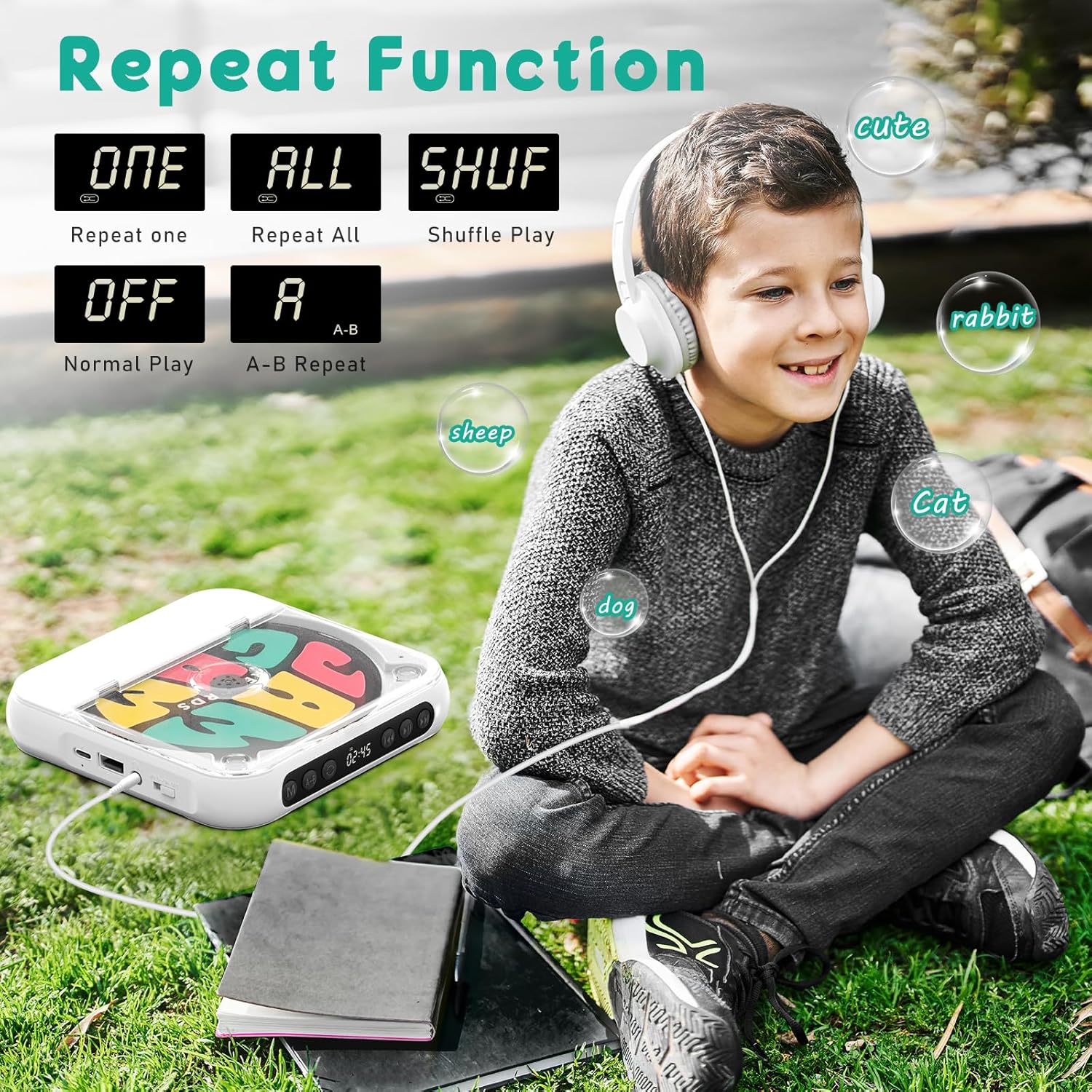
Image: The SKYANS Portable CD Player displaying its various repeat and playback modes on the LCD screen, including single track repeat, all track repeat, shuffle, normal play, and A-B repeat.
5.3 Volume Control
Adjust the playback volume using the dedicated volume control button, typically located on the side of the device. Rotate or press the button to increase or decrease the volume to your preference.
Video: A demonstration of the volume control button on the SKYANS Portable CD Player, showing how to adjust the audio output level.
6. Maintenance
- Cleaning: Use a soft, dry cloth to clean the exterior of the player. For the lens, use a specialized CD lens cleaner. Do not use abrasive cleaners or solvents.
- Storage: Store the player in a cool, dry place away from direct sunlight, extreme temperatures, and humidity.
- Battery Care: To prolong battery life, avoid fully discharging the battery frequently. Charge the device regularly, even if not in use for extended periods.
- Disc Handling: Always handle CDs by their edges to prevent scratches. Keep discs clean and free of dust.
7. Troubleshooting
| Problem | Possible Cause | Solution |
|---|---|---|
| Player does not power on. | Battery is drained; Power switch is in OFF or HOLD position. | Charge the battery; Ensure the power switch is in the ON position and not in HOLD. |
| CD does not play or skips. | CD is dirty, scratched, or inserted incorrectly; Incompatible disc format. | Clean the CD; Reinsert the CD correctly; Ensure the disc is CD, CD-R, CD-RW, MP3, or WMA format. |
| No sound from speakers/headphones. | Volume is too low; Headphones not fully plugged in; Bluetooth not connected. | Increase volume; Re-plug headphones firmly; Re-pair Bluetooth device. |
| Bluetooth connection fails. | Bluetooth device is out of range or not in pairing mode; Player is trying to connect to an unsupported device (e.g., phone). | Ensure Bluetooth device is close and in pairing mode; Remember the player is a transmitter only, connecting to headphones/speakers, not receiving from phones/tablets. |
| USB flash drive not recognized. | Incompatible file format on USB; USB drive not properly inserted. | Ensure files are MP3/WMA; Reinsert USB drive firmly. |
8. Specifications
| Feature | Detail |
|---|---|
| Model Number | KC918 |
| Brand | SKYANS |
| Dimensions (Package) | 7.52 x 5.55 x 1.34 inches |
| Item Weight | 1.6 ounces |
| Battery | 1 Lithium Polymer battery (2000mAh, included) |
| Connectivity Technology | Auxiliary, Bluetooth, USB |
| Bluetooth Version | 5.3 (Transmitter only) |
| Supported Disc Formats | CD, CD-R, CD-RW, MP3, WMA |
| Special Features | Bluetooth, CD-R/RW Compatible, Lightweight, Portable, Rechargeable, Built-in Speakers |
9. Warranty and Support
For warranty information, technical support, or any inquiries regarding your SKYANS Portable CD Player, please refer to the contact details provided with your purchase or visit the official SKYANS website. Please retain your proof of purchase for warranty claims.