
RifePhi G51
RifePhi Smart Watch User Manual
Model: G51
1. Introduction
Welcome to the RifePhi Smart Watch user manual. This guide provides detailed instructions on how to set up, operate, and maintain your new smartwatch. Please read this manual carefully to ensure optimal performance and longevity of your device.
2. What's in the Box
- 1 * watch dial
- 2 * strap
- 1 * cable
- 1 * instructions

Image: The RifePhi Smart Watch, showcasing the main watch dial and two interchangeable straps (black mesh and pink silicone).
3. Setup
3.1 Initial Charging
Before first use, fully charge your RifePhi Smart Watch. Connect the magnetic charging cable to the charging points on the back of the watch and plug the USB end into a power adapter (not included). A full charge typically takes approximately 2.5 hours.
3.2 App Download and Pairing
To unlock the full potential of your smartwatch, download the 'Da Fit' app from your smartphone's app store (compatible with iOS 9.0 & Android 5.0 and above). Follow the in-app instructions to pair your watch via Bluetooth. Ensure Bluetooth is enabled on your phone.

Image: Visual guide demonstrating the steps to download the 'Da Fit' app, connect the watch, and access customer service within the app.
4. Operating the Smart Watch
4.1 Touch Screen Navigation
The RifePhi Smart Watch features a 1.83" TFT touch screen. Swipe left, right, up, or down to navigate through menus, access features, and view notifications. Tap to select items.

Image: A detailed view of the smartwatch's 1.83-inch full touch HD display, highlighting its clarity and vibrant colors.
4.2 Customization
Personalize your watch face with various theme dials available through the app. You can also customize the display content and adjust brightness for optimal viewing in different environments.
5. Key Features
5.1 Health Monitoring
The smartwatch automatically monitors your heart rate and sleep quality throughout the day using a high-precision GoMore algorithm sensor. You can also monitor real-time blood oxygen saturation. The app provides detailed graphs and comprehensive analysis to help you stay active and healthy. Additionally, the watch includes female cycle tracking.

Image: A woman relaxing, with her smartwatch displaying features related to women's health and pregnancy preparation, including a menstrual cycle calendar and breathing exercises.
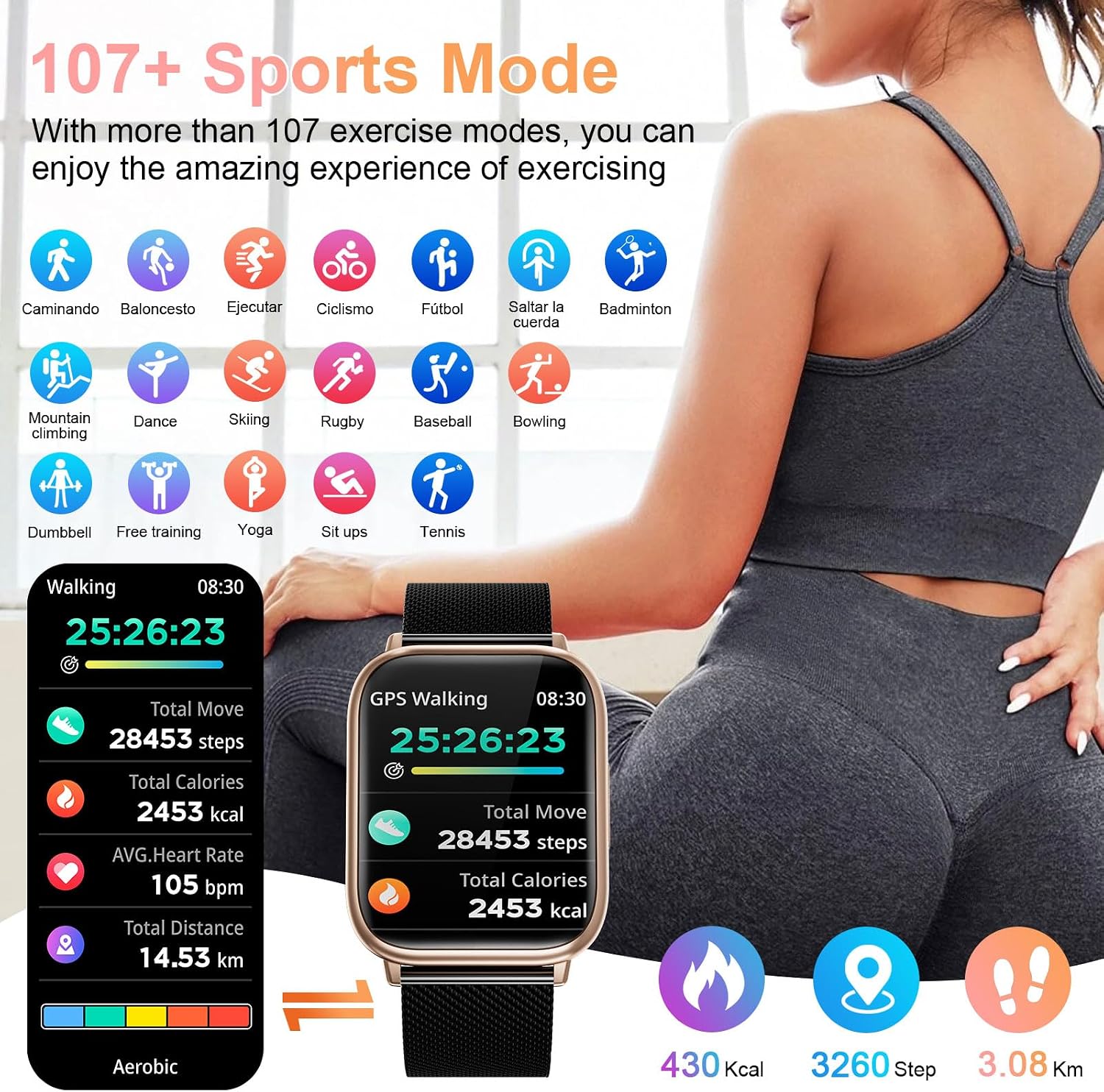
Image: A woman sleeping, with her smartwatch displaying automatic sleep monitoring records, showing deep sleep, light sleep, and awake time percentages.

Image: A woman running outdoors, with her smartwatch displaying real-time health monitoring data such as step count, distance, and calories burned.
5.2 Fitness Tracking & Sports Modes
The fitness watch supports over 100 sport modes, including running, cycling, walking, basketball, yoga, and soccer. During your exercise, the activity tracker records data such as steps, calories burned, and distance.

Image: A woman exercising, with her smartwatch displaying various sports modes and detailed activity data like steps, calories, and average heart rate.

Image: Collage showing different sports activities like tennis, cycling, running, and yoga, emphasizing the smartwatch's support for over 107 sport modes.
5.3 Bluetooth Calls & Message Alerts
Equipped with low-power Bluetooth BLE5.3+BT, the smartwatch allows you to answer and make calls directly from your wrist. It also provides vibrating alerts for social media messages from platforms like Facebook, WhatsApp, Instagram, and Twitter, ensuring you never miss important information.

Image: A woman hiking, with her smartwatch displaying features for Bluetooth calling, voice assistant, call records, and social media message alerts.

Image: A woman in a kitchen setting, interacting with her smartwatch to make/answer calls and receive message notifications, highlighting the convenience of Bluetooth connectivity.
5.4 Other Practical Tools
The RifePhi Smart Watch includes a variety of useful functions such as a stopwatch, timer, music control, breathing training, night mode, alarm clock, wrist-up-to-awake feature, 'find your phone', sedentary reminder, weather forecast, and photo control.
6. Waterproof Information
The sport watch has an IP68 waterproof rating, allowing for worry-free use during hand washing, face washing, or sweaty activities. However, it is not recommended for use in hot water or seawater to prevent damage.
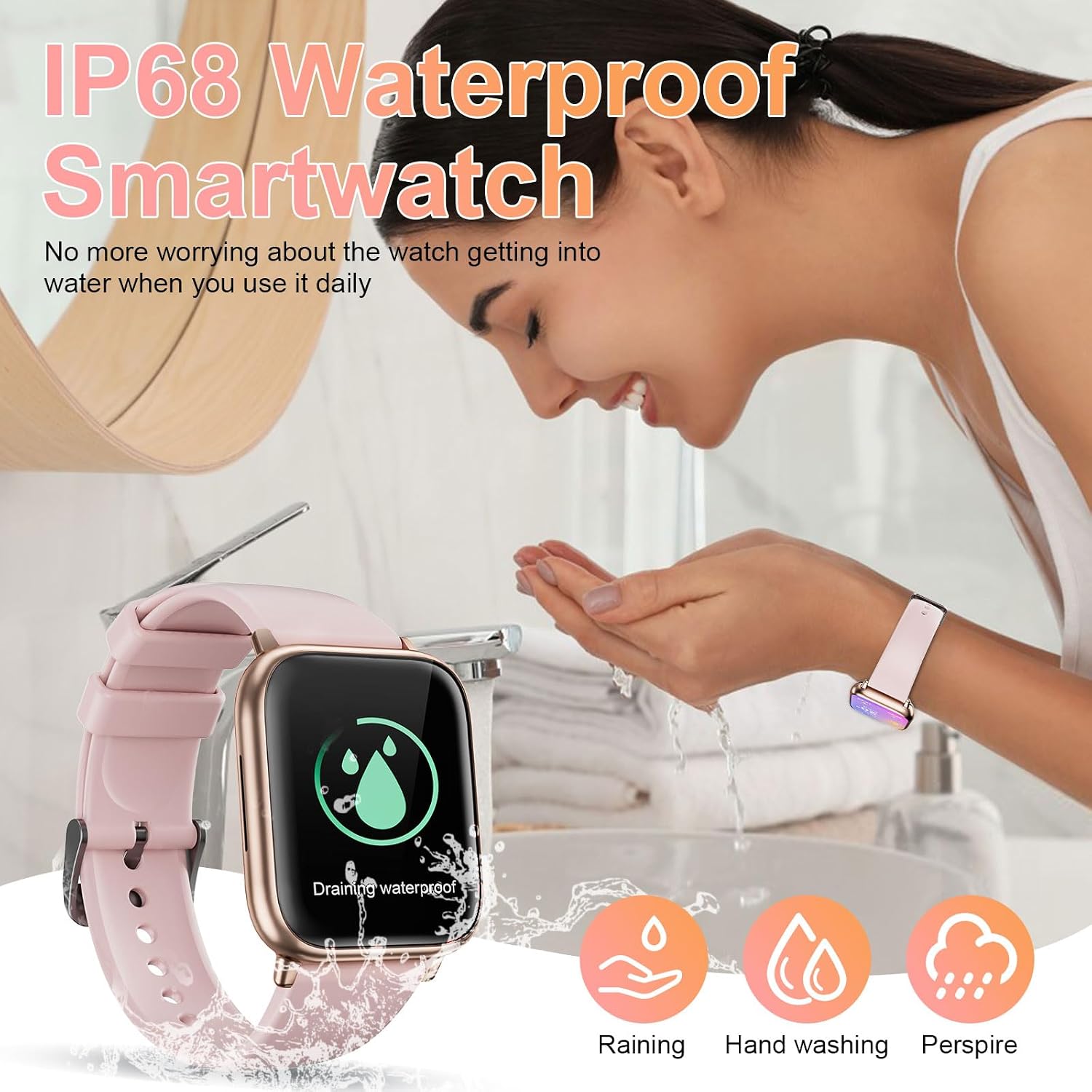
Image: A woman washing her face with the smartwatch on her wrist, illustrating its IP68 waterproof capability for daily use, including rain, hand washing, and perspiration.
7. Battery Life
The smartwatch is equipped with a 250mHA battery. A large capacity battery combined with a chip algorithm for low power consumption ensures a longer service life. Expect approximately 6 days of typical use and up to 25 days of standby time. Heavy utilization may result in about 4 days of battery life.

Image: The smartwatch connected to its magnetic charger, with an on-screen display indicating 90% battery and a graphic illustrating long service life and charging time.
8. Maintenance
To ensure the longevity and proper functioning of your RifePhi Smart Watch, follow these maintenance guidelines:
- Cleaning: Regularly wipe the watch screen and straps with a soft, dry cloth. For stubborn dirt, a slightly damp cloth can be used, but ensure the watch is completely dry afterward.
- Avoid Extreme Temperatures: Do not expose the watch to extremely high or low temperatures, as this can affect battery life and internal components.
- Chemicals: Avoid contact with strong chemicals, detergents, or solvents, which can damage the watch's finish and materials.
- Storage: When not in use for extended periods, store the watch in a cool, dry place.
9. Troubleshooting
If you encounter any issues with your RifePhi Smart Watch, please refer to the following common solutions:
- Connectivity Issues: Ensure Bluetooth is enabled on your phone and the watch is within range. Try restarting both your phone and the watch.
- App Syncing Problems: Check if the 'Da Fit' app is updated to the latest version. Close and reopen the app, or restart your phone.
- Inaccurate Readings: Ensure the watch is worn snugly on your wrist, but not too tight. Clean the sensors on the back of the watch.
- Battery Draining Quickly: Reduce screen brightness, disable unnecessary notifications, and limit continuous heart rate monitoring if not needed.
For more detailed troubleshooting steps or if the issue persists, please refer to the 'Customer Service' section within the 'Da Fit' app. This section often contains FAQs and direct contact options for support.
10. Specifications
| Feature | Detail |
|---|---|
| Brand | RifePhi |
| Model Number | G51 |
| Screen Size | 1.83 Inches |
| Display Type | TFT Touch Screen, 240*284 HD resolution |
| Connectivity Technology | Bluetooth BLE5.3+BT |
| Operating System Compatibility | iOS 9.0 & Android 5.0 above |
| Memory Storage Capacity | 128 MB |
| Battery Capacity | 250mHA (1 A battery included) |
| Waterproof Rating | IP68 |
| Item Weight | 6.7 ounces |
| Package Dimensions | 10.94 x 3.54 x 0.87 inches |
| GPS | No GPS |
| Special Feature | Activity Tracker, Heart Rate Monitor, Sleep Monitor, Bluetooth Call, Message Notifications, 100+ Sport Modes |
11. Warranty and Support
For warranty information and customer support, please refer to the documentation included with your product or contact RifePhi customer service directly through the 'Da Fit' app or their official website. Keep your purchase receipt as proof of purchase.