
1. Introduction
This manual provides essential information for the proper setup, operation, and maintenance of your Aiyingmei CAC Smart Card Reader. Please read these instructions carefully before using the device to ensure optimal performance and longevity.
2. Product Overview
The Aiyingmei CAC Smart Card Reader is designed to facilitate secure access to various digital services requiring smart card authentication. It supports DOD Military CAC, Government ID, National ID, and other IC card types, making it suitable for applications such as ActivClient, AKO, OWA, DKO, JKO, NKO, BOL, GKO, Marinenet, AF Portal, Pure Edge Viewer, ApproveIt, DCO, DTS, LPS, and Disa Enterprise Email.

A close-up view of the Aiyingmei CAC Smart Card Reader, a black square device with a smart card partially inserted. The device has a small LED indicator.
3. Setup Instructions
The Aiyingmei CAC Smart Card Reader features a plug-and-play design, requiring no driver installation for most compatible operating systems. Simply connect the device to an available USB port on your computer.
- Locate an available USB port on your computer (USB-A or USB-C, using the provided adapter if necessary).
- Plug the USB connector of the smart card reader into the chosen USB port.
- Your computer should automatically recognize the device. No additional software installation is typically required for basic functionality.

The image shows the smart card reader connected to a laptop via its USB cable. A smart card is partially inserted into the reader, and text indicates 'No installation required, automatic recognition' and 'Plug the USB cord into your computer and it will be automatically recognized'.
4. Operating Instructions
Once the smart card reader is connected and recognized by your system, you can begin using it for various smart card-based applications.
- Insert Card: Gently insert your smart card (e.g., CAC, Government ID, National ID) into the card slot of the reader with the chip facing upwards. Ensure the card is fully seated.
- Access Application: Open the specific application or website that requires smart card authentication (e.g., government portals, banking sites, tax filing software).
- Follow Prompts: The application will guide you through the authentication process, which may include entering a PIN or password.
- Remove Card: After completing your transaction or session, safely remove the smart card from the reader.
This device enables convenient access to services such as filing tax returns, managing banking transactions, and other secure online activities from your home.

This image depicts a user interacting with a laptop, with the smart card reader connected and a card inserted. The screen shows an online interface, and surrounding icons illustrate various applications such as 'My Number Compatible', 'e-Tax Compatible', 'Water bill', 'Electricity bill', 'Tax business', 'Banking business', and 'Balance inquiry', highlighting the reader's versatility for home use.

The smart card reader is shown centrally, surrounded by icons and text explaining its benefits: 'No need to present attached documents', 'Proceed at your own convenience', 'Save time and transportation costs', and 'Automatic calculation and input check possible'. This emphasizes the streamlined process of using the device.
5. Compatibility
The Aiyingmei CAC Smart Card Reader offers broad compatibility with various operating systems and card types.
5.1 System Compatibility
- Windows 10, Windows 8/8.1 (32/64 bit), Windows 7 (also 64bit), Windows Vista (also 64bit), Windows XP / 2000 (also 64bit), Windows 98 / ME
- Windows Server 2008/2012/2016 Server
- Windows CE 5.0 / CE.NET
- Linux/Unix (also 64bit)
- MacOS X (All versions)

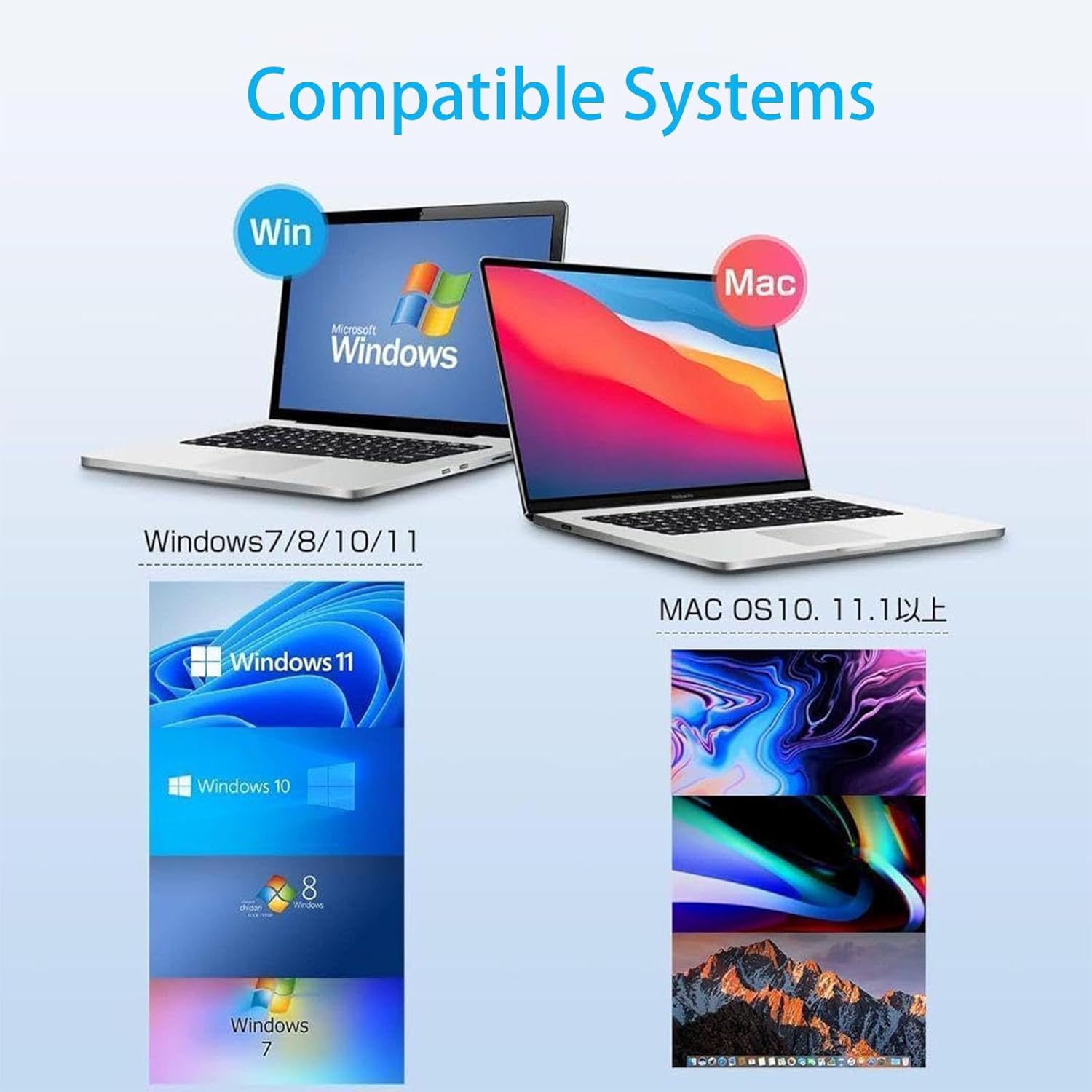
The image presents two laptops, one displaying a Windows operating system interface (Windows 7/8/10/11) and the other a Mac OS interface (MacOS 10.11 and above), clearly indicating the broad system compatibility of the smart card reader.
5.2 Card Compatibility
The reader is compatible with ISO Standard Contact IC Cards, including:
- CAC (Common Access Card)
- Government ID
- National ID
- Electronic tax return (e-Tax) cards
- My Number card
- Basic Resident Register card
- B-CAS card
- Tax accountant card
- PIV, PKI, EMV banking, ISO 7816 smart cards

The image displays the smart card reader with numerous examples of compatible cards fanned out around it. Text confirms compatibility with 'ISO Standard Contact IC Cards', including 'CAC (Common Access Card) Card), government ID, national ID, electronic tax return (e-Tax), My Number card, Basic Resident Register card, B-CAS card, tax accountant card'.
6. Maintenance
To ensure the longevity and proper functioning of your smart card reader, follow these simple maintenance guidelines:
- Keep the device clean and free from dust. Use a soft, dry cloth to wipe the exterior.
- Avoid exposing the reader to extreme temperatures, humidity, or direct sunlight.
- Do not insert foreign objects into the card slot or USB port.
- Handle the device and its cable gently to prevent damage.
7. Troubleshooting
Refer to the following frequently asked questions for common issues and their solutions:
| Issue | Solution |
|---|---|
| LED Issues: Red LED not on? | Check USB connection, try another port/cable. |
| Compatibility: Green light not activating? | Ensure correct card insertion, clean chip if needed. |
| Compatibility: Is it compatible with CA, CAC card military/gose? | Yes, designed for CA, CAC card military/gose, meets security standards. Compatible with PIV, PKI, EMV banking, ISO 7816 smart cards. |
| Device Support: Android compatible? | Yes, with BTG, requires card provider's app. |
| Device Support: Windows/Linux plug-and-play? | Windows/Linux offers plug-and-play functionality with myeed runtime. Android needs specific apps. |
| Software: Is software included? | Card testing utility, AnelcOS, Android SDK. |
This image shows the smart card reader in use with a laptop, overlaid with a 'Frequently Asked Questions' section. It addresses common queries regarding 'LED Issues' (Red LED not on?), 'Compatibility' (Green light not activating? Is it compatible with military/gose cards?), 'Device Support' (Android compatible? Windows/Linux plug-and-play?), and 'Software' (Included software?).
8. Specifications
| Feature | Detail |
|---|---|
| Brand | Aiyingmei |
| Model | B0DBPJ11ML |
| Media Type | IC CARD, CAC card |
| Connectivity Technology | USB Type C |
| Special Features | Easy Setup |
| Color | Black |
| Compatible Devices | Windows, Linux/Unix, MacOS X |
| Data Transfer Rate | 48 Megabytes Per Second |
| Hardware Interface | USB, USB Type C |
| Package Dimensions | 12.29 x 10.69 x 1.9 cm |
| Item Weight | 68 g |

A technical diagram illustrating the physical dimensions of the smart card reader: 64mm (2.5 inch) width and length, 0.85mm (0.03 inch) thickness. It also specifies a weight of 24g and an attached cable length of 100mm (USB 2.0 + USB-C Adapter).
9. Warranty and Support
For any questions or assistance regarding your Aiyingmei CAC Smart Card Reader, please contact our customer service team. We are committed to resolving your inquiries within 24 hours.
Contact Information: Please refer to the seller's contact details on the platform where the product was purchased.