
Introduction
Welcome to the user manual for your PHILIPS TAA5508 Wireless Earbuds. These true wireless sports headphones are designed to enhance your audio experience with adaptive noise cancellation, high-quality sound, and robust features for an active lifestyle. This manual provides detailed instructions on setting up, operating, maintaining, and troubleshooting your earbuds to ensure optimal performance.
What's in the Box
Upon unboxing your PHILIPS TAA5508 Wireless Earbuds, please ensure all components are present:
- PHILIPS TAA5508 Wireless Earbuds (Left and Right)
- Charging Case
- USB Charging Cable
- Multiple Sizes of Eartips (S, M, L)

Image: All components included in the PHILIPS TAA5508 package.
Setup
1. Charging the Earbuds and Case
Before first use, fully charge the earbuds and the charging case. The case provides extended battery life for on-the-go charging.
- Place the earbuds into the charging case. Ensure they are properly seated.
- Connect the USB charging cable to the charging case and a power source.
- A full charge takes approximately 2 hours. A 5-minute quick charge provides an extra hour of listening time.
- The charging case offers up to 28 hours of total playback time.

Image: Earbuds in charging case, highlighting battery life and fast charging.
2. Pairing with Your Device
The earbuds feature Bluetooth v5.3 for a stable connection and support Multipoint Connectivity, allowing connection to two devices simultaneously.
- Open the charging case. The earbuds will automatically enter pairing mode (indicated by flashing lights).
- On your device (smartphone, tablet, etc.), enable Bluetooth and search for "PHILIPS TAA5508" in the list of available devices.
- Select "PHILIPS TAA5508" to connect. You will hear an audible confirmation once paired.
- For Android devices, Google Fast Pair is supported for quick and seamless pairing.

Image: Demonstrating Multipoint Connectivity and Bluetooth pairing.
Operating Your Earbuds
Touch Controls
The PHILIPS TAA5508 earbuds feature intuitive touch controls for easy management of your audio and calls:
- Play/Pause Music: Single tap on either earbud.
- Answer/End Call: Single tap on either earbud.
- Next Track: Double tap on the right earbud.
- Previous Track: Double tap on the left earbud.
- Activate Voice Assistant: Triple tap on either earbud.
- Toggle ANC/Awareness Mode: Long press on either earbud (refer to app for customization).

Image: Visual representation of simple touch controls on the earbuds.
Noise Control Features
Experience superior audio with advanced noise control:
- Adaptive Noise Cancellation Pro: Blocks external noise, including wind, for an immersive listening experience.
- Awareness Mode: Tap an earbud to activate this mode, allowing you to hear your surroundings without removing the earbuds.
- Auto Wind Noise Cancellation: Automatically reduces wind noise for clearer audio during outdoor activities.

Image: Features of Noise Canceling Pro, including Awareness Mode and Auto Wind Noise Cancellation.
Sound Quality and Call Clarity
The earbuds are engineered for exceptional audio performance:
- Quality Sound with Hi-Res Audio: 8mm drivers deliver energizing sound with deep bass, crisp highs, and resonant lows.
- AI Microphone: Ensures clear calls by filtering out distractions and eliminating background noise.

Image: Highlighting Hi-Res Audio and AI microphone for superior sound and call quality.
PHILIPS Headphones App Control
Customize your listening experience with the PHILIPS Headphones app:
- Adjust ANC modes to suit different scenarios.
- Use the equalizer to fine-tune the sound profile to your preferences.
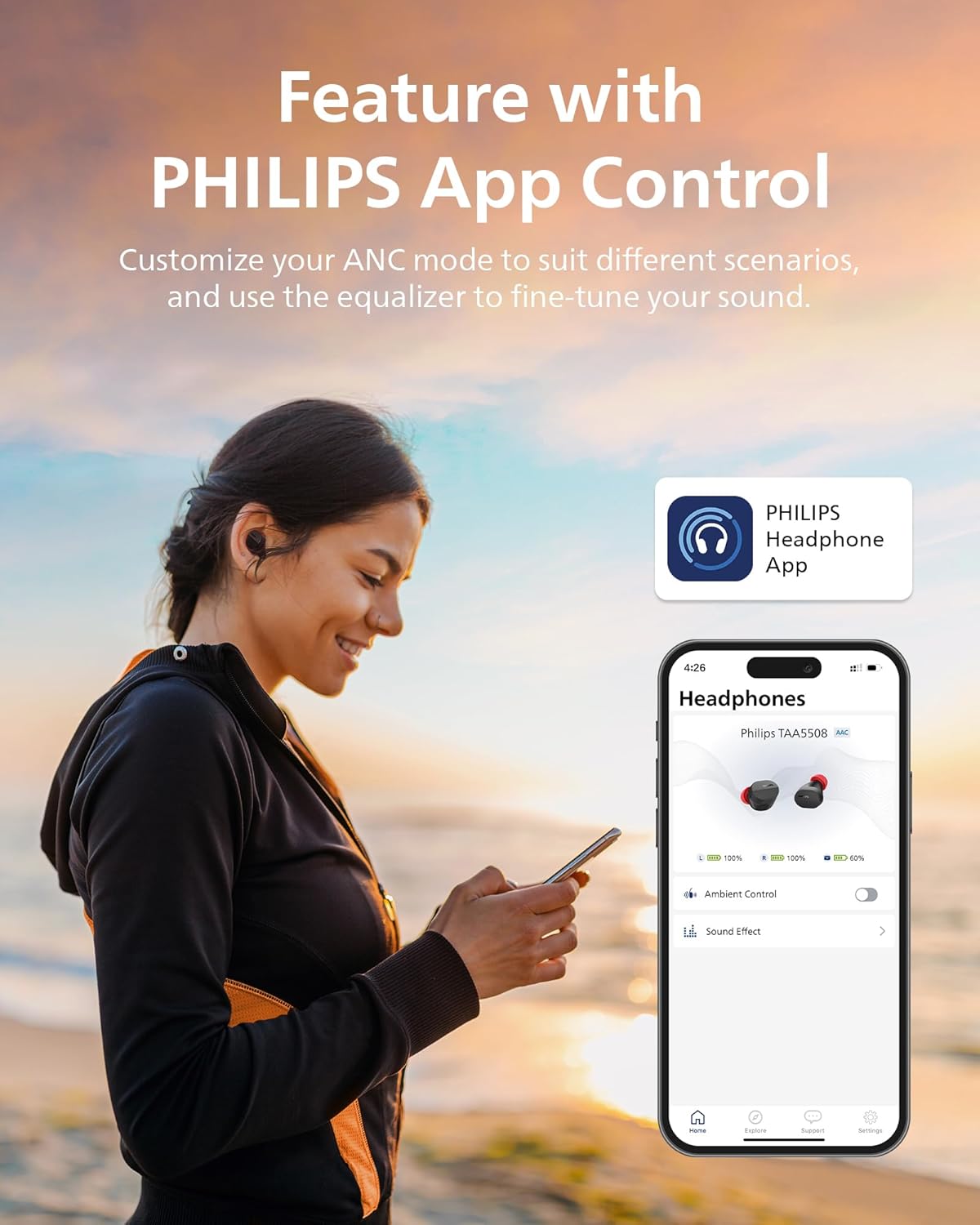
Image: The PHILIPS Headphones App interface for personalized control.
Designed for Sports and Durability
- IPX5 Water Resistance: Ensures rain or sweat won't affect your workout, making them ideal for sports.
- Comfortable Fit: Lightweight design with textured silicone ear tips provides a snug and secure fit, even during intense activities.
- Single Earbud Use: Use one earbud while conveniently storing the other in the charging case.

Image: Earbuds demonstrating IPX5 water resistance.

Image: Earbuds designed for comfort and security during physical activity.

Image: Various eartip sizes for a customized and secure fit.
Maintenance
Proper maintenance ensures the longevity and performance of your earbuds:
- Cleaning: Regularly clean the earbuds, especially the eartips and charging contacts, with a soft, dry, lint-free cloth. Do not use abrasive cleaners or solvents.
- Storage: When not in use, always store the earbuds in their charging case to protect them and keep them charged.
- Water Exposure: While IPX5 rated, avoid prolonged submersion in water. If exposed to sweat or rain, wipe them dry before placing them back in the charging case.
Troubleshooting
If you encounter issues with your PHILIPS TAA5508 Earbuds, try the following solutions:
| Problem | Solution |
|---|---|
| Earbuds not pairing/connecting. |
|
| No sound or low volume. |
|
| Charging issues. |
|
| Noise Cancellation not effective. |
|
Specifications
| Feature | Detail |
|---|---|
| Model Name | TWS In-Ear Wireless Earbuds |
| Noise Control | Adaptive Noise Cancellation |
| Connectivity Technology | Wireless (Bluetooth 5.3) |
| Bluetooth Range | 10 Meters |
| Audio Driver Size | 8 Millimeters |
| Sensitivity | 110 dB |
| Frequency Range | 20 Hz - 20,000 Hz |
| Impedance | 16 Ohm |
| Battery Life (Earbuds + Case) | Up to 28 hours (ANC on: 7+21 hrs, ANC off: 8+23 hrs) |
| Charging Time | 2 Hours (Case) |
| Fast Charging | 5 min charge = 1 hr listening |
| Water Resistance Level | IPX5 |
| Control Type | App Control, Touch |
| Item Weight | 0.08 Kilograms (2.82 ounces) |
| Product Dimensions | 5.08 x 4.33 x 2.01 inches |
| Included Components | Cable, Eartip |
Warranty and Support
For warranty information and customer support, please refer to the official PHILIPS website or contact their customer service. Keep your proof of purchase for any warranty claims.
You can visit the official PHILIPS Sound store for more information: PHILIPS Sound Store