1. Introduction
Welcome to the user manual for your new Generic GTS7-Pro Smartwatch. This device is designed to enhance your daily life with advanced health monitoring, fitness tracking, and smart connectivity features. Compatible with both Android and iOS devices, the GTS7-Pro offers a 2-inch HD touch screen, built-in Bluetooth, GPS, and Alexa technology. Please read this manual carefully to ensure proper setup, operation, and maintenance of your smartwatch.
Note: This device is not a medical device and must not be used for medical purposes.
2. What's in the Box
Upon unboxing your GTS7-Pro Smartwatch, please verify that all the following items are included:
- GTS7-PRO Smartwatch
- USB Charging Cable
- Instruction Information (User Manual)

Image: Contents of the GTS7-Pro Smartwatch package, including the watch, charging cable, and user manual.
3. Product Overview
The GTS7-Pro Smartwatch features a sleek design with a 2-inch HD touch screen display, offering clear visuals and intuitive navigation. It includes physical buttons for additional control and a sensor array on the back for health monitoring.
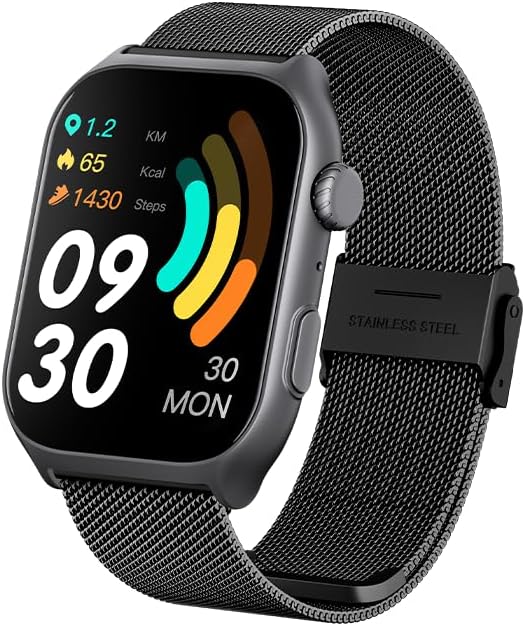
Image: Front view of the GTS7-Pro Smartwatch displaying time, steps, calories, and distance.

Image: Close-up of the GTS7-Pro Smartwatch highlighting its square design, curved metal frame, and dual buttons.

Image: Detailed view of the GTS7-Pro Smartwatch's HD display, showing its ultra-narrow bezel and 320x386 resolution.
3.1. Back of the Watch
The rear of the smartwatch houses the optical sensors for health monitoring and the charging contacts.
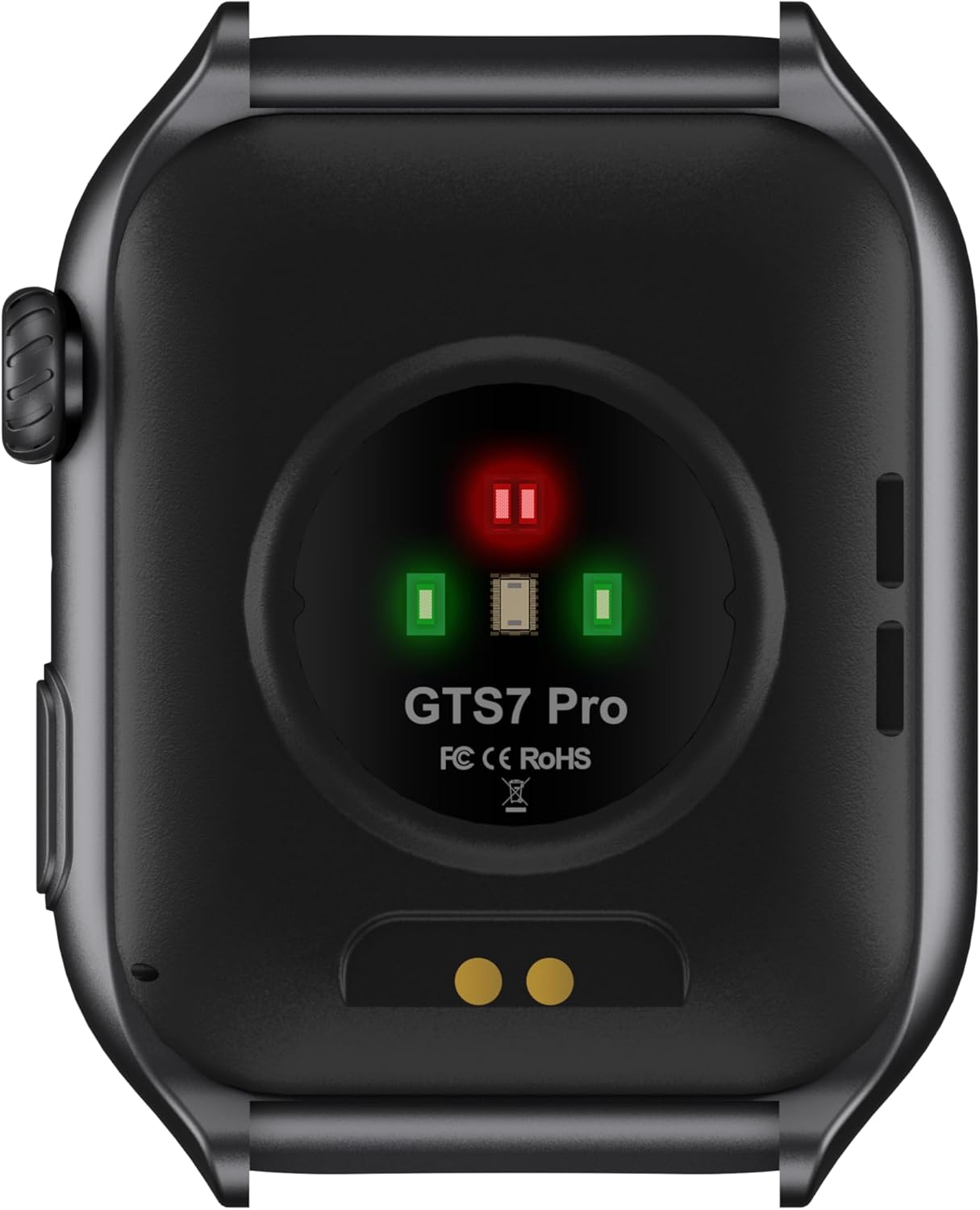
Image: Rear view of the GTS7-Pro Smartwatch, showing the optical heart rate and blood oxygen sensors, along with charging pins and model number.
3.2. Interchangeable Straps
The GTS7-Pro Smartwatch supports interchangeable straps, allowing for personalization. Five color options are available: Black, Light Grey, Pink, Blue, and Rose Gold.

Image: The GTS7-Pro Smartwatch displayed alongside three different strap options: pink silicone, brown leather, and silver mesh.
4. Setup
4.1. Charging the Smartwatch
Before initial use, fully charge your GTS7-Pro Smartwatch. Connect the provided USB charging cable to the charging contacts on the back of the watch and a compatible USB power source.
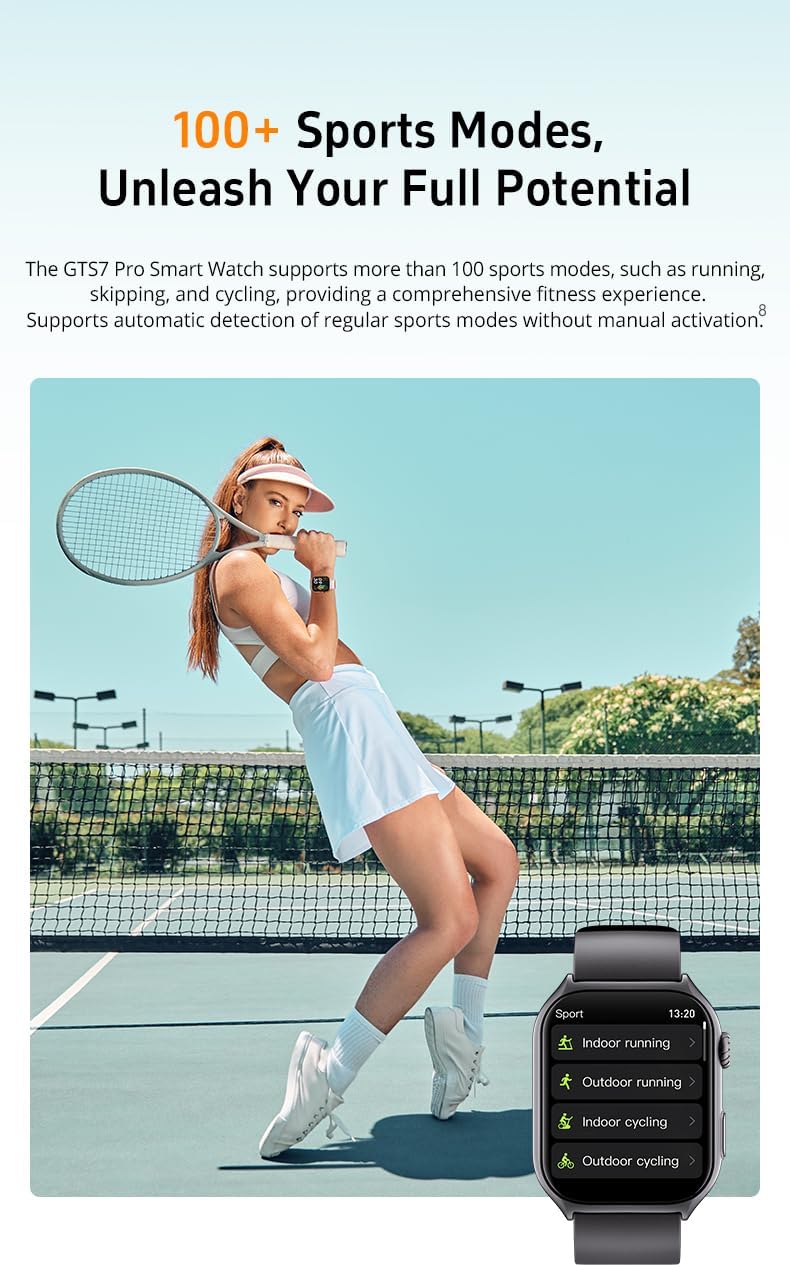
Image: The GTS7-Pro Smartwatch connected to its magnetic charging cable.
4.2. App Installation and Pairing
- Download the App: Search for the "Runmefit" app in your smartphone's app store (Google Play Store for Android or Apple App Store for iOS) and install it.
- Create Account: Open the Runmefit app and follow the on-screen instructions to create an account or log in.
- Enable Bluetooth: Ensure Bluetooth is enabled on your smartphone.
- Pair Device: In the Runmefit app, navigate to the device pairing section. Select your GTS7-Pro Smartwatch from the list of available devices. Follow any prompts on both your phone and watch to complete the pairing process.
- Grant Permissions: Allow necessary permissions (e.g., notifications, location, health data) for the app to function correctly.
5. Operating Instructions
5.1. Basic Navigation
- Touch Screen: Swipe left, right, up, or down to navigate through menus and screens. Tap to select an option.
- Side Buttons: Use the physical buttons on the side for functions such as returning to the home screen, accessing the app list, or activating specific features. Refer to the on-screen prompts for button-specific actions.
5.2. Health Monitoring
The GTS7-Pro continuously monitors various health metrics. Access these features through the watch interface or the Runmefit app.
- Heart Rate: Provides 24/7 heart rate tracking.
- Blood Pressure: Measures blood pressure levels.
- Blood Oxygen (SpO2): Monitors blood oxygen saturation.
- Sleep Tracking: Records deep and light sleep phases to help analyze sleep patterns.
- Stress Monitoring: Measures stress levels via Heart Rate Variability (HRV). Breathing exercises are available to help relieve stress.
- Women's Health: When connected to the Runmefit app, it can predict menstrual cycles, fertile periods, and ovulation days.

Image: Visual representation of the GTS7-Pro Smartwatch's health features, including stress relief breathing, sleep tracking, and women's health management.
5.3. Fitness Tracking and Sports Modes
The smartwatch supports over 100 sports modes and tracks your activity with precision.
- Activity Tracking: Monitors steps, calories burned, and distance traveled.
- 100+ Sports Modes: Select from a wide range of activities like running, cycling, swimming, and more. The watch supports automatic detection for some regular sports modes.
- Built-in GPS: Utilizes GPS for accurate tracking of outdoor activities and route mapping.

Image: A person playing tennis, with an inset showing the GTS7-Pro Smartwatch displaying a list of sports modes such as indoor running, outdoor running, indoor cycling, and outdoor cycling.
5.4. Connectivity and Smart Features
- Bluetooth Calling & Notifications: Make and receive calls, and get text and app notifications directly on your wrist when connected via Bluetooth to your smartphone.
- Alexa Technology: Utilize built-in Alexa for voice commands, information, and smart home control.
- Music Control: Control music playback on your smartphone from the smartwatch.
- SOS Emergency Feature: Activate an emergency call for safety.
- Weather Updates: Receive current weather forecasts.
- Lifestyle Reminders: Set reminders for hydration, sedentary alerts, and more.
6. Maintenance
6.1. Water Resistance
The GTS7-Pro Smartwatch has an IP67 waterproof rating, meaning it is protected against dust and can withstand immersion in water up to 1 meter for 30 minutes. It is suitable for daily use, such as hand washing or light rain. However, it is not recommended for swimming, diving, or exposure to hot water/steam.
6.2. Cleaning
Regularly clean your smartwatch and strap to prevent skin irritation and maintain functionality.
- Wipe the watch body and screen with a soft, damp, lint-free cloth.
- For the strap, follow the manufacturer's recommendations based on the material (e.g., silicone, metal).
- Ensure the charging contacts are clean and dry before charging.
6.3. Charging and Battery Life
To maximize battery life, charge the watch fully when indicated. The GTS7-Pro features a 350 mAh Lithium Polymer battery.
- Daily Use: Up to 10 days
- Heavy Use: Up to 5 days
- Standby Time: Up to 60 days
7. Troubleshooting
If you encounter issues with your GTS7-Pro Smartwatch, refer to the following common solutions:
- Watch not turning on: Ensure the watch is fully charged. Connect it to the charger for at least 30 minutes.
- Cannot pair with phone:
- Ensure Bluetooth is enabled on your phone and the watch.
- Make sure the watch is within Bluetooth range of your phone.
- Restart both your phone and the smartwatch.
- Clear Bluetooth cache on your phone (Android) or forget the device and re-pair (iOS).
- Inaccurate health data:
- Ensure the watch is worn snugly on your wrist, but not too tight.
- Clean the sensors on the back of the watch.
- Remain still during measurements for best accuracy.
- Notifications not appearing:
- Check app permissions on your phone to ensure the Runmefit app has access to notifications.
- Verify notification settings within the Runmefit app.
- Ensure the watch is connected via Bluetooth.
- Short battery life:
- Reduce screen brightness.
- Disable continuous heart rate monitoring if not needed.
- Limit frequent use of GPS and other power-intensive features.
If problems persist, consult the Runmefit app's help section or contact customer support.
8. Specifications
| Feature | Specification |
|---|---|
| Model | GTS7-Pro |
| Brand | Generic |
| Screen Size | 2 Inches |
| Display Resolution | 320*386 |
| Operating System | Android 4.4 (compatible with Android & iOS) |
| Connectivity Technology | Bluetooth |
| Wireless Communication Standard | Bluetooth |
| GPS | Built-in GPS |
| Water Resistance | IP67 |
| Battery Type | Lithium Polymer |
| Battery Capacity | 350 Milliamp Hours |
| Average Battery Life (Daily Use) | 5 days (up to 10 days) |
| Item Weight | 3.7 ounces |
| Manufacturer | RUNMEFIT |
9. Important Safety Information
- This device is not a medical device and must not be used for medical purposes. Health data provided by the smartwatch is for reference only and should not be used for diagnosis or treatment.
- Consult a medical professional before starting any new exercise regimen or making changes to your diet.
- Do not expose the smartwatch to extreme temperatures, direct sunlight for prolonged periods, or corrosive liquids.
- Keep the device and its accessories out of reach of children.
- Use only the provided charging cable. Unauthorized cables may damage the device or pose a safety risk.
- If you experience skin irritation or discomfort, discontinue use and consult a doctor.
10. Warranty and Support
For warranty information and customer support, please refer to the documentation provided with your purchase or contact the retailer. General support and frequently asked questions may also be available through the Runmefit app or the manufacturer's website.