
1. Introduction
Thank you for purchasing the MEDION MD15000 Retro Microwave Oven. This appliance is designed for convenient and efficient heating, cooking, and defrosting of various food items. With its 20-liter capacity, 800 watts of power, 5 microwave levels, and 8 automatic programs, it offers versatility for your kitchen needs. Please read this manual thoroughly before operating the appliance to ensure safe and optimal use. Keep this manual for future reference.
2. Important Safety Instructions
When using electrical appliances, basic safety precautions should be followed, including the following:
- Read all instructions before using the appliance.
- Do not operate the microwave oven if the door is damaged, or if the appliance is malfunctioning.
- Do not attempt to repair or adjust the microwave oven yourself. Contact qualified service personnel.
- Ensure the appliance is placed on a flat, stable surface, away from heat sources and water.
- Do not heat liquids or other foods in sealed containers as they are liable to explode.
- Never operate the oven when empty. This could damage the appliance.
- Do not use corrosive chemicals or vapors in this appliance.
- Always supervise children when the microwave is in use.
- Only use utensils suitable for microwave ovens.
- The microwave oven is intended for heating food and beverages. Drying clothes and heating warming pads, slippers, sponges, damp cloth, and similar items may lead to risk of injury, ignition or fire.
- If smoke is observed, switch off or unplug the appliance and keep the door closed in order to stifle any flames.
3. Product Overview
3.1 Components
The MEDION MD15000 microwave oven includes the following main components:
- Microwave Oven Unit
- Glass Turntable
- Roller Ring
- User Manual
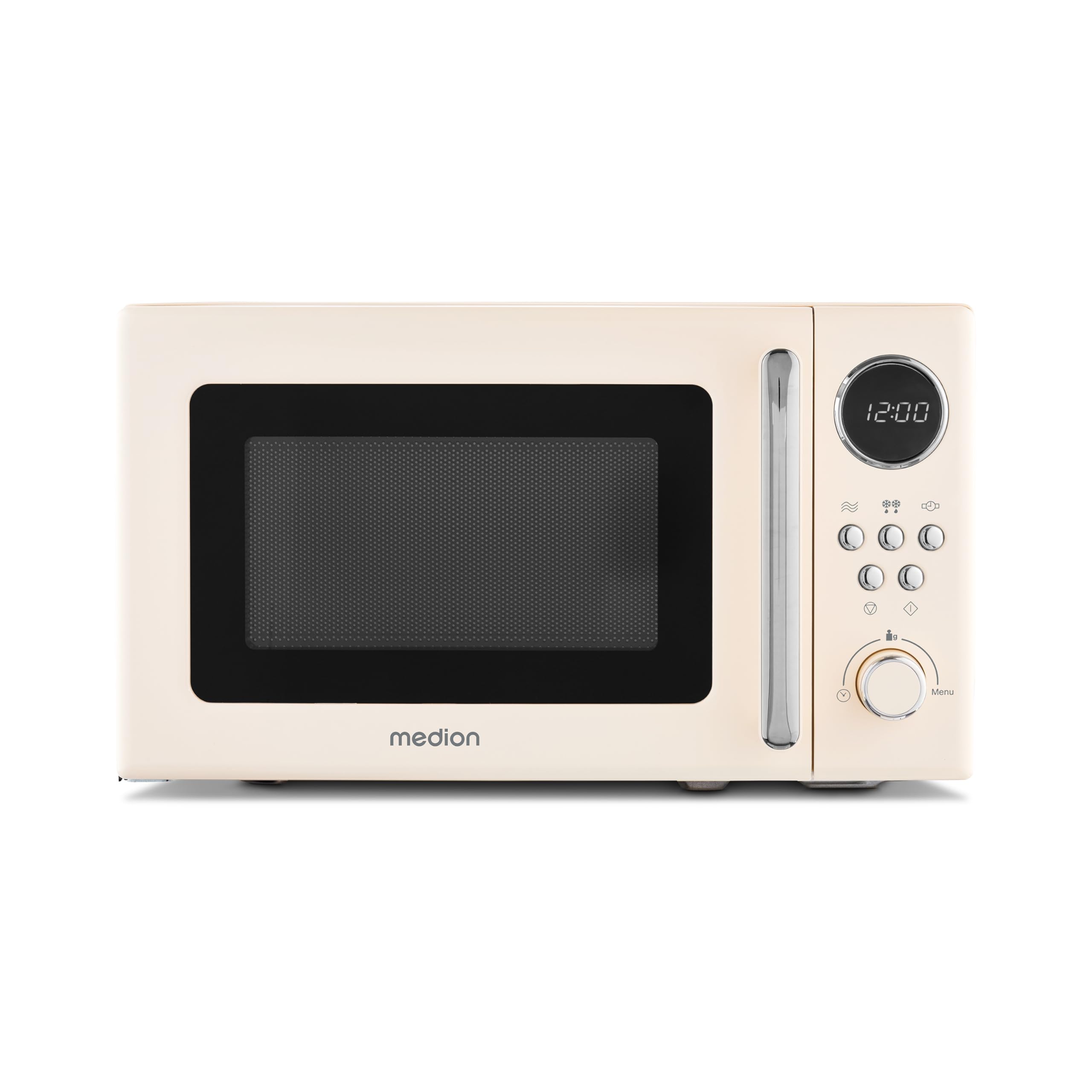
Figure 1: Front view of the MEDION MD15000 Retro Microwave Oven.

Figure 2: The microwave oven on a kitchen counter, highlighting its retro design and simple controls.
3.2 Control Panel
The control panel features a digital display, function buttons, and a rotary knob for setting time and selecting programs.

Figure 3: Detailed view of the control panel, showing the digital display and various control buttons.

Figure 4: The digital display showing the time, indicating the clear and easy-to-read interface.
4. Setup
4.1 Unpacking
Carefully remove the microwave oven and all packing materials from the carton. Check the oven for any damage, such as dents or a misaligned door. Do not operate the oven if it is damaged. Retain the carton and packing materials for future transport or return.
4.2 Placement
- Place the microwave oven on a flat, stable surface that can support its weight and the heaviest food item likely to be cooked in it.
- Ensure adequate ventilation. Leave a minimum of 20 cm (8 inches) of space above the oven, 10 cm (4 inches) at the rear, and 5 cm (2 inches) on each side for proper airflow.
- Do not block any ventilation openings on the oven.
- Keep the oven away from radio and TV sets to avoid interference.
4.3 Turntable Assembly
Before first use, assemble the turntable components:
- Place the roller ring in the depression on the oven floor.
- Place the glass turntable on top of the roller ring, ensuring it sits securely in the center support.

Figure 5: The interior of the microwave, showing the assembled glass turntable and roller ring.
4.4 Power Connection
Plug the power cord into a standard grounded electrical outlet. Ensure the voltage matches the specifications of the appliance (220 Volts).
5. Operating Instructions
5.1 Setting the Clock
Upon plugging in the microwave, the display will show "0:00".
- Press the 'Clock' button (refer to control panel diagram for exact button).
- Turn the rotary knob to set the hour. Press 'Clock' again to confirm.
- Turn the rotary knob to set the minutes. Press 'Clock' again to confirm.
5.2 Basic Microwave Cooking
- Place food in a microwave-safe container on the glass turntable. Close the door securely.
- Select the desired power level (P100, P80, P50, P30, P10) using the 'Power Level' button. The MEDION MD15000 offers 5 power levels.
- Turn the rotary knob to set the cooking time. The maximum cooking time is 95 minutes.
- Press the 'Start' button to begin cooking. The oven will beep when cooking is complete.
5.3 Automatic Programs
The microwave features 8 automatic programs for common food items, simplifying cooking. These programs are pre-set with optimal cooking times and power levels.

Figure 6: Examples of dishes that can be prepared using the 8 automatic programs.
- Place food in a microwave-safe container.
- Press the 'Menu/Auto Cook' button repeatedly to cycle through the 8 automatic programs (e.g., Popcorn, Potato, Pizza, Beverage, Meat, Vegetable, Fish, Pasta).
- Once the desired program is selected, turn the rotary knob to select the weight or quantity if applicable.
- Press the 'Start' button to begin.
5.4 Defrost Function
The defrost function allows for gentle and efficient thawing of frozen foods.

Figure 7: The microwave in operation, defrosting a dish.
- Place frozen food in a microwave-safe container.
- Press the 'Defrost' button.
- Turn the rotary knob to select the weight of the food.
- Press the 'Start' button. The oven will automatically calculate the defrosting time.
6. Maintenance and Cleaning
Regular cleaning and proper maintenance will ensure the longevity and efficient operation of your microwave oven.
6.1 Cleaning the Exterior
The lacquered casing of the MEDION MD15000 is designed for easy cleaning. Wipe the exterior with a soft, damp cloth. Do not use abrasive cleaners or harsh chemicals.
6.2 Cleaning the Interior
- Wipe the interior cavity with a soft, damp cloth after each use.
- For stubborn food splatters, place a bowl of water with a few lemon slices inside and microwave on high for 2-3 minutes. The steam will loosen the residue, making it easier to wipe clean.
- Clean the glass turntable and roller ring with warm, soapy water. They are also dishwasher safe.
- Ensure the oven is completely dry before next use.
6.3 Door Care
Keep the door seals and adjacent parts clean. Use a mild detergent and a soft cloth. Do not use harsh sprays or scraping tools as they may damage the door surface.
7. Troubleshooting
If you encounter any issues with your microwave oven, please refer to the following common problems and solutions before contacting customer service.
| Problem | Possible Cause | Solution |
|---|---|---|
| Oven will not start | Power cord not plugged in; Door not closed properly; Fuse blown or circuit breaker tripped. | Ensure power cord is securely plugged in; Close the door firmly; Check household fuse or reset circuit breaker. |
| Food not heating | Incorrect cooking time or power level set; Door not closed properly. | Adjust cooking time and power level; Ensure door is fully closed. |
| Turntable not rotating | Turntable or roller ring not positioned correctly; Debris under turntable. | Re-position turntable and roller ring; Clean any debris from under the turntable. |
| Strange noises during operation | Food container touching oven walls; Turntable not seated correctly. | Ensure container is centered and not touching walls; Re-seat the turntable. |
8. Specifications
Here are the technical specifications for the MEDION MD15000 Retro Microwave Oven:
- Brand: MEDION
- Model Name: MD 15000
- Capacity: 20 Liters
- Microwave Power: 800 Watts
- Power Levels: 5
- Automatic Programs: 8
- Product Dimensions (D x W x H): 36 cm x 44 cm x 26 cm
- Material: Lacquered Metal (Exterior), Tempered Glass (Interior)
- Voltage: 220 Volts
- Weight: 10 Kilograms
- Control Type: Button, Rotary Knob
- Special Features: Defrost Function, Automatic Programs, Digital Display

Figure 8: Dimensions of the microwave oven for placement reference.
9. Warranty and Support
9.1 Warranty Information
This MEDION MD15000 microwave oven comes with a 24-month warranty from the date of purchase. This warranty covers manufacturing defects and material faults under normal use. Please retain your proof of purchase for warranty claims.
9.2 Customer Support
For technical assistance, warranty claims, or any questions regarding your MEDION MD15000 microwave oven, please contact MEDION customer service. You can find contact information on the official MEDION website or through your retailer.
For more information about MEDION products, visit the official MEDION brand store: MEDION Brand Store


