
1. Introduction
Thank you for choosing the Trucozie T356 Air Purifier. This manual provides essential information for the safe and effective operation, maintenance, and troubleshooting of your air purifier. Please read this manual thoroughly before use and retain it for future reference.
The Trucozie T356 is designed to improve indoor air quality in large rooms, bedrooms, and other living spaces. It features a double-sided air inlet, H13 True HEPA filtration, a PM2.5 air quality sensor, and various operating modes including Sleep Mode and Auto Mode.
2. Safety Instructions
To reduce the risk of fire, electric shock, or injury, please observe the following safety precautions:
- Always unplug the air purifier before moving, cleaning, or performing any maintenance.
- Do not operate the appliance with a damaged cord or plug. If the cord or plug is damaged, contact customer service.
- Keep the air purifier away from water or other liquids. Do not use in wet environments such as bathrooms.
- Ensure the air inlets and outlets are not blocked. Maintain at least 6 inches (15 cm) clearance from walls and furniture.
- Do not insert fingers or foreign objects into the air inlets or outlets.
- This appliance is not intended for use by persons (including children) with reduced physical, sensory, or mental capabilities, or lack of experience and knowledge, unless they have been given supervision or instruction concerning use of the appliance by a person responsible for their safety.
- Use only Trucozie authorized replacement filters.
- Do not use the air purifier near heat sources, flammable gases, or combustible materials.
3. Package Contents
Verify that all items are present in the package:
- Trucozie T356 Air Purifier (1 unit)
- H13 True HEPA Filters (2 units, pre-installed)
- User Manual (1 copy)
4. Product Overview
Familiarize yourself with the components of your Trucozie T356 Air Purifier.

Image 4.1: Front view of the Trucozie T356 Air Purifier.
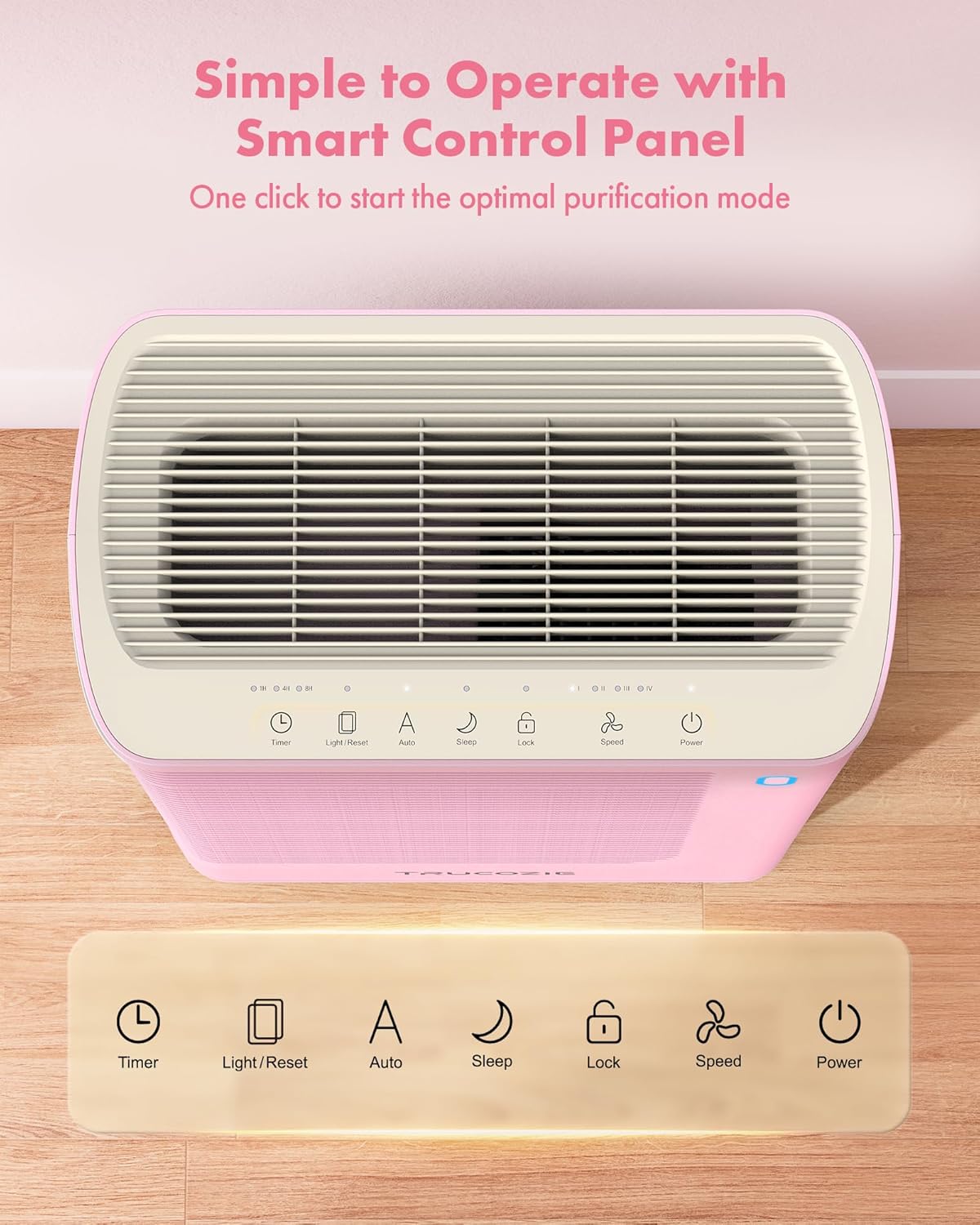
Image 4.2: Top view of the control panel with various function buttons.
Control Panel Functions:
- Power Button: Turns the unit on or off.
- Speed Button: Adjusts fan speed (multiple levels).
- Auto Mode Button: Activates automatic fan speed adjustment based on air quality.
- Sleep Mode Button: Sets the unit to its quietest operation with display lights off.
- Timer Button: Sets the operating duration (1, 4, or 8 hours).
- Light/Reset Button: Toggles display lights or resets filter life indicator.
- Lock Button: Activates Child Lock to prevent accidental changes.
5. Setup
5.1 Unpacking and Filter Installation
- Carefully remove the air purifier from its packaging.
- Open the filter covers on both sides of the unit.
- Remove the pre-installed H13 True HEPA filters and discard any plastic packaging or protective bags from the filters.
- Insert the filters back into the unit, ensuring they are correctly seated.
- Close the filter covers securely.

Image 5.1: View of the air purifier with side panels and filters removed for installation.
5.2 Placement
Place the air purifier on a firm, level surface. For optimal performance, ensure there is at least 6 inches (15 cm) of space around all sides of the unit to allow for proper airflow.
5.3 Power Connection
Plug the power cord into a standard electrical outlet. The unit is now ready for operation.
6. Operating Instructions
6.1 Power On/Off
Press the Power Button on the control panel to turn the air purifier on or off. A soft "Ding" sound will confirm the action.
6.2 Auto Mode
Press the Auto Mode Button to activate Auto Mode. In this mode, the built-in PM2.5 air quality sensor continuously monitors the surrounding air. The fan speed will automatically adjust based on the detected air quality:
- Blue Light: Excellent air quality (0-35 ug/m³)
- Green Light: Good air quality (36-75 ug/m³)
- Purple Light: Mediocre air quality (76-115 ug/m³)
- Red Light: Poor air quality (>115 ug/m³)

Image 6.1: Air quality indicator lights on the control panel.
6.3 Sleep Mode
Press the Sleep Mode Button to enter Sleep Mode. The air purifier will operate at its lowest fan speed (less than 23dB) and all display lights will turn off to ensure a quiet and undisturbed environment for rest.
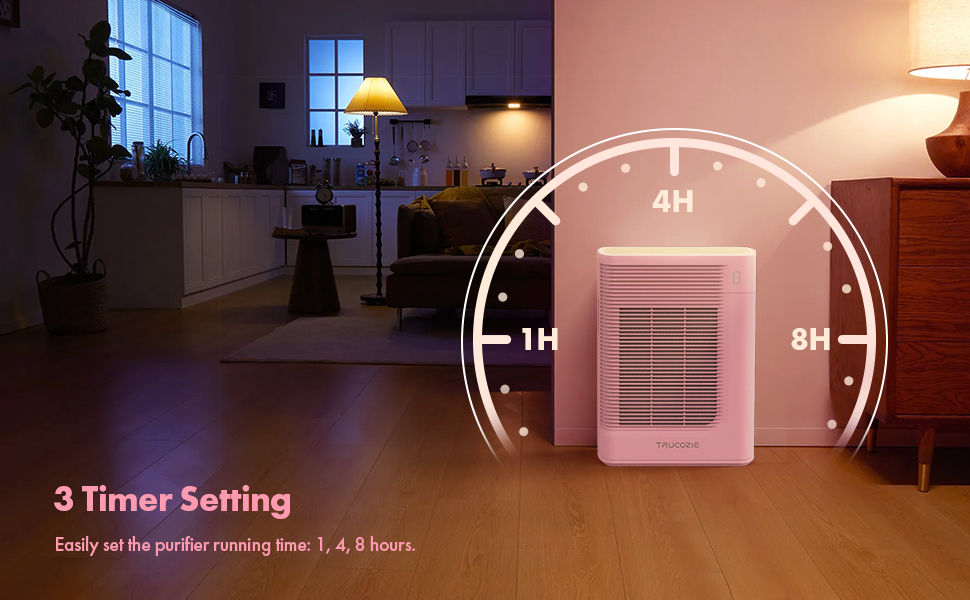
Image 6.2: Air purifier operating in a bedroom during sleep mode.
6.4 Fan Speed Adjustment
Press the Speed Button repeatedly to cycle through different fan speed settings (e.g., Low, Medium, High). The current speed will be indicated on the control panel.
6.5 Timer Function
Press the Timer Button to set the operating time. You can choose between 1, 4, or 8 hours. The unit will automatically turn off once the set time has elapsed.
6.6 Child Lock
Long press the Lock Button for a few seconds to activate or deactivate the Child Lock function. When activated, all other buttons on the control panel will be unresponsive to prevent accidental changes.
7. Maintenance
7.1 Filter Replacement
The H13 True HEPA filters have a lifespan of approximately 6-8 months, depending on usage and air quality. The filter replacement indicator light on the control panel will illuminate when it's time to replace the filters.
- Unplug the air purifier from the power outlet.
- Open the filter covers on both sides of the unit.
- Remove the old filters and dispose of them properly.
- Insert new Trucozie H13 True HEPA filters, ensuring they are correctly oriented and seated.
- Close the filter covers securely.
- Plug in the air purifier.
- Press and hold the Light/Reset Button for 3-5 seconds until the filter replacement indicator light turns off, resetting the filter life counter.
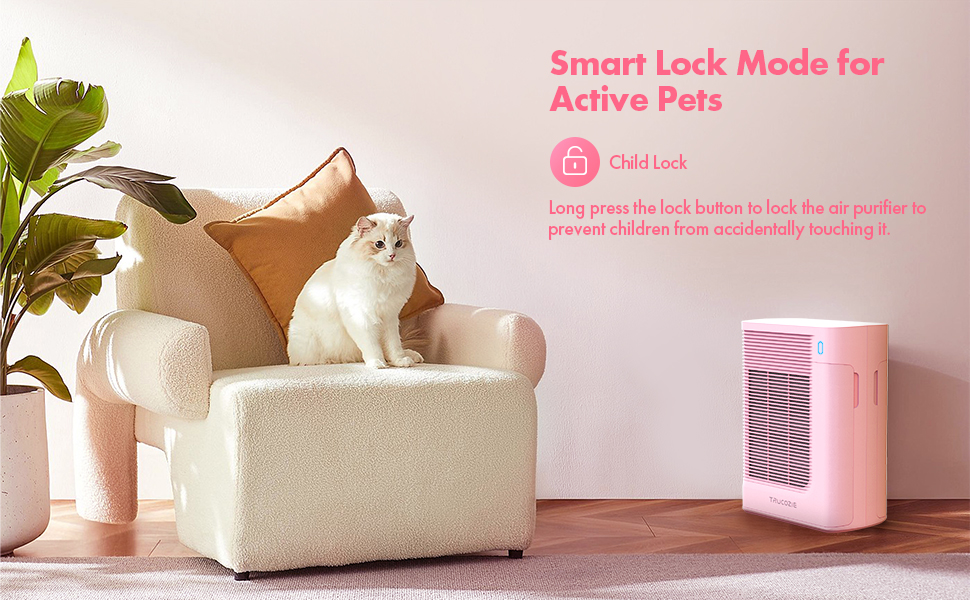
Image 7.1: Trucozie T356 Air Purifier shown with replacement filters.
7.2 Cleaning
- Exterior: Wipe the exterior of the air purifier with a soft, dry cloth. Do not use abrasive cleaners or solvents.
- Air Quality Sensor: Periodically clean the air quality sensor located on the side of the unit with a cotton swab to ensure accurate readings.
- Pre-filter: The pre-filter layer of the HEPA filter can be gently vacuumed to extend its life, but the HEPA and activated carbon layers are not washable.
8. Troubleshooting
If you encounter any issues with your air purifier, refer to the following table for common problems and solutions.
| Problem | Possible Cause | Solution |
|---|---|---|
| Unit does not turn on | Not plugged in; Power outage; Damaged power cord | Ensure power cord is securely plugged in; Check power supply; Contact customer service if cord is damaged. |
| Poor air purification | Filters are dirty or expired; Air inlets/outlets blocked; Unit too small for room size | Replace filters; Ensure clear space around unit; Verify room size is within recommended coverage (1937 sq ft/hr). |
| Unusual noise | Foreign object inside; Filters not installed correctly; Unit on uneven surface | Unplug and check for obstructions; Reinstall filters; Place unit on a stable, level surface. |
| Air quality indicator always red/purple | High pollution; Sensor dirty | Allow unit to run longer; Clean the PM2.5 sensor. |
| Child Lock is active | Child Lock engaged | Long press the Lock Button to deactivate. |
If the problem persists after attempting these solutions, please contact Trucozie customer service.
9. Specifications
| Feature | Specification |
|---|---|
| Model Number | T356 |
| Product Dimensions | 11"D x 6"W x 15"H (27.9 cm x 15.2 cm x 38.1 cm) |
| Weight | 7.91 Pounds (3.59 kg) |
| CADR (Clean Air Delivery Rate) | 176 CFM (300 m³/h) |
| Coverage Area | Up to 1937 ft² per hour (based on 1 air change/hour) |
| Noise Level | 23 dB (in Sleep Mode) |
| Filter Type | H13 True HEPA (99.97% efficiency) |
| Sensors | PM2.5 Air Quality Sensor, Light Sensor |
| Certifications | CARB Certified, CE Certified, EPA Certified, FCC Certified |
10. Warranty and Support
Each Trucozie air purifier comes with a 12-month warranty from the date of purchase. This warranty covers defects in materials and workmanship under normal use.
For any questions, technical support, or warranty claims, please contact our customer service team:
- Customer Service: Available 7 days a week, 24 hours a day.
- Technical Support: Lifetime technical support is provided for your product.
Please have your model number (T356) and purchase information ready when contacting support.
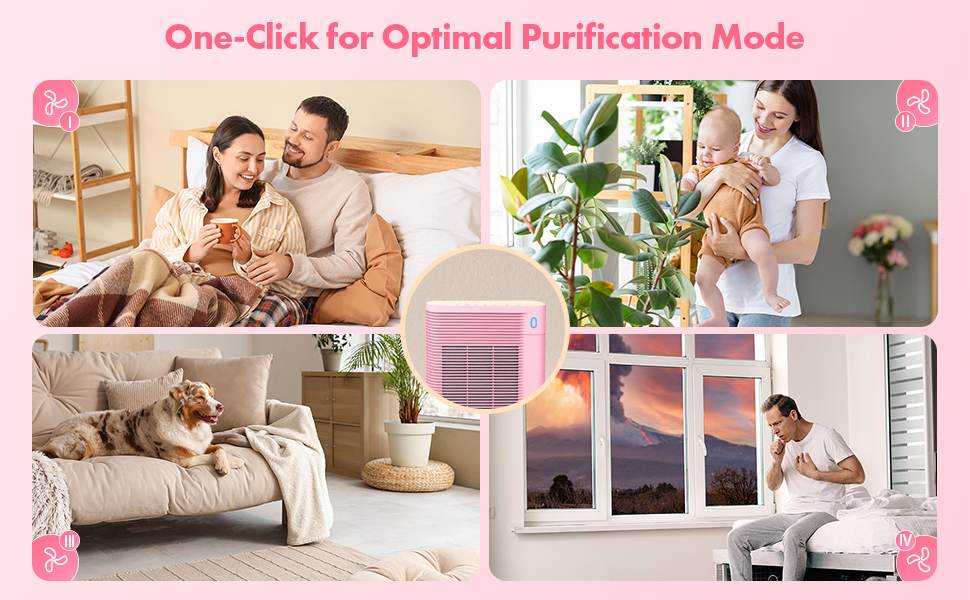
Image 10.1: Trucozie customer service is available to assist you.