
KSADBOSSBO H82 1080P Body Camera
KSADBOSSBO H82 1080P Body Camera User Manual
Model: H82 1080P Body Camera
Brand: KSADBOSSBO
Introduction
Thank you for choosing the KSADBOSSBO H82 1080P Body Camera. This compact and versatile device is designed for personal security, law enforcement, and capturing important moments with high-definition audio and video. Featuring a 180° rotating lens, night vision capabilities, and a long-lasting battery, the H82 ensures reliable recording in various environments. This manual provides detailed instructions for setup, operation, maintenance, and troubleshooting to help you maximize your camera's potential.

Figure 1: KSADBOSSBO H82 Body Camera and included accessories.
What's in the Box
Upon opening the package, please verify that all the following items are included:
- 1080P Body Camera x 1
- Removable Clip x 1
- Lanyard + Camera Holder x 1
- Type-C Cable x 1
- User Manual x 1
- 1-year Guarantee information
Product Features
Powerful Body Cam LCD Screen
The H82 features a high-quality LCD screen for real-time viewing and instant playback of recorded footage. This allows for accurate framing of your live recording angle and convenient review or deletion of files directly on the device, eliminating the need for a computer or mobile phone. The intuitive menu system provides easy control over camera settings, including an inverted screen switching mode, power display, time stamp setting, and quick reset functionality.
Full HD 1080P Recording
Equipped with high-quality optical glass and multi-layer coating technology, the KSADBOSSBO Body Camera ensures accurate and clear 1080P video recording. The 2-million-pixel sensor captures fine details, and the camera automatically saves recordings in H.264 format, optimizing storage space for extended recording times.
180° Rotatable Lens with 120° Field of View, Motion Detection, and Auto Night Vision
The camera's 180° rotatable lens allows you to adjust the recording direction as needed, ensuring no critical evidence is missed due to an incorrect angle. The 120° field of view captures a wide perspective. Motion detection helps conserve battery life and memory by recording only when movement is detected. Additionally, the camera features 6 IR LEDs for automatic night vision, ensuring clear recordings in low-light or dark environments.

Figure 2: H82 Body Camera dimensions, 180° rotating lens, and 1600mAh battery providing over 6 hours of life.

Figure 3: Night vision capability with 6pcs IR lens for clear recording in dark environments.
Extended Battery Life and Storage
The H82 is equipped with a 1600mAh rechargeable battery, providing approximately 6-7 hours of continuous recording time. It also supports 24/7 recording when connected to a power bank or external power source. The camera comes with a built-in 64GB card, offering ample storage for long recording sessions. Footage can be easily accessed and replayed directly on the camera's screen or by connecting the device to a mobile phone, laptop, or PC.
Setup
1. Charging the Battery
Before first use, fully charge the camera. Connect the supplied Type-C cable to the camera's charging port and the other end to a USB power adapter (not included) or a computer's USB port. The charging indicator light will show the charging status and turn off when fully charged. A full charge typically takes about 4 hours.
2. Attaching Accessories
The H82 body camera comes with various accessories for flexible mounting options:
- Removable Clip: Attach the clip to the back of the camera. It offers two height positions and can be switched to the front or back for optimal placement on clothing or gear.
- Lanyard + Camera Holder: Use the lanyard for hands-free carrying around your neck. The camera holder ensures stable positioning.
- Triangle Bracket: For stationary recording, attach the camera to the included mini tripod via the 1/4" screw hole at the bottom.

Figure 4: Various accessories and mounting options for the H82 Body Camera.
3. Initial Power On
Press and hold the Power button (usually located on the side) for a few seconds until the screen illuminates. The camera will boot up and display the main interface.
Operating Instructions
1. Basic Operation
- Power On/Off: Press and hold the Power button.
- Menu Navigation: Press the 'M' button (Menu) to enter the settings menu. Use the up/down buttons to navigate and the 'OK' button to select. Press the video camera icon button to exit the menu.
- Screen On/Off: While recording, you can manually turn the screen on or off to save power without stopping the recording.
2. Video Recording
To start video recording, press the dedicated Video Record button (often marked with a camera icon). Press it again to stop recording. The camera supports one-key start recording for quick activation.
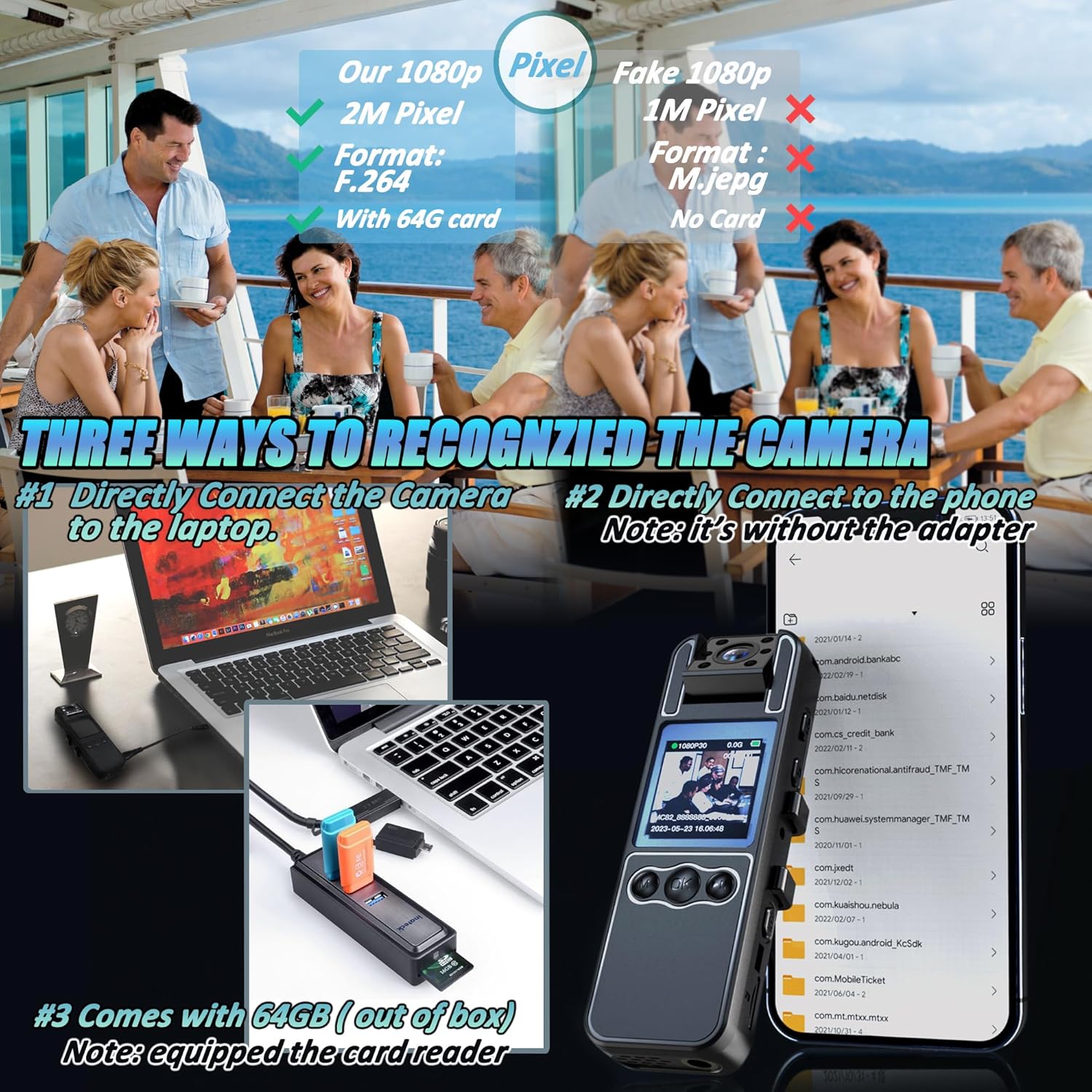
Figure 5: Silent record mode and loop recording options.
3. Audio Recording
The camera can record audio simultaneously with video. Refer to the menu settings to enable or disable audio recording if needed. The device also supports a silent record mode.
4. Night Vision
The H82 features automatic night vision. In low-light conditions, the camera will automatically activate its 6 IR LEDs to capture clear black and white footage. You can also manually control the night vision setting through the menu.
5. Motion Detection
Enable motion detection in the settings to have the camera automatically start recording when movement is detected within its field of view. This feature helps save battery and storage space. Note that this setting may reset when the camera is powered off.
6. Loop Recording
The camera supports loop recording, allowing it to continuously record by overwriting the oldest files when the memory card is full. You can set the loop duration (e.g., 5, 10, 15, or 20 minutes) in the settings.
7. Playback and File Management
You can replay recorded videos and view photos directly on the camera's LCD screen. For more detailed review or transfer, connect the camera to a computer or mobile device using the Type-C cable. The camera will be recognized as a removable storage device, allowing you to access and manage files.

Figure 6: Three ways to access recorded files: direct connection to laptop, direct connection to phone (adapter not included), or via the included 64GB card.
8. Official Product Videos
For visual guidance on specific operations, please refer to the official product videos provided by the manufacturer:
Quick Use Guidances - H82 Body Camera
This video provides a quick guide on how to use the H82 Body Camera, covering essential functions and operations.
How to attach the lanyard on the camera?
Learn how to properly attach the lanyard to your H82 Body Camera for secure and convenient carrying.
How to delete the recordings from album? H82 Body Camera
This video demonstrates the steps to delete recorded files from the H82 Body Camera's album.
Maintenance
- Cleaning: Use a soft, dry cloth to clean the camera body. For the lens, use a specialized lens cleaning cloth and solution. Avoid abrasive materials or harsh chemicals.
- Storage: Store the camera in a cool, dry place away from direct sunlight and extreme temperatures.
- Battery Care: To prolong battery life, avoid fully discharging the battery frequently. Charge the camera regularly, even if not in use for extended periods.
- Firmware Updates: Check the manufacturer's website periodically for any available firmware updates to ensure optimal performance and new features.
Troubleshooting
| Problem | Possible Cause | Solution |
|---|---|---|
| Camera not turning on | Low battery; Power button not held long enough. | Charge the camera fully. Press and hold the Power button for at least 3-5 seconds. |
| Screen freezes/unresponsive | Software glitch; Low battery. | Force restart the camera by holding the power button until it shuts off, then restart. If unresponsive, allow battery to drain completely, then recharge and restart. |
| Poor video quality/blurry images | Dirty lens; Insufficient lighting; Incorrect settings. | Clean the lens. Ensure adequate lighting or activate night vision. Check video resolution settings. |
| Recorded files are corrupted or missing | Improper shutdown; SD card issue; Software error. | Always power off the camera correctly. Format the SD card (this will erase all data). If the issue persists, contact customer support. |
| Motion detection not working | Feature disabled; Sensitivity too low; Setting reset after power off. | Enable motion detection in the menu. Adjust sensitivity. Re-enable the feature after each power cycle if it resets. |
Specifications
| Feature | Detail |
|---|---|
| Model Number | H82 1080P Body Camera |
| Video Resolution | 1080p |
| Lens Rotation | 180° |
| Field of View | 120° |
| Battery Capacity | 1600mAh Lithium Ion |
| Battery Life | Approx. 6-7 hours recording |
| Storage | Built-in 64GB (Micro SD) |
| Night Vision | 6pcs IR Lens for IR Cut Night Vision |
| Screen Size | 1.39 Inches |
| Connectivity | USB (Type-C) |
| Item Weight | 7.8 ounces |
| Country of Origin | China |
Warranty and Support
KSADBOSSBO offers a 1-year guarantee for your H82 Body Camera. We are committed to providing excellent customer service and support.
- 30-Day Refund/Replacement: If you encounter any product quality problems or missing accessories within 30 days of purchase, we are glad to offer a free return or replacement.
- Customer Support: For any issues or inquiries, please do not hesitate to contact us via email. Our customer support team aims to respond within 24 hours.
Email: ksadbossbo@163.com
For additional video instructions and support, you can scan the QR code below or visit the provided link:
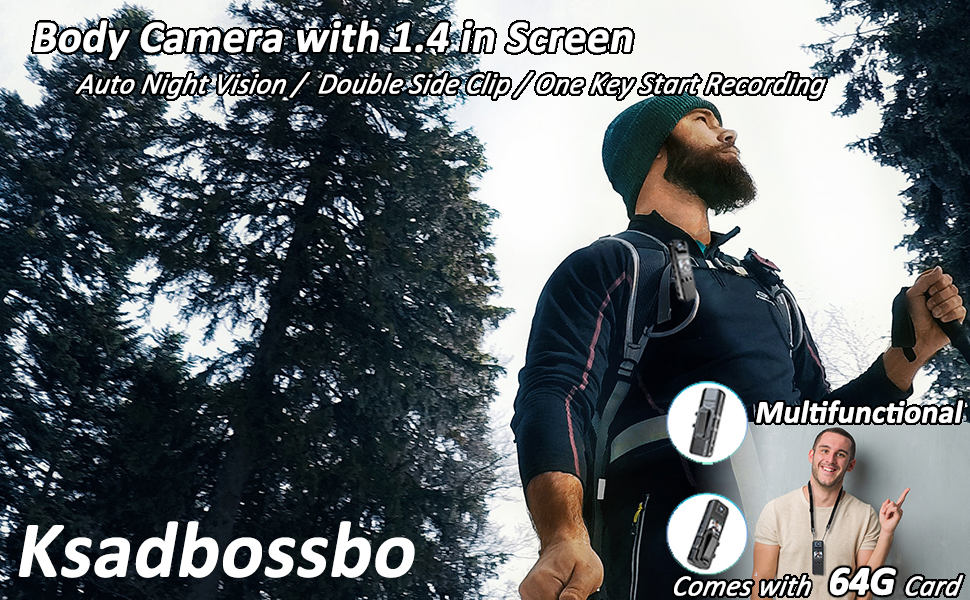
Figure 7: Customer support details and QR code for video instructions.
Video Instruction Link: https://qrco.de/bfsiyc
Ask a question about this manual
Ask about setup, troubleshooting, compatibility, parts, safety, or missing instructions. Manuals+ will review the question and use this page’s manual context to help answer it.