
1. Product Overview
The ITCARDIAG A-30 8A-BA 4A Cable is a specialized wiring harness designed to facilitate smart key programming for specific Toyota 4A and 8A-BA models. This cable provides a direct connection solution, enabling password-free key matching with compatible key programming devices.
Key Features:
- Designed for Toyota 4A and 8A-BA smart box models.
- Features a 30-pin connector for secure and reliable connection.
- Enables password-free key matching, streamlining the programming process.
- Eliminates the need for wire cutting or hooking, reducing the risk of damage to vehicle communication cables.
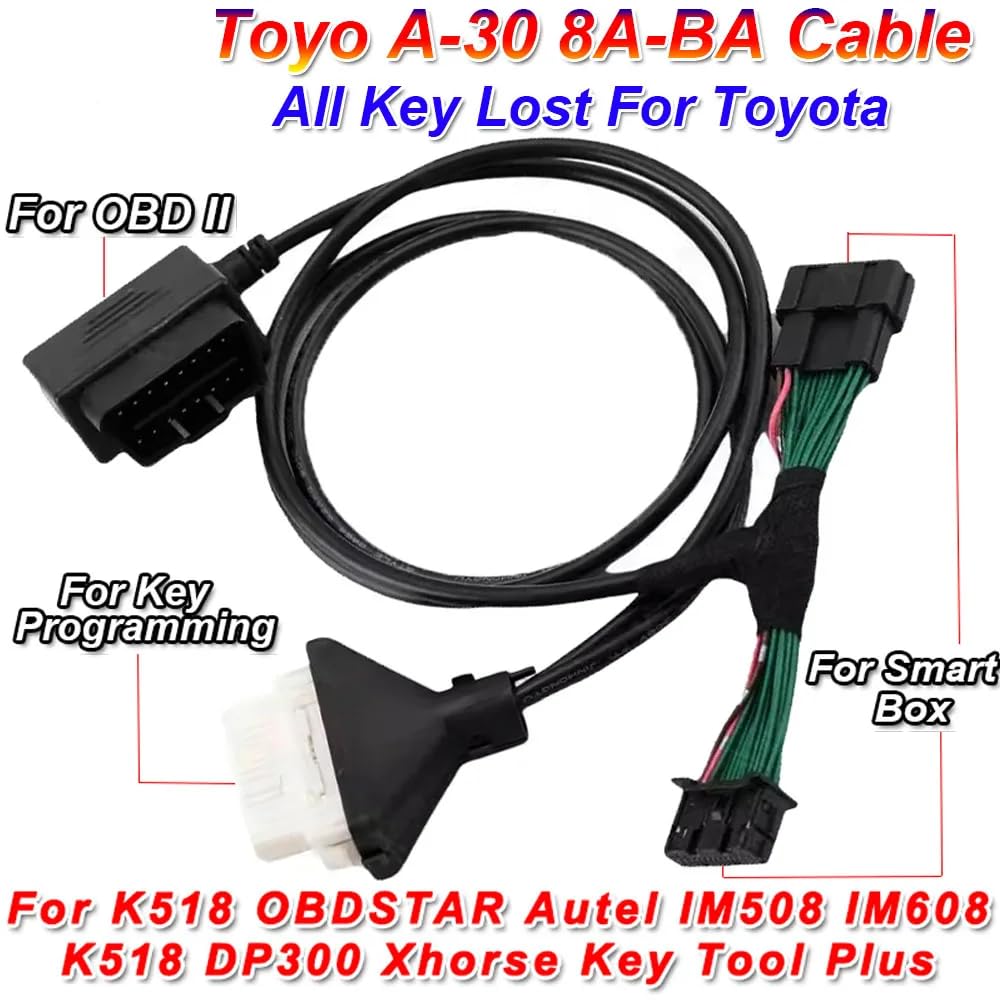
Image 1.1: The A-30 8A-BA 4A Cable, showing connections for OBDII, Smart Box Plug, Key Programmer, and Smart Box.
2. Compatibility
Compatible Key Programming Devices:
- OBDSTAR
- Autel IM508
- Autel IM608
- K518
- Xhorse Key Tool Plus
Compatible Toyota Models (4A Smart Box - TMLF19T):
- 2022 Corolla Ruifang
- Fenglanda
- Corolla Reload
- Other models using TMLF19T Smart Box
Compatible Toyota Models (8A-BA Smart Box - TMLF19D):
- BZX
- Grevia HV
- Lingfang
- Lingfang HV
- Rongfang PHV
- Sena HV
- Vesa HV
- Weilanda PHV
- BZ4X
- GRANVIA HV
- Harrier
- Veranda
- Other models using TMLF19D Smart Box
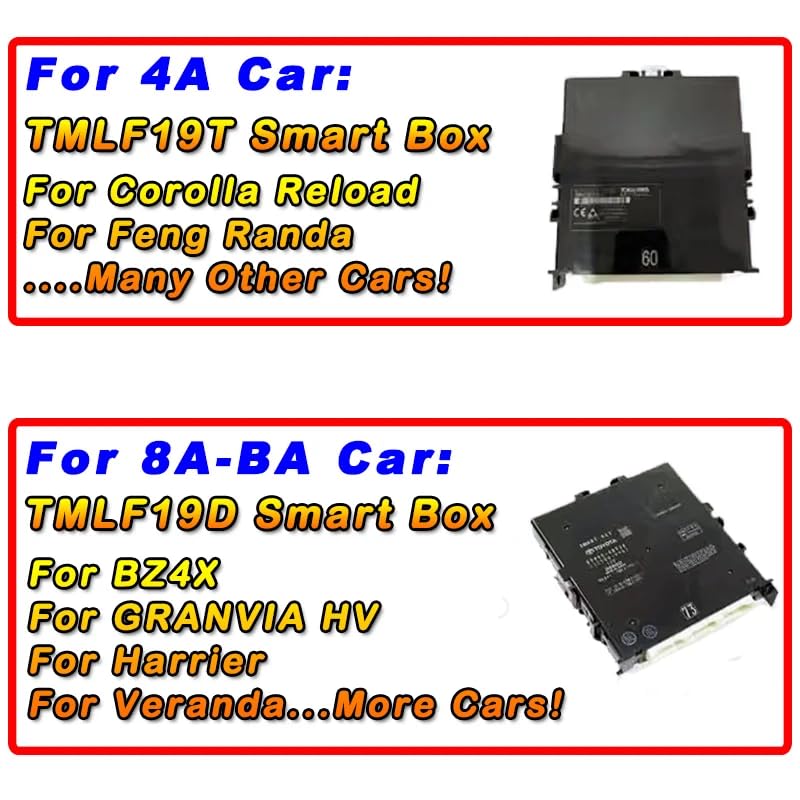
Image 2.1: Examples of TMLF19T (4A Car) and TMLF19D (8A-BA Car) Smart Boxes.
3. Setup and Connection
Cable Components:
- OBDII Connector: Connects to the vehicle's On-Board Diagnostics port.
- Smart Box Plug: Connects to the vehicle's smart box.
- Key Programmer Connector: Connects to your compatible key programming device.
- Smart Box Connector: Another connection point for the vehicle's smart box, often a smaller auxiliary connection.
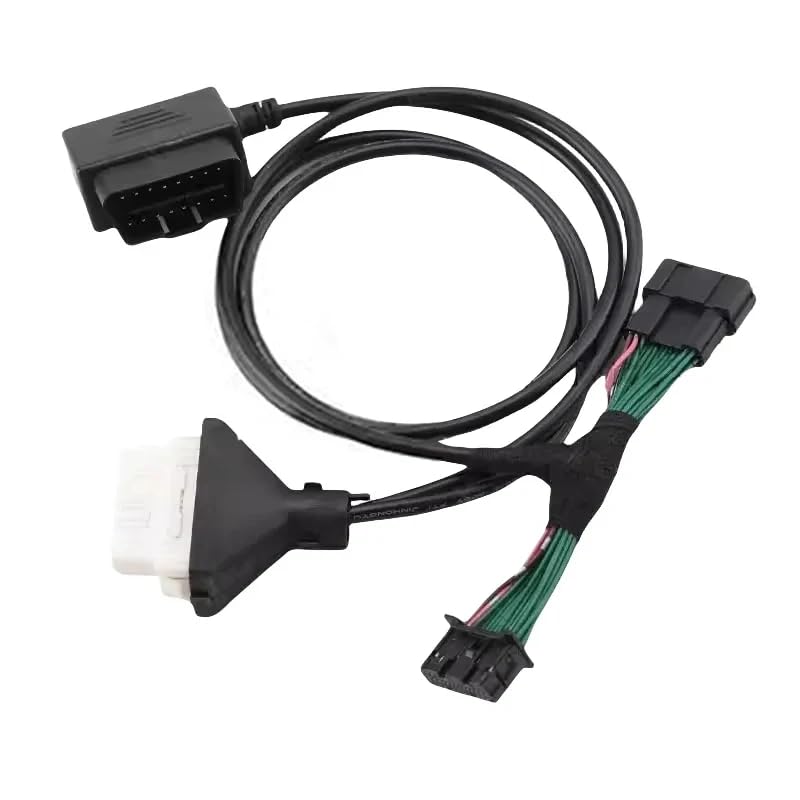
Image 3.1: Close-up view of the A-30 8A-BA 4A Cable's various connectors.
Connection Procedure:
- Ensure the vehicle's ignition is off and the key programmer is powered down.
- Locate the vehicle's OBDII port, typically under the dashboard. Connect the cable's OBDII connector to this port.
- Identify the vehicle's smart box. Connect the appropriate Smart Box Plug and Smart Box Connector from the cable to the corresponding ports on the smart box. Refer to your vehicle's service manual for exact smart box location and port identification.
- Connect the Key Programmer Connector to your compatible key programming device (e.g., OBDSTAR, Autel IM508/IM608, K518, Xhorse Key Tool Plus).
- Once all connections are secure, power on your key programming device and follow its specific instructions for Toyota smart key matching.
4. Operating Instructions
After successfully connecting the A-30 8A-BA 4A Cable to the vehicle and your key programming device, proceed with the key matching process as guided by your specific programming tool's software. This cable is designed to enable password-free matching for supported Toyota models, simplifying the procedure.
Important: This cable is engineered to prevent the need for cutting or modifying vehicle wiring. Always ensure connections are firm and correctly seated to avoid communication errors or potential damage.
5. Maintenance
- Store the cable in a clean, dry environment away from direct sunlight and extreme temperatures.
- Avoid bending or kinking the cable excessively, as this can damage internal wires.
- Keep connectors clean and free of dust or debris. Use a soft, dry cloth for cleaning.
- Do not expose the cable to liquids or corrosive substances.
6. Troubleshooting
- Cable Not Working: Ensure all connections are secure and correctly inserted. Verify that your key programming device is powered on and functioning correctly. Check for any error messages on your programming device.
- Communication Errors: Double-check that the cable is connected to the correct ports on both the vehicle's smart box and the key programmer. Ensure the vehicle's battery has sufficient charge.
- Key Matching Failure: Confirm that the vehicle model and smart box type are supported by both the A-30 cable and your key programming device. Follow the specific key programming steps provided by your device's manufacturer precisely.
7. Specifications
| Brand | ITCARDIAG |
| Model Number | 8A-BA 4A Cable |
| Connector Type | Lightning (referring to connection style, not Apple Lightning) |
| Number of Pins | 30 |
| Connector Gender | Male-to-Male |
| Color | Black |
| Product Dimensions | 6 x 5 x 6 inches |
| Maximum Voltage | 30 Volts |
8. Warranty and Support
For warranty information or technical support regarding your ITCARDIAG A-30 8A-BA 4A Cable, please refer to the documentation provided with your purchase or contact ITCARDIAG customer service directly. Keep your proof of purchase for any warranty claims.