
Introduction
The FELICITA ARC Coffee Scale (Model S20) is a high-precision electronic scale designed for both espresso and pour-over coffee preparation. It features fast response times, 0.1g accuracy, a built-in timer, water flow rate indication, and multiple working modes to enhance your brewing experience. This manual provides detailed instructions for setup, operation, and maintenance of your scale.
Product Features
- High Precision: Accurate measurements from 0.1g to 2kg.
- Fast Response: Ultra-fast response time for instant readings.
- Multiple Modes: Weight mode, Dual display (time & weight), Pour-over timing, Espresso timing, and Espresso automatic timing.
- Flow-Rate Indicator: Real-time monitoring of water flow for precise extraction.
- Bluetooth Connectivity: Connects to mobile devices (iOS & Android) for data recording and sharing.
- Durable Design: Ultra-thin anodized aluminum metallic body with IPX4-5 waterproof rating.
- Rechargeable Battery: 1100 mAh Lithium battery with Type-C USB charging, lasting up to 30-40 hours.
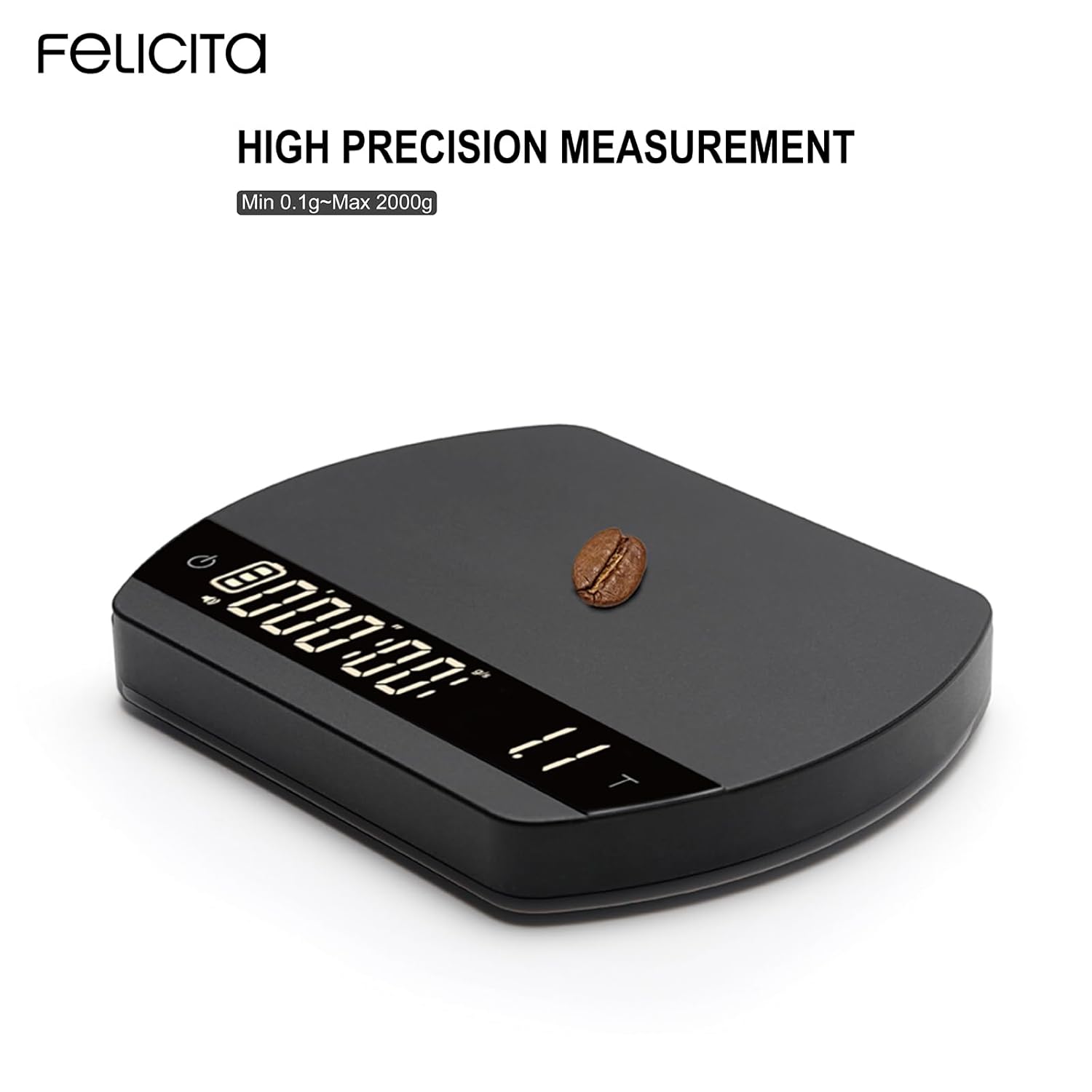
Image: The FELICITA ARC Coffee Scale with a single coffee bean, illustrating its high precision measurement capability.
Setup
1. Charging the Scale
Before initial use, fully charge the FELICITA ARC Coffee Scale. The scale is equipped with a Type-C USB charging port and an 1100 mAh Lithium battery.
- Locate the Type-C USB port on the side of the scale.
- Connect the provided USB-C cable to the scale and a compatible USB power adapter (not included).
- The LED display will indicate charging status. A full charge typically provides 30-40 hours of use.
- The charging port is waterproof (IPX4-5 rated), but ensure it is dry before charging.

Image: The FELICITA ARC Coffee Scale highlighting its Type-C rechargeable battery and waterproof charging port.
2. Initial Power On
Press the power button (usually marked with a power symbol) to turn on the scale. The LED display will illuminate.
3. Bluetooth Connectivity (Optional)
The scale can connect to a mobile application for enhanced functionality, including data recording and analysis.
- Download the official FELICITA app from your device's app store (available for iOS and Android).
- Ensure Bluetooth is enabled on your mobile device.
- Open the FELICITA app and follow the on-screen instructions to pair with your scale.

Image: The FELICITA ARC Coffee Scale displaying its connection to a mobile application for smart coffee brewing.
4. Calibration
For optimal accuracy, self-calibration with a 100g calibration weight is supported. Refer to the detailed steps in the included user manual for specific calibration procedures.

Image: The FELICITA ARC Coffee Scale shown with a 100g calibration weight, indicating its self-calibration capability.
Operating Instructions
1. Power On/Off
- To power on: Press the power button.
- To power off: Press and hold the power button for a few seconds. The scale also features an automatic turn-off function to conserve battery life.
2. Switching Modes
The FELICITA ARC Coffee Scale offers five distinct working modes. Specific button presses are required to cycle through these modes. Refer to the detailed instructions in your product's quick start guide for exact button sequences.
- Weight Mode: Displays only the weight.
- Dual Display Mode: Shows both time and weight simultaneously.
- Pour-Over Coffee Timing Mode: Manual timer for pour-over brewing.
- Espresso Timing Mode: Manual timer for espresso shots.
- Espresso Automatic Timing Mode: Automatically starts and stops the timer, and tares the scale for a streamlined espresso workflow.
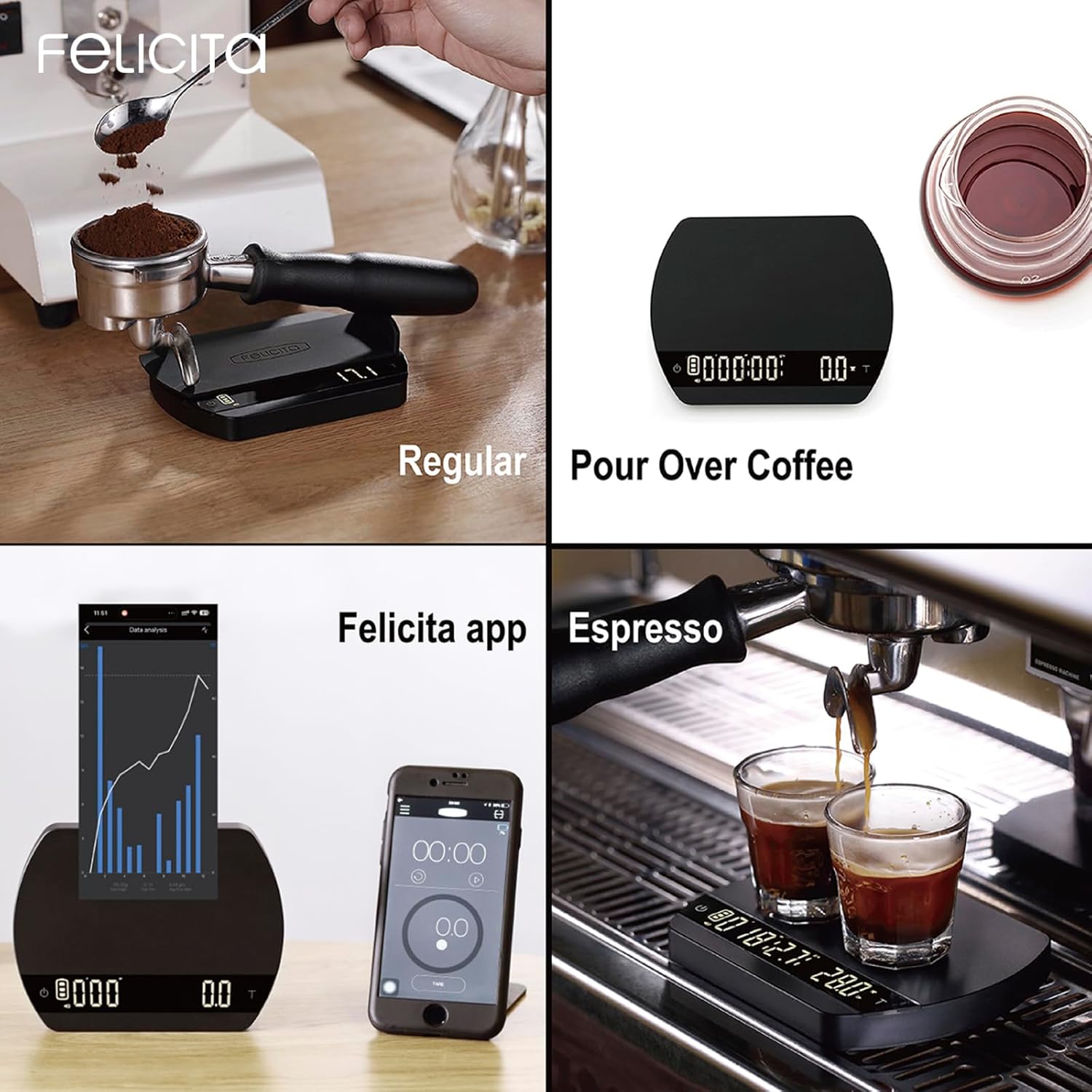
Image: A visual representation of the FELICITA ARC Coffee Scale operating in various modes, including regular weighing, pour-over, espresso, and connected to its mobile app.
3. Tare Function
To zero out the weight of a container or portafilter, place the item on the scale and press the Tare button (often indicated by a 'T' or 'Z' symbol). The display will reset to zero, allowing you to measure only the added ingredients.

Image: The FELICITA ARC Coffee Scale accurately weighing coffee grounds within a portafilter, demonstrating its precision for espresso preparation.
4. Pour-Over and Espresso Use
The compact design of the FELICITA ARC scale allows it to fit comfortably under most espresso machine portafilters and is ideal for pour-over setups.

Image: The FELICITA ARC Coffee Scale positioned beside a pour-over coffee carafe, ready for brewing.

Image: The FELICITA ARC Coffee Scale placed under the portafilter of an espresso machine with a small cup, demonstrating its fit for espresso brewing.
5. Water Flow Rate Indicator
In relevant modes, the scale provides a real-time flow-rate indicator. This feature helps you monitor the extraction speed during pour-over or espresso brewing, enabling precise adjustments for optimal results.
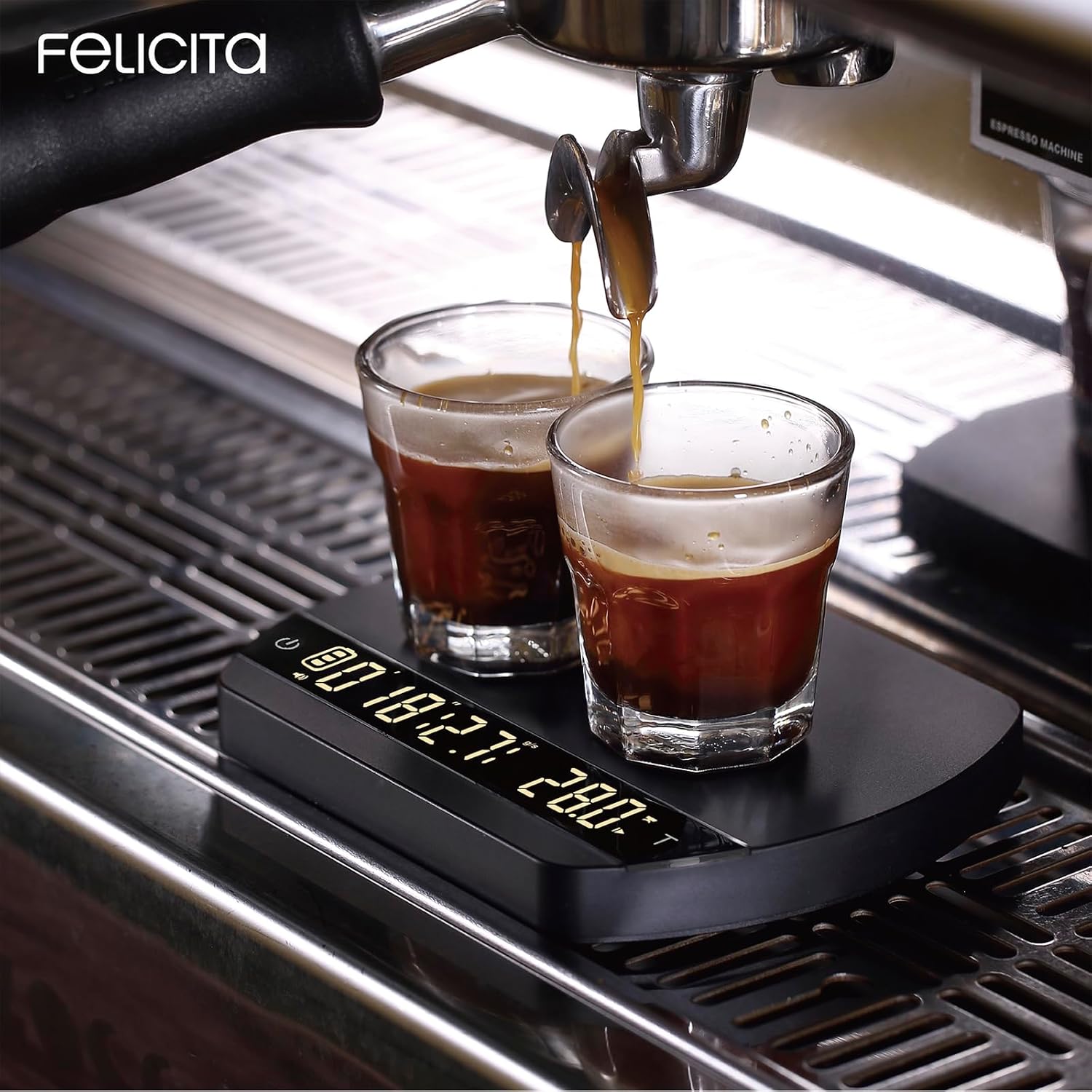
Image: The FELICITA ARC Coffee Scale positioned under an espresso machine, displaying both time and weight as espresso is extracted into two glasses.
6. Unit Conversion
The scale supports measurement in grams (g) and ounces (oz). Consult your product manual for instructions on how to switch between these units.
Maintenance
1. Cleaning
The FELICITA ARC Coffee Scale has an IPX4-5 waterproof rating, making it resistant to splashes. To clean:
- Wipe the surface with a soft, damp cloth.
- Avoid using abrasive cleaners or submerging the scale in water.
- Ensure the Type-C charging port cover is securely closed during cleaning to prevent water ingress.
2. Battery Care
To prolong battery life:
- Charge the scale regularly, but avoid leaving it fully discharged for extended periods.
- The automatic turn-off function helps save power; ensure it is enabled if you wish to use this feature.
Troubleshooting
| Problem | Possible Cause | Solution |
|---|---|---|
| Scale does not turn on. | Low battery or no charge. | Connect the scale to a power source using the Type-C USB cable and charge fully. |
| Inaccurate readings. | Not calibrated, unstable surface, or exceeding weight limit. | Perform self-calibration with a 100g weight. Ensure the scale is on a flat, stable surface. Do not exceed 2000g. |
| Bluetooth connection issues. | Bluetooth off on device, app not open, or pairing issue. | Ensure Bluetooth is enabled on your phone. Open the FELICITA app and attempt to pair again. Restart both the scale and your device if necessary. |
| Display shows "OVERLOAD". | Weight exceeds maximum capacity. | Remove items from the scale immediately. The maximum capacity is 2000g. |
Specifications
| Feature | Detail |
|---|---|
| Model | S20 |
| Dimensions (L x W x H) | 135 x 105 x 15.5 mm (5.32 x 4.14 x 0.62 inches) |
| Weight | Approx. 255 g (9 oz) |
| Weight Capacity | 0.1 g to 2000 g (0.00 - 7.8 oz) |
| Readout Accuracy | 0.1 g |
| Display Type | LED |
| Measurement Units | Grams (g), Ounces (oz) |
| Battery Type | 1100 mAh Lithium-ion |
| Charging Port | Type-C USB |
| Battery Life | Up to 30-40 hours |
| Waterproof Rating | IPX4-5 |
| Heat Resistance (Surface) | -10℃ to 60℃ (with silicone pad: -20℃ to 100℃) |
| Materials | Anodized Aluminum, Silicone |
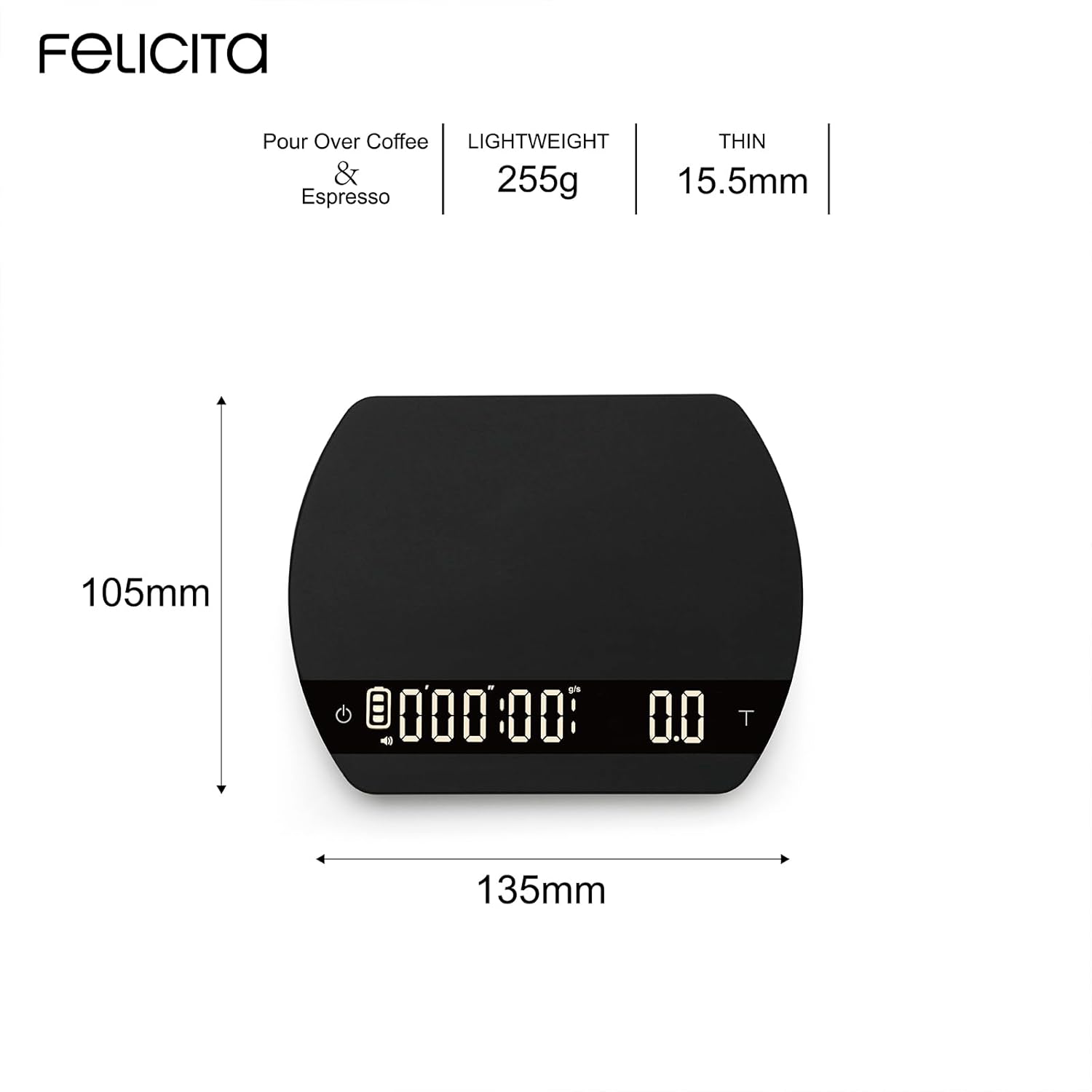
Image: The FELICITA ARC Coffee Scale displaying its compact dimensions: 135mm length, 105mm width, and 15.5mm thickness.
Warranty and Support
For warranty information, technical support, or service inquiries, please contact FELICITA customer service directly. Refer to the contact details provided with your product packaging or visit the official FELICITA website.
