
1. Product Overview
This manual provides detailed instructions for the installation, operation, and maintenance of your Ecoviva 600GPD Reverse Osmosis Water Filtration System. Please read this manual thoroughly before using the product to ensure proper function and longevity.
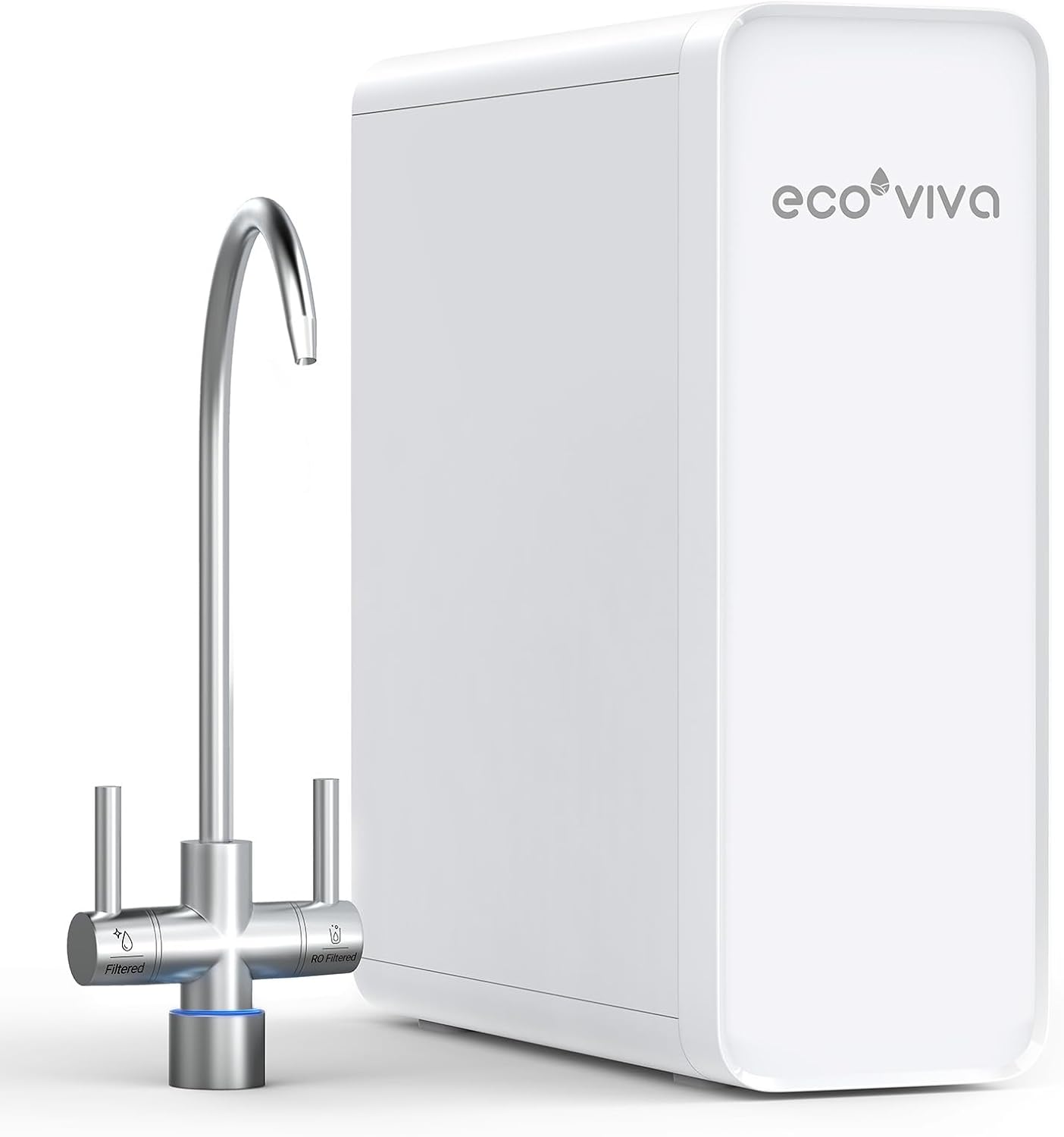
Image 1.1: The Ecoviva 600GPD Reverse Osmosis Water Filtration System, featuring the main unit and a dual-output faucet for filtered and RO water.
2. Key Features
- Advanced 8-Stage Filtration: This system utilizes a combined filter and an RO membrane to remove over 1000 impurities, achieving up to 99.99% removal efficiency. It effectively targets PFOA, PFOS, PFAS, heavy metals (lead, arsenic, aluminum), chlorine, chlorides, fluorides, and nitrates. Tested by SGS according to NSF/ANSI 58 standards.
- Dual-Output Faucet: The system includes a faucet with two distinct outputs. One provides pure RO water for drinking and cooking, while the other delivers PCT filtered water, suitable for washing vegetables, fruits, and dishes. The PCT filtration does not produce wastewater.
- High Efficiency & Fast Flow: Equipped with an innovative internal pump and increased filter surface, the system produces up to 600 gallons per day (GPD) of pure water. It fills a glass in approximately 8 seconds and boasts a pure-to-drain ratio of 2.5:1, making it highly water-efficient.
- Intelligent Operation: Features 6 automatic rinsing modes designed to maintain filter efficiency and prevent secondary contamination. The system operates at a low noise level of 48 decibels, comparable to a whisper.
- Smart Filter Indicator: The faucet and system screen feature intelligent lighting to indicate filter status. A blue light signifies healthy filter life, while a continuous red light indicates that a filter replacement is required.
- Compact, Tankless Design: Measuring 14 x 39.9 x 33 cm, this system saves 75% more space compared to traditional under-sink RO systems. The tankless design eliminates potential leaks and ensures fresh water on demand.
- Easy Filter Replacement: Filters can be replaced in 3 seconds using the Twist-and-Pull design, without needing to disassemble the entire system.

Image 2.1: SGS test results demonstrating the system's high removal rates for various contaminants, including heavy metals and dissolved solids.

Image 2.2: Visual representation of the reverse osmosis membrane's ability to reliably remove PFAS, PFOS, and heavy metals.

Image 2.3: The dual-function faucet, offering both purified drinking water and filtered water for general use.
3. Package Contents
Please verify that all items listed below are included in your package:
- Reverse Osmosis System Unit (x1)
- PCT Filter (x1)
- RO Membrane Filter (x1)
- Smart Faucet (x1)
- Power Adapter (x1)
- PE Hoses (x4)
- Installation Accessories Kit (x1)

Image 3.1: A visual list of all components included in the product package.
4. Installation Guide
The Ecoviva Reverse Osmosis system is designed for straightforward under-sink installation, typically completed within 30 minutes. Basic plumbing knowledge is recommended. Ensure you have the necessary tools before beginning.
4.1 Pre-Installation Checklist
- Confirm all package contents are present.
- Ensure adequate space under your sink for the unit (14L x 39.9W x 33H cm).
- Locate a power outlet (AC220-240V 50Hz/80W) within reach.
- Turn off the main water supply to your sink.
4.2 Step-by-Step Installation
- Mount the Faucet: Drill a hole (if necessary) in your sink or countertop for the smart faucet. Secure the faucet according to the provided instructions in the installation accessories kit.
- Connect Water Supply: Install the provided adapter to your cold water line. Connect one of the PE hoses from the adapter to the water inlet on the RO system unit.
- Connect Faucet Hoses: Connect the two output hoses from the RO system unit to the corresponding inlets on the smart faucet (one for RO water, one for PCT filtered water).
- Connect Drain Line: Attach the drain hose to the system and secure it to the drain pipe under your sink using the provided saddle valve.
- Install Filters: Insert the PCT filter and RO membrane filter into their respective slots. The Twist-and-Pull design makes this process simple. Ensure they are securely locked.
- Power Connection: Plug the power adapter into the RO system unit and then into a wall outlet.
- Leak Check: Slowly turn on the main water supply. Check all connections for leaks. Run the system for a few minutes to flush out air and any manufacturing residue.
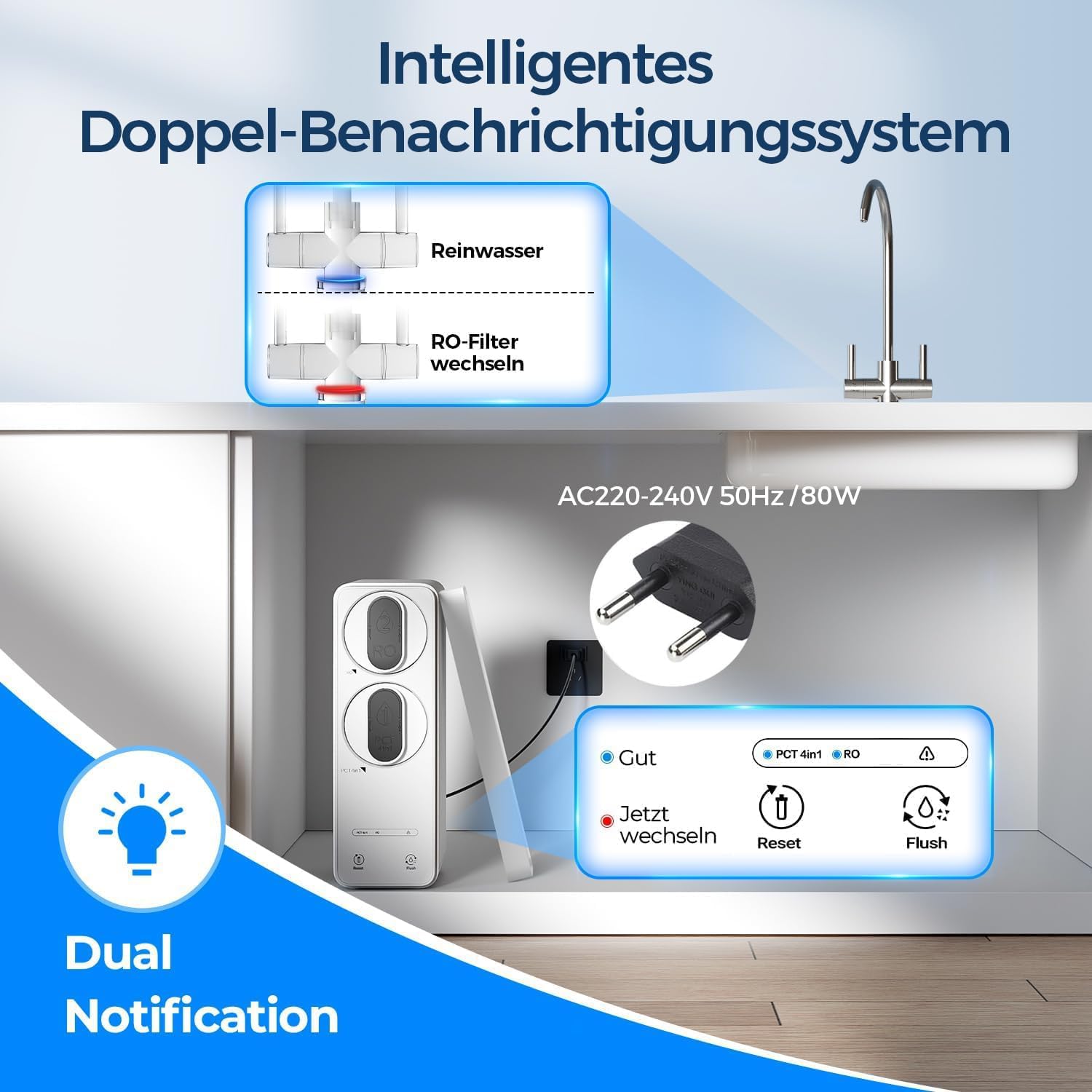
Image 4.1: Example installation of the Ecoviva RO system under a kitchen sink, highlighting the power connection and smart notification system.
5. Operating Instructions
5.1 Initial Flush
Before first use, it is recommended to flush the system for approximately 10-15 minutes to remove any carbon fines or air from the new filters. Turn on the RO faucet and let the water run until it flows consistently.
5.2 Water Dispensing
Use the smart faucet to select your desired water type:
- RO Filtered Water: For pure drinking water and cooking. This water has undergone the full reverse osmosis process.
- PCT Filtered Water: For washing fruits, vegetables, and dishes. This water is cleaner than tap water but does not undergo the RO process, thus producing no wastewater.
5.3 Automatic Flushing Modes
The system features 6 automatic rinsing modes designed to maintain filter efficiency and prevent secondary contamination. These modes activate periodically to ensure optimal performance. You may hear the pump operating during these cycles.
5.4 Noise Level
The system operates quietly, with a noise level of approximately 48 decibels during water collection. This ensures minimal disturbance in your home environment.
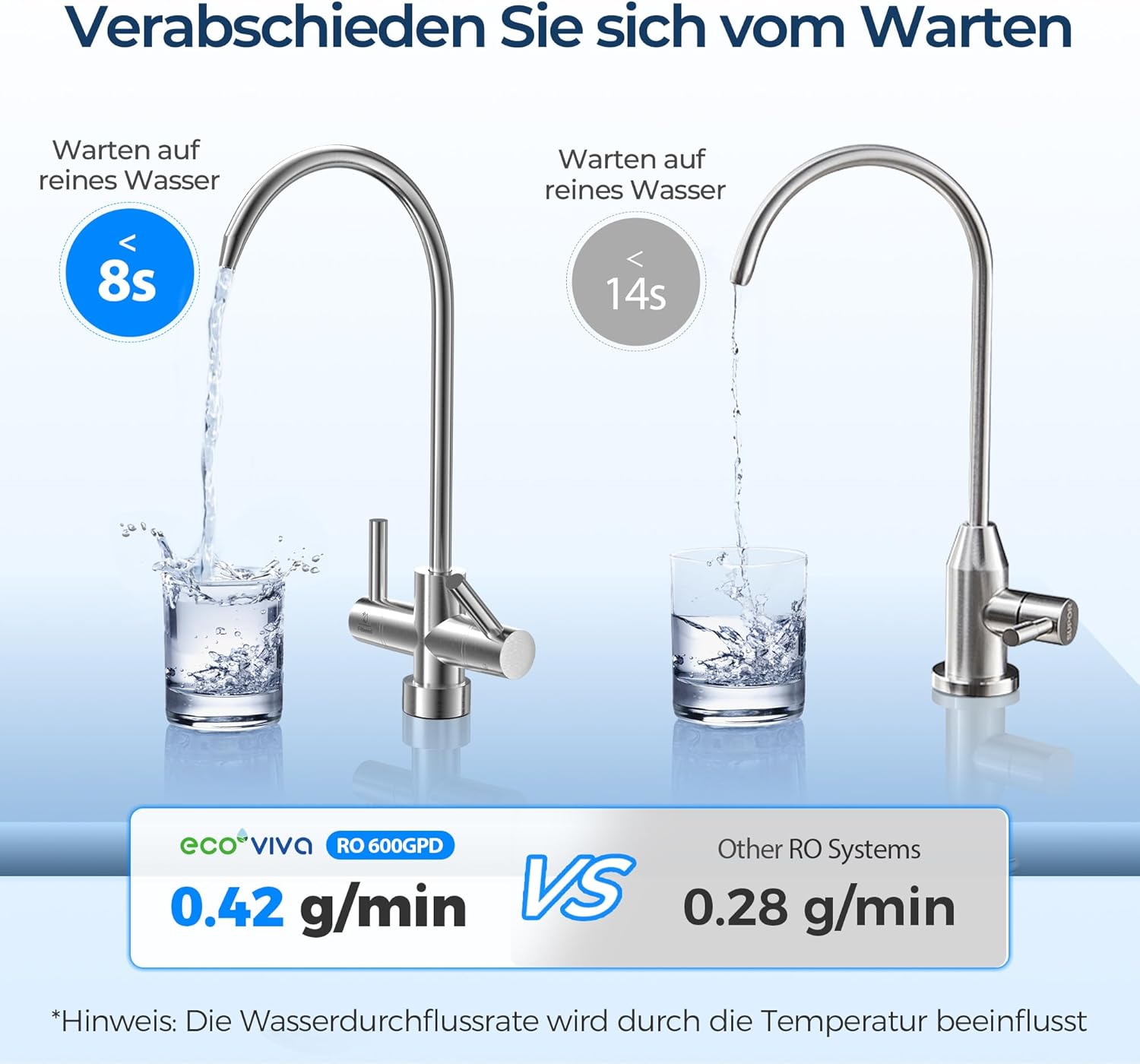
Image 5.1: Flow rate comparison demonstrating the speed of the Ecoviva 600GPD system.
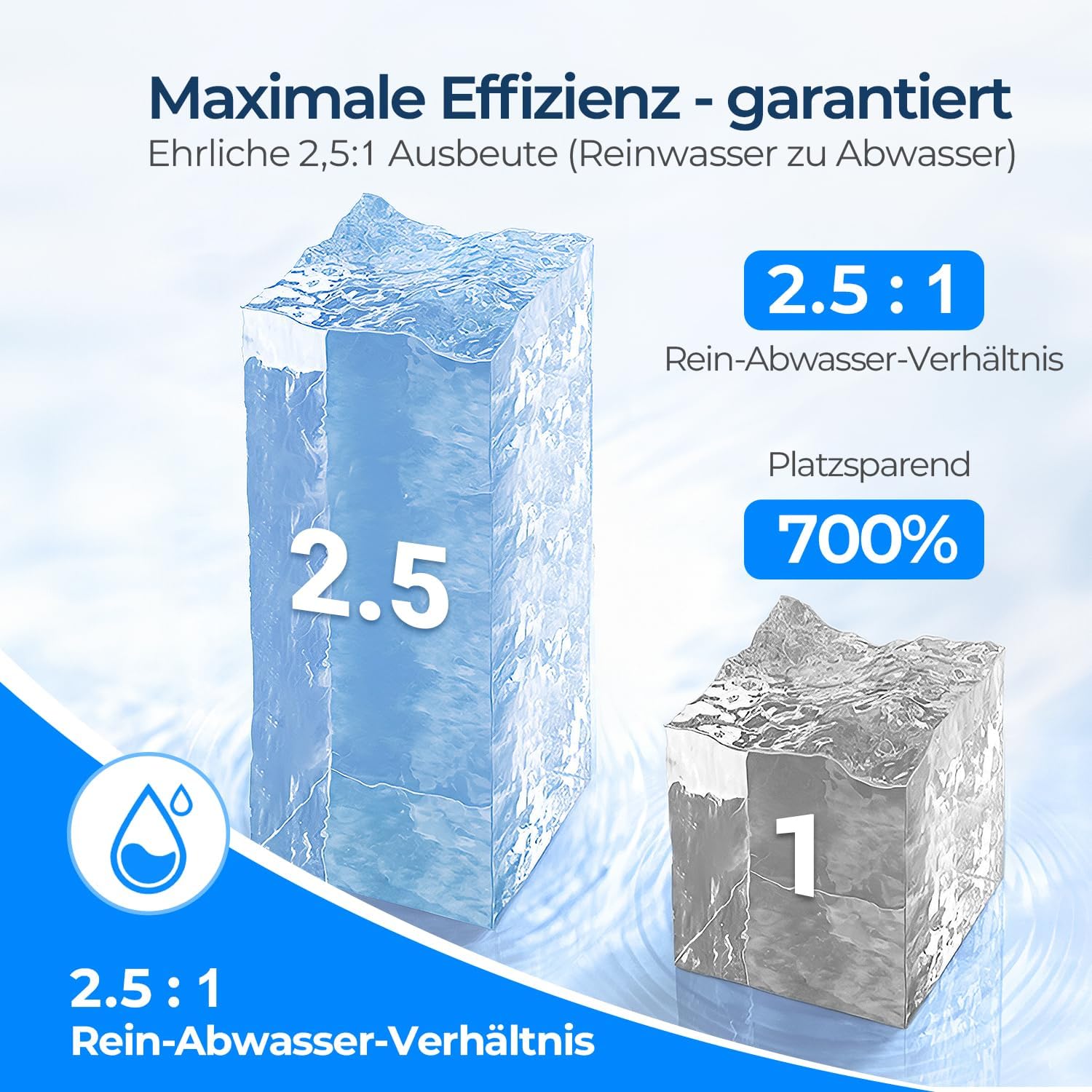
Image 5.2: Visual representation of the system's efficient 2.5:1 pure-to-drain water ratio.
6. Maintenance
6.1 Filter Replacement
The system features an intelligent dual notification system to alert you when filters need replacement:
- Blue Light: Indicates healthy filter life.
- Continuous Red Light: Indicates that a filter replacement is required.
To replace a filter:
- Turn off the water supply to the RO system.
- Unplug the power adapter.
- Locate the filter indicated by the red light.
- Use the Twist-and-Pull design to remove the old filter.
- Insert the new filter, twisting it until it locks securely into place.
- Restore power and water supply. Flush the new filter for a few minutes as per initial setup.
Note: The PCT filter and RO membrane filter have different lifespans. Always replace the specific filter indicated by the system.
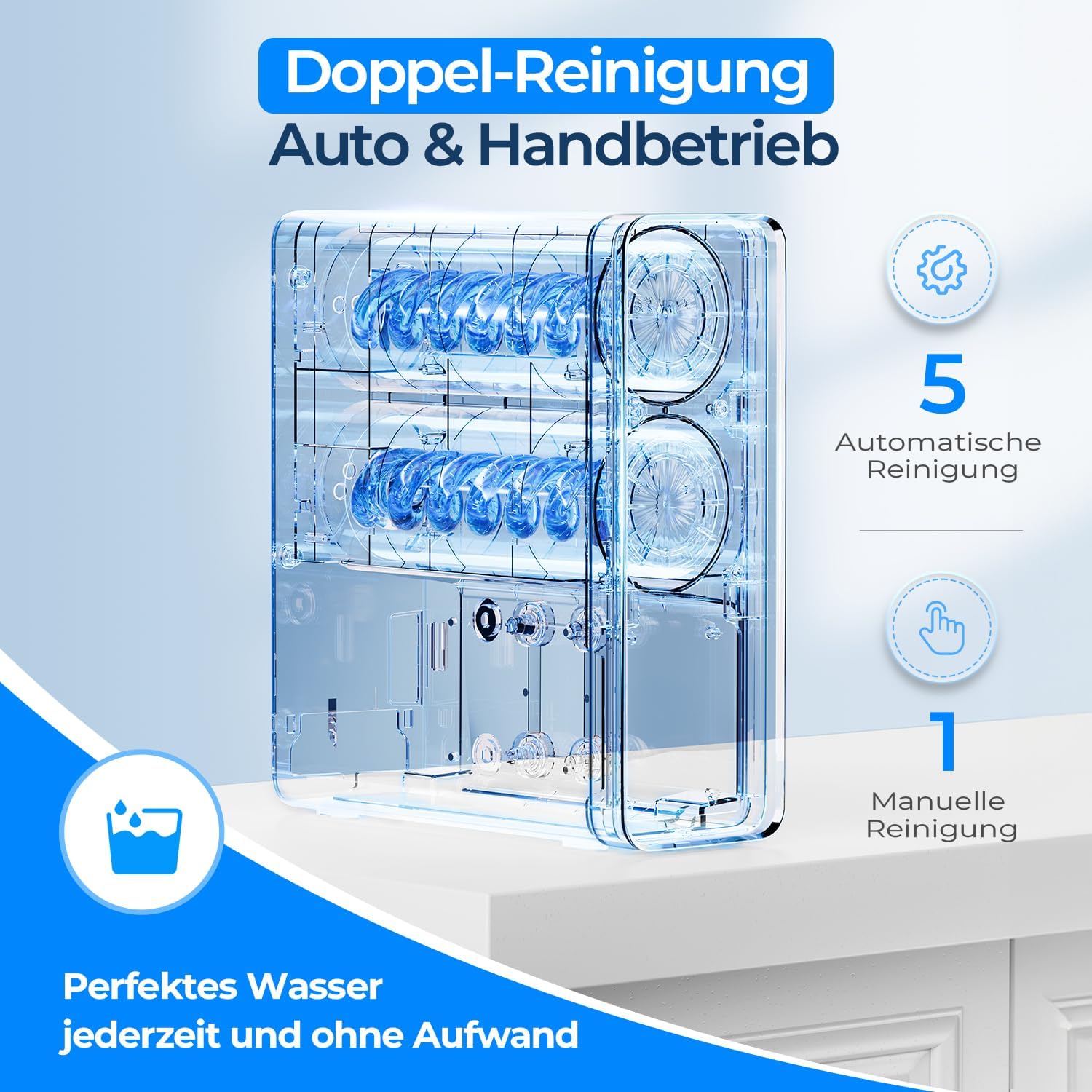
Image 6.1: The system's dual cleaning mechanism, featuring both automatic and manual cleaning options.
7. Troubleshooting
This section addresses common issues you might encounter with your Ecoviva RO system.
| Problem | Possible Cause | Solution |
|---|---|---|
| No water flow from faucet. | Water supply off, system unplugged, clogged filter, air in lines. | Check water supply valve. Ensure power adapter is plugged in. Check filter indicator lights for replacement. Flush system to remove air. |
| Slow water flow. | Clogged filters, low water pressure, air in system. | Check filter indicator lights and replace if necessary. Ensure adequate incoming water pressure. Flush system. |
| Red filter indicator light is on. | Filter needs replacement. | Identify the specific filter requiring replacement and follow the filter replacement instructions in Section 6.1. |
| Unusual noise during operation. | Normal pump operation, air in system, loose connections. | A low hum (approx. 48dB) is normal. If noise is excessive, check for loose connections or air in the lines. Run water to purge air. |
| Water tastes unusual. | New filters not flushed, expired filters. | Ensure initial flush was performed. Check filter indicator lights and replace if due. |
| Leakage. | Loose connections, damaged hoses. | Turn off water supply immediately. Check all hose connections and tighten if loose. Inspect hoses for damage and replace if necessary. |
8. Product Specifications
| Feature | Detail |
|---|---|
| Brand | Ecoviva |
| Model | WP-RO-600G-W-DE |
| Color | White |
| Product Dimensions (L x W x H) | 14 x 39.9 x 33 cm (5.5 x 15.7 x 13 inches) |
| Item Weight | 11.98 kg (26.4 lbs) |
| Special Features | Filter change indicator, Lightweight, TDS reduction, Self-cleaning, Tankless design |
| Installation Type | Under-sink |
| Power Source | Corded Electric (AC220-240V 50Hz/80W) |
| Max Supported TDS (PPM) | 500 |
| Daily Production Capacity | 600 Gallons Per Day (GPD) |
| Pure to Drain Ratio | 2.5:1 |
| Noise Level | ~48 dB |
9. Warranty and Support
Ecoviva offers a one-year warranty for this product. To register your product and activate the warranty, please scan the QR code provided in the physical manual or visit our official website.
Our technical support team is available to assist you with any questions or issues you may encounter. Technical support does not have an expiration date.
For support, please refer to the contact information provided in your product packaging or on the Ecoviva official website.