WAVEFUN Wavefun Flex 3

WAVEFUN Flex 3 Neckband Bluetooth Headphones User Manual

Model: Wavefun Flex 3

Product Overview

The WAVEFUN Flex 3 Neckband Bluetooth Headphones offer a versatile audio experience for all-day use. Designed for comfort and high-quality sound, these earphones feature advanced audio technologies and a durable, flexible neckband.

WAVEFUN Flex 3 Neckband Bluetooth Headphones

Image: WAVEFUN Flex 3 Neckband Bluetooth Headphones, showcasing the flexible neckband and in-ear design.

Video: Overview of the WAVEFUN Flex Pro Neckband Wireless Earbuds, highlighting key features like enhanced bass, gaming mode, group sound mode, and voice assistant support.

What's in the Box

Setup Instructions

1. Charging the Headphones

Before first use, fully charge your WAVEFUN Flex 3 headphones. Connect the provided Micro USB charging cable to the charging port on the neckband and to a USB power source. The LED indicator will show charging status.

WAVEFUN Flex 3 battery indicator

Image: Illustration showing the battery indicator and charging times for the WAVEFUN Flex 3 headphones.

2. Pairing with a Bluetooth Device

  1. Ensure the headphones are turned off.
  2. Press and hold the multi-function button on the right side of the neckband until the LED indicator flashes blue and red, indicating pairing mode.
  3. On your device (smartphone, tablet, etc.), enable Bluetooth and search for available devices.
  4. Select "Wavefun Flex 3" (or similar name) from the list of devices.
  5. Once connected, the LED indicator will flash blue slowly.

The headphones are compatible with Apple devices, Samsung devices, and Kindle Fire tablets.

Operating Instructions

Controls

The control buttons are located on the right side of the neckband for easy access.

Magnetic Earbuds

The earbuds feature a magnetic design, allowing them to securely attach to each other when not in use. This helps prevent tangling and ensures they stay safely around your neck.

WAVEFUN Flex 3 flexible neckband

Image: Close-up of the updated flexible neckband of the WAVEFUN Flex 3 headphones, highlighting its comfortable and durable design.

Maintenance

Troubleshooting

Specifications

FeatureDetail
Model NameWavefun Flex Pro
Connectivity TechnologyWireless (Bluetooth 5.0)
Wireless Range10 Meters
Audio Driver Size10 Millimeters (Titanium-plated Diaphragm Speaker)
Noise ControlSound Isolation
Charging Time1 Hour
Listening TimeUp to 30 Hours
Water Resistance LevelIPX5 (Water Resistant)
Item Weight3.88 ounces
Special FeaturesLightweight, Microphone Included, Volume Control, AptX HD
Ear PlacementIn Ear
Form FactorIn Ear
Control TypeButton
Impedance16 Ohms
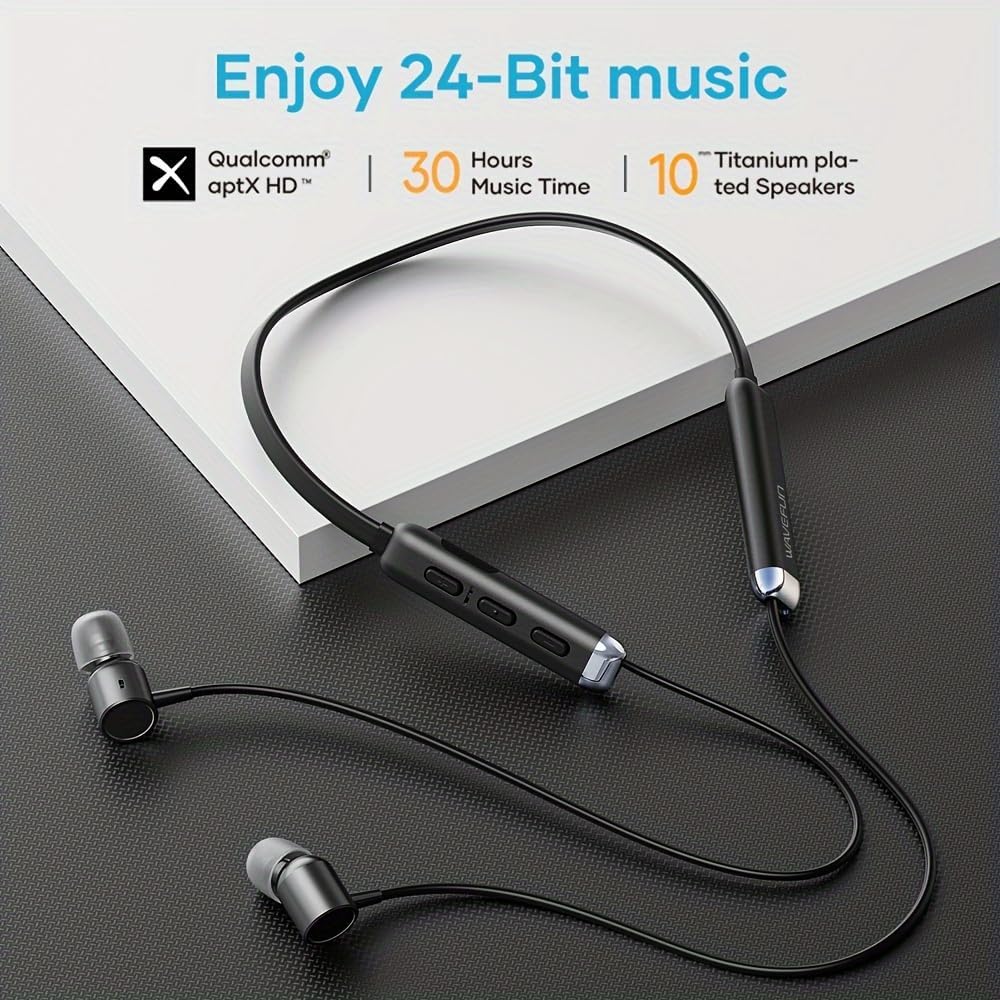
WAVEFUN Flex 3 earbuds with AptX HD audio

Image: Close-up of the WAVEFUN Flex 3 earbuds, highlighting the 24-bit high-quality audio with AptX HD technology.

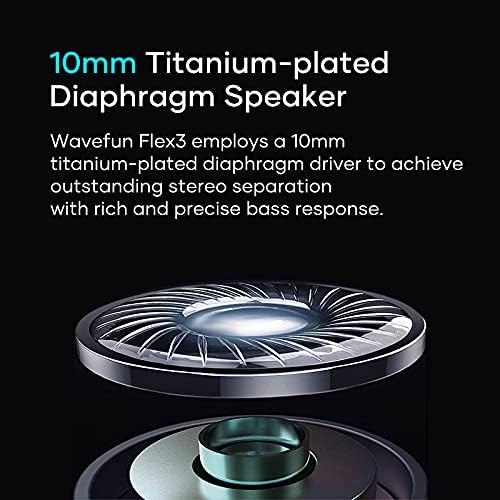
WAVEFUN Flex 3 10mm Titanium-plated Diaphragm Speaker diagram

Image: Diagram illustrating the 10mm titanium-plated diaphragm speaker used in the WAVEFUN Flex 3 for rich bass and stereo separation.

Warranty and Support

For warranty information or technical support, please refer to the contact details provided in your English User Manual included in the box. You may also visit the WAVEFUN official website for further assistance.

Related Documents - Wavefun Flex 3

PreviewWAVE 70 Rugged Smartwatch: User Guide and Features
Comprehensive guide to the WAVE 70 Rugged Smartwatch by WAVEFUN. Learn about setup, app connection, health tracking (heart rate, blood pressure, SpO2, sleep), notifications, and other features.
PreviewKaibo Flex Wireless Neckband Earphones User Manual
User manual for the Kaibo Flex wireless neckband earphones, detailing features, charging, Bluetooth pairing, controls, specifications, and troubleshooting. Includes descriptions of diagrams and multilingual content merged into English.
PreviewHomeSpot JY100 Wireless Headphones and HD Bluetooth Transmitter User Guide
Comprehensive user guide for the HomeSpot JY100 Wireless Headphones and HD Bluetooth Audio Transmitter Bundle, covering package contents, setup, connection, troubleshooting, and specifications.
PreviewJBL Wave Flex 2 Wireless Earbuds: Quick Start Guide & User Manual
Get started with your JBL Wave Flex 2 wireless earbuds. This guide covers setup, pairing, controls, app features, charging, and technical specifications for optimal audio experience.
PreviewBowers & Wilkins Px7 S3 Wireless Headphones User Manual
Comprehensive guide to the Bowers & Wilkins Px7 S3 Wireless Noise-Cancelling Headphones, covering setup, features, Bluetooth connectivity, app integration, and troubleshooting.
PreviewLITOSSA Flex S2 Wireless Neckband Headphones User Manual
Comprehensive user manual for the LITOSSA Flex S2 Wireless Neckband Headphones (Model MF-BHD03), covering setup, features, specifications, troubleshooting, and safety guidelines.