
LMRC LM12
LMRC LM12 Foldable Drone with Camera User Manual
Model: LM12
1. Introduction
Thank you for choosing the LMRC LM12 Foldable Drone with Camera. This manual provides essential information for the safe operation, setup, and maintenance of your drone. Please read it thoroughly before first use to ensure proper functionality and to maximize your flying experience.
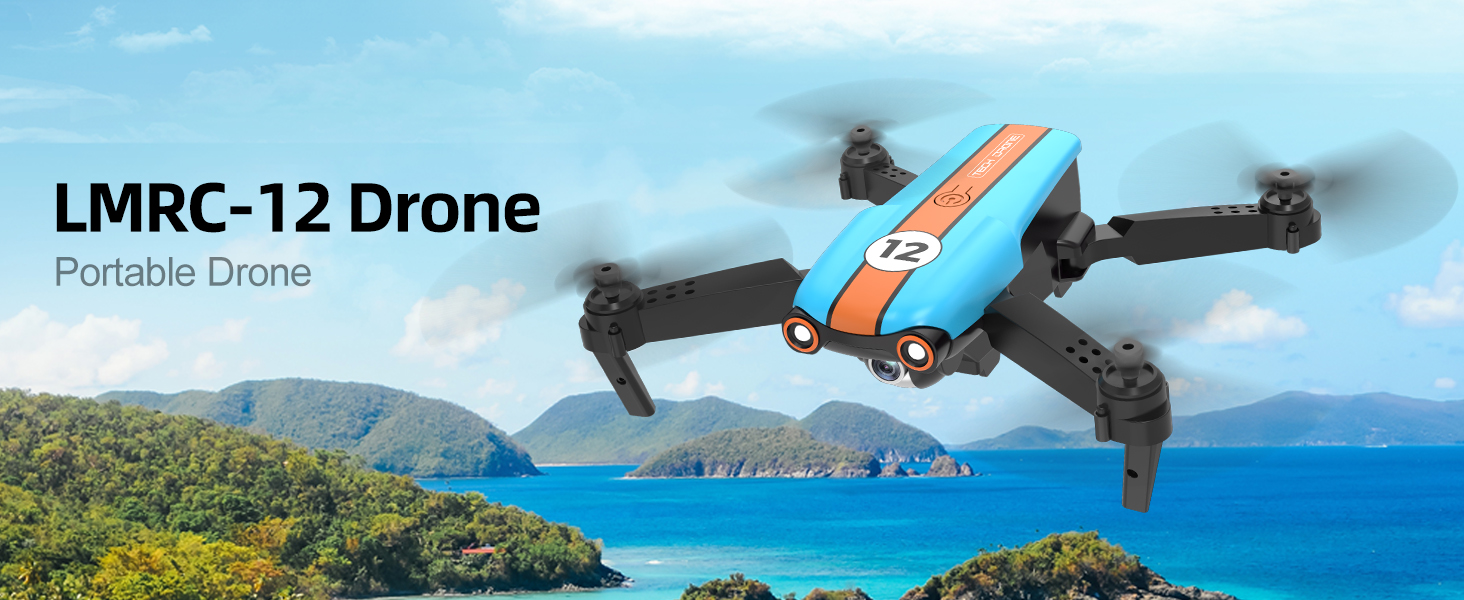
Image 1.1: The LMRC LM12 Portable Drone in flight over a scenic landscape, highlighting its compact and foldable design.
2. What's in the Box
Verify that all components listed below are present in your package. If any items are missing or damaged, please contact customer support.
- LMRC LM12 Drone
- Remote Control
- Rechargeable Battery x 2
- Charging Cable x 2
- Wind Blade (Propeller) x 4 (2x A, 2x B)
- Protective Ring (Propeller Guard) x 4
- Screwdriver x 1
- Product Operation Manual x 1
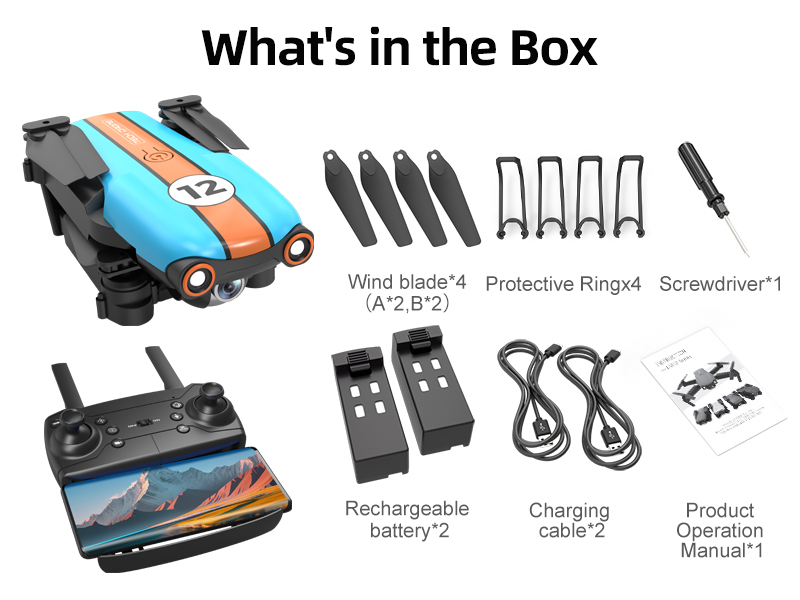
Image 2.1: An overview of all items included in the LMRC LM12 drone package, neatly arranged.
3. Product Overview
The LMRC LM12 is a foldable drone designed for ease of use and aerial photography. It features a 1080P HD camera, multiple flight modes, and a compact design for portability.

Image 3.1: The LMRC LM12 drone, its remote controller, and two modular batteries, showcasing the complete product set.
Key Features:
- 1080P HD Camera: Built-in camera with 90° adjustable angle for high-quality video and photos. Features dual camera switching and FPV real-time transmission to your mobile device.
- User-Friendly Controls: Includes Headless Mode, One Key Start/Landing, and Altitude Hold for stable and easy flight, suitable for beginners.
- Intelligent Flight Modes: Trajectory Flight allows drawing a path on the app for the drone to follow.
- Multiple Speed Modes: 3-level flight speed options for varied flying experiences.
- Extended Flight Time: Two high-capacity modular batteries provide up to 26 minutes of flight time.
- Gesture Control: Take photos or record videos with simple hand gestures.
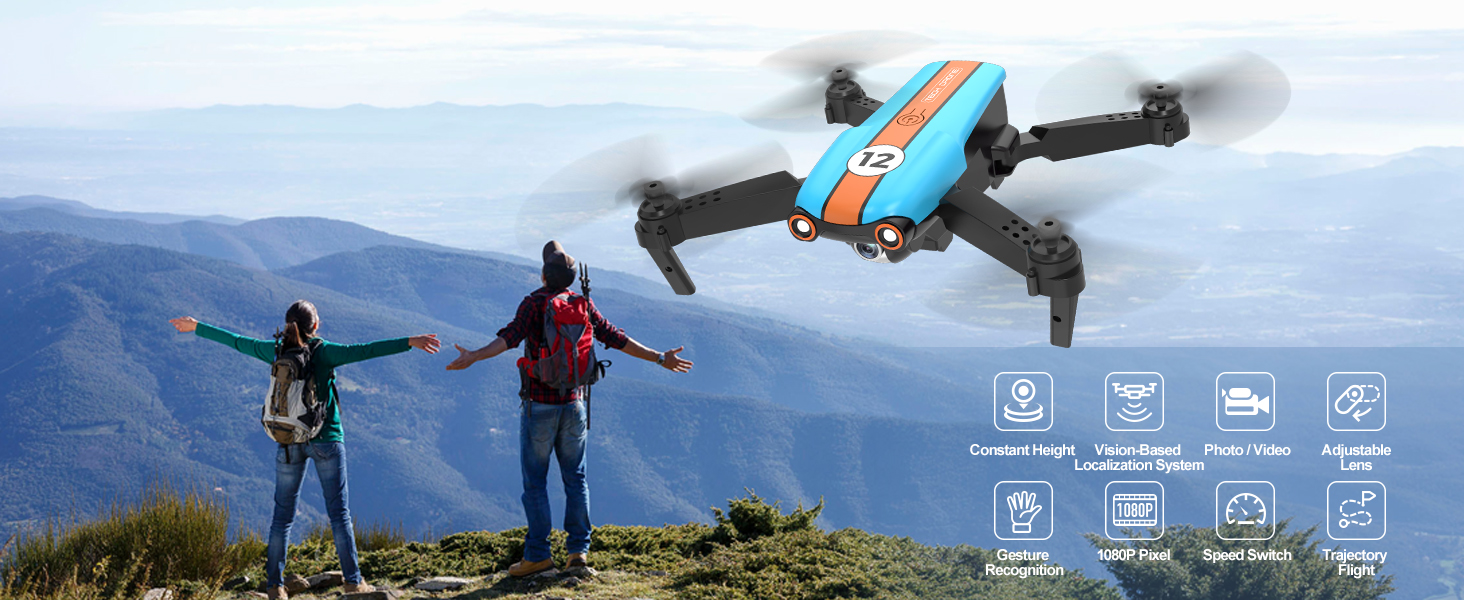
Image 3.2: The LMRC LM12 drone in flight, accompanied by icons illustrating its core features and capabilities.
4. Setup
4.1 Battery Installation and Charging
- Charge Batteries: Connect the modular batteries to the charging cables and plug them into a USB power source. The indicator light will show charging status. Ensure batteries are fully charged before first flight (approximately 60-90 minutes per battery).
- Install Drone Battery: Insert a fully charged modular battery into the battery compartment on the drone until it clicks securely into place.
- Install Remote Control Batteries: Open the battery cover on the back of the remote control and insert 3 AAA batteries (not included), observing correct polarity. Close the cover.

Image 4.1: Two modular drone batteries, illustrating their design and indicating flight duration based on the number of batteries used.
4.2 Propeller Installation and Guards
- Unfold Drone Arms: Gently unfold the drone's arms until they are fully extended.
- Attach Propeller Guards: Snap the protective rings onto the drone's motor arms to shield the propellers.
- Install Propellers: Ensure propellers are installed correctly according to the A and B markings on the propellers and drone motors. Use the provided screwdriver if necessary.
4.3 App Download and Connection
- Download App: Scan the QR code in the printed manual or search for "LMRC-FUN" in your mobile app store (iOS/Android).
- Power On Drone: Place the drone on a flat, level surface. Press and hold the power button on the drone until the indicator lights flash.
- Power On Remote: Turn on the remote control.
- Connect to Wi-Fi: On your mobile device, go to Wi-Fi settings and connect to the drone's Wi-Fi network (e.g., "LMRC-LM12-XXXXXX").
- Launch App: Open the LMRC-FUN app. The drone's camera feed should appear, indicating a successful connection.
5. Operating Instructions
5.1 Basic Flight Controls
- Pairing: After powering on both drone and remote, push the left joystick up then down. The drone lights will stop flashing and become solid, indicating successful pairing.
- Calibration: After pairing, push both joysticks down and to the right simultaneously. The drone lights will flash rapidly then become solid, indicating gyroscope calibration is complete.
- One Key Take-off/Landing: Press the One Key Take-off/Landing button on the remote or in the app. The drone will automatically ascend to a stable altitude or descend and land.
- Altitude Hold: The drone will automatically maintain its current altitude, allowing for stable hovering.
- Headless Mode: When activated, the drone's orientation is relative to the pilot, regardless of the drone's front direction. Press the Headless Mode button to activate/deactivate.
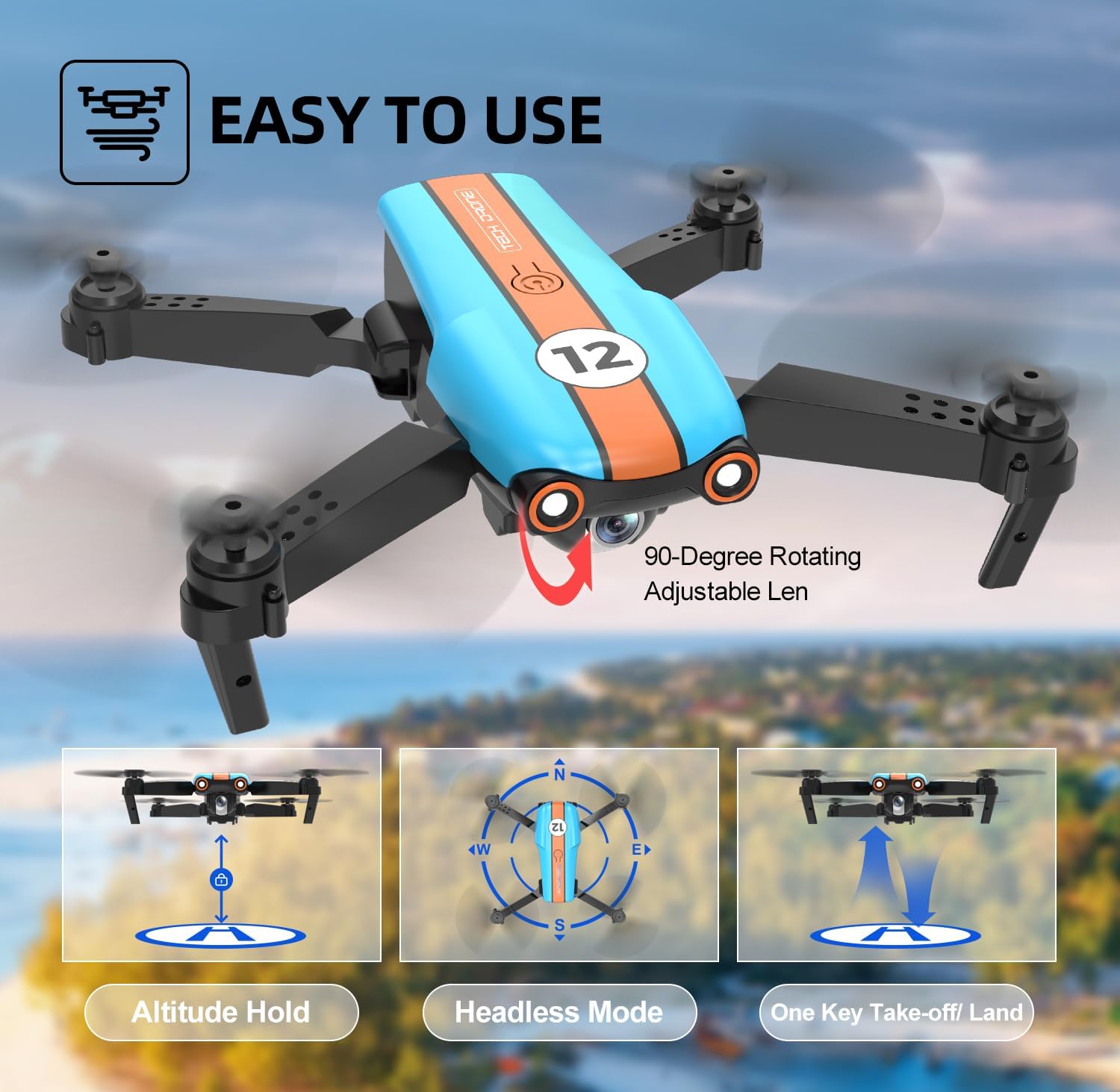
Image 5.1: Visual representation of the drone's Altitude Hold, Headless Mode, and One Key Take-off/Land functions for simplified flight.
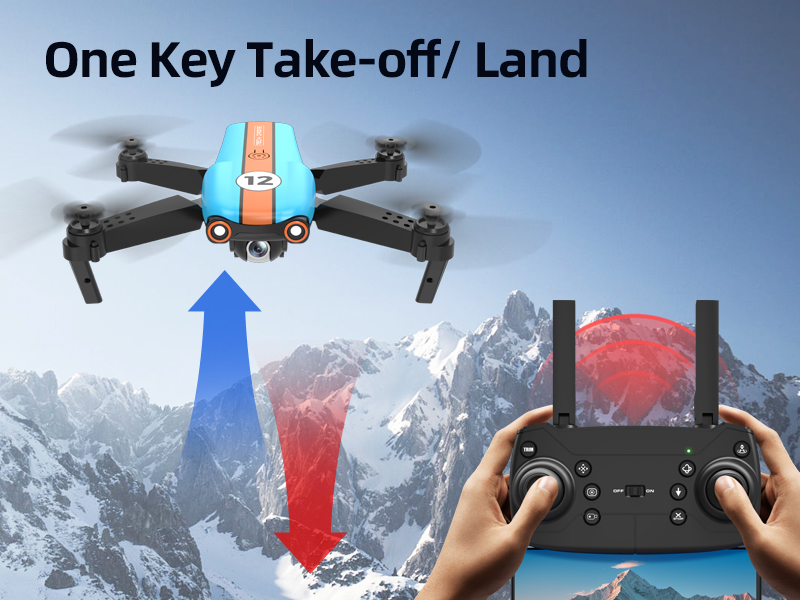
Image 5.2: Illustration of the One Key Take-off/Land feature, showing the drone ascending and descending with a single button press.
5.2 Camera Operation
- Adjustable Camera Angle: The drone's camera can be manually adjusted 90 degrees before flight to capture different perspectives.
- Photo/Video Capture: Use the dedicated buttons on the remote control or the app interface to take photos or start/stop video recording.
- FPV Real-Time Transmission: View live video feed on your connected mobile device through the LMRC-FUN app.

Image 5.3: A detailed view of the 1080P camera, illustrating its lens components and vibration absorption for clear imaging.
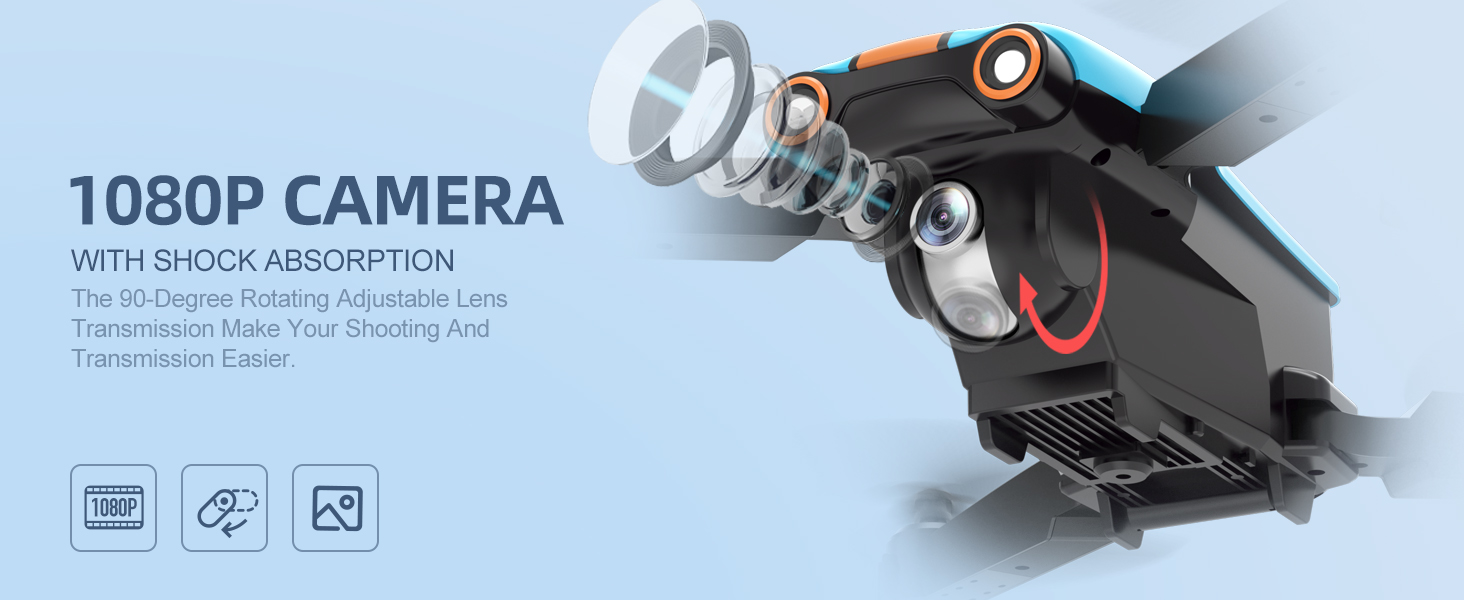
Image 5.4: The drone's 1080P camera with shock absorption, emphasizing its 90-degree rotating adjustable lens for versatile shooting.
5.3 Advanced Flight Modes
- 3 Speed Modes: Toggle between low, medium, and high-speed modes using the speed button on the remote to match your flying skill level or environmental conditions.
- Trajectory Flight: In the LMRC-FUN app, draw a desired flight path on your screen. The drone will automatically follow this path.
- Gesture Control: Perform specific hand gestures in front of the drone's camera to trigger photo or video recording. Refer to the app for specific gesture commands.
- Optical Flow Hovering: This feature helps the drone maintain a stable position indoors and outdoors by analyzing ground patterns.

Image 5.5: The drone illustrating its three distinct speed modes, from slowest (Mode 1) to fastest (Mode 3).
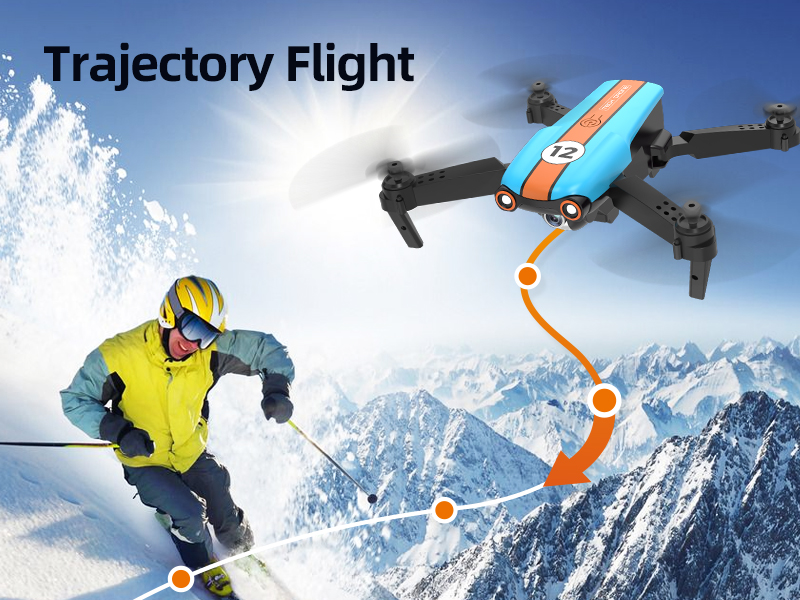
Image 5.6: The Trajectory Flight feature, showing the drone automatically following a pre-drawn path on a map.
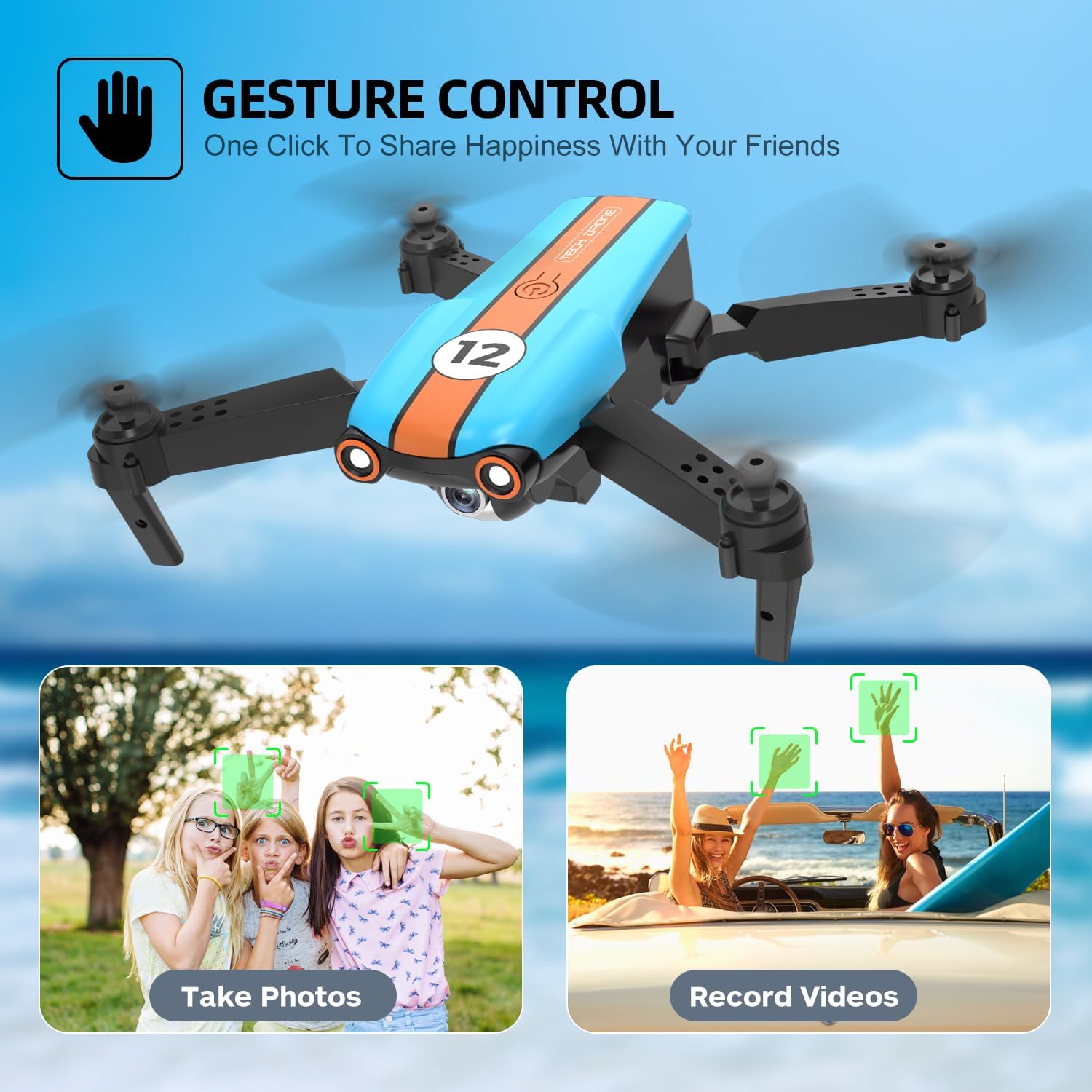
Image 5.7: Examples of gesture control, where hand signals are used to initiate photo taking or video recording.

Image 5.8: The Optical Flow Hovering system, demonstrating how the drone maintains stability both indoors and outdoors.
6. Maintenance
- Propeller Replacement: If propellers are damaged, use the provided screwdriver to remove the old propeller and install a new one, ensuring the correct A/B marking matches the motor.
- Cleaning: Use a soft, dry cloth to clean the drone body and camera lens. Avoid using liquids or solvents.
- Battery Care: Store batteries in a cool, dry place. Do not overcharge or over-discharge. If not used for extended periods, charge them to about 50% capacity.
- Storage: Fold the drone arms and store it in its original packaging or a protective case when not in use.
7. Troubleshooting
| Problem | Possible Cause | Solution |
|---|---|---|
| Drone does not respond to remote. | Not paired; low remote battery; drone battery low. | Ensure drone and remote are powered on and paired correctly. Replace remote batteries. Charge drone battery. |
| Drone drifts during flight. | Not calibrated; windy conditions. | Perform gyroscope calibration on a flat surface. Avoid flying in strong winds. |
| No FPV video feed in app. | Not connected to drone Wi-Fi; app not open. | Verify mobile device is connected to the drone's Wi-Fi network. Ensure the LMRC-FUN app is open. |
| Short flight time. | Battery not fully charged; old battery. | Ensure batteries are fully charged. Consider replacing old batteries if performance degrades significantly. |
| Drone flies away uncontrollably. | Loss of signal; strong wind interference. | Immediately press the One Key Landing button. Always fly within visual range and avoid strong winds. Ensure no signal interference. |
8. Specifications
| Feature | Detail |
|---|---|
| Brand | LMRC |
| Model Name | LM12 |
| Video Capture Resolution | 1080p (1920x1080 Pixels) |
| Connectivity Technology | Wi-Fi |
| Control Type | Remote Control, Gesture Control |
| Battery Type | Lithium Polymer (2 included) |
| Flight Time | Up to 26 minutes (with 2 batteries) |
| Product Dimensions | 10.2"L x 8.3"W x 3.3"H |
| Item Weight | 14.9 ounces |
| Supported Image Format | JPEG |
| Video Capture Format | MP4 |
| Optical Sensor Technology | CMOS |
9. Safety Guidelines
Adhering to these safety guidelines is crucial for preventing accidents and ensuring a safe flying experience.
- Read the Manual: Always read the entire instruction manual before operating the drone.
- Pre-Flight Check: Before each flight, ensure the drone, remote control, and batteries are in good working condition. Check propellers for damage.
- Fly in Open Areas: Operate the drone in open, unobstructed areas, away from people, animals, buildings, and power lines.
- Maintain Visual Line of Sight: Always keep the drone within your visual line of sight.
- Avoid Obstacles: Do not fly near or towards obstacles.
- Weather Conditions: Do not fly in strong winds, rain, snow, or fog. Adverse weather can lead to loss of control.
- Battery Safety: Use only approved charging cables and batteries. Do not puncture, disassemble, or expose batteries to extreme temperatures.
- Respect Privacy: Be mindful of privacy laws and do not use the drone to record individuals without their consent.
- Age Recommendation: This drone is recommended for adults and beginners. Adult supervision is advised for younger users.
10. Warranty and Support
LMRC products come with a standard manufacturer's warranty. For specific warranty details, please refer to the warranty card included in your product packaging or contact LMRC customer support.
If you encounter any issues or have questions regarding your LMRC LM12 drone, please contact us via your purchase platform (e.g., "My Orders - Contact Seller" on Amazon). Our technical support team is available to provide professional guidance for setup, operation, maintenance, and troubleshooting.
This product has FCC certification and has passed inspections by several agencies in the US, ensuring compliance with safety and quality standards.
Ask a question about this manual
Ask about setup, troubleshooting, compatibility, parts, safety, or missing instructions. Manuals+ will review the question and use this page’s manual context to help answer it.