1. Introduction
This manual provides detailed instructions for the MePadKey Trackpad Keyboard Case. This accessory enhances your tablet experience by offering a physical keyboard with a touchpad, protective casing, and adjustable viewing angles. Please read this manual thoroughly to ensure proper use and maintenance of your device.
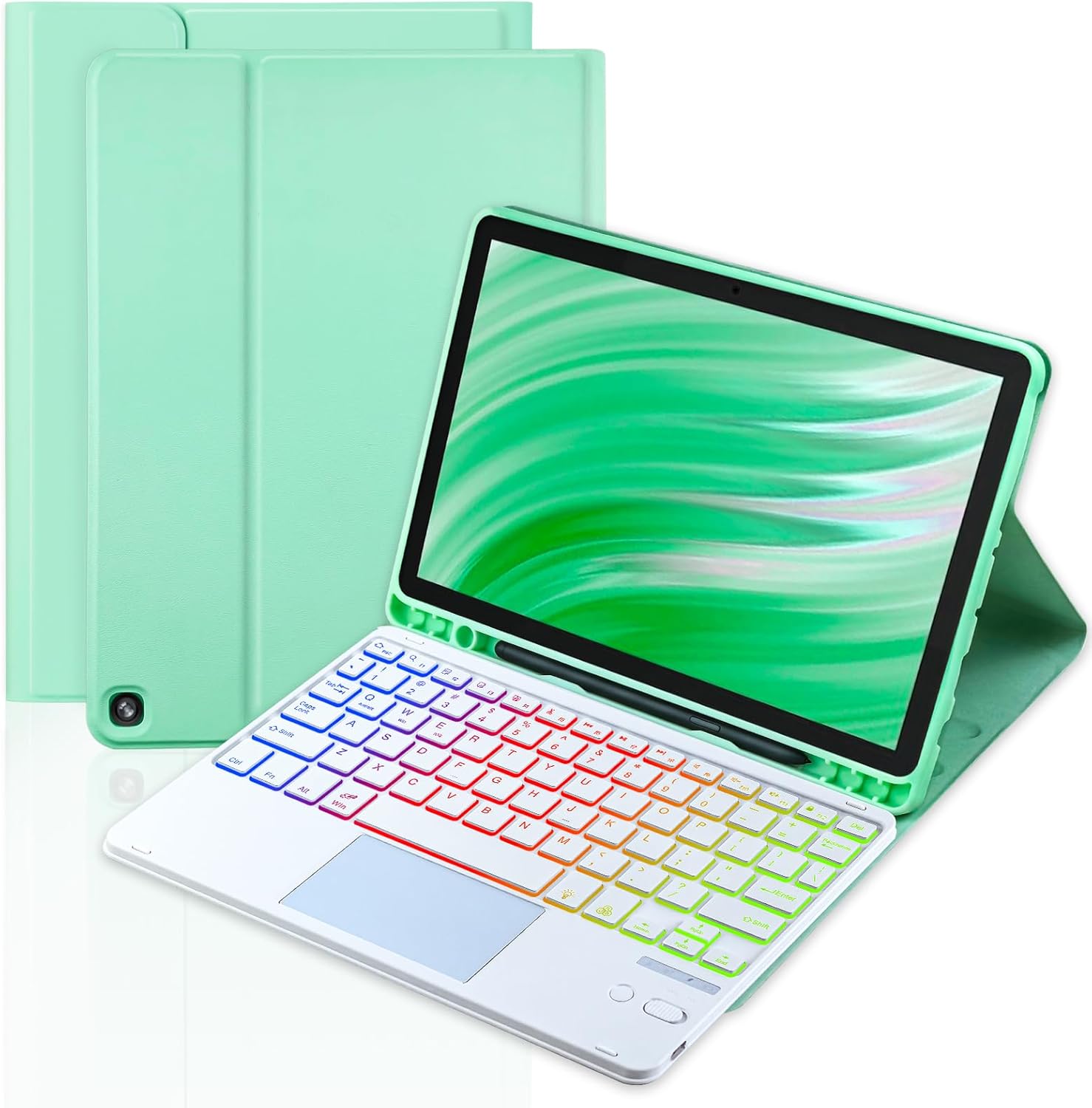
Image 1.1: MePadKey Trackpad Keyboard Case
2. Package Contents
Please verify that all items are present in your package:
- Tablet Case x 1
- 7-color Backlight Touchpad Keyboard x 1
- USB-C Charging Cable x 1
- User Manual x 1
3. Compatibility
This Trackpad Keyboard Case is specifically designed for the following models:
- Amazon Fire HD 10 (10.1 inch, 11th Generation, 2021 Release)
- Amazon Fire HD 10 Plus (10.1 inch, 11th Generation, 2021 Release)
- Amazon Fire HD 10 (10.1 inch, 13th Generation, 2023 Release)
- Amazon Fire HD 10 Plus (10.1 inch, 13th Generation, 2023 Release)
To confirm your tablet model, navigate to "Settings" on your tablet. This product is not compatible with other tablet models.

Image 3.1: Tablet Compatibility Guide
4. Product Features
- 7-Color Backlight Keyboard: The keyboard features seven switchable backlight colors, allowing for comfortable use in various lighting conditions. Backlight modes can also be adjusted.
- Integrated Touchpad: The touchpad provides mouse functionality, supporting multi-finger gestures for enhanced navigation and productivity.
- Type-C Charging Port: The keyboard is equipped with a Type-C charging port for faster and more convenient recharging of its built-in battery.
- Detachable Keyboard: The keyboard is magnetically attached to the case, allowing it to be easily removed for flexible use.
- Anti-Slip Grooves: The case includes anti-slip grooves to securely hold the tablet in place and prevent accidental slipping.
- Multi-Angle Adjustment: Supports multiple viewing angles for comfortable use in various environments.
- Precision Cutting: The case features precise cutouts for all ports, buttons, and cameras, ensuring full accessibility.
- Honeycomb Design: The interior of the case features a honeycomb pattern for efficient heat dissipation and enhanced protection against drops and shocks.

Image 4.1: Key Features Overview

Image 4.2: Smart Touchpad Functionality

Image 4.3: 7-Color Backlight Keyboard

Image 4.4: Adjustable Viewing Angles

Image 4.5: Honeycomb Design for Protection and Heat Dissipation
5. Setup Instructions
5.1. Tablet Installation
Carefully insert your Amazon Fire HD 10/10 Plus tablet into the protective case. Ensure all edges are securely fitted and that the camera and ports align with the case's cutouts.
Video 5.1: Demonstrates how to install the tablet into the case and attach the keyboard.
5.2. Charging the Keyboard
Connect the provided USB-C charging cable to the keyboard's Type-C port and the other end to a USB power adapter (not included). The charging indicator light will illuminate during charging and turn off when fully charged.
Video 5.2: Shows the Type-C charging port and how to connect the charging cable.
5.3. Bluetooth Pairing
- Ensure the keyboard is charged.
- Slide the power switch on the keyboard to the "ON" position.
- On your Amazon Fire tablet, go to Settings > Connected Devices > Bluetooth.
- Toggle Bluetooth to "ON" if it's not already.
- Select "Pair new device".
- The tablet will search for available devices. Select "Keyboard" from the list.
- Confirm the pairing request on your tablet. The keyboard is now connected.
Video 5.3: Demonstrates the Bluetooth pairing process for the keyboard.
6. Operating Instructions
6.1. Keyboard Functions
- Typing: Use the keyboard for text input as you would with a standard computer keyboard.
- Backlight Control: Press the Light Bulb key to cycle through backlight colors and modes.
- Media Control Keys: Dedicated keys for volume control, play/pause, previous/next track, and screen lock are available.
6.2. Touchpad Gestures
The touchpad supports various multi-finger gestures:
- Move Cursor: Use one finger to move the cursor across the screen.
- Zoom In/Out: Use two fingers to pinch in or spread out to zoom.
- Go to Home: Use three fingers to swipe up to return to the home screen.
- Screenshot: Use three fingers to swipe down to capture a screenshot.
- Lock/Unlock Touchpad: Press FN + Win key simultaneously to lock or unlock the touchpad.
Video 6.1: Demonstrates touchpad gestures and keyboard backlight functionality.
7. Maintenance
- Keep the keyboard and case clean by wiping with a soft, dry cloth.
- Avoid exposing the device to extreme temperatures, humidity, or direct sunlight.
- Do not use harsh chemicals or abrasive cleaners.
- Store the keyboard and case in a safe place when not in use to prevent damage.
8. Troubleshooting
- Keyboard not connecting via Bluetooth:
- Ensure the keyboard is powered on and fully charged.
- Verify Bluetooth is enabled on your tablet.
- Forget the device in your tablet's Bluetooth settings and attempt to re-pair.
- Restart both the tablet and the keyboard.
- Keyboard not typing:
- Check if the keyboard is successfully paired.
- Ensure the keyboard is charged.
- Touchpad not responding:
- Ensure the touchpad is not locked (press FN + Win).
- Restart the keyboard and tablet.
- Backlight not working:
- Press the Light Bulb key to activate or change the backlight.
- Ensure the keyboard has sufficient battery charge.
9. Specifications
| Product Dimensions | 9.84 x 7.48 x 0.94 inches |
| Item Weight | 1.35 pounds |
| Manufacturer | MePadKey |
| Batteries | 1 Lithium Polymer battery (included) |
| Compatible Devices | Amazon Fire HD 10/10 Plus 10.1 inch (2021/2023, 11th/13th Gen) |
| Connectivity Technology | Bluetooth |
| Keyboard Description | Multi Functional |
| Special Feature | Rechargeable, Backlight, Touchpad |
| Material | Acrylonitrile Butadiene Styrene |
10. Warranty and Support
This product comes with a standard manufacturer's warranty. For detailed warranty information, technical support, or service inquiries, please refer to the contact information provided on the product packaging or the official MePadKey website. Please retain your proof of purchase for warranty claims.