
Introduction
This manual provides comprehensive instructions for the safe and efficient operation, maintenance, and troubleshooting of your MS32 Flashlight (Model W5120-Pro). Please read this manual thoroughly before using the product.
The MS32 Flashlight is a high-powered LED spotlight designed for various applications, including outdoor activities, emergency situations, and general illumination. It features multiple lighting modes, a built-in rechargeable battery with power bank functionality, and a durable, water-resistant design.
Package Contents
Verify that all items are present in the package:
- 1x Emorata MS32 Flashlight (W5120-Pro)
- 1x Work Light Tripod
- 1x USB Charging Cable
- 1x User Manual (this document)

Image: The MS32 Flashlight, its packaging, included tripod, and USB cable.
Product Overview
Familiarize yourself with the components of the MS32 Flashlight:
- LED Light: High-intensity LED for illumination.
- Power Switch: Controls power and lighting modes.
- USB Output Port: For charging external devices.
- USB Input Port: For charging the flashlight's internal battery.
- Adjustable Bracket: Allows for angle adjustment when placed on a surface or tripod.
- Fixing Screw Hole: For attaching the tripod.
- Power Indicator Lights: Four lights indicating battery charge level (100%, 75%, 50%, 25%).
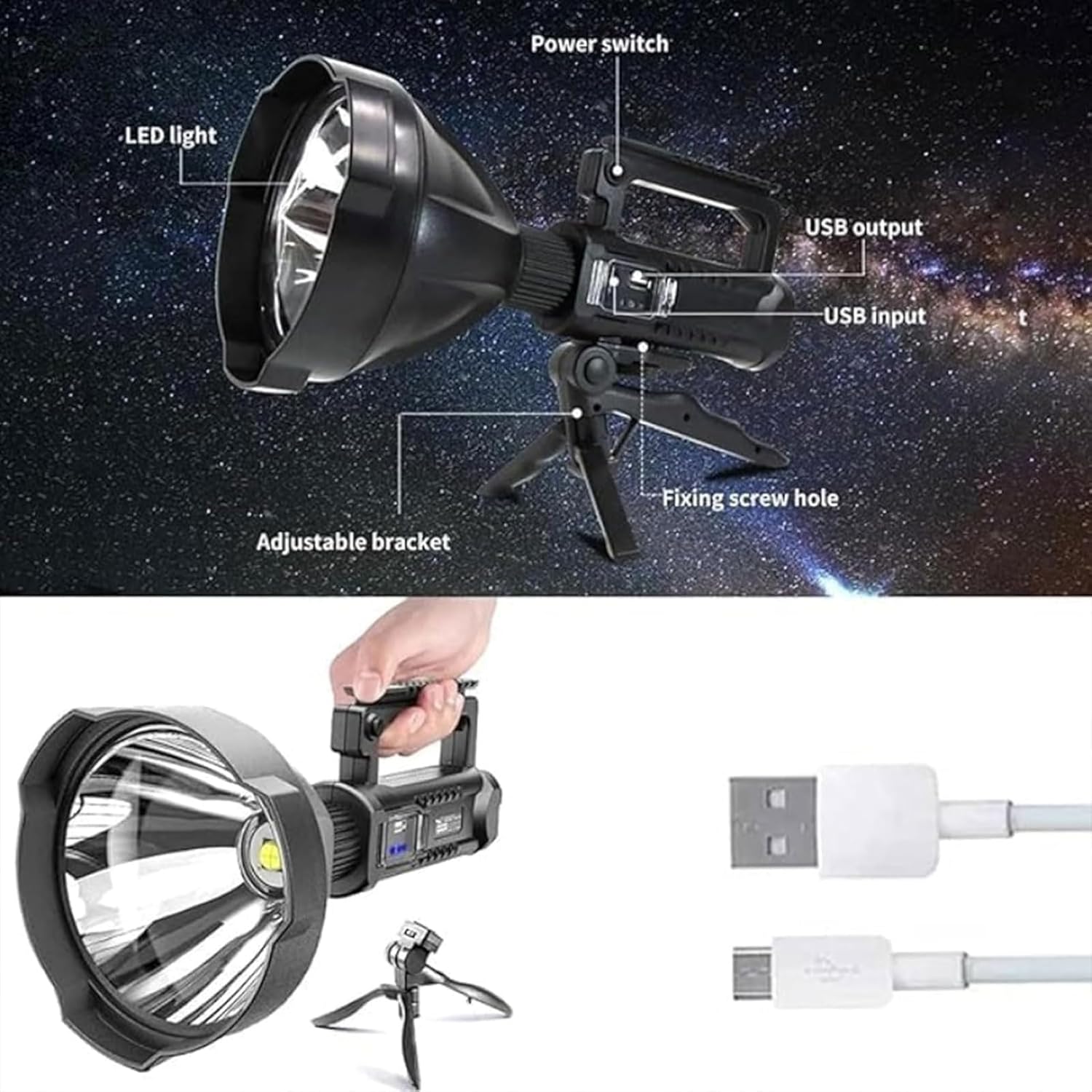
Image: Labeled diagram showing the LED light, power switch, USB ports, adjustable bracket, and fixing screw hole.
Setup
Initial Charging
Before first use, fully charge the flashlight's internal battery.
- Connect the supplied USB charging cable to the USB input port on the flashlight.
- Connect the other end of the USB cable to a compatible USB power adapter (not included) or a computer's USB port.
- The power indicator lights will illuminate to show charging progress. All four lights will be solid when fully charged.
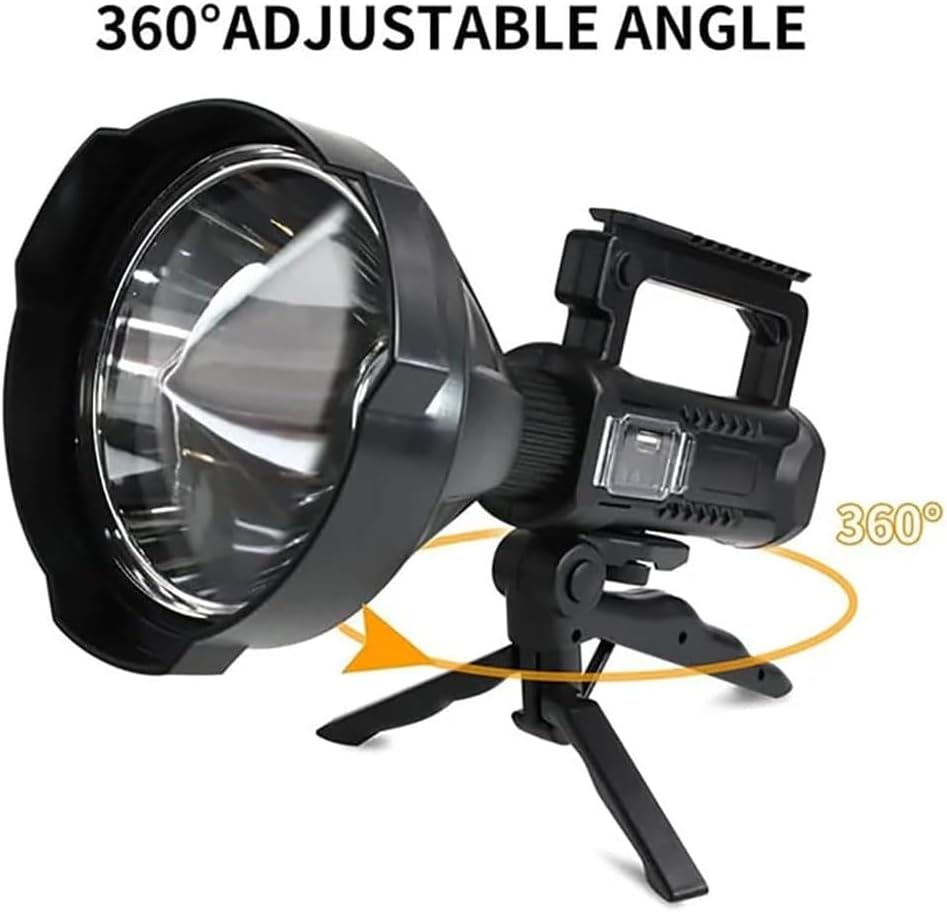
Image: The flashlight being charged via its USB input port, with indicator lights showing charging status.
Attaching the Tripod
The included tripod can be attached for hands-free operation.
- Locate the fixing screw hole on the bottom of the flashlight's adjustable bracket.
- Align the tripod's screw with the fixing screw hole.
- Rotate the tripod's screw clockwise until it is securely fastened.
- Adjust the angle of the flashlight using the adjustable bracket as needed.

Image: The MS32 Flashlight securely mounted on its tripod, demonstrating its 360-degree adjustable angle capability.
Operating Instructions
Power On/Off and Mode Selection
The flashlight features four lighting modes: High, Medium, Low, and SOS.
- To Power On: Press the power switch once. The flashlight will turn on in High mode.
- To Change Modes: While the flashlight is on, press the power switch repeatedly to cycle through modes: High → Medium → Low → SOS.
- To Power Off: Press the power switch after cycling through all modes, or press and hold the power switch for approximately 2 seconds from any mode.

Image: Visual representation of the four distinct lighting modes: Low, Medium, High, and Strobe (SOS).
Using as a Power Bank
The MS32 Flashlight can be used to charge other USB-powered devices.
- Connect your device's charging cable to the USB output port on the flashlight.
- The flashlight will begin charging your device.
- Monitor the power indicator lights on the flashlight to check its remaining battery level.
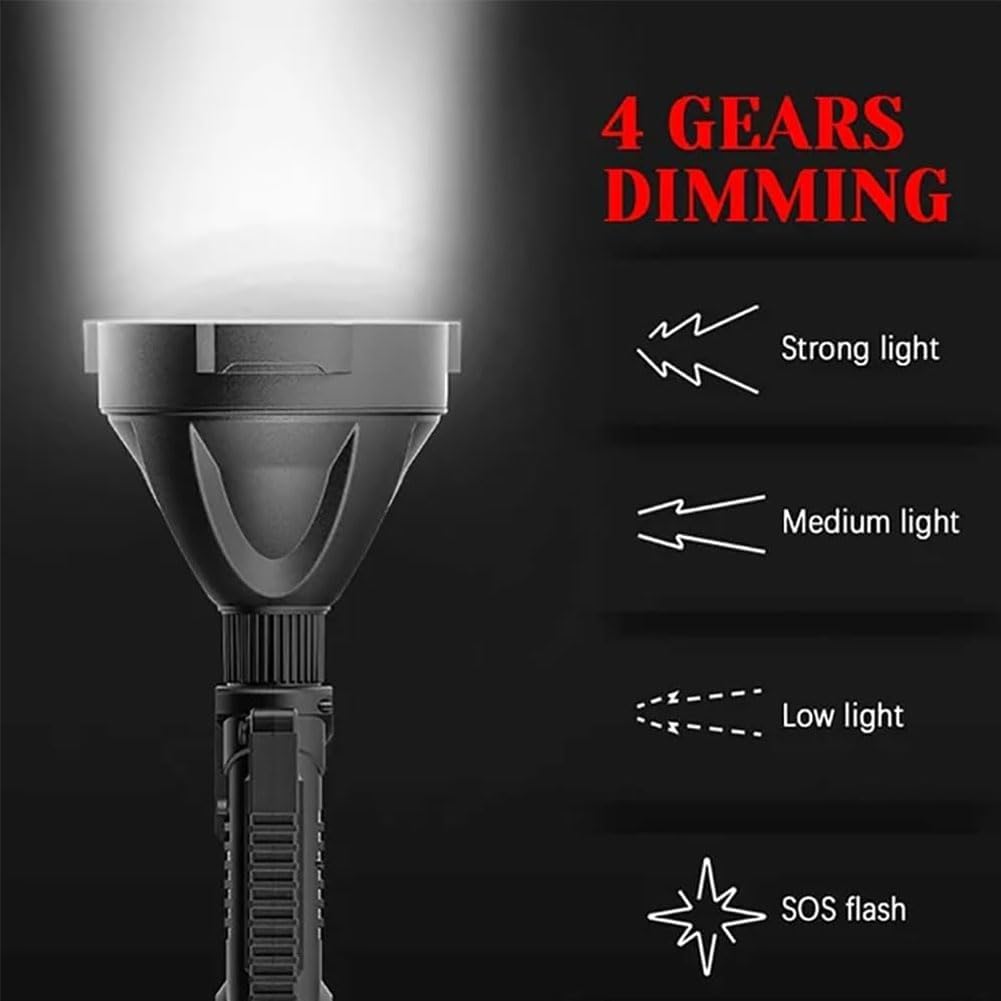
Image: The flashlight acting as a power bank, providing charge to a smartphone through its USB output port.
Maintenance
Cleaning
- Wipe the flashlight with a soft, damp cloth.
- Do not use abrasive cleaners or solvents.
- Ensure the USB ports are clean and free of debris.
Storage
- Store the flashlight in a cool, dry place away from direct sunlight.
- For long-term storage, charge the battery to approximately 50% every 3-6 months to maintain battery health.
Battery Care
- Avoid fully discharging the battery frequently.
- Do not expose the flashlight to extreme temperatures.
Troubleshooting
| Problem | Possible Cause | Solution |
|---|---|---|
| Flashlight does not turn on. | Battery is depleted. | Charge the flashlight fully using the supplied USB cable. |
| Flashlight does not charge. | Faulty USB cable or power adapter. | Try a different USB cable or power adapter. Ensure connections are secure. |
| External device not charging from flashlight. | Flashlight battery too low; incorrect USB port used. | Ensure flashlight is sufficiently charged. Use the USB output port. |
| Light output is dim. | Battery is low; flashlight is in a lower mode. | Recharge the battery. Cycle through modes to select High. |
Specifications
| Feature | Detail |
|---|---|
| Model | W5120-Pro |
| Brightness | 200,000 Lumens (Max) |
| Beam Distance | Up to 550 yards (approx. 500 meters) |
| Power Capacity | 8000 mAh (Built-in Lithium Battery) |
| LED Lamp Lifespan | 100,000 Hours |
| Using Time | 6 to 10 hours (Approx, depending on mode) |
| Lighting Modes | High, Medium, Low, SOS |
| Water Resistance | IPX44 (Water Resistant, not for submersion) |
| Dimensions | 11.5 x 27 x 10.5 cm (Approx) |
| Special Features | Adjustable Focus, Rechargeable, Power Bank Function, Tripod Mountable |
Warranty and Support
For any questions about your product, please contact the seller directly. Information regarding warranty coverage may be provided at the point of purchase or within separate documentation.
For technical assistance or product inquiries, please refer to the contact information provided by your retailer or the manufacturer's official support channels.