1. Introduction
This manual provides detailed instructions for the installation, operation, and maintenance of the LTS LXIP3C82WI-28SDL Pro-X 8MP IP Camera. This camera is designed for both indoor and outdoor surveillance, offering high-resolution video and advanced detection features. Please read this manual thoroughly before using the product to ensure proper setup and functionality.
2. Safety Information
- Ensure the power supply meets the camera's requirements (12V DC or PoE IEEE 802.3af).
- Do not expose the camera to extreme temperatures, humidity, or corrosive environments.
- Avoid pointing the lens directly at strong light sources for extended periods.
- Installation should be performed by qualified personnel and comply with local electrical codes.
- Keep the camera clean and free from dust to maintain optimal performance.
3. Package Contents
Verify that all items are present in the package:
- LTS LXIP3C82WI-28SDL Pro-X 8MP IP Camera (1 unit)
- Mounting hardware (screws, anchors)
- Quick Start Guide
4. Product Overview and Features
The LTS LXIP3C82WI-28SDL is an 8 Megapixel (3840 x 2160) IP camera designed for advanced surveillance. Key features include:
- High Resolution: Captures video at up to 8 MP (3840 × 2160) at 30 frames per second.
- Fixed Lens: Equipped with a 2.8 mm fixed lens.
- Advanced Illumination: Features built-in IR LED and warm light LED illuminators, providing clear images up to 98 feet (30 meters) even in low light conditions, enabling 24/7 color imaging.
- X-Deterrence: Integrated siren and visual alerts (red and blue flashing lights) for active deterrence.
- Two-Way Talk: Built-in dual microphones and speaker facilitate two-way audio communication.
- Motion Detection 2.0: Intelligent motion detection focusing on human and vehicle recognition to reduce false alarms.
- Wide Dynamic Range (WDR): True WDR 120 dB for clear images in scenes with strong backlighting.
- Storage: Supports MicroSD card storage up to 256 GB.
- Power Options: Can be powered via Power over Ethernet (PoE IEEE 802.3af) or 12V DC.
- Durability: IP67 rated for outdoor use, providing protection against dust and water.
- Compression: Utilizes Smart H.264 / H.265 compression for efficient storage and bandwidth usage.
- NDAA Compliant: This device adheres to NDAA compliance standards.
5. Setup
5.1 Camera Wiring
The LXIP3C82WI-28SDL camera uses a network cable for both video and Power over Ethernet (PoE). It is not compatible with traditional DC power and BNC video connections.
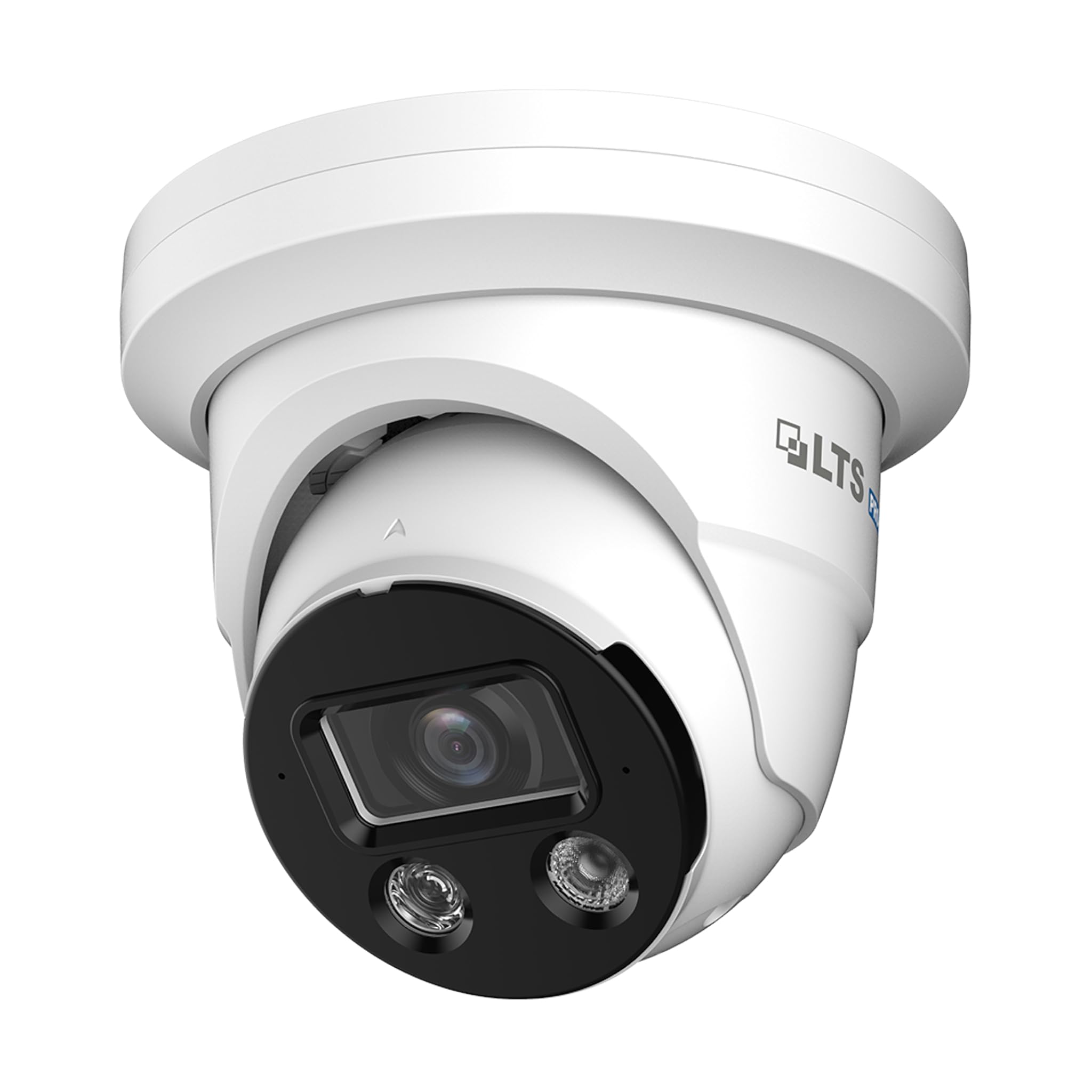
Image 1: Camera Wiring Compatibility. This diagram illustrates the correct wiring method using a network cable for both video and Power over Ethernet (PoE), marked as 'Compatible' with a green circle. It also shows traditional DC power and BNC video cables marked as 'Not Compatible' with a red cross, indicating they should not be used with this camera model.
- Connect a standard Ethernet network cable to the camera's network port.
- If using PoE, connect the other end of the network cable to a PoE-enabled switch or NVR.
- If not using PoE, connect the network cable to a standard network switch/router and provide 12V DC power to the camera's power input.
5.2 Mounting
The camera is designed for ceiling mount installation.
- Choose a suitable mounting location on the ceiling that provides the desired field of view.
- Use the provided mounting template (if included) to mark the drill holes.
- Drill pilot holes and insert anchors if necessary.
- Secure the camera base to the ceiling using the provided screws.
- Adjust the camera angle as needed for optimal coverage.
5.3 Network Connection and Initial Configuration
After physical installation and wiring, connect the camera to your network. For best compatibility, pair this Pro-X series camera with a Pro-X NVR. It is not plug & play compatible with LTS Platinum NVRs.
- Ensure your network is properly configured for IP cameras.
- Use the manufacturer's provided software or a standard IP camera tool to discover the camera on your network.
- Access the camera's web interface using its IP address to perform initial configuration, including setting a strong password, network settings, and video parameters.
6. Operating
6.1 Video Monitoring
Access live video feeds through a compatible NVR, PC software, or mobile application. The camera supports 8MP resolution for detailed surveillance.
6.2 Motion Detection 2.0
Configure Motion Detection 2.0 settings via the camera's web interface or NVR. This feature distinguishes between human and vehicle movement, reducing false alarms from other sources.
- Define detection zones and sensitivity levels.
- Set up recording schedules and notification preferences (e.g., email alerts, push notifications).
6.3 X-Deterrence (Siren and Lights)
The X-Deterrence feature can be activated manually or triggered by motion detection events. When triggered, the camera will emit a siren sound and flash red and blue lights to deter intruders.
- Configure X-Deterrence actions within the camera's event settings.
- Adjust siren volume and light flashing patterns if available.
6.4 Two-Way Audio
Utilize the built-in microphone and speaker for two-way audio communication. This feature is accessible through compatible NVRs or client software.
- Ensure audio input/output settings are enabled in the camera's configuration.
- Use the talk button in your monitoring software to speak through the camera's speaker.
6.5 Local Storage (MicroSD)
The camera supports a MicroSD card up to 256 GB for local video storage. This provides a backup or primary recording solution.
- Insert a compatible MicroSD card into the designated slot (refer to the camera's physical diagram for location).
- Format the MicroSD card via the camera's web interface before use.
- Configure recording schedules and overwrite settings for the MicroSD card.
7. Maintenance
7.1 Cleaning
Regularly clean the camera lens and housing to ensure clear image quality and proper operation.
- Use a soft, dry cloth to wipe the camera body.
- For the lens, use a lens cleaning solution and a microfiber cloth to avoid scratches.
- Do not use harsh chemicals or abrasive cleaners.
7.2 Firmware Updates
Periodically check the manufacturer's website for firmware updates. Firmware updates can improve performance, add new features, and enhance security.
- Download the correct firmware version for your camera model.
- Follow the update instructions provided by the manufacturer carefully to avoid damaging the device.
8. Troubleshooting
8.1 No Power
- Verify that the power source (PoE switch/injector or 12V DC adapter) is functioning correctly.
- Check all cable connections for secure fit.
8.2 No Video Feed
- Ensure the camera is powered on and connected to the network.
- Verify network connectivity by pinging the camera's IP address.
- Check firewall settings on your network and viewing device.
- Confirm that the NVR or viewing software is compatible and correctly configured.
8.3 Poor Image Quality
- Clean the camera lens.
- Adjust video settings (resolution, bitrate, exposure) in the camera's web interface.
- Ensure adequate lighting in the surveillance area, especially at night.
8.4 Motion Detection Not Working
- Verify that motion detection is enabled and configured correctly in the camera settings.
- Adjust detection zones and sensitivity.
- Ensure there are no obstructions blocking the camera's view.
9. Specifications
| Feature | Specification |
|---|---|
| Model Number | LXIP3C82WI-28SDL |
| Effective Still Resolution | 8 MP (3840 x 2160) |
| Frame Rate | 30 fps |
| Lens | Fixed 2.8 mm |
| Illuminator Distance | Up to 98 feet (IR LED & Warm Light LED) |
| Minimum Illumination | 0.001 lux @ f 1.0 (Color, 30 IRE), 0 lux with illuminator on |
| Compression | Smart H.264 / H.265 |
| Sensor | 1/2.8" Progressive Scan CMOS |
| X-Deterrence | Siren and visual alerts (red and blue flashing lights) |
| Audio | Built-in dual mic and speaker, two-way talk |
| WDR | True WDR 120 dB |
| Storage | MicroSD up to 256 GB |
| Power Supply | 12V DC, PoE (IEEE 802.3af) |
| Ingress Protection | IP67 |
| Motion Detection | MD 2.0 - Human and vehicle detection |
| Mounting Type | Ceiling Mount |
| Dimensions (L x W x H) | 5.61 x 5.61 x 4.91 inches |
| Item Weight | 3 pounds |
| Manufacturer | LTS |
10. Warranty and Support
For warranty information and technical support, please refer to the official LTS website or contact your authorized dealer. Keep your purchase receipt for warranty claims.
- Manufacturer: LTS
- Support: Refer to the manufacturer's official support channels for assistance with product issues, firmware updates, and advanced configurations.