
1. Introduction
The YuYolex Lindong Power Bank Case is a portable and wearable wireless charger designed for Apple Watch models. This compact device allows for convenient charging of your Apple Watch whether you are active outdoors or at home. Its design ensures stable charging, preventing accidental disconnections.
2. Product Features
- Wearable Design: Allows charging directly on the wrist, ideal for outdoor activities.
- Flexible Charging: Can be used as a wearable charger or as a standalone charging pad by removing the silicone case.
- Compact and Lightweight: Weighs approximately 50g, ensuring comfort during extended wear.
- High Capacity: Built-in 1200mAh battery can fully charge an Apple Watch approximately twice.
- Battery Indicator: Features a three-level LED indicator to show remaining power.
- Advanced Safety Protection: Incorporates 10-fold charging safety protection, including high temperature protection, overcharge, overcurrent, foreign body recognition, cell overcurrent, short circuit, cell overvoltage, overvoltage, overpower, and chip overshoot protection.
- Wide Compatibility: Compatible with Apple Watch Series 4, 5, 6, 7, 8, 9, 10, SE, Ultra, and Ultra2 (49mm, 46mm, 45mm, 44mm, 42mm, 41mm, 40mm).
3. Package Contents
Please verify that all items are present in the package:
- 1 x YuYolex Lindong Portable Charger
- 1 x User Manual
4. Specifications
| Specification | Detail |
|---|---|
| Capacity | 1200mAh |
| Energy Conversion Rate | ≥65% |
| Rated Capacity | 500mAh |
| Type-C Input | 2.5V – 1A |
| Wireless Output | 2.5W |
| Dimensions | 2.75 x 1.85 x 0.69 inches (70 x 47 x 17.5 mm) |
| Weight | 50g (1.76 ounces) |
| Compatible Devices | Apple Watch Series 4/5/6/7/8/9/10/SE/Ultra/Ultra2 |
| Connector Type | USB Type C |
5. Setup Instructions
The YuYolex Power Bank Case offers versatile charging options for your Apple Watch.
5.1 Inserting Your Apple Watch
To use the power bank as a wearable charger, carefully insert your Apple Watch into the designated slot within the power bank case. Ensure it is securely seated for proper wireless charging contact.

Image: The YuYolex Lindong Power Bank Case shown with an Apple Watch inserted, demonstrating its compact and integrated design.
5.2 Removing the Silicone Case for Direct Charging
For direct charging without the wearable case, the charger can be removed from its soft silicone housing. This allows you to place the Apple Watch directly onto the charging pad. This method is suitable for use at home or when the wearable function is not required.
Video: This video demonstrates how to insert and remove the Apple Watch from the power bank case, as well as how to activate charging. It also shows the power bank being charged via its Type-C port.
6. Operating Instructions
6.1 Power On/Off and Battery Level Check
The power bank features an intelligent indicator light system to manage power and display battery status.
- Power On: Press the power button once to turn on the charger. The indicator light will illuminate.
- Power Off: Press the power button twice to turn off the charger.
- Battery Indicator: The three-level battery indicator provides an approximate idea of the remaining power:
- Green Light: 100%-60% charge
- Yellow Light: 59%-11% charge
- Red Light: 10%-0% charge
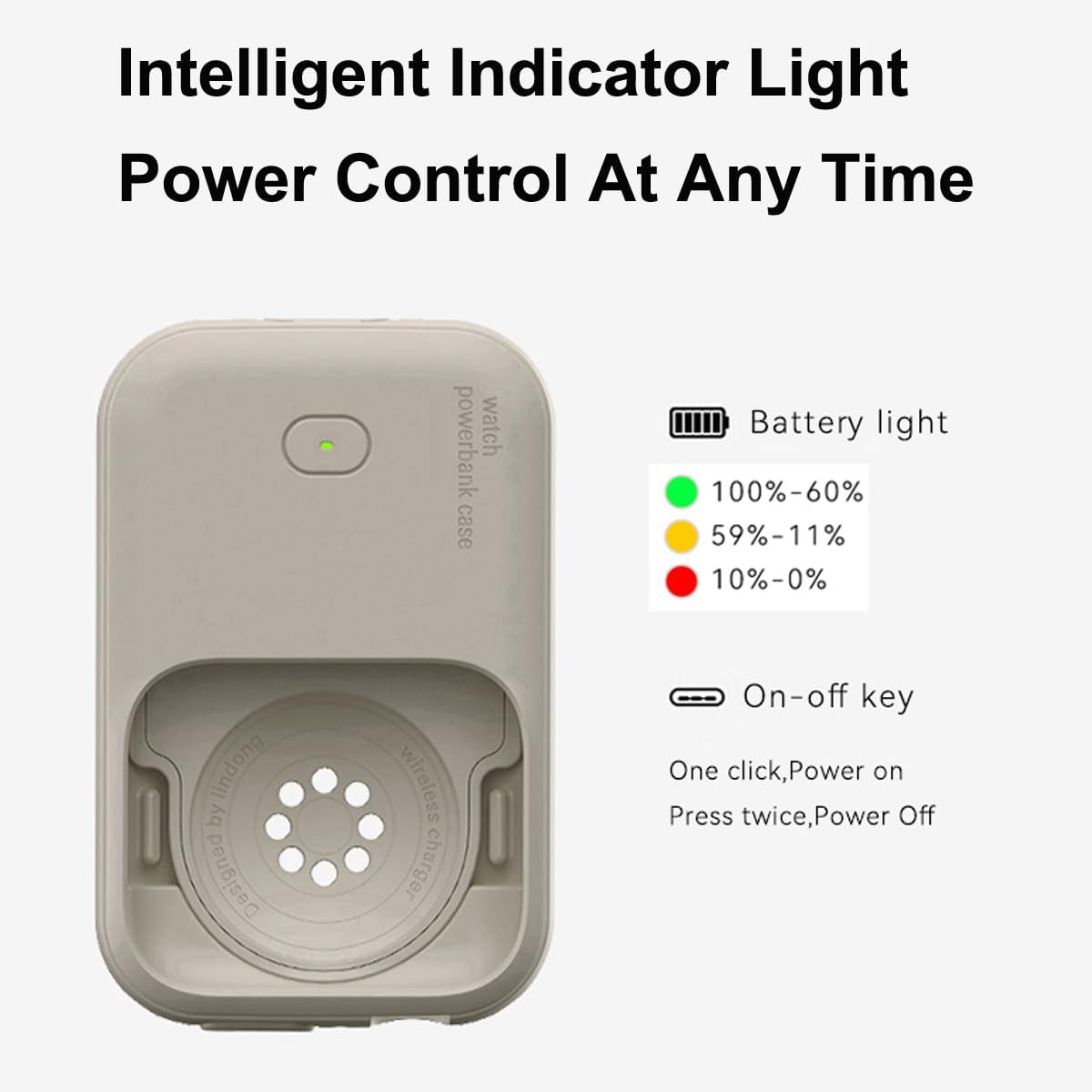
Image: A close-up of the power bank case showing the power button and the intelligent three-level battery indicator lights.
7. Charging the Power Bank
To charge the YuYolex Lindong Power Bank Case, connect a USB Type-C cable to the input port on the device and plug the other end into a suitable power source (e.g., wall adapter, computer USB port). The indicator lights will show the charging status.
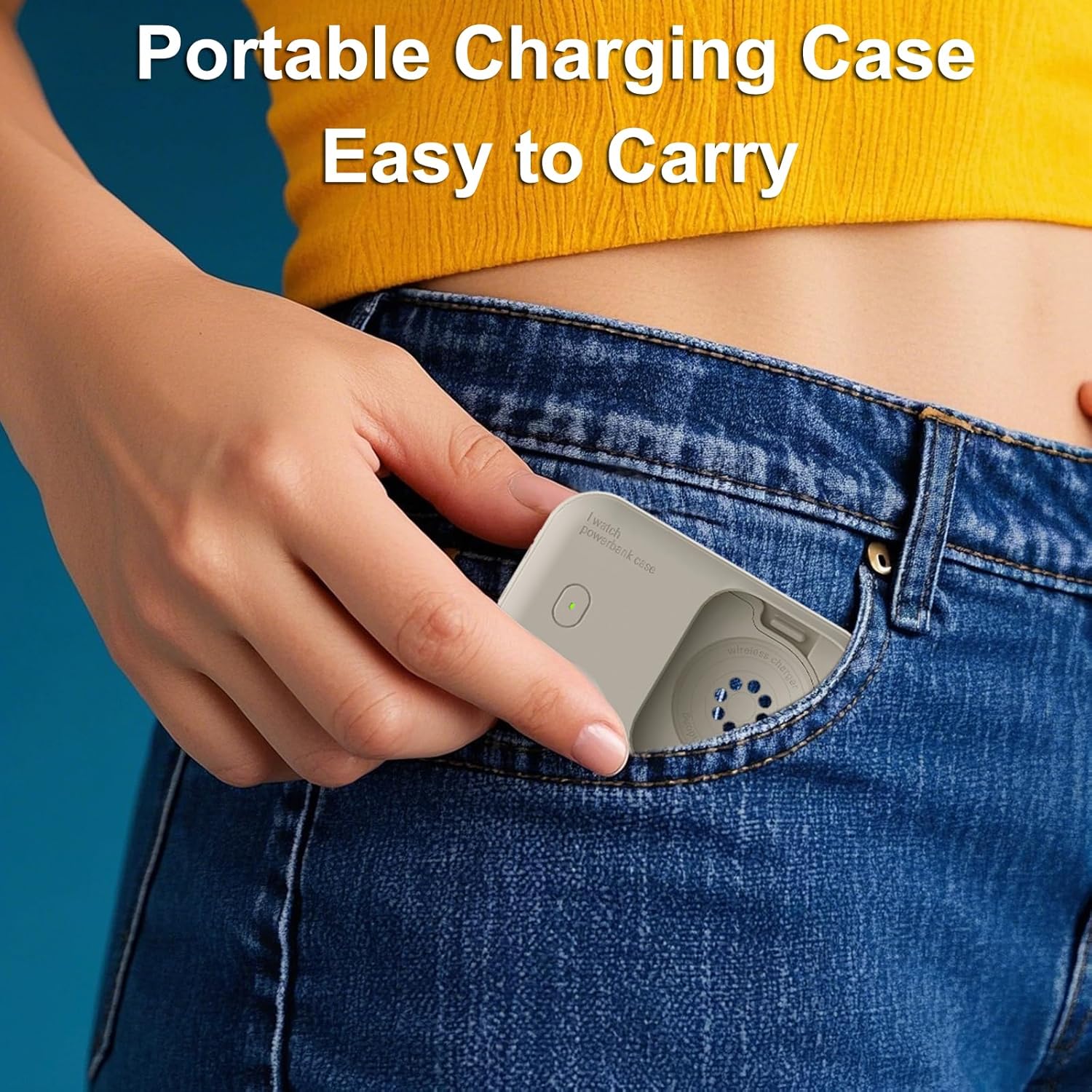
Image: The portable charging case, highlighting its compact size and the visible Type-C charging port.
8. Charging the Apple Watch
8.1 Wearable Charging
With your Apple Watch securely inserted into the power bank case, you can wear the combination on your wrist. Press the power button once to initiate wireless charging. The watch will display a charging icon, and the power bank's indicator light will confirm operation.

Image: An Apple Watch being charged while worn on the wrist within the YuYolex wearable charger.
8.2 Direct Charging
If you prefer to charge your Apple Watch off-wrist, remove the charger from its silicone case. Place your Apple Watch directly onto the exposed charging pad. Press the power button once to begin charging. This method is convenient for bedside charging or when the watch is not being worn.

Image: An Apple Watch placed directly onto the YuYolex power bank for charging, illustrating the compact size of the charger.
9. Safety Information
The YuYolex Lindong Power Bank Case is equipped with comprehensive safety features to ensure secure operation:
- Overcharge Protection: Prevents battery damage from excessive charging.
- Overcurrent Protection: Safeguards against current surges.
- High Temperature Protection: Automatically regulates temperature to prevent overheating.
- Foreign Body Recognition: Detects foreign objects on the charging surface to prevent hazards.
- Cell Overcurrent Protection: Protects the internal battery cells.
- Short Circuit Protection: Prevents damage from electrical shorts.
- Cell Overvoltage Protection: Guards against excessive voltage to battery cells.
- Overvoltage Protection: Protects the device from input voltage spikes.
- Overpower Protection: Manages power output to prevent overload.
- Chip Overshoot Protection: Ensures stable and controlled power delivery.
Always use the device as intended and avoid exposing it to extreme conditions or attempting to disassemble it.

Image: A visual representation of the ten security protection features integrated into the power bank for safe charging.
10. Troubleshooting
- Device not charging: Ensure the power bank is charged. Check that the Apple Watch is correctly positioned on the charging pad or within the case. Verify that the power bank is turned on.
- Slow charging: Ensure the power bank itself is fully charged. Check for any foreign objects between the watch and the charging surface.
- Indicator lights not working: The power bank may be fully discharged or require a reset. Try charging the power bank for a period.
If issues persist, please refer to the support information below.
11. Maintenance
To ensure the longevity and optimal performance of your YuYolex Lindong Power Bank Case:
- Keep the device clean and free from dust and debris. Use a soft, dry cloth for cleaning.
- Avoid exposing the power bank to extreme temperatures, direct sunlight, or high humidity.
- Do not drop or subject the device to strong impacts.
- Store in a cool, dry place when not in use.
12. Warranty and Support
For any questions or assistance during usage, please contact YuYolex customer support. We are committed to helping you resolve any issues you may encounter with your product.