
Stealth Cam STC-RVLRP
Stealth Cam Revolver PRO Cellular Trail Camera User Manual
Model: STC-RVLRP
Introduction
This manual provides comprehensive instructions for the setup, operation, and maintenance of your Stealth Cam Revolver PRO Cellular Trail Camera. Designed for optimal performance in hunting, wildlife observation, and outdoor security, the Revolver PRO offers advanced features including 360-degree panoramic viewing, high-resolution imaging, and cellular connectivity. Please read this manual thoroughly to ensure proper use and to maximize the camera's capabilities.
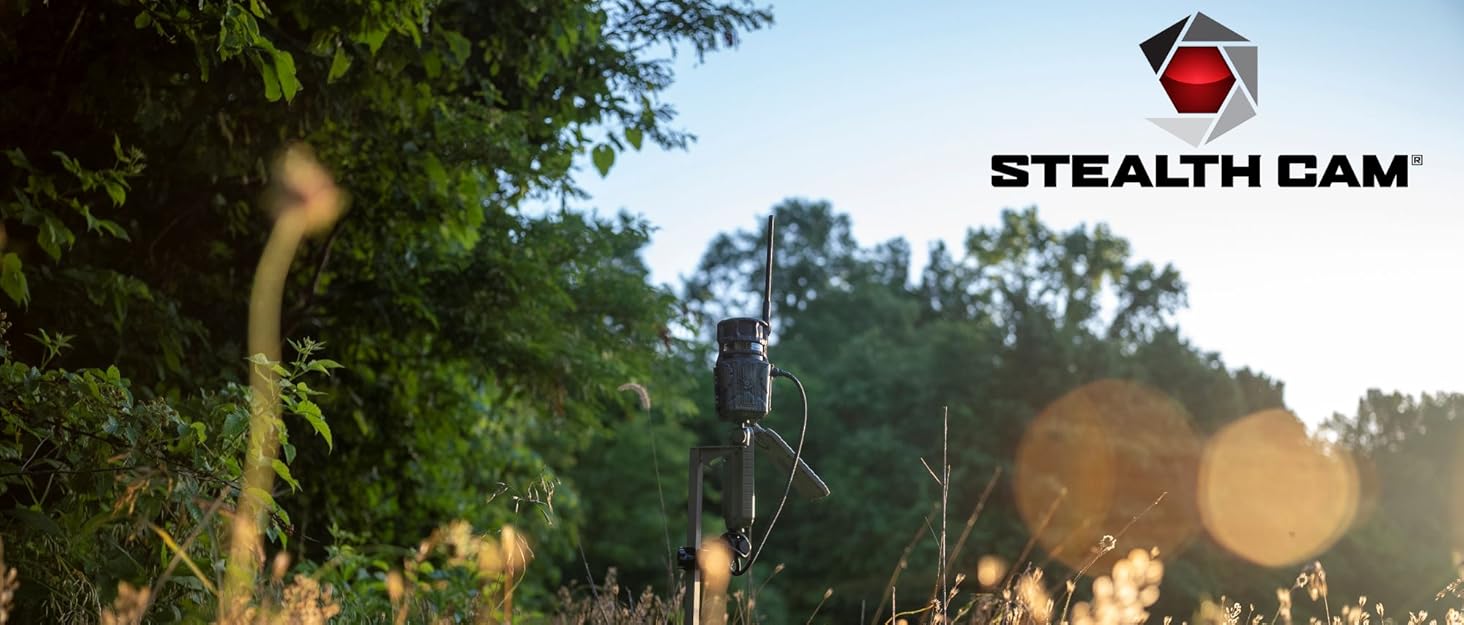
Image: The Stealth Cam Revolver PRO cellular trail camera positioned in a field during sunrise, demonstrating its outdoor application.
Package Contents
Verify that all items listed below are included in your package:
- Stealth Cam Revolver PRO Cellular Trail Camera
- Stealth Cam Durable Solar Battery Pack
- Field Boys Microfiber Cleaning Cloth
- 32GB Lexar SD Card
- Optional T-Post Mounting Bracket
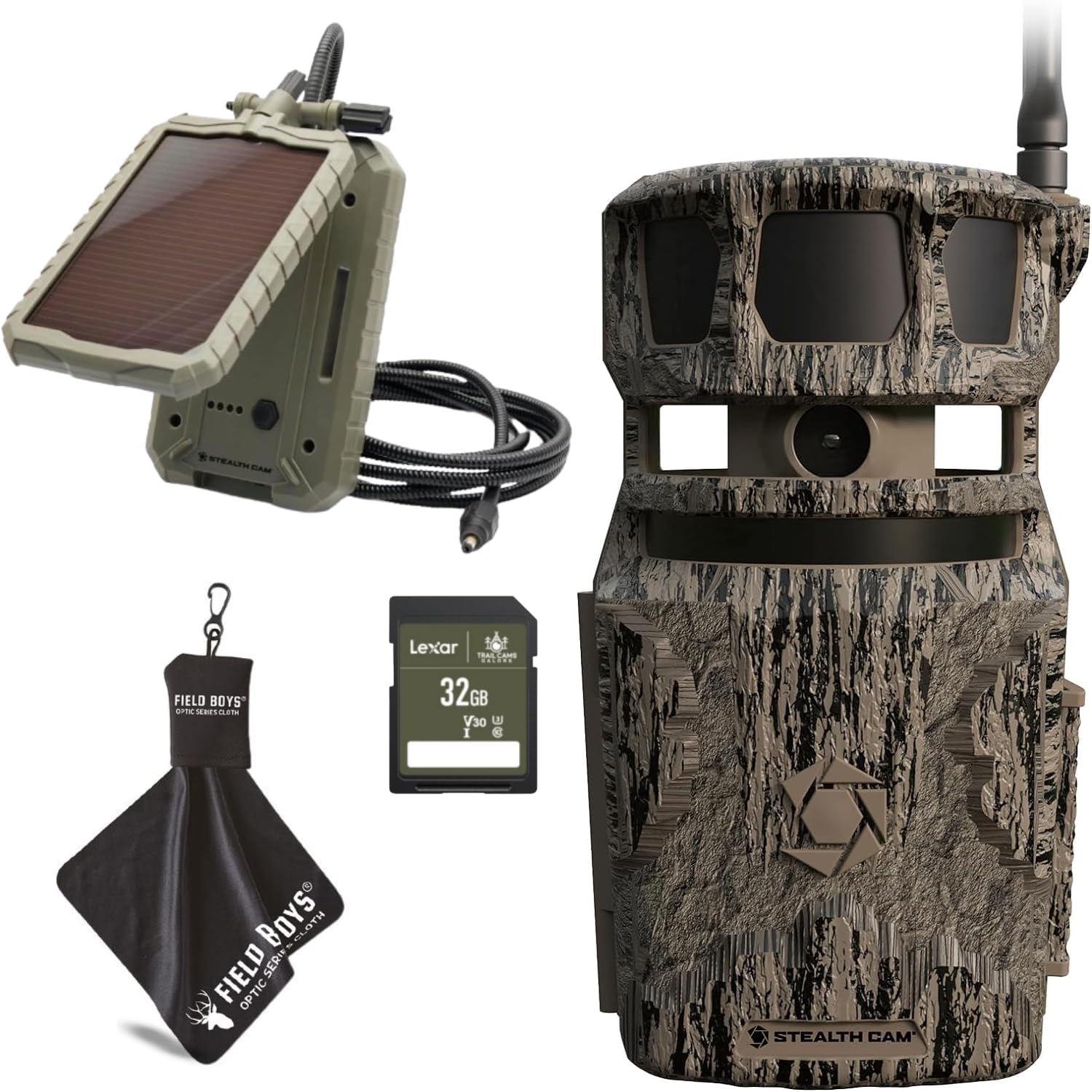
Image: A visual representation of the Stealth Cam Revolver PRO package contents, featuring the camera, a solar panel, a 32GB Lexar SD card, and a Field Boys microfiber cleaning cloth.
Product Overview
The Revolver PRO is engineered for comprehensive surveillance with its unique 360-degree panoramic capabilities. Key features include:
- 40MP Photo Resolution: Capture high-detail still images.
- 1440P QHD Video with Audio: Record clear video footage.
- 0.4 Second Trigger Speed: Rapid response to detected movement.
- 360-Degree Panoramic View: Equivalent to six cameras, providing full situational awareness.
- 100ft Detection Range: Wide area coverage for motion detection.
- 4 Power LEDs: Enhanced illumination for night vision.
- Silent Pivoting Motor: Allows for multiple photos from a single triggered zone without disturbance.
- Built-in GPS: Camera sends coordinates with captured media.
- Cellular Connectivity: Supports AT&T and Verizon networks for remote data transmission.
- COMMAND Pro App Integration: Full control and customization of camera settings, remote viewing, and sharing.

Image: A diagram showcasing the 360-degree camera operation of the Stealth Cam Revolver PRO, highlighting its six distinct detection zones and panoramic capabilities.
Setup
1. Battery Installation
The Revolver PRO requires 16 AA batteries (not included). For optimal performance, use high-quality alkaline or lithium batteries.
- Open the battery compartment located on the camera.
- Insert 16 AA batteries, ensuring correct polarity (+/-) as indicated inside the compartment.
- Close the battery compartment securely to maintain weather resistance.
2. SD Card Insertion
A 32GB Lexar SD Card is included. Ensure the card is formatted before first use.
- Locate the SD card slot.
- Insert the 32GB Lexar SD card into the slot until it clicks into place.
- To remove, push the card in slightly until it springs out.
3. Solar Panel Connection
The included Stealth Cam Durable Solar Battery Pack can extend battery life.
- Connect the solar panel's output cable to the 12V DC auxiliary jack on the camera.
- Position the solar panel in an area that receives maximum direct sunlight.
4. Mounting the Camera
The camera features a 1/4" threaded mount and includes an optional t-post mounting bracket.
- Choose a stable mounting location, such as a tree or a t-post, ensuring a clear view of the desired area.
- Use the integrated strap slots or the 1/4" threaded mount with a compatible mounting accessory.
- If using the t-post bracket, attach it securely to the post and then mount the camera.
- Adjust the camera's angle to optimize coverage.

Image: A person is shown in the process of securely mounting the Stealth Cam Revolver PRO trail camera onto a wooden fence post, demonstrating a typical setup scenario.
5. Activating Cellular Service & App Setup
The Revolver PRO operates on AT&T and Verizon networks. You will need to activate a data plan and set up the COMMAND Pro App.
- Download the COMMAND Pro App from your mobile device's app store.
- Follow the in-app instructions to create an account and register your camera.
- Select your preferred cellular carrier (AT&T or Verizon) and activate a data plan through the app or the Stealth Cam website.
- Once activated, the app will guide you through initial camera synchronization and settings configuration.
Operating Instructions
Powering On/Off
Locate the power button on the camera. Press and hold to power on or off. The camera will indicate its status via LED lights.
Using the COMMAND Pro App
The COMMAND Pro App is your primary interface for controlling and managing the Revolver PRO camera.
- Remote Settings: Adjust photo/video resolution, trigger delay, burst mode, timelapse, and more from your mobile device.
- Live View & On-Demand: Capture photos or videos on demand and view live streams (where supported by plan).
- Image & Video Gallery: Browse, download, and share captured media directly from the app.
- GPS Tracking: View the camera's location on a map.
- Data Management: Monitor data usage and manage your cellular plan.
- Firmware Updates: Receive notifications and perform over-the-air firmware updates.
Understanding Camera Modes
- Photo Mode: Captures still images at selected resolutions (40MP/16MP/8MP/4MP).
- Video Mode: Records 1440P QHD video with audio.
- Burst Mode: Captures 1-3 photos per trigger event for rapid sequence imaging.
- Timelapse: Captures images at set intervals over a period, useful for monitoring large areas or slow-moving events.
- 360-Degree & 180-Degree Capture: The camera's silent pivoting motor allows it to capture panoramic views. The app will display which of the 6 zones triggered the capture.

Image: A collage of images captured by the Stealth Cam Revolver PRO, demonstrating its ability to capture wildlife such as deer and turkeys across its 360-degree and 180-degree panoramic fields of view.
Image Stamp Details
Each captured image and video will include a stamp with the following information:
- Time/Date
- Moon Phase
- Temperature
- Camera ID
Maintenance
- Battery Replacement: Regularly check battery levels via the COMMAND Pro App. Replace all 16 AA batteries when low to ensure continuous operation.
- SD Card Management: Periodically check the SD card's storage capacity. Download important media and format the card to prevent storage issues and ensure optimal performance.
- Cleaning: Use the included Field Boys Microfiber Cleaning Cloth to gently clean the camera lens and housing. Avoid abrasive materials or harsh chemicals. Ensure the lens is free of dirt, dust, and moisture for clear images.
- Environmental Protection: While the camera is designed for outdoor use, ensure all latches and seals are secure to prevent water ingress, especially in humid or rainy conditions.
Troubleshooting
| Problem | Possible Cause | Solution |
|---|---|---|
| Camera not powering on. | Low or dead batteries; incorrect battery installation. | Replace all 16 AA batteries with new ones, ensuring correct polarity. |
| No images/videos captured. | SD card full or corrupted; incorrect settings; no motion detected. | Format the SD card; check camera settings via COMMAND Pro App; verify camera placement for motion detection. |
| Poor image/video quality (blurry, foggy). | Dirty lens; condensation inside lens; insufficient light. | Clean the lens with the microfiber cloth. Ensure camera is sealed properly. If condensation persists, contact support. Ensure adequate lighting or use night vision. |
| No cellular connection. | Weak signal; inactive data plan; incorrect APN settings. | Relocate camera to an area with better cellular signal; verify data plan activation and status via COMMAND Pro App; check APN settings in the app. |
| App not connecting to camera. | Camera is off; cellular issue; app outdated. | Ensure camera is powered on and has cellular signal. Update COMMAND Pro App to the latest version. |
Specifications
| Feature | Detail |
|---|---|
| Brand | Stealth Cam |
| Model Name | Revolver Pro |
| Item Model Number | STC-RVLRP |
| Effective Still Resolution | 40MP / 16MP / 8MP / 4MP |
| Video Capture Resolution | 1440p QHD |
| Frame Rate | 30 fps |
| Trigger Speed | 0.4 seconds |
| Detection Range | 100 Feet |
| Night Vision Range | 100 Feet |
| Power Source | 16 AA Batteries (not included) |
| Connectivity Technology | Wireless, Cellular (AT&T & Verizon), Wi-Fi |
| Compatible Devices | Smartphone (via COMMAND Pro App) |
| Indoor/Outdoor Usage | Outdoor |
| Mounting Type | Tree Mount (1/4" threaded mount, optional t-post bracket) |
| Item Dimensions (L x W x H) | 4 x 4 x 10 inches |
| Item Weight | 4.73 pounds |
| Manufacturer | GSM Outdoors |

Image: A comprehensive chart detailing the technical specifications of the Stealth Cam Revolver PRO cellular trail camera, including resolution, trigger speed, and connectivity.
Warranty and Support
For warranty information and technical support, please contact the manufacturer, GSM Outdoors. Details regarding warranty coverage and claims can typically be found on the manufacturer's official website or by contacting their customer service department.
The COMMAND Pro App also serves as a valuable resource for support, including FAQs and direct contact options for technical assistance.
Manufacturer: GSM Outdoors