
1. Introduction
This manual provides essential information for the proper use and maintenance of your Casio Youth WS-B1000-1AVDF Bluetooth Digital Watch. Please read this manual thoroughly before using the watch to ensure optimal performance and longevity.
2. Product Overview
The Casio Youth WS-B1000-1AVDF is a digital watch designed for an active lifestyle, featuring Bluetooth connectivity, a 1/100-second stopwatch with 200-lap memory, and a step tracker. Its slim, compact design and perforated urethane band offer comfort and breathability. The watch is water-resistant up to 100 meters.
2.1. Components and Controls
Familiarize yourself with the watch's main components and buttons:
- Display: Digital display showing time, date, step count, and other information.
- Adjust Button: Used for entering and exiting setting modes, and confirming selections.
- Mode Button: Cycles through different watch modes (Timekeeping, Stopwatch, Timer, Alarm, etc.).
- Light Button: Illuminates the display.
- Search Button: Used for searching or navigating through settings.
- Start Button: Used to start/stop stopwatch, or initiate certain functions.
- Lap/Reset Button: Used for lap recording in stopwatch mode or resetting values.
2.2. Product Dimensions
The watch dimensions are approximately 21.5 x 1.2 x 4.1 cm, with a case diameter of 41.3 mm. It weighs 36 grams.

Figure 2.1: Front view of the Casio WS-B1000-1AVDF watch, displaying the digital time, date, and various function buttons such as ADJUST, MODE, LIGHT, SEARCH, START, and LAP/RESET. The display also shows "STEP TRACKER" and "ILLUMINATOR".

Figure 2.2: Left side view of the Casio WS-B1000-1AVDF watch, highlighting the 'ADJUST' and 'MODE' buttons.

Figure 2.3: Right side view of the Casio WS-B1000-1AVDF watch, highlighting the 'LIGHT', 'SEARCH', and 'START' buttons.

Figure 2.4: Rear view of the Casio WS-B1000-1AVDF watch, showing the stainless steel case back with water resistance and model information.

Figure 2.5: The Casio WS-B1000-1AVDF watch displayed on a wrist, illustrating its size and fit.

Figure 2.6: The Casio WS-B1000-1AVDF watch with its resin band fully extended, showing the buckle and strap holes.

Figure 2.7: Size comparison of the Casio WS-B1000-1AVDF watch against a standard credit card, indicating approximate dimensions of 46.2 mm in height.
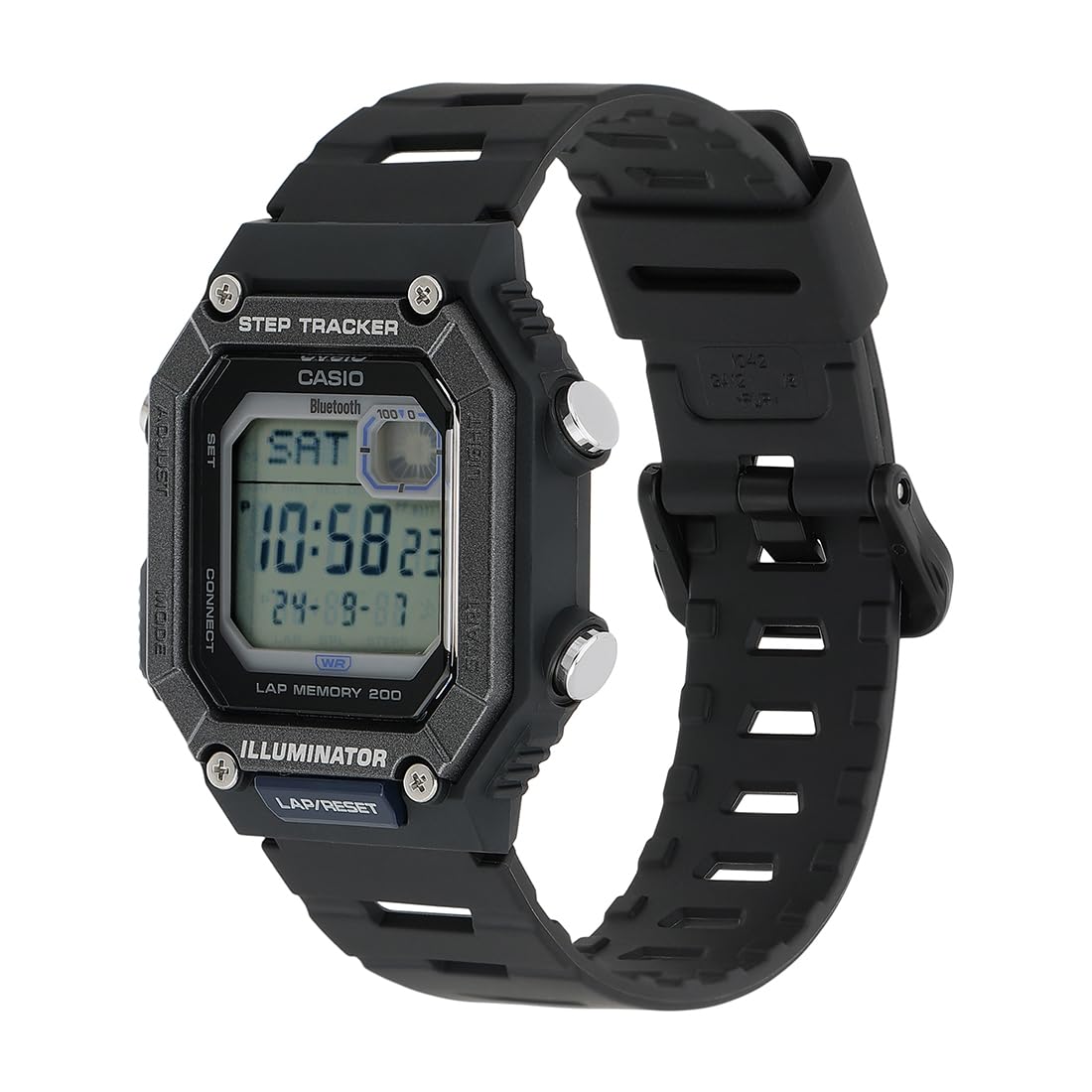
Figure 2.8: Angled view of the Casio WS-B1000-1AVDF watch, showcasing the digital display with current time and date, along with the 'STEP TRACKER' and 'ILLUMINATOR' labels.

Figure 2.9: Another angled view of the Casio WS-B1000-1AVDF watch, providing a clear perspective of the watch face and its robust design.
3. Setup
3.1. Initial Time Setting
Your watch comes with a pre-installed battery. To set the initial time:
- Press and hold the Adjust button until the city code starts flashing.
- Use the Search and Start buttons to select your home city code.
- Press the Mode button to cycle through settings: Daylight Saving Time (DST), 12/24-hour format, Seconds, Hour, Minute, Year, Month, Day.
- Use the Search and Start buttons to adjust each value.
- Press the Adjust button to exit the setting mode.
3.2. Smartphone Pairing (Bluetooth)
The WS-B1000-1AVDF can be paired with your smartphone for automatic time correction and easy configuration of various functions via the Casio app.
- Download the official Casio app (e.g., "CASIO WATCHES" or "G-SHOCK Connected") from your smartphone's app store.
- Enable Bluetooth on your smartphone.
- On the watch, enter the pairing mode (refer to the app or watch's on-screen instructions for specific steps, usually involves holding a button).
- Open the Casio app on your smartphone and follow the on-screen instructions to pair your watch.
- Once paired, the watch will automatically correct its time and allow you to configure alarms, world time, and other settings from the app.
4. Operating Instructions
4.1. Timekeeping Mode
This is the default mode, displaying the current time and date.
- Press the Light button to illuminate the display.
- Press the Mode button to cycle to other modes.
4.2. Stopwatch Mode
The watch features a 1/100-second stopwatch with a 200-lap memory.
- From Timekeeping Mode, press the Mode button until "STW" or "STOPWATCH" appears.
- Press the Start button to begin timing.
- Press the Start button again to pause timing.
- Press the Lap/Reset button to reset the stopwatch to zero.
- To record laps, press the Lap/Reset button while the stopwatch is running.
4.3. Step Tracker
The built-in accelerometer senses body movements and automatically counts steps. The watch displays the number of steps taken and a graphic showing progress towards your goals.
- The step count is typically displayed on the main timekeeping screen or a dedicated step tracker mode.
- Step counts and stopwatch times can be transferred to the paired smartphone app for detailed logging and analysis.
4.4. Alarm Mode
Set daily alarms to remind you of important events.
- From Timekeeping Mode, press the Mode button until "ALM" or "ALARM" appears.
- Use the Adjust button to select an alarm number (if multiple are available).
- Press and hold Adjust to enter alarm setting mode.
- Use Search and Start to set the alarm time.
- Press Adjust to confirm and exit.
4.5. World Time Mode
View the current time in various major cities around the world.
- From Timekeeping Mode, press the Mode button until "WT" or "WORLD TIME" appears.
- Use the Search and Start buttons to scroll through different city codes.
5. Maintenance
5.1. Cleaning Your Watch
To maintain the appearance and functionality of your watch:
- Wipe the watch with a soft, dry cloth.
- For stubborn dirt, use a soft cloth dampened with water and a mild neutral detergent. Wipe dry immediately.
- Avoid using volatile agents like thinner, benzine, alcohol, or chemical sprays, as they may damage the resin components.
5.2. Water Resistance
Your watch is water-resistant up to 100 meters. This means it is suitable for everyday use, swimming, and snorkeling. However, it is not suitable for diving.
- Do not operate buttons while the watch is wet or submerged in water.
- After exposure to saltwater, rinse the watch thoroughly with fresh water and wipe it dry.
5.3. Battery Replacement
The watch uses 1 product-specific battery. When the display becomes dim or functions become erratic, it may be time to replace the battery. Battery replacement should be performed by a qualified technician or an authorized Casio service center to ensure water resistance is maintained.
6. Troubleshooting
| Problem | Possible Cause | Solution |
|---|---|---|
| Watch display is blank or dim. | Low battery. | Replace the battery at an authorized service center. |
| Time is incorrect. | Time not set correctly or not synced with phone. | Manually set the time (Section 3.1) or re-pair with smartphone (Section 3.2). |
| Cannot connect to smartphone via Bluetooth. | Bluetooth is off on phone/watch, app issue, or watch is out of range. | Ensure Bluetooth is enabled on both devices. Restart the app and watch. Move closer to the phone. Refer to app's troubleshooting guide. |
| Step count is inaccurate. | Watch not worn correctly, or movement not detected. | Ensure the watch is worn snugly on your wrist. Calibrate step tracker via the app if available. |
7. Specifications
- Model Number: WS-B1000-1AVDF
- Case Material: Resin
- Band Material: Resin
- Dial Color: Black
- Strap Color: Black
- Water Resistance: 100 meters
- Movement Type: Quartz
- Product Dimensions: 21.5 x 1.2 x 4.1 cm
- Case Diameter: 41.3 Millimetres
- Item Weight: 36 Grams
- Battery: 1 Product Specific battery (included)
- Connectivity: Bluetooth
- Features: Step Tracker, 1/100-second Stopwatch (200-lap memory), Alarm, World Time, Illuminator
- Country of Origin: Thailand
- Manufacturer: Imported By - Casio India Co Pvt Ltd
8. Warranty and Support
Your Casio WS-B1000-1AVDF watch comes with a limited warranty. For specific warranty terms and conditions, please refer to the warranty card included with your purchase or visit the official Casio website.
For technical support, service, or inquiries, please contact Casio customer service or an authorized service center. Contact information can typically be found on the Casio official website or in the documentation provided with your watch.
Manufacturer Contact: Casio India Co Pvt Ltd, A-41, 1st Floor, MCIE, Mathura Road, New Delhi-110044