
1. Important Safety Information
Please read this manual carefully before operating the Rtktoup 60 x 2W LED Par Spotlight. Retain it for future reference. Failure to follow these instructions may result in electric shock, fire, or other hazards.

Image 1.1: Warning label on product packaging. This label emphasizes the importance of not opening the device housing due to electric shock risk and to read the manual before use.
- Electrical Safety: This device operates on AC110V-240V 50/60Hz. Ensure the power supply matches the device's requirements. Do not expose the unit to rain or moisture. Disconnect from power before cleaning or servicing.
- Shock Hazard: Do not open the housing. There are no user-serviceable parts inside. Refer all servicing to qualified personnel.
- Ventilation: Ensure adequate ventilation around the unit to prevent overheating. Do not block ventilation openings. The device includes a smart cooling fan; ensure it operates freely.
- Placement: Install the fixture in a location with proper air circulation, away from flammable materials. Avoid direct exposure to sunlight or extreme temperatures.
- Handling: Handle the unit with care. Avoid dropping or subjecting it to strong impacts.
- Children: Keep the device and its accessories out of reach of children.
2. Product Overview
The Rtktoup 60 x 2W LED Par Spotlight is a versatile stage lighting fixture designed for various events, including parties, weddings, clubs, and performances. It features 60 high-quality RGBW 4-in-1 LED lamp beads, offering extensive color mixing capabilities and dynamic lighting effects.
Image 2.1: Front view of the Rtktoup LED Par Spotlight, highlighting its compact design and the array of LED lights.
2.1 Key Features
- Powerful Illumination: Equipped with 60 x 2W RGBW 4-in-1 LEDs for bright and vibrant lighting.
- Extensive Color Mixing: Achieves 16.7 million+ colors and rainbow effects.
- Multiple Control Modes: Supports Automatic, Sound Activated, DMX512 (8-channel), and Master-Slave operation.
- Wireless Remote Control: Includes a 433 wireless remote for convenient operation with extended range and anti-interference capabilities.
- Built-in Programs: Features various pre-programmed lighting effects such as static color, jump, strobe, and gradient.
- Smart Cooling System: Integrated fan to manage temperature and prolong product lifespan.
- Durable Construction: Aluminum alloy frame with a plastic shell for robust performance.
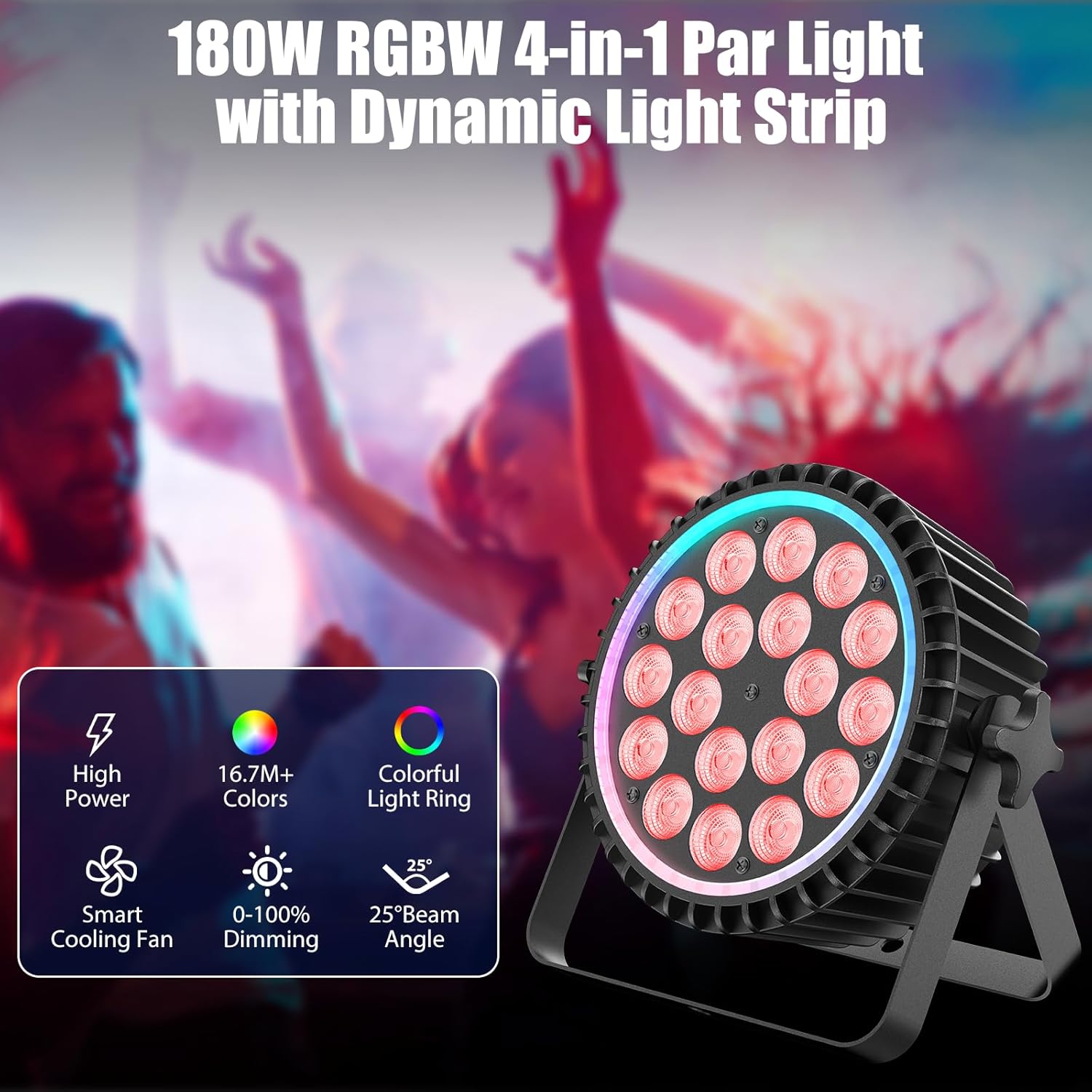
Image 2.2: Visual representation of the spotlight's key features, including its high power output, extensive color palette, and efficient cooling system.

Image 2.3: Examples of the extensive color mixing and dynamic effects, including static colors, jumps, strobes, and gradients.
2.2 Package Contents
Verify that all items listed below are included in your package:
- LED Par Spotlight x 1
- Power Cable x 1
- Mounting Handle x 2
- Handle Screws x 2
- Remote Control x 1
- User Manual x 1 (This document)
3. Setup and Installation
3.1 Mounting the Fixture
The Rtktoup LED Par Spotlight comes with an adjustable bracket for flexible mounting options. It can be placed on a flat surface or mounted to a truss or stand.
- Attach Handles: Secure the two mounting handles to the sides of the fixture using the provided screws. Ensure they are tightened firmly.
- Positioning: Choose a stable location for the fixture. If mounting overhead, use appropriate clamps (not included) and safety cables to prevent accidental falls. Ensure the fixture is securely fastened and its weight is supported.
- Adjust Angle: Loosen the handle screws slightly to adjust the beam angle, then re-tighten to lock the desired position.

Image 3.1: The LED Par Spotlight with its adjustable bracket, illustrating how it can be positioned for various lighting setups.
3.2 Power Connection
Connect the provided power cable to the power input on the back of the fixture and then to a suitable power outlet (AC110V-240V 50/60Hz).
3.3 DMX Connection (Optional)
For DMX control, connect a DMX controller to the fixture's 3-pin XLR DMX input. If linking multiple fixtures, connect the DMX output of the first fixture to the DMX input of the next, and so on (daisy-chaining).
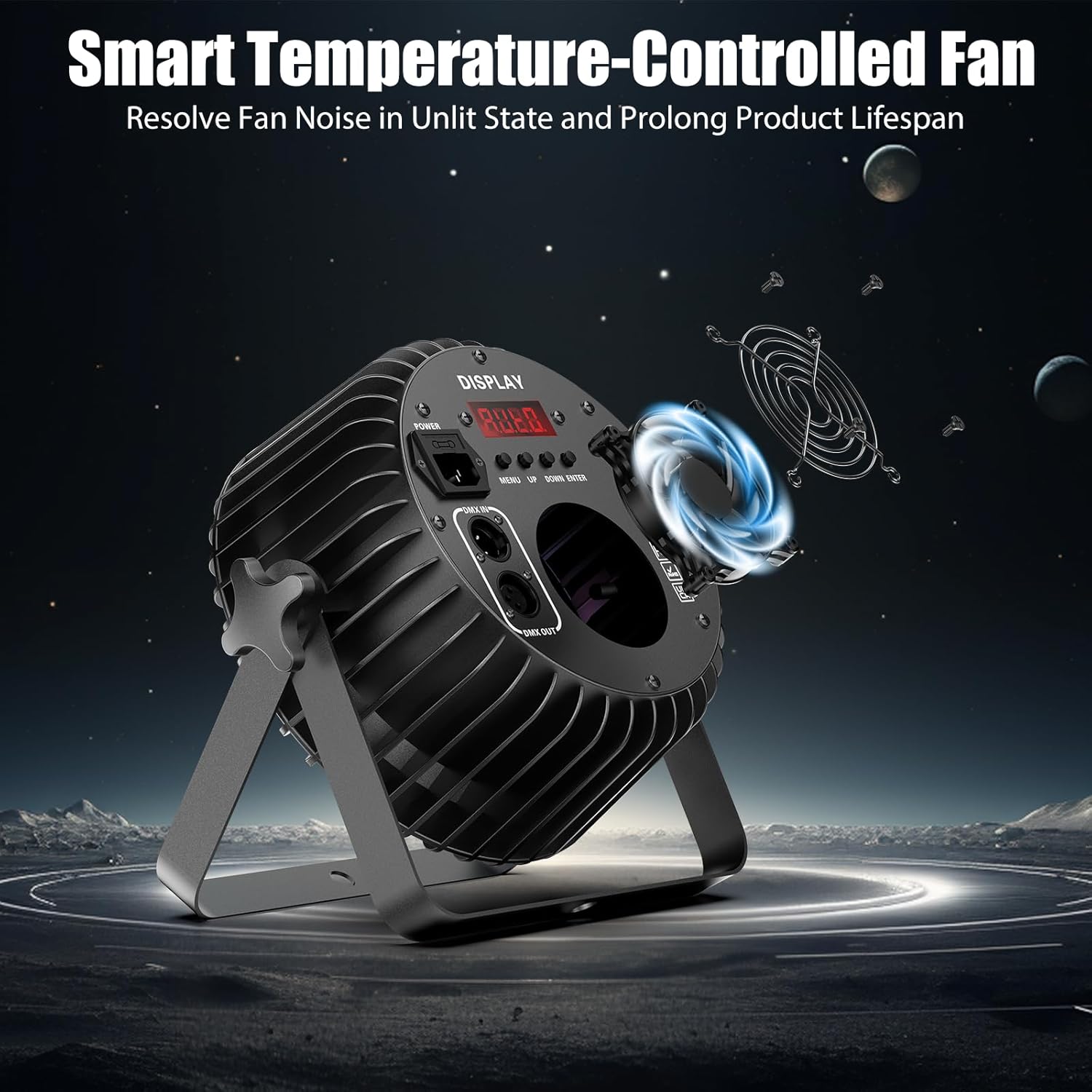
Image 3.2: Rear panel of the spotlight, detailing the power and DMX connections, as well as the control interface.
3.4 Remote Control Battery Installation
The remote control requires 1 Lithium Metal battery (included). Ensure the battery is correctly inserted according to polarity markings.
4. Operating Instructions
The Rtktoup LED Par Spotlight can be operated using the onboard digital display and buttons, the included remote control, or via a DMX controller.
4.1 Digital Display and Buttons
The rear panel features a 4-digit digital display and four control buttons: MENU, UP, DOWN, and ENTER. These allow you to navigate through settings and select operating modes.
- MENU: Cycles through the main menu options (e.g., DMX address, operating modes).
- UP/DOWN: Adjusts values or navigates through sub-menu options.
- ENTER: Confirms selection or enters a sub-menu.
4.2 Operating Modes
Select an operating mode using the MENU button and confirm with ENTER.
- Automatic Mode: The fixture cycles through pre-programmed lighting sequences automatically. You can often select different auto programs or adjust speed.
- Sound Activated Mode: The lights react to ambient sound or music detected by the built-in microphone. Sensitivity may be adjustable.
- DMX Mode: For professional control, connect a DMX512 controller. Set the DMX address on the fixture using the digital display. The fixture uses 8 DMX channels. Refer to the DMX Channel Chart (Section 4.4) for specific functions.
- Master-Slave Mode: Link multiple fixtures together. Set one fixture as the "Master" and others as "Slave." The slave units will mimic the master's operation.

Image 4.1: An illustration of multiple spotlights operating in different modes, demonstrating the versatility of the lighting effects.
4.3 Remote Control Operation
The 433 wireless remote control provides convenient access to various functions. Point the remote towards the front of the fixture for optimal reception.
- Power On/Off: Turns the light on or off.
- Mode Selection: Buttons for Auto, Sound, DMX, Master-Slave modes.
- Color Selection: Direct access buttons for primary colors (Red, Green, Blue, White) and pre-mixed colors.
- Effect Control: Buttons for Strobe, Fade, Jump, Gradient effects.
- Brightness/Speed: Adjusts intensity or effect speed.

Image 4.2: The wireless remote control, detailing its layout and function buttons for easy operation.

Image 4.3: Examples of the dynamic full-color LED halo effect, showcasing various chasing and flowing patterns.
4.4 DMX Channel Chart (8CH Mode)
This table outlines the functions of each DMX channel in 8-channel mode.
| Channel | Function | Value Range | Description |
|---|---|---|---|
| 1 | Master Dimmer | 0-255 | Overall brightness (0% to 100%) |
| 2 | Red Intensity | 0-255 | Red LED brightness (0% to 100%) |
| 3 | Green Intensity | 0-255 | Green LED brightness (0% to 100%) |
| 4 | Blue Intensity | 0-255 | Blue LED brightness (0% to 100%) |
| 5 | White Intensity | 0-255 | White LED brightness (0% to 100%) |
| 6 | Strobe Effect | 0-255 | 0=No Strobe, 1-255=Strobe speed (slow to fast) |
| 7 | Color Macro / Programs | 0-255 | Selects pre-programmed color macros or effects. Specific values correspond to different programs. |
| 8 | Program Speed / Sound Sensitivity | 0-255 | Adjusts speed of selected program or sensitivity in sound mode. |
Note: Specific DMX values for color macros and programs may vary. Refer to the detailed DMX chart in the physical manual if available.
5. Maintenance
Regular maintenance ensures optimal performance and extends the lifespan of your Rtktoup LED Par Spotlight.
- Cleaning: Periodically clean the lens and housing with a soft, lint-free cloth. For stubborn dirt, use a mild glass cleaner applied to the cloth (not directly to the fixture). Ensure the fixture is powered off and disconnected before cleaning.
- Fan and Vents: Ensure the cooling fan and ventilation openings are free from dust and debris. Use compressed air to gently clear any blockages. A clean fan is crucial for preventing overheating and maintaining LED lifespan.
- Cable Inspection: Regularly check power and DMX cables for any signs of damage, fraying, or loose connections. Replace damaged cables immediately.
- Storage: When not in use for extended periods, store the fixture in a dry, dust-free environment, preferably in its original packaging or a protective case.

Image 5.1: Internal view highlighting the smart temperature-controlled fan, which is vital for the device's longevity and quiet operation.
6. Troubleshooting
If you encounter issues with your Rtktoup LED Par Spotlight, refer to the following common problems and solutions.
- No Power:
- Ensure the power cable is securely connected to both the fixture and a working power outlet.
- Check the power source for electricity (e.g., test with another device).
- Inspect the power cable for any damage.
- No Light Output:
- Verify the fixture is powered on.
- Check the dimmer setting (if in DMX mode, ensure Channel 1 is not at 0).
- Ensure a valid operating mode is selected (Auto, Sound, DMX, Master-Slave).
- Remote Control Not Working:
- Check and replace the remote control battery if necessary.
- Ensure there are no obstructions between the remote and the fixture.
- Confirm the remote is pointed towards the front of the fixture.
- DMX Control Issues:
- Verify DMX cables are correctly connected (input to output).
- Ensure the DMX address on the fixture matches the address set on your DMX controller.
- Check for proper DMX termination if using a long chain of fixtures.
- Confirm the DMX controller is sending a valid signal.
- Fixture Overheating:
- Ensure adequate ventilation around the fixture.
- Check if the cooling fan or vents are blocked by dust or debris.
- Operate the fixture within its specified working environment temperature range (-20℃ to 40℃).
If the problem persists after attempting these solutions, please contact customer support or a qualified technician.
7. Technical Specifications
| Feature | Detail |
|---|---|
| Model Number | MCSJ-1638 |
| Light Source | 60 x 2W RGBW 4-in-1 LEDs |
| Rated Power | 120W |
| Voltage | AC110V-240V 50/60Hz |
| Beam Angle | 25° |
| Control Protocol | DMX512 Standard Protocol |
| Control Channels | 8CH |
| Operating Modes | Automatic, Sound Activated, DMX, Master-Slave |
| Data Connection | 3-pin XLR Input/Output |
| Display | 4-digit Digital Display |
| Effective Control Distance (Remote) | 10m |
| Average LED Lifespan | 50,000 hours |
| Protection Level | IP20 |
| Working Environment | -20℃ to 40℃ |
| Material | Aluminum alloy frame + Plastic shell |
| Product Dimensions | 27.5 x 9 x 24 cm |
| Item Weight | 1.52 kg |
| Manufacturer | Shenzhen Zhuoqiong Technology Co., Ltd. |
| EPREL Database Link | View on EPREL |
8. Warranty and Customer Support
Specific warranty details for the Rtktoup 60 x 2W LED Par Spotlight may vary by region and retailer. Please refer to your purchase documentation or contact your point of sale for warranty information.
For technical assistance, troubleshooting beyond this manual, or inquiries regarding parts and service, please contact the manufacturer or your authorized dealer. Provide your product model number (MCSJ-1638) and purchase date when seeking support.