
VIVOSUN WMM-0001
VIVOSUN Wood Moisture Meter (WMM-0001) User Manual
Model: WMM-0001
1. Introduction
Thank you for choosing the VIVOSUN Wood Moisture Meter. This device is a versatile 3-in-1 tool designed to accurately measure moisture content in various wood and building materials, as well as ambient temperature and humidity. This manual provides essential information for safe and effective operation, ensuring optimal performance and longevity of your device.

Image: The VIVOSUN Wood Moisture Meter (WMM-0001) shown with its included accessories, including batteries and a charger.
2. Safety Information
Please read all safety warnings and instructions before using this product to prevent electric shock, fire, or injury.
- Do not attempt to disassemble or modify the device.
- Keep the device away from water and high humidity environments.
- Avoid exposing the device to direct sunlight or extreme temperatures.
- The measurement pins are sharp; handle with care to avoid injury.
- Keep out of reach of children.
- Remove batteries if the device will not be used for an extended period.
3. Package Contents
Verify that all items are present in the package:
- VIVOSUN Wood Moisture Meter (WMM-0001)
- Zippered Storage Case
- Replacement Pins
- Spanner for pin replacement
- User Manual

Image: A visual representation of the moisture meter's dimensions and a list of included accessories such as replacement pins, spanner, storage case, and AAA batteries.
4. Product Overview
The VIVOSUN Wood Moisture Meter is equipped with sensitive pins for material moisture measurement and a back sensor for ambient temperature and humidity. Its compact design and clear display ensure ease of use.

Image: A detailed view of the VIVOSUN Wood Moisture Meter highlighting its sensitivity pins for material moisture content and the back sensor for ambient temperature and humidity measurements.
Key Features:
- 3-in-1 Functionality: Measures material moisture, ambient temperature, and ambient humidity.
- 7 Measurement Modes: Calibrated scales for various wood and building materials.
- Color Backlit LCD: Large display for clear readings in various lighting conditions.
- Data Hold Function: Locks current readings for easy recording.
- High/Low Limit Alert: Customizable moisture alarms with visual notification.
- Auto Power-Off: 10-minute inactivity shutdown to conserve battery.
- Replaceable Pins: Ensures extended device lifespan.
5. Setup
5.1 Battery Installation
- Locate the battery compartment cover on the back of the device.
- Slide the cover open.
- Insert three (3) AAA batteries, ensuring correct polarity (+/-).
- Close the battery compartment cover securely.
6. Operating Instructions
6.1 Powering On/Off
- To power on, press the Power Button (
 ). The display will light up.
 - To power off, press and hold the Power Button for approximately 2 seconds. The device will also automatically power off after 10 minutes of inactivity.
6.2 Selecting Measurement Modes
The meter offers 7 calibration scales for different materials. Press the MODE button to cycle through the available modes (1-7).

Image: The VIVOSUN Wood Moisture Meter screen showing the 7 different material measurement modes and their corresponding moisture ranges.
| Mode | Material Type | Moisture Range (% RH) |
|---|---|---|
| 1 | Beech, Spruce, Larch, Birch, Cherry, Walnut, Herbs, Flowers | 10.5 - 54.8% |
| 2 | Oak, Fir, Pine, Maple, Ash, Douglas Fir, Meranti | 7.3 - 47.9% |
| 3 | Cement Screed, Concrete | 0.9 - 22.1% |
| 4 | Anhydrite Screed | 0.0 - 11.0% |
| 5 | Cement Mortar | 0.7 - 8.6% |
| 6 | Lime Mortar, Plaster | 0.6 - 8.6% |
| 7 | Bricks | 0.1 - 16.5% |
6.3 Taking Moisture Readings (Pin-Type)
- Select the appropriate material mode using the MODE button.
- Carefully push the two measurement pins into the material to be tested. Ensure both pins are fully inserted and making good contact.
- Read the moisture content percentage displayed on the screen.
- For consistent results, take multiple readings in different spots of the material.
6.4 Measuring Ambient Temperature & Humidity
The device continuously monitors ambient temperature and humidity. These readings are displayed on the lower part of the screen.
- Press the °F/°C button to switch between Fahrenheit and Celsius temperature units.
6.5 Using the Hold Function
To freeze the current reading on the display, press the HOLD button. Press it again to release the hold and resume live readings.
6.6 Setting High/Low Limit Alerts
You can set custom high and low moisture limits. If the measured moisture exceeds the high limit or falls below the low limit, the screen will turn red to provide an immediate visual alert.

Image: The VIVOSUN Wood Moisture Meter showing a red screen alert, indicating that the measured moisture level has exceeded a pre-set high limit.
- Press the Hi button to set the high limit. Use the Up/Down arrows to adjust the value. Press Hi again to confirm.
- Press the Low button to set the low limit. Use the Up/Down arrows to adjust the value. Press Low again to confirm.
6.7 Understanding the Display

Image: A close-up of the VIVOSUN Wood Moisture Meter's color backlit LCD, pointing out features such as the low battery indicator, data hold function, and the 10-minute auto shut-off icon.
- APO: Indicates Auto Power-Off is active.
- HOLD: Indicates the Data Hold function is active.
- Battery Icon: Shows current battery level. A flashing icon indicates low battery.
- Material Icon & Number: Displays the currently selected material mode.
- % RH: Moisture content reading.
- °F/°C: Ambient temperature reading.
- % RH (lower): Ambient humidity reading.
7. Maintenance
7.1 Cleaning
Wipe the device with a soft, dry cloth. Do not use abrasive cleaners or solvents.
7.2 Pin Replacement
If the measurement pins become dull or damaged, they can be replaced:
- Ensure the device is powered off.
- Use the provided spanner to carefully unscrew the old pins.
- Insert new pins and tighten them with the spanner. Do not overtighten.
7.3 Storage
Store the device in its zippered storage case in a cool, dry place when not in use. Remove batteries if storing for extended periods.
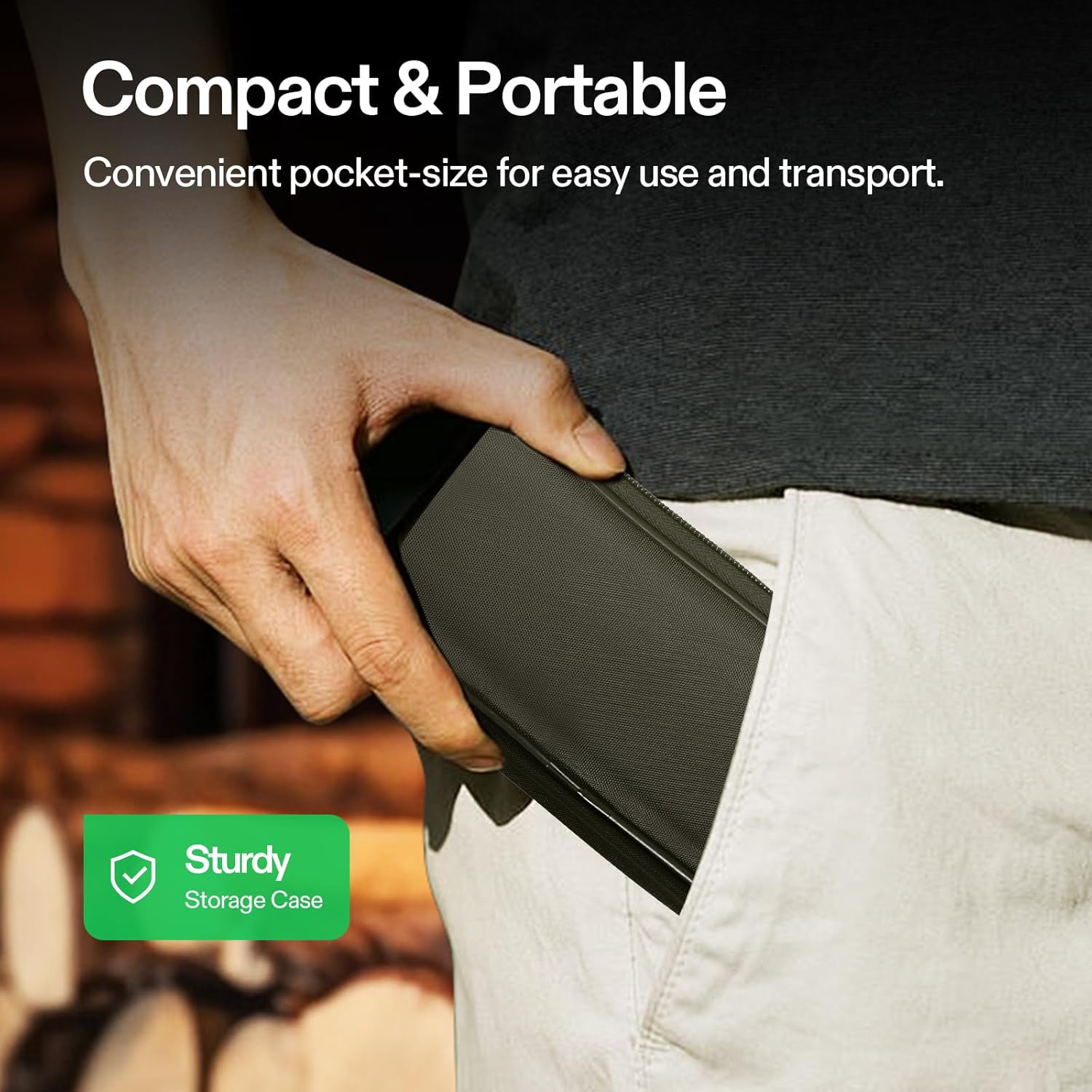
Image: A hand demonstrating the compact and portable nature of the VIVOSUN Wood Moisture Meter by placing it into a pocket, emphasizing the convenience of its sturdy storage case.
8. Troubleshooting
| Problem | Possible Cause | Solution |
|---|---|---|
| Device does not power on. | Low or dead batteries; incorrect battery installation. | Replace batteries with new AAA batteries, ensuring correct polarity. |
| Inaccurate moisture readings. | Incorrect material mode selected; pins not fully inserted; pins are dull/damaged. | Select the correct mode; ensure pins are fully inserted; replace pins if necessary. |
| Screen is dim or unreadable. | Low battery; extreme ambient light. | Replace batteries; move to a location with more suitable lighting. |
| Device powers off unexpectedly. | Auto power-off activated; low battery. | This is normal behavior after 10 minutes of inactivity. Replace batteries if it occurs frequently during use. |
9. Specifications
| Feature | Detail |
|---|---|
| Model Number | WMM-0001 |
| Moisture Content Range | 0 - 54.8% RH |
| Moisture Resolution | 0.1% RH |
| Moisture Accuracy | ± 0.5% |
| Ambient Humidity Range | 0 - 99% RH |
| Ambient Humidity Accuracy | ± 1% RH (20 ~ 80% RH); Other Range: ± 8% RH |
| Ambient Temperature Range | 32 ~ 140°F (0 ~ 60°C) |
| Ambient Temperature Accuracy | ± 2.7°F (± 1.5°C) |
| Power Source | 3 x 1.5V AAA Batteries |
| Auto Power-Off | 10 minutes |
| Item Weight | 9.1 ounces |
| Package Dimensions | 8.58 x 3.62 x 2.01 inches |
10. Warranty and Support
VIVOSUN products are designed for reliability and performance. For warranty information, technical support, or customer service inquiries, please refer to the contact information provided with your purchase or visit the official VIVOSUN website. Please retain your proof of purchase for warranty claims.