
1. Introduction
This manual provides detailed instructions for the installation, operation, and maintenance of your Pioneer DEQ-80ACH Car DSP Audio Processor. Please read this manual thoroughly before using the product to ensure correct usage and optimal performance. Keep this manual for future reference.
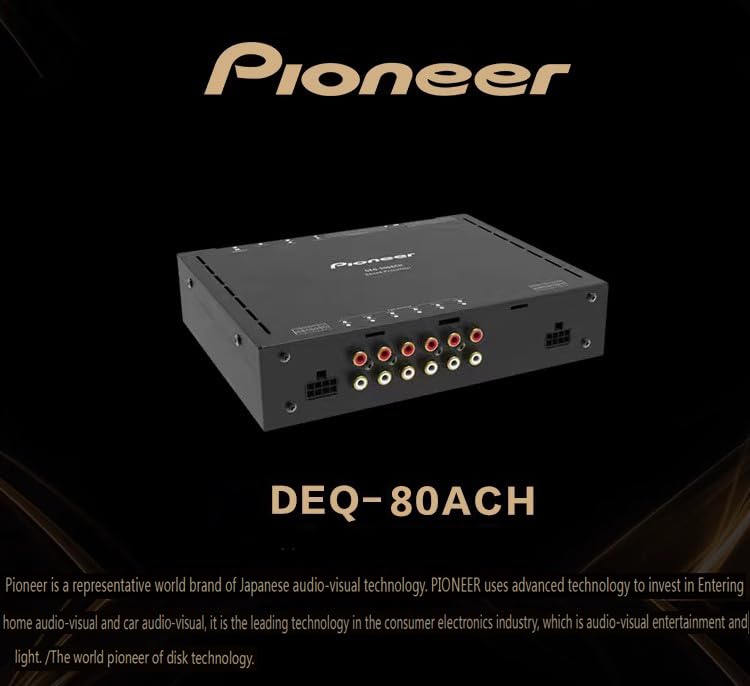
Image 1: Front view of the Pioneer DEQ-80ACH Car DSP Audio Processor, showcasing its compact design and various input/output terminals.
2. Product Features
The Pioneer DEQ-80ACH is a high-performance 12-channel digital signal processor designed to enhance your car audio experience. Key features include:
- Advanced Equalization: 31-segment parametric equalization for precise audio tuning.
- Crossover Filters: Independent high-pass and low-pass frequency dividers for each channel, supporting Ningke Yirui, Bessel, and Bart-Voss filter types.
- Flexible Signal Management: Signal mixing and routing functions for versatile system configurations.
- Multiple Inputs: Supports optical fiber, coaxial, and Bluetooth audio inputs for broad compatibility.
- Control Options: Tunable via dedicated software on computer and mobile phone platforms, with support for external wired control.
- High-Quality Audio Components: Features a Texas Instruments DSP and an imported CS8422 24-bit high-performance multi-format digital audio receiver.
- Bluetooth Connectivity: Built-in Bluetooth with APTXHD support for high-definition music streaming.
- RCA Terminals: Gold-plated RCA terminals for corrosion resistance and optimal signal transfer.
- Low-Level Output: RCA low-level outputs with large amplitude for stable signal delivery.
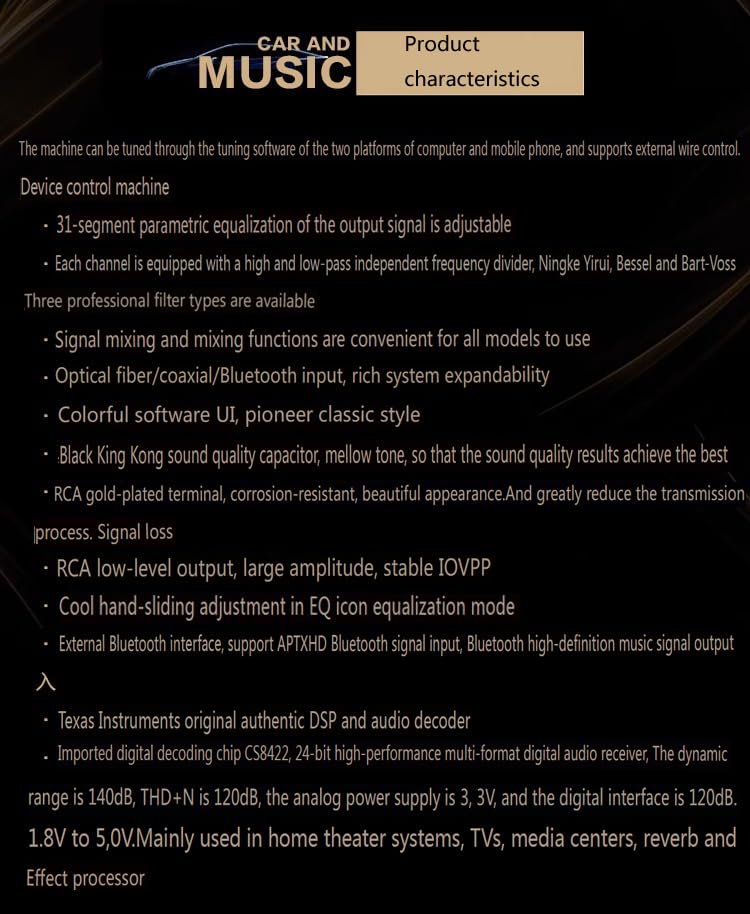
Image 2: Overview of the Pioneer DEQ-80ACH's key product characteristics, highlighting its tuning capabilities and input/output options.
3. Setup and Installation
Proper installation is crucial for the performance and longevity of your DSP. It is recommended that installation be performed by a qualified professional.
3.1 Power Connection
- Connect the DSP to a stable 12V DC power source within the 9V-16V operating range.
- Ensure proper grounding to prevent noise and interference.
- The unit supports high-level input startup (FL+/FL-ACC Input) or an optional +12V startup voltage output (0.2A) for remote turn-on.
3.2 Audio Input Connections
- High-Level Input: Connect up to 4 channels of high-level audio input from your car's head unit or factory amplifier.
- Low-Level Input: Connect up to 2 channels of low-level RCA input from your head unit.
- Digital Inputs: Utilize the optical fiber or coaxial inputs for digital audio sources.
- Bluetooth Input: Pair your device via Bluetooth for wireless audio streaming.
3.3 Audio Output Connections
- The DSP provides 2 channels of low-level RCA output for external amplifiers.
- It also features 4 channels x 50W power output for direct speaker connection.
4. Operating Instructions
The Pioneer DEQ-80ACH is primarily controlled and tuned using dedicated software on a computer or mobile application.
4.1 Software/App Control
- Download and install the official Pioneer DSP tuning software on your computer or the mobile application on your smartphone.
- Connect your device to the DSP via USB (for PC) or Bluetooth (for mobile app).
- The software/app provides access to all tuning parameters, including 31-segment parametric equalization, crossover settings, time alignment, and signal mixing.
4.2 Bluetooth Audio Streaming
- Enable Bluetooth on your mobile device.
- Search for available devices and select the Pioneer DEQ-80ACH.
- Once paired, you can stream high-definition audio directly to the DSP.
5. Maintenance
To ensure the longevity and optimal performance of your Pioneer DEQ-80ACH, follow these maintenance guidelines:
- Keep the unit clean and free from dust and debris. Use a soft, dry cloth for cleaning.
- Avoid exposing the unit to extreme temperatures, moisture, or direct sunlight.
- Ensure all connections are secure and free from corrosion.
- Do not attempt to open the casing or perform repairs yourself, as this may void the warranty and cause damage.
6. Troubleshooting
If you encounter issues with your Pioneer DEQ-80ACH, refer to the following common troubleshooting steps:
- No Power: Check all power connections, including the main power, ground, and remote turn-on wire. Ensure the vehicle's battery has sufficient charge.
- No Sound: Verify all audio input and output connections. Check the volume levels on your head unit and within the DSP software/app. Ensure the correct input source is selected.
- Distorted Sound: Check for proper gain staging throughout your audio system. Ensure speaker wires are not shorted. Review EQ settings for any extreme adjustments.
- Bluetooth Connection Issues: Ensure the DSP's Bluetooth is enabled and discoverable. Delete previous pairings on your mobile device and re-pair. Try restarting both the DSP and your mobile device.
- Software/App Connection Issues: Ensure the correct drivers are installed for PC connection. For mobile apps, verify Bluetooth is active and the app has necessary permissions.
If problems persist after attempting these steps, contact customer support or a qualified service technician.
7. Specifications
| Feature | Specification |
|---|---|
| Processor Type | 12-channel Digital Signal Processor (DSP) |
| Dynamic Range (RCA) | ≥100dB |
| Signal-to-Noise Ratio (RCA Input) | ≥90dB |
| Total Harmonic Distortion | ≤0.05% |
| Frequency Response | 20Hz-20KHz |
| Input Impedance (Low Level) | 20KΩ |
| Input Impedance (High Level) | 240Ω |
| Output Impedance | 51Ω |
| Power Supply | DC 9V-16V (Nominal 12 Volts) |
| Output Power | 4 channels x 50W |
| Input Signal | 4 channels high level, 2 channels low level |
| Output Signal | 2 channels low level, 4CHx50W power output |
| Dimensions (L*W*H) | 162mm x 152mm x 40mm |
| Bluetooth | Built-in, supports APTXHD |
| Equalizer | 31-segment parametric equalizer |
| Decoding Chip | CS8422, 24-bit |
| DSP Manufacturer | Texas Instruments |

Image 3: Detailed table of the Pioneer DEQ-80ACH's technical parameters and specifications.
8. Warranty and Support
For warranty information and technical support, please refer to the documentation provided with your purchase or visit the official Pioneer website. Keep your proof of purchase for warranty claims.